Celebration WordPress Theme
by BoldThemes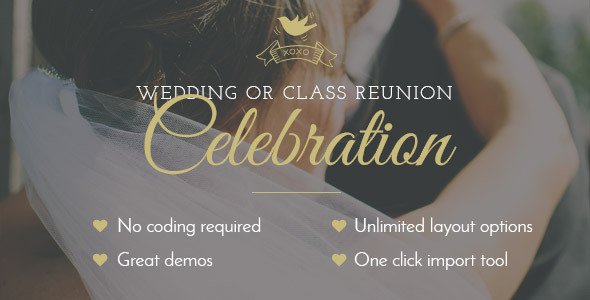
Stuck on your Celebration WordPress theme? Let's fix it.
No endless back-and-forth. Just send us the details and we'll get it done.
No obligation · Replies within 1 hour · Quote within 1 day
Setup · Customization · Bug fixes · WooCommerce integration
About Celebration WP Theme
Celebration is a WordPress theme by BoldThemes built for event-related businesses. It targets wedding planners, party organizers, event venues, and similar niches that need a visually polished site without heavy custom development.
The theme ships with a drag-and-drop page builder, pre-built demo content, and layouts designed around event promotion. You get countdown timers, gallery sections, pricing tables, and RSVP-ready contact forms out of the box.
BoldThemes built Celebration on their own Bold Builder, which means the editing experience is self-contained and does not rely on third-party builders. It supports WooCommerce for selling tickets or packages, and the theme is translation-ready, making it viable for multilingual event sites. Performance is decent for a feature-heavy theme, though larger installs will benefit from additional optimization work.
Get matched with a Celebration developer in under one day
Tell us about your Celebration project. Small fixes, Celebration theme customization, or a full website build, whatever you need, we've got it covered.
We'll connect you to the right Celebration developers, define the scope, and get everything 100% clear.
You'll get one estimate, hire your preferred developer, and start collaborating.
BoldThemes built Celebration with a specific market in mind, which means it does certain things well and other things not at all. An expert who knows the theme’s Bold Builder structure, its template hierarchy, and its hook system can extend or modify it accurately. Through Codeable, you get access to vetted WordPress developers who have worked across dozens of theme types, including event and hospitality themes like Celebration. No junior developers, no guesswork.
Pros
- Pre-built event demo content speeds up initial setup significantly
- Bold Builder is included free, no separate page builder license needed
- WooCommerce compatibility allows ticket and package sales without extra theme switching
- Countdown timers and RSVP-ready sections are built into the core layouts
- Translation-ready with WPML support, useful for multilingual event sites
Cons
- Bold Builder is proprietary, so switching to Gutenberg or Elementor requires rebuilding pages
- Heavy use of shortcodes makes content harder to migrate if you change themes later
- Theme updates occasionally break customizations made directly to template files
- Limited layout flexibility for non-event niches trying to adapt the theme
- Documentation is basic and doesn't cover advanced customization scenarios
Who is Celebration for?
Wedding Planners
Wedding planners get a lot of value from Celebration’s gallery layouts, countdown timers, and testimonial sections. The theme’s visual style fits the wedding market well. A developer can add a custom inquiry form tied to a CRM, or build a portfolio section organized by wedding type and location to help with local search visibility.
Event Venues
Event venues need to show capacity, amenities, and availability. Celebration’s pricing tables and gallery blocks handle the visual side. A Celebration developer can integrate a booking calendar, add a custom inquiry workflow by event type, and set up WooCommerce for deposits or package reservations directly through the site.
Corporate Event Companies
Corporate event companies need a professional tone with clear service pages and case studies. Celebration’s layouts can be adapted, but a developer will likely need to strip back the decorative elements and rebuild key sections to match brand guidelines. Custom post types for past events and client logos add credibility to the site.
Party and Birthday Organizers
Party organizers benefit from Celebration’s colorful, high-energy layouts and its built-in gallery support. A developer can add a filterable portfolio by event type, connect a third-party booking plugin, and set up automated email confirmations after form submissions to reduce back-and-forth with clients.
Conference and Seminar Organizers
Conference organizers need speaker profiles, session schedules, and sponsor sections. These are not default Celebration features, but a developer can build them as custom post types within the theme. Combined with WooCommerce for ticket sales and a countdown to the event date, the theme becomes a functional conference site.

Customizing Celebration
Celebration gives you a solid starting point, but most event businesses need changes that go beyond what the theme panel offers. Fonts, colors, and layout options cover the basics. Anything more specific, like a custom booking flow, a unique gallery layout, or integration with a third-party event management plugin, requires code-level work.
A Celebration expert can modify the Bold Builder templates directly, override theme styles without breaking future updates, and build custom post types for events, speakers, or sponsors that fit your exact business model.
If your site needs a custom RSVP system, a client portal, or tight integration with tools like Eventbrite or a CRM, working with an experienced Celebration developer will save significant time compared to trying to stretch the default theme options further than they were designed to go.
Recommended plugins for Celebration
Celebration works with WooCommerce for ticket sales and package pricing. For booking functionality, plugins like Amelia or WP Simple Booking Calendar layer on well. The theme also supports Contact Form 7 and WPForms for RSVP and inquiry forms.
If you want better search visibility for your event pages, pairing Celebration with proper WordPress SEO work makes a real difference. Event sites with large galleries and video backgrounds also benefit from dedicated WordPress performance optimization to keep load times acceptable.
Not sure which plugins to use? This WordPress plugins directory covers the most popular options with reviews and setup guides.
Celebration common issues
Celebration theme slider not showing on mobile
This is usually caused by a JavaScript conflict with another plugin or a CSS rule hiding the slider on smaller viewports. Start by deactivating plugins one by one to isolate the conflict. If the slider uses Bold Builder’s built-in slider module, check whether the slider settings have a mobile visibility toggle disabled. A developer can trace the exact conflict quickly using browser dev tools and fix it without disrupting the rest of the layout. See our WordPress bug fixing service if you need hands-on help.
Bold Builder elements not loading after Celebration theme update
After a theme update, Bold Builder shortcodes can stop rendering if the update changed internal element IDs or class names. Clearing the cache is the first step. If the issue persists, check whether Bold Builder itself also needs an update, as the two are versioned together. If custom CSS or child theme overrides are involved, those may need to be reconciled with the updated markup. A developer familiar with BoldThemes’ update history can identify what changed and repair the affected templates without a full rebuild.
Celebration theme WooCommerce shop page layout broken
WooCommerce layout conflicts in Celebration usually happen when the theme’s default WooCommerce template files are out of date relative to the installed WooCommerce version. Check the WooCommerce system status page for outdated template warnings. Updating those templates manually, or using a child theme to override only the affected files, typically resolves the broken layout. Avoid editing core theme files directly or the fix will be overwritten on the next update.
Celebration WordPress theme slow loading on shared hosting
Celebration loads multiple scripts and stylesheets by default, which creates noticeable slowdowns on entry-level hosting. Start by enabling caching with a plugin like WP Rocket or LiteSpeed Cache, then run the site through PageSpeed Insights to identify the heaviest assets. Large background images and unoptimized gallery images are common culprits. For deeper WordPress performance optimization, a developer can defer non-critical scripts, lazy-load images, and reduce render-blocking resources specific to BoldThemes’ asset loading patterns.
Celebration FAQ
Yes, Celebration was designed with event and wedding businesses in mind. It includes gallery sections, countdown timers, testimonials, and pricing tables that fit the wedding market well. That said, a generic template will only get you so far. A developer can tailor the layouts, add a custom inquiry system, and make the site feel specific to your brand rather than off-the-shelf.
Celebration is built around Bold Builder, BoldThemes’ own page builder. Elementor can technically be installed alongside it, but the two builders will conflict on pages where both are active. Most developers recommend choosing one and sticking with it. If you prefer Elementor, a developer can rebuild Celebration’s demo layouts inside Elementor while keeping the theme’s styles active.
After activating Celebration, you should see a prompt to install the required plugins, including Bold Builder. Once those are active, go to Bold Admin and look for the One-Click Demo Import option. Select the demo that matches your use case and import it. The process takes a few minutes. If images don’t import correctly, that is usually a server memory limit issue that can be fixed by increasing the PHP memory limit.
Yes, Celebration includes WooCommerce support. You can use it to sell event tickets, packages, or merchandise. The theme has basic WooCommerce template styling built in. For more complex setups, like variable pricing by guest count or deposit-based bookings, a developer will need to extend the default WooCommerce behavior with additional plugins or custom code.
Migrating away from Celebration is more involved than it sounds. Bold Builder stores content as shortcodes inside post content, which won’t render correctly in another theme. Your text and images are recoverable, but layouts will need to be rebuilt. A WordPress migration specialist can extract your content and rebuild it in the new theme systematically, rather than copying and pasting page by page.
Hire a Celebration WordPress Developer
If you need custom work done on a Celebration-powered site, whether that’s a new layout, a booking integration, a performance fix, or something the theme doesn’t support out of the box, a specialist will get it done faster and cleaner than trial and error. Get a free estimate through FoxyConcept. You describe the project, get matched with a vetted Celebration developer within 24 hours, and only move forward if you’re satisfied with the plan. No upfront payment, no obligation.
You'll need a free Codeable account so developers can ask questions and send their quotes.