Charitix WordPress Theme
by ThimPress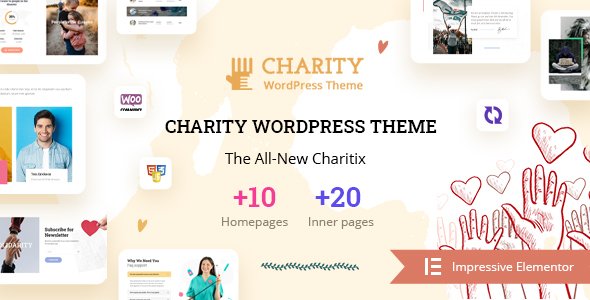
Stuck on your Charitix WordPress theme? Let's fix it.
No endless back-and-forth. Just send us the details and we'll get it done.
No obligation · Replies within 1 hour · Quote within 1 day
Setup · Customization · Bug fixes · WooCommerce integration
About Charitix WP Theme
Charitix is a WordPress theme by ThimPress built specifically for nonprofits, charities, and fundraising organizations. It ships with donation campaign layouts, event pages, and volunteer sign-up sections out of the box. The theme integrates with GiveWP for donation management and includes WooCommerce support for merchandise or campaign-linked purchases.
Built on a clean, page-builder-friendly foundation, Charitix works with Elementor and includes pre-built demo content you can import in one click. Typography, color schemes, and layout options are all accessible through the WordPress Customizer. For organizations that need a credible, cause-driven online presence without starting from scratch, Charitix covers most of the ground quickly.
Get matched with a Charitix developer in under one day
Tell us about your Charitix project. Small fixes, Charitix theme customization, or a full website build, whatever you need, we've got it covered.
We'll connect you to the right Charitix developers, define the scope, and get everything 100% clear.
You'll get one estimate, hire your preferred developer, and start collaborating.
Most Charitix issues come down to configuration gaps, not broken code. A developer who has worked with ThimPress themes knows where those gaps are. Through Codeable, you get matched with vetted WordPress specialists who have real project histories and verified reviews. No agencies, no juniors running point. You post your project, get a clear estimate, and decide whether to move forward. No payment until you approve the work.
Pros
- Designed specifically for nonprofits with donation campaigns, events, and volunteer sections built in
- Native GiveWP integration makes donation form setup straightforward
- One-click demo import gets a full site structure live quickly
- Compatible with Elementor for layout editing without custom code
- WooCommerce support allows merchandise or campaign product sales alongside donations
Cons
- GiveWP advanced features like recurring donations and fee recovery require paid add-ons
- Demo import can conflict with existing content or plugins, requiring cleanup
- Default mobile styling on campaign pages often needs manual tweaks
- Limited built-in filtering options for event or campaign archives without extra plugins
- ThimPress support response times can be slow for complex customization questions
Who is Charitix for?
Nonprofit Organizations
Charitix gives nonprofits a structured starting point with cause listings, donation forms, and team pages. A Charitix developer can connect your donor management system, set up automated donation receipts, and configure restricted fund campaigns so each initiative tracks independently within the same site.
Religious Groups and Churches
Churches and religious groups use Charitix for tithing campaigns, event announcements, and volunteer coordination. A Charitix specialist can configure recurring giving, add a sermon or resource library, and integrate a church management plugin like ChurchCRM without disrupting the existing theme layout.
Fundraising Campaigns
Time-sensitive fundraising campaigns need clear progress bars, goal tracking, and a frictionless checkout. Charitix handles the visual side well. A Charitix expert can wire up deadline-based campaigns in GiveWP, add social sharing triggers, and set up email follow-ups for incomplete donations.
Community Foundations
Community foundations managing multiple grant programs need organized campaign archives and clear navigation between initiatives. A Charitix developer can build structured grant or program pages, add application form integrations, and segment campaigns by category so visitors find the right program without confusion.
Animal Rescue and Wildlife Charities
Animal rescue organizations need adoption listings, foster sign-ups, and donation campaigns running together. A Charitix specialist can build a custom post type for animals available for adoption, integrate a volunteer application form, and configure donation campaigns tied to specific rescue cases or shelter needs.

Customizing Charitix
Out-of-the-box Charitix looks polished, but most organizations need adjustments before it fits their brand. A Charitix expert can rework the homepage layout, connect a payment gateway, configure GiveWP donation forms, and set up recurring donation options that the default setup leaves partially configured.
Beyond basics, a Charitix specialist can build custom campaign archive pages, add filtered event listings, integrate CRM tools like Salesforce or Mailchimp, and optimize the donation funnel for conversions. If you need multilingual support for international fundraising, a developer can wire up WPML or Polylang without breaking the theme’s layout structure. Custom work like this takes hours, not days, when handled by someone who knows the theme well.
Recommended plugins for Charitix
Charitix pairs well with several plugins that extend its core functionality. GiveWP handles donation forms and reporting. The Events Calendar adds structured event management beyond the theme’s built-in options. WooCommerce covers merchandise or branded item sales.
For site health, pairing Charitix with a solid caching and image optimization setup keeps load times down, which matters when donors are making decisions quickly. See our WordPress performance services for that work. If organic search matters to your cause, structured content and technical SEO improvements are covered through our WordPress SEO optimisation service.
Not sure which plugins to use? This WordPress plugins directory covers the most popular options with reviews and setup guides.
Charitix common issues
Charitix donation form not showing on campaign page
This usually comes down to a GiveWP shortcode placed inside a page builder module that strips shortcode rendering, or a missing form ID reference. Check that the GiveWP form is published and the correct form ID is used in the shortcode or widget. If the form renders in a text editor but not the page builder, the block or module needs to allow raw shortcode output. For recurring issues across multiple pages, a WordPress bug fixing specialist can audit the full setup and resolve it cleanly.
Charitix demo import fails or shows blank page after import
Demo import failures in Charitix are often caused by PHP memory limits, missing required plugins, or a timeout during XML import. Increase memory_limit in wp-config.php to at least 256MB and make sure all required plugins are installed before importing. If the page loads blank after import, check for a conflicting plugin or a theme file that didn’t transfer correctly. A WordPress bug fixing service can restore a broken import without losing existing content.
Charitix event page layout broken on mobile
Charitix event pages use fixed-width containers in some sections that don’t scale down cleanly on smaller screens. Open the Customizer or Elementor editor on the affected section and set column widths to percentage-based values. For the event meta row, switching from a multi-column layout to a stacked layout below 768px usually resolves the overlap. If custom CSS was added previously, check for conflicting media queries that override the theme’s responsive rules.
Charitix GiveWP progress bar not updating correctly
GiveWP progress bars pull data from the campaign’s total earnings in real time, but caching can freeze the display. If the bar isn’t updating after a donation, check whether a caching plugin is serving a static version of the page. Exclude the campaign page from cache or set a short cache lifetime. Also verify that the GiveWP campaign goal is set to a monetary target and not a donation count, as mixed settings can cause the bar to calculate incorrectly.
Charitix FAQ
ThimPress updates Charitix to maintain compatibility with current WordPress releases, but not always immediately after a major core update. Before updating WordPress on a live Charitix site, check the theme changelog for a matching update. Running the update on a staging environment first avoids breaking the live site if a conflict exists.
The core GiveWP plugin is free and handles basic one-time donations with Charitix without issue. Recurring donations, fee recovery, Stripe payments beyond basic, and PDF receipts all require paid GiveWP add-ons. If your campaign needs any of those features, budget for the relevant add-ons on top of the theme cost.
Yes. Charitix works with the WordPress block editor and includes its own Customizer options for layout changes. Elementor adds more visual control but isn’t required. If you’re already using a different page builder like Beaver Builder or Bricks, Charitix’s template structure is compatible, though some sections may need manual recreation.
Recurring donations in Charitix require the GiveWP Recurring Donations add-on, which is a paid extension. Once installed, you enable the recurring option on a per-form basis inside the GiveWP form settings. A Charitix developer can configure the forms, set up payment gateway support for subscriptions, and test the full donor flow end to end.
Charitix is manageable for a non-technical user if you stick to the demo layout and use GiveWP’s default form setup. Once you need custom campaign structures, payment gateway configuration, or plugin integrations, the complexity increases quickly. For anything beyond a basic install, working with a Charitix specialist saves significant time and avoids configuration mistakes that affect donations.
Hire a Charitix Developer for Your Nonprofit Site
Whether you need a full Charitix setup, a donation flow that actually converts, or fixes to a site that isn’t behaving, a Charitix specialist can sort it out faster than trial and error. Post your project and get a free estimate with no obligation to hire. Work is scoped clearly before anything starts. Get a Free Estimate and see what it would take to get your site working the way it should.
You'll need a free Codeable account so developers can ask questions and send their quotes.