Classiera – Classified Ads WordPress Theme
by JoinWebs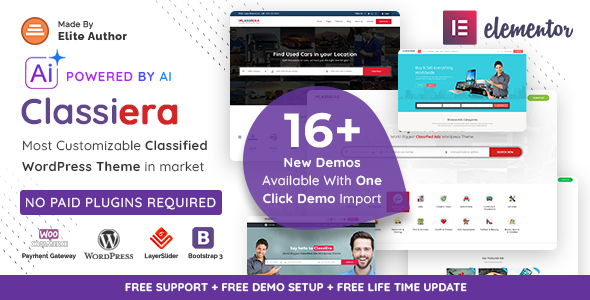
Stuck on your Classiera – Classified Ads WordPress theme? Let's fix it.
No endless back-and-forth. Just send us the details and we'll get it done.
No obligation · Replies within 1 hour · Quote within 1 day
Setup · Customization · Bug fixes · WooCommerce integration
About Classiera – Classified Ads WP Theme
Classiera is a classified ads WordPress theme built by JoinWebs. It gives site owners the structure to run a fully functional listings marketplace — think local ads, job boards, real estate listings, or vehicle sales — without building from scratch.
The theme includes frontend ad submission, user dashboards, paid listing packages via WooCommerce, and category-based browsing. It ships with a visual page builder, multiple listing layouts, and Google Maps integration for location-based searches.
Classiera targets site owners who want Craigslist or OLX-style functionality on a self-hosted WordPress site. The setup is feature-dense, which means there’s a learning curve, but the core mechanics for a working classified ads platform are all present out of the box.
Get matched with a Classiera – Classified Ads developer in under one day
Tell us about your Classiera – Classified Ads project. Small fixes, Classiera – Classified Ads theme customization, or a full website build, whatever you need, we've got it covered.
We'll connect you to the right Classiera – Classified Ads developers, define the scope, and get everything 100% clear.
You'll get one estimate, hire your preferred developer, and start collaborating.
Classiera has enough moving parts — WooCommerce packages, user roles, ad expiry, map integrations — that generic WordPress help rarely cuts it. You need someone who has worked inside the theme’s template structure and understands how its components interact.
Through Codeable, you get matched with vetted WordPress developers who have hands-on experience with classified ad themes like Classiera. No guesswork, no hourly surprises — post a project, get a scoped estimate, and move forward only when you’re comfortable.
Pros
- Includes frontend ad submission with user dashboard — no admin access needed for listers
- WooCommerce integration enables paid listing packages and featured ad upgrades
- Google Maps integration supports location-based ad browsing out of the box
- Multiple listing layouts (grid, list, masonry) with category-level display control
- Active development history from JoinWebs with regular theme updates
Cons
- Theme options panel is dense and can be confusing for first-time users
- Ad submission form customization requires PHP knowledge beyond basic field reordering
- WooCommerce package configuration is not intuitive and often needs developer setup
- Performance degrades noticeably on high-volume directories without caching and optimization
- Limited native support for advanced search filters — custom taxonomy filtering needs extra development
Who is Classiera – Classified Ads for?
General Classified Ads Marketplace
Classiera is built for multi-category ad platforms where users post, browse, and contact sellers. With paid packages via WooCommerce, you can monetize listings from day one. A Classiera developer can configure categories, set expiry rules, and structure the homepage to surface relevant inventory for your audience.
Real Estate Listings Site
Real estate directories benefit from Classiera’s map integration and custom field support. Property type, price range, square footage, and location filters can be configured to match buyer search behavior. A Classiera specialist can set up property listing templates and connect with IDX plugins if your market requires MLS integration.
Automotive Sales Directory
Vehicle classifieds need year, make, model, and mileage fields — none of which are in Classiera’s default setup. A Classiera – Classified Ads WordPress Theme developer can add custom taxonomies and fields specific to auto listings, and configure search filters that let buyers narrow results the way they actually shop for cars.
Local Job Board
Classiera’s user role system and frontend submission make it a workable base for local job boards. Employers post listings, job seekers browse by category and location. A developer can adapt the submission form for job-specific fields, add application tracking, and configure email notifications for both parties.
Buy and Sell Community Platform
Community buy-and-sell platforms need simple posting flows and fast browsing. Classiera handles this well with its grid and list views, category navigation, and map-based search. A Classiera expert can add moderation queues, flag-for-review functionality, and user rating systems to keep the marketplace trustworthy.

Customizing Classiera – Classified Ads
Classiera comes with a theme options panel that controls colors, fonts, homepage layout, and listing display settings. Most changes can be made without touching code, but anything beyond the basics — custom listing fields, modified search filters, or integration with third-party plugins — typically needs developer input.
A Classiera – Classified Ads WordPress Theme expert can restructure ad categories, build custom pricing tiers, adjust the WooCommerce package flow, or rework the user dashboard to match your brand. Frontend submission forms are customizable but require PHP and template knowledge to extend properly.
If you’re running a niche marketplace — say, boats, antiques, or freelance services — a developer can tailor field sets and search behavior specifically to your inventory type, making the user experience far more relevant than the default setup.
Recommended plugins for Classiera – Classified Ads
Classiera works alongside several plugins that extend its core functionality. WooCommerce handles paid listing packages and membership upgrades. WPML adds multilingual support for international classified platforms. Contact Form 7 or custom modal forms handle ad inquiries.
For marketplaces that depend on organic traffic, pairing Classiera with proper WordPress SEO optimisation — structured data for listings, canonical URLs, and sitemap configuration — is essential. High ad volumes can also slow page load significantly, making WordPress performance tuning a practical priority once your directory scales.
Not sure which plugins to use? This WordPress plugins directory covers the most popular options with reviews and setup guides.
Classiera – Classified Ads common issues
Classiera ad submission form not working after update
Ad submission form failures after an update usually trace to a JavaScript conflict or a broken nonce. Clear all caches first, then deactivate plugins one at a time to isolate the conflict. Check the browser console for JS errors. If the form uses AJAX, a plugin overriding WordPress’s admin-ajax or REST API can break submission silently. If you can’t isolate the cause, our WordPress bug fixing service can trace and resolve it efficiently.
Classiera WooCommerce listing packages not showing on frontend
When WooCommerce listing packages don’t appear on the frontend, check that the products are published, the correct product category or tag is assigned (Classiera uses specific product attributes to link packages), and that WooCommerce is not in maintenance mode. Also verify the Classiera theme options panel has packages enabled under the monetization settings. Misconfigured product attributes are the most common cause.
Google Maps not loading on Classiera listings
Google Maps failures in Classiera are almost always API key related. Go to Appearance > Theme Options and confirm your Google Maps API key is entered correctly. The key needs Maps JavaScript API and Places API enabled in Google Cloud Console. Also check that the key has no HTTP referrer restrictions blocking your domain. Billing must be active on the Google Cloud account even for low-traffic sites.
Classiera user dashboard showing blank page
A blank user dashboard in Classiera typically means the dashboard page hasn’t been assigned in theme settings, or a plugin conflict is suppressing output. Go to Classiera’s theme options and verify the correct page is set as the dashboard. Then check for PHP errors by enabling WP_DEBUG temporarily. Session handling plugins or security plugins that block user roles can also cause this. Our WordPress bug fixing service can diagnose the root cause quickly.
Classiera search filter returning no results
Classiera’s search relies on custom query parameters tied to its taxonomy structure. If search returns no results, check that your listing categories are properly registered as custom post type taxonomies, not standard WordPress categories. Also verify that the search widget or page is using Classiera’s built-in search shortcode, not a generic WordPress search form. Re-saving permalink settings often fixes taxonomy query issues after migrations.
Classiera featured image not displaying on listing cards
If featured images aren’t showing on listing cards, first check that the image was uploaded correctly during ad submission — Classiera uses a custom image upload field, not the standard WordPress featured image meta box. Next, check your theme’s image size settings. If you recently changed themes or rebuilt the site, run a thumbnail regeneration using the Regenerate Thumbnails plugin to rebuild cropped versions at Classiera’s required dimensions.
Classiera ads not expiring after set period
Ad expiry in Classiera is handled by a scheduled WordPress cron job. If ads aren’t expiring, WP-Cron may be disabled or unreliable on your host. Check your wp-config.php for DISABLE_WP_CRON set to true. If so, set up a real server-side cron job to trigger wp-cron.php. Also verify the expiry date is being saved correctly on submission — a form field misconfiguration can prevent the value from writing to the database.
Classiera email notifications not sending after ad submission
Email notification failures in Classiera are usually a server deliverability issue, not a theme bug. WordPress’s default wp_mail() relies on PHP mail, which most hosts restrict or spam-filter. Install an SMTP plugin like WP Mail SMTP and configure it with a transactional email service. Also verify Classiera’s email notification templates are enabled in theme options and that the admin email address is correct.
Classiera slow page load on listings archive
High ad volumes stress Classiera’s archive pages because each listing card loads custom meta, images, and location data. Enable a caching plugin like WP Rocket or W3 Total Cache, use lazy loading for images, and consider pagination over infinite scroll for large categories. If the database has grown significantly, query optimization and index tuning can make a measurable difference. See our WordPress performance services for a full audit.
Classiera conflict with Elementor or WPBakery page builder
Classiera ships with WPBakery support, but conflicts arise when Elementor is also active or when both builders try to load assets on the same page. If you’re seeing broken layouts or JS errors, check which builder is active on each page and deactivate the other. Avoid mixing builders across the site. If Classiera shortcodes break inside Elementor elements, a developer familiar with both the theme and Elementor’s rendering pipeline will need to resolve the compatibility layer.
Classiera – Classified Ads FAQ
Classiera is a solid starting point for classified ad platforms. It handles frontend submission, user dashboards, WooCommerce packages, and map-based search without additional plugins. It’s not the simplest theme to configure, and niche marketplaces will need developer work to tailor listing fields and filters. But as a classified ads base, it covers more ground than most WordPress themes in this category.
Yes. Classiera integrates with WooCommerce to offer paid listing packages — users pay for a set number of ads or a featured placement tier. Setup requires creating specific WooCommerce products and linking them through Classiera’s theme options. The process isn’t plug-and-play; most site owners need a Classiera developer to configure packages correctly the first time.
Basic changes — colors, fonts, homepage layout, category icons — can be done through the theme options panel without code. But anything structural, like custom listing fields, modified search logic, or altered submission workflows, needs PHP and template-level edits. Classiera gives you a reasonable amount of visual control, but building a polished, niche-specific marketplace almost always involves a developer.
Classiera has a built-in custom fields system in its theme options, but it’s limited. For advanced field types — dropdowns, conditional fields, file uploads — you’ll need to either extend Classiera’s field registration via functions.php or integrate a plugin like Advanced Custom Fields with custom templates. A Classiera specialist can build out field sets tailored to your specific listing type.
Classiera is compatible with WPML, the most widely used WordPress multilingual plugin. With WPML active, you can translate listing categories, static pages, and theme strings. Ad content submitted by users will need a translation workflow if you want listings available in multiple languages. Full multilingual setup typically requires developer configuration to ensure all Classiera’s custom post types register correctly with WPML.
JoinWebs releases updates for Classiera periodically to maintain WordPress compatibility. Check the ThemeForest changelog for the current tested WordPress version. As with any feature-heavy theme, it’s worth testing updates on a staging site before pushing to production — WooCommerce and plugin updates can interact unexpectedly with Classiera’s custom post type and user role system.
In Classiera’s theme options panel, find the Google Maps section and enter your API key. The key must have the Maps JavaScript API and Places API enabled in Google Cloud Console, with billing active on your account. Set the default map location coordinates for your target region. If maps still don’t load, check your browser console for API errors — quota limits or restricted keys are the most common causes.
Migrating existing listings to a Classiera site involves exporting and importing custom post type data, which doesn’t follow standard WordPress export formats. If your current site uses a different classified theme, you’ll need a developer to write a migration script that maps your existing fields to Classiera’s data structure. Our WordPress migration service handles this type of structured data transfer.
Yes. Classiera includes a user registration and login system. Registered users get a dashboard where they can manage their active and expired listings, upgrade packages, and edit their profile. The dashboard also shows ad statistics. User role management is basic by default — if you need tiered roles like verified seller or agency account, a developer will need to extend the system.
Classiera developer rates vary based on the scope of work. Simple fixes or configuration tasks run lower; custom feature development — new field types, payment flow changes, third-party API integrations — costs more. Through Codeable, you post your project, receive a transparent estimate from a vetted Classiera specialist, and decide whether to proceed. There’s no obligation. Get a Free Estimate to see what your project would cost.
Hire a Classiera – Classified Ads WordPress Theme Expert
Whether you need a Classiera – Classified Ads WordPress Theme developer to set up your marketplace from scratch, fix a broken listing flow, or extend the theme with custom features, the right help makes the difference between a platform that works and one that frustrates users. Get a Free Estimate and connect with a vetted specialist who knows Classiera inside out.
You'll need a free Codeable account so developers can ask questions and send their quotes.