Clenix WordPress Theme
by RadiusTheme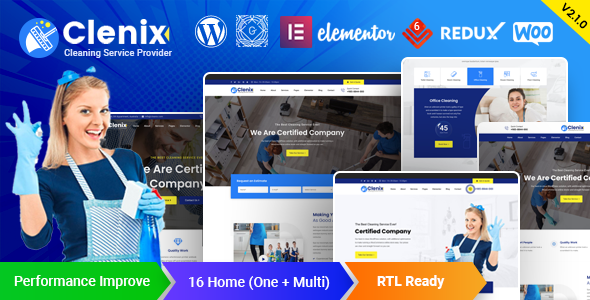
Stuck on your Clenix WordPress theme? Let's fix it.
No endless back-and-forth. Just send us the details and we'll get it done.
No obligation · Replies within 1 hour · Quote within 1 day
Setup · Customization · Bug fixes · WooCommerce integration
About Clenix WP Theme
Clenix is a cleaning services WordPress theme built by RadiusTheme. It targets businesses in the cleaning and maintenance industry: house cleaning, office cleaning, laundry, and related services. The theme ships with multiple homepage layouts, pre-built inner pages, and a service booking structure that works out of the box.
Built on a lightweight base, Clenix integrates with Elementor for drag-and-drop editing. It includes appointment booking support, pricing table layouts, team sections, and testimonial blocks. RadiusTheme packages it with their RT Framework, which handles theme options and widget management.
If you run a cleaning company or similar service business and need a professional site without building from scratch, Clenix covers the core layout requirements. That said, serious customisation or third-party plugin integration usually requires developer input to get right.
Get matched with a Clenix developer in under one day
Tell us about your Clenix project. Small fixes, Clenix theme customization, or a full website build, whatever you need, we've got it covered.
We'll connect you to the right Clenix developers, define the scope, and get everything 100% clear.
You'll get one estimate, hire your preferred developer, and start collaborating.
Clenix is approachable for basic setup, but most cleaning businesses need more than a default install. Custom service pages, booking logic, local SEO structure, and payment handling all require someone who knows what they are doing.
The developers on Codeable are vetted WordPress specialists. Several have direct experience with RadiusTheme products and service-based business sites. You get a fixed estimate upfront, no bidding wars, and work guaranteed to be done properly. Visit our WordPress development services page to see how we work.
Pros
- Purpose-built for cleaning and service businesses with relevant pre-built sections
- Multiple homepage demos covering different cleaning business types
- Elementor compatibility makes page editing accessible without code
- Includes appointment booking layout and service pricing templates
- RadiusTheme provides regular updates and dedicated support
Cons
- RT Framework adds a layer of complexity that can slow down customisation
- Default styling is generic and needs design work to stand out from other Clenix sites
- No built-in booking engine — you need a third-party plugin for actual appointments
- Demo import can be inconsistent and may require cleanup after installation
- Heavy use of demo plugins inflates page weight if not cleaned up properly
Who is Clenix for?
Residential Cleaning Companies
Clenix suits residential cleaning businesses well. The theme includes service listing layouts, before/after image sections, and booking call-to-action blocks. A developer can wire in a real booking plugin, set up local SEO pages per suburb, and connect inquiry forms to your CRM or email system.
Commercial and Office Cleaning
For commercial cleaning companies, the theme provides a professional structure that handles service descriptions, client logos, and contact forms. Adding a quote request form with service scope fields, location targeting, and a client portal requires custom development but Clenix gives you a solid starting point.
Laundry and Dry Cleaning Services
Laundry and dry cleaning businesses benefit from Clenix’s pricing table layouts and service category pages. A developer can extend the theme with WooCommerce to handle order pickups, service selection, and payment. The theme design translates reasonably well to this niche with moderate restyling.
Carpet and Upholstery Cleaning
Carpet cleaners and upholstery specialists can use Clenix’s service page templates to present their work clearly. Before/after gallery sections are particularly useful. Custom quote calculators based on room count or fabric type can be built on top of the existing layout by a developer.
Multi-Service Cleaning Franchises
Franchises with multiple locations need more than a standard theme install. Clenix can support multi-location setups with custom location pages, area-specific landing pages, and separate booking flows. This level of build requires a developer who understands both the theme architecture and WordPress multisite or custom post types.

Customizing Clenix
Out of the box, Clenix gives you the WordPress Customizer plus Elementor page builder. You can adjust colours, fonts, header styles, and footer layout without touching code. The theme options panel from RadiusTheme adds controls for layout width, sidebar position, and blog settings.
Beyond surface-level changes, things get more technical. Custom booking flows, modified service page templates, WooCommerce integration for paid bookings, or connecting a CRM all require proper development work. A Clenix expert who knows the RT Framework structure can modify templates cleanly without breaking theme update compatibility.
If your cleaning business has specific requirements around quoting, service areas, or staff scheduling, it is worth having a developer build that properly rather than patching it together with mismatched plugins.
Recommended plugins for Clenix
Clenix works well with several plugins that extend what the theme does by default. For booking, Amelia and Bookly both integrate cleanly. WooCommerce handles paid service packages. Contact Form 7 and WPForms cover lead capture. WPML adds multilingual support if you operate across regions.
For SEO, the theme is structured reasonably but pairing it with Rank Math or Yoast and proper on-page work will get better results. Check our WordPress SEO service if that is a priority. If the site loads slowly with multiple plugins active, our WordPress performance service can address that.
Not sure which plugins to use? This WordPress plugins directory covers the most popular options with reviews and setup guides.
Clenix common issues
Clenix demo import not working
Demo import failures in Clenix usually come down to server memory limits, PHP timeout settings, or missing required plugins. Check that all required plugins are installed and activated before importing. Increase max_execution_time and memory_limit in your PHP configuration. If the import stalls repeatedly, a developer can import demo content manually using XML and WP options imports. Our WordPress bug fixing service can resolve this quickly.
Clenix header not displaying correctly on mobile
Mobile header issues in Clenix are often caused by custom CSS conflicts, Elementor header overrides, or the theme’s mobile breakpoint settings not matching your content. Check the Customizer under Header settings for mobile menu options. If a custom header template was built in Elementor, review its responsive settings per section. Clearing cache after changes is essential. Persistent layout breaks usually need a developer to audit the CSS and template structure.
Clenix Elementor widgets missing after update
After updating Clenix or Elementor, custom widgets from the RT Framework can stop appearing if there is a version mismatch. First, deactivate and reactivate the Clenix core plugin or companion plugin if present. Then regenerate Elementor’s CSS files under Elementor > Tools. If widgets are still missing, check for PHP errors in your debug log. A developer can confirm whether the issue is a plugin conflict or a breaking change in the theme update.
Clenix booking form not sending emails
If contact or booking forms on your Clenix site are not sending email, the issue is almost always server-level email delivery rather than the theme itself. WordPress uses PHP mail by default, which many hosts block. Install an SMTP plugin like WP Mail SMTP and connect it to a transactional email service. Check spam folders during testing. If you use a dedicated booking plugin like Amelia or Bookly, verify their own email settings separately from WordPress core mail settings.
Clenix FAQ
RadiusTheme updates Clenix regularly and maintains WordPress compatibility. You should check the theme changelog before updating WordPress core to confirm the latest Clenix version supports it. Running outdated versions of either the theme or core is the most common source of compatibility problems. Keep both updated and test updates on a staging site first.
Yes, Clenix is built to work with Elementor and is compatible with Elementor Pro. The theme’s pre-built pages use Elementor templates. Elementor Pro adds features like the Theme Builder, which lets you create custom headers, footers, and archive pages. Some advanced layouts will benefit from Pro features, particularly for service listing and team pages.
Technically yes, but it is not ideal. Clenix is designed specifically around cleaning and home services. The demo content, section types, and default styling all reflect that niche. Using it for an unrelated business means significant restyling work. If you are building outside the cleaning industry, a more general service theme would likely be a faster starting point.
Clenix does not include a booking engine by default. You need a third-party plugin. Amelia and Bookly are the most commonly used options and both integrate with Elementor. For paid bookings, WooCommerce with a booking add-on is another route. A developer can set up whichever system fits your workflow and connect it properly to your Clenix site.
Clenix uses a reasonably clean code structure which helps with technical SEO basics. Schema markup, page speed, and content quality matter more than the theme itself. Pair Clenix with a dedicated SEO plugin and pay attention to page load times. If performance is slow due to plugin bloat or unoptimised images, that will hurt rankings regardless of theme choice.
Hire a Clenix Developer
Need help setting up or customising your Clenix site? Whether you need a full build, a specific feature added, or existing issues fixed, a vetted developer can handle it. Work is delivered through Codeable, with a free estimate before you commit to anything. No risk, no obligation.
Get a free estimate for your Clenix project and get matched with a developer within 24 hours.
You'll need a free Codeable account so developers can ask questions and send their quotes.