Clever Course WordPress Theme
by GoodLayers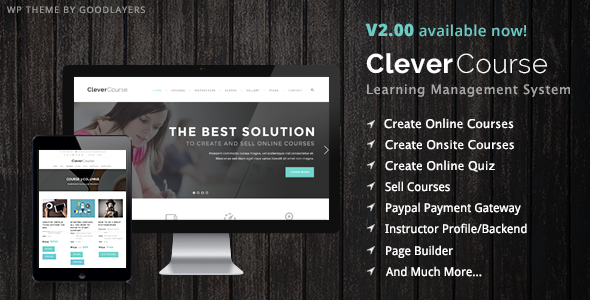
Stuck on your Clever Course WordPress theme? Let's fix it.
No endless back-and-forth. Just send us the details and we'll get it done.
No obligation · Replies within 1 hour · Quote within 1 day
Setup · Customization · Bug fixes · WooCommerce integration
About Clever Course WP Theme
Clever Course is a WordPress theme by GoodLayers built specifically for online education platforms. It ships with a drag-and-drop page builder, pre-built course layouts, and deep integration with LearnDash and LifterLMS. The theme handles course listings, instructor profiles, lesson pages, and checkout flows without requiring a separate LMS plugin to manage layout.
GoodLayers packaged the theme with their own Goodlayers Page Builder, giving you visual control over most layout decisions. Course grids, pricing tables, and certificate designs are all editable without touching code. It supports WooCommerce for course sales, making it a practical choice for creators who want to monetize content without stitching together multiple plugins from scratch.
Get matched with a Clever Course developer in under one day
Tell us about your Clever Course project. Small fixes, Clever Course theme customization, or a full website build, whatever you need, we've got it covered.
We'll connect you to the right Clever Course developers, define the scope, and get everything 100% clear.
You'll get one estimate, hire your preferred developer, and start collaborating.
GoodLayers provides documentation, but Clever Course has enough moving parts that custom builds often hit friction fast. Conflicts between the page builder, LearnDash, and WooCommerce are common. A vetted Clever Course developer on Codeable has seen these combinations before and knows where the problems usually hide. Whether you need a full build from a starter layout or fixes to an existing site, working with someone who knows this theme cuts down on trial-and-error significantly.
Pros
- Deep LMS compatibility with LearnDash and LifterLMS out of the box
- GoodLayers Page Builder gives visual control over course and lesson page layouts
- WooCommerce integration handles course sales, subscriptions, and upsells natively
- Instructor profile templates and course grid layouts are ready to use without custom coding
- Redux-based Theme Options panel covers most global design decisions in one place
Cons
- GoodLayers Page Builder creates proprietary shortcode output that is hard to migrate away from
- Theme updates can conflict with customized child theme CSS if GoodLayers restructures template files
- Page builder performance adds overhead that can slow course listing pages without optimization
- Limited block editor support means the site relies heavily on the classic editor workflow
- Documentation is thin on edge cases involving multi-currency WooCommerce setups
Who is Clever Course for?
Online Course Creators
Clever Course suits independent educators selling video courses or downloadable curricula. The WooCommerce integration handles single purchases and bundle deals. Course grid templates present content cleanly without needing a custom front-end build. A Clever Course developer can configure LearnDash drip content and access rules to match your course release schedule.
Coaching and Mentorship Platforms
Coaches running structured programs with limited enrollment benefit from Clever Course’s membership-ready setup. Restrict access by membership tier, display progress tracking, and keep student dashboards branded to the coach’s identity. A Clever Course specialist can wire up intake forms, onboarding sequences, and session booking tools within the same theme environment.
Corporate Training Portals
Companies building internal training platforms need controlled access and clean reporting. Clever Course paired with LearnDash handles user groups, manager roles, and course assignments. A Clever Course developer can configure SSO integrations, branded login pages, and reporting dashboards that fit a corporate HR workflow without a full LMS platform investment.
University and Academic Departments
Academic departments use Clever Course to publish supplementary course materials, open courseware, or department-specific training content. The instructor profile templates work well for faculty listings. A Clever Course expert can map existing course catalog structures into the theme and integrate institutional identity guidelines across all page templates.
Fitness and Wellness Instructors
Fitness instructors selling workout programs or nutrition plans can use Clever Course to package and sell content through WooCommerce. Video lesson templates handle workout tutorials. A Clever Course specialist can set up recurring membership billing, class calendars, and progress tracking so students stay engaged beyond the initial purchase.

Customizing Clever Course
Clever Course gives you a Theme Options panel built on the Redux Framework, where you control typography, colors, header layouts, and sidebar configurations globally. Section-level overrides let you break from global settings on specific pages without custom CSS.
A Clever Course expert can extend these defaults significantly. Common customization requests include custom instructor dashboard layouts, branded certificate templates, conditional course access pages, and WooCommerce checkout redesigns. GoodLayers includes shortcodes for most course elements, but a Clever Course specialist can replace these with cleaner block-based or custom-coded components that perform better and are easier to maintain long term.
Recommended plugins for Clever Course
Clever Course works alongside a standard WordPress plugin stack. LearnDash or LifterLMS handle course logic, WooCommerce manages payments, and plugins like WooCommerce Memberships or Restrict Content Pro add subscription tiers. To avoid plugin bloat slowing down your course platform, review your stack with a focus on WordPress performance.
If students find your courses through search, structured data for courses matters. Schema markup for course content, instructor pages, and FAQs can be layered in. Pairing Clever Course with a solid WordPress SEO strategy helps course pages rank for the right queries.
Not sure which plugins to use? This WordPress plugins directory covers the most popular options with reviews and setup guides.
Clever Course common issues
Clever Course page builder shortcodes showing as plain text
Shortcodes rendering as plain text usually means the GoodLayers plugin that registers those shortcodes is deactivated or missing. Go to Plugins and confirm the Goodlayers Core plugin is active. If it is active but shortcodes still show as text, there may be a plugin conflict stripping shortcode output. Deactivate plugins in batches to isolate the cause. If the issue persists after troubleshooting, a developer can audit the conflict directly.
Clever Course LearnDash course page layout broken after update
After a LearnDash or Clever Course update, template overrides in your child theme or the theme’s own course templates can fall out of sync. Check if LearnDash introduced new template files that the theme hasn’t accounted for. Replacing the theme’s LearnDash templates with the latest versions from LearnDash’s template folder usually resolves layout breaks. If the layout needs to be rebuilt to match both, visit our WordPress bug fixing service for hands-on help.
WooCommerce checkout not styled correctly in Clever Course
Clever Course ships with WooCommerce styles built in, but plugin updates or theme version mismatches can break checkout styling. Start by checking if a WooCommerce template in Clever Course is outdated. Go to WooCommerce > Status > Tools and run the template check. Update any flagged templates. If custom CSS is overriding checkout styles unintentionally, scope the fix to checkout-specific selectors rather than patching globally.
Clever Course menu not showing on mobile
Mobile menu failures in Clever Course are usually caused by a JavaScript conflict. Open your browser console and check for JS errors on mobile viewport. Common culprits are slider plugins or caching plugins that concatenate scripts incorrectly. Try disabling script optimization in your caching plugin first. If the menu still fails, check that the Clever Course navigation script is loading in the correct order relative to jQuery.
Clever Course course grid not displaying all courses
Course grid display issues are often caused by category filter settings or post visibility. Go to the course post type and confirm each course is published and assigned to the correct category. If using a shortcode or page builder element to pull the grid, check the query parameters for category or count limits. Pagination settings set too low can also truncate the grid silently. Adjust the number of posts per page in theme settings or shortcode attributes.
Slider not loading on Clever Course homepage
Slider failures on the Clever Course homepage typically point to a missing image, a deactivated slider plugin, or a script conflict. Confirm the slider plugin powering the homepage is active and that the assigned slides have published images. If the slider plugin is active but the slider container is empty, check your browser console for JavaScript errors. A script loading order conflict with jQuery is the most frequent cause and is usually fixed by adjusting script load order in a functionality plugin.
Clever Course instructor profile page showing 404 error
A 404 on instructor profile pages usually means permalink settings need refreshing. Go to Settings > Permalinks and save without making changes. This flushes rewrite rules. If the 404 persists, the instructor post type may not be registered correctly, which can happen if the GoodLayers Core plugin is deactivated. Re-activating it and flushing permalinks again resolves this in most cases. Contact our WordPress bug fixing service if the error continues.
Clever Course child theme changes not applying after parent theme update
Child theme changes stop applying when the parent theme’s template hierarchy changes in an update. If GoodLayers renames or restructures template files, the child theme’s versions no longer take priority because WordPress can’t match the filename. Compare your child theme template files against the updated parent theme structure. Rename or adjust file paths in the child theme to match the new structure. Avoid copying the entire parent theme to the child theme as this defeats the purpose.
Clever Course site slow on course listing pages
Course listing pages in Clever Course often load slowly because the page builder generates multiple database queries per content block. Start by enabling a server-side caching layer through a plugin like WP Rocket or LiteSpeed Cache. Next, check for unoptimized images in course thumbnail slots. Use lazy loading on images below the fold. If performance is still poor after caching, a developer can audit the page builder output and replace heavy shortcode blocks with lighter custom templates.
Clever Course certificate template not generating correctly
Certificate generation issues in Clever Course usually relate to the PDF library not having write permissions or the certificate template having a misconfigured merge field. Check that your server’s temp directory is writable. In LearnDash certificate settings, confirm that the merge fields like {learner_name} and {course_title} match exactly what LearnDash expects. A mismatch in field syntax will produce a blank or broken certificate. If the PDF fails to render at all, check that the TCPDF or similar library used by LearnDash has the correct server permissions.
Clever Course FAQ
Yes. Clever Course is built with LearnDash in mind. Course pages, lesson layouts, quiz templates, and progress tracking elements are designed to work with LearnDash’s output. Some template customization may be needed for newer LearnDash versions, but the base compatibility is solid.
Yes. Clever Course integrates with WooCommerce for selling courses as products. You can set up single purchases, bundled course packages, and upsell flows. Checkout pages are styled within the theme, though you may need minor CSS adjustments after WooCommerce updates change template markup.
Clever Course was built for the classic editor and the GoodLayers Page Builder. Gutenberg block support is limited. You can use the block editor for basic text content, but course-specific layouts and page builder sections still rely on shortcodes and the classic editor environment.
Clever Course includes an Instructor post type registered through the GoodLayers Core plugin. Add a new instructor from the WordPress dashboard under the Instructors menu item. Fill in the profile fields, upload a photo, and assign the instructor to relevant courses. The instructor archive and single profile pages use theme templates automatically.
Multi-currency support in Clever Course depends on WooCommerce and a currency switcher plugin like WPML’s WooCommerce Multilingual or a standalone multi-currency plugin. The theme itself does not handle currency logic. Currency display on course pages and checkout is managed by whichever plugin you choose.
Yes, with the right plugin stack. Clever Course paired with WooCommerce Subscriptions or a membership plugin like MemberPress lets you sell recurring access to courses. The theme provides the front-end layout; the subscription logic is handled at the plugin level. A developer can configure access rules and renewal flows.
Enable a full-page caching plugin, compress and lazy-load images, and reduce the number of page builder blocks per page. The GoodLayers Page Builder adds script overhead, so combining and deferring scripts helps. If listing pages are the bottleneck, consider replacing heavy shortcode grids with lighter custom query templates.
Clever Course can support a membership site when paired with a plugin like MemberPress, Restrict Content Pro, or WooCommerce Memberships. The theme handles the layout and course access display. The membership plugin manages content restriction, user tiers, and billing. A Clever Course specialist can configure both layers to work together cleanly.
After a WordPress core update, test your site on a staging environment first. Check that the GoodLayers Core plugin is still active and that no deprecated functions in the theme are producing errors. Clear all caches after the update. If course pages or the page builder break, deactivating and reactivating the GoodLayers plugin often restores normal behavior.
Yes. Migrating a Clever Course site follows the standard WordPress migration process: export the database, move files, update the site URL in the database, and configure the new server environment. GoodLayers theme files and the GoodLayers Core plugin move with the rest of the site. If you need help with the process, see our WordPress migration service.
Hire a Clever Course Developer
If your Clever Course site needs a clean build, a troublesome fix, or a custom feature that the theme options panel can’t handle, a specialist developer is the faster path. Post your project and get matched with a vetted Clever Course expert who knows the GoodLayers ecosystem. Get a Free Estimate with no obligation to hire.
You'll need a free Codeable account so developers can ask questions and send their quotes.