Clotya WordPress Theme
by KlbTheme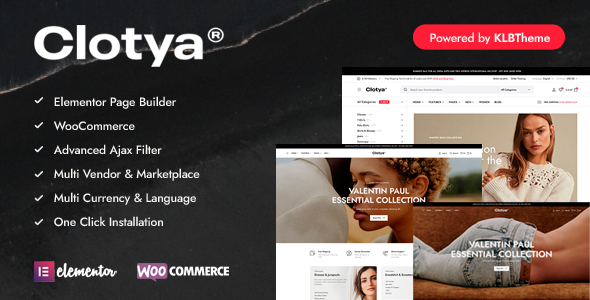
Stuck on your Clotya WordPress theme? Let's fix it.
No endless back-and-forth. Just send us the details and we'll get it done.
No obligation · Replies within 1 hour · Quote within 1 day
Setup · Customization · Bug fixes · WooCommerce integration
About Clotya WP Theme
Clotya is a WooCommerce fashion theme built by KlbTheme, designed specifically for clothing and apparel stores. It ships with multiple homepage layouts, a mega menu, Ajax cart and wishlist, product quick view, and a clean minimal aesthetic that keeps the focus on products.
The theme is built on a custom KlbTheme framework rather than a standard page builder, which gives it fast load times but also means customisation works differently than themes built on Elementor or Gutenberg. It supports variable products, lookbooks, and size guides natively. Regular updates from KlbTheme have kept it compatible with current WooCommerce versions. If you are launching or scaling a fashion eCommerce store, Clotya offers a solid starting point with purpose-built eCommerce features baked in from the ground up.
Get matched with a Clotya developer in under one day
Tell us about your Clotya project. Small fixes, Clotya theme customization, or a full website build, whatever you need, we've got it covered.
We'll connect you to the right Clotya developers, define the scope, and get everything 100% clear.
You'll get one estimate, hire your preferred developer, and start collaborating.
Finding a developer who knows Clotya’s custom framework saves time. Generic WordPress developers often struggle with KlbTheme’s architecture, leading to fixes that break on the next update. On Codeable, you get matched with vetted WordPress specialists who have worked with KlbTheme builds before. You describe your project, get a clear estimate, and only move forward if it makes sense. No commitment required upfront.
Pros
- Purpose-built for WooCommerce fashion stores with native wishlist, quick view, and Ajax cart included
- Multiple pre-built homepage and shop layouts reduce setup time significantly
- Lightweight custom framework keeps page load times lower than builder-heavy alternatives
- Lookbook and size guide features are built in without needing extra plugins
- Actively maintained by KlbTheme with regular WooCommerce compatibility updates
Cons
- Custom KlbTheme framework means fewer third-party developers are familiar with its structure
- Not built on Elementor or Gutenberg, so drag-and-drop page editing is limited
- Theme options panel can be overwhelming for non-technical users without guidance
- Some advanced layout changes require custom PHP templates rather than options panel tweaks
- Documentation is functional but thin on examples for complex customisation scenarios
Who is Clotya for?
Women's Clothing Boutique
Clotya’s lookbook layouts and editorial-style product pages suit boutique clothing stores well. A Clotya specialist can configure category filtering by size, colour, and style, and set up the wishlist and quick view features to match your branding. The result is a shopping experience that feels curated rather than generic.
Streetwear and Sneaker Store
The mega menu and large product image support make Clotya a practical choice for streetwear stores with deep inventories. A Clotya developer can set up drop-down category navigation, custom product badges, and a homepage layout that highlights featured drops and limited releases without slowing the site down.
Sustainable Fashion Brand
Sustainable brands need more space for storytelling alongside product listings. Clotya’s flexible homepage sections can accommodate brand mission content, materials information, and editorial imagery. A Clotya expert can build out those sections while keeping the WooCommerce product flow intact and the site loading quickly.
Children's Apparel Shop
Children’s clothing stores benefit from Clotya’s size guide integration and variable product handling. A Clotya developer can configure age and size-based filtering, set up clearly structured category pages, and ensure the checkout process is simple and parent-friendly without stripping the theme of its visual appeal.
Multi-Brand Fashion Retailer
Multi-brand retailers need strong filtering and a clear navigation structure. Clotya’s mega menu and Ajax filtering support this well at scale. A Clotya specialist can extend the theme’s native filter options, set up brand-level category pages, and configure the product catalogue to handle hundreds of SKUs without performance degradation.

Customizing Clotya
Clotya’s customisation options are built into the WordPress Customizer and a dedicated theme options panel. You can adjust header styles, footer layouts, typography, colour schemes, and product page elements without touching code. That covers most standard setups.
Where things get more involved is when you need to deviate from the built-in layouts, integrate third-party plugins, or build out custom product filtering and category pages. A Clotya expert can handle those changes cleanly, without introducing conflicts or breaking the theme’s native functionality. Custom lookbook sections, modified checkout flows, and bespoke product page templates are common requests that go beyond what the options panel supports out of the box.
Working with an experienced Clotya developer ensures changes are maintainable and update-safe rather than patched together.
Recommended plugins for Clotya
Clotya works well with a focused plugin stack. For performance, pairing it with a caching layer and image optimisation is straightforward since the theme is already relatively lightweight. A WordPress performance audit can identify exactly where gains are possible on your specific setup.
For search visibility, Clotya’s product and category pages benefit from structured data and proper meta configuration. Connecting it with a solid SEO plugin and running a WordPress SEO review helps make sure product listings are indexed correctly. The theme also integrates with currency switchers, size guide plugins, and review platforms commonly used in fashion retail.
Not sure which plugins to use? This WordPress plugins directory covers the most popular options with reviews and setup guides.
Clotya common issues
Clotya theme product filter not working after update
Filter breakage in Clotya usually happens after a WooCommerce or theme update that shifts how product attribute queries are handled. Check whether the WooCommerce version and Clotya version are both current and compatible. Clearing any caching layer is the first step. If the filter worked before a specific update, a JavaScript console error will usually point to the conflict. For persistent issues, a WordPress bug fixing service can isolate and resolve the conflict without affecting other theme functionality.
Clotya homepage layout broken or not displaying correctly
Homepage layout issues in Clotya are often caused by a cached version of old settings, a plugin conflict, or a theme update that reset custom Customizer values. Start by clearing site and browser cache. Check the Customizer for any sections that may have reverted to defaults. If custom CSS or a child theme is involved, verify it still applies correctly after the update. For layout problems that persist, a WordPress bug fix review can identify whether the issue is theme-side or plugin-driven.
Clotya Ajax cart or wishlist not working
Ajax cart and wishlist failures in Clotya are typically caused by a JavaScript conflict with another plugin, a hosting environment blocking admin-ajax requests, or a caching plugin serving stale pages. Open the browser console and check for script errors on cart interactions. Temporarily deactivate other plugins to isolate the conflict. If the issue is server-side, check whether admin-ajax.php requests are returning errors in the network tab. A developer familiar with Clotya’s front-end architecture can trace the exact failure point quickly.
Clotya theme slow loading on mobile
Mobile slowness on Clotya sites usually comes from unoptimised product images, render-blocking scripts from the theme or plugins, or an unconfigured caching layer. Run the URL through PageSpeed Insights to get a specific breakdown. Clotya loads cleanly by default, so slowness is usually introduced through plugins or large media files. Enabling lazy loading for images and deferring non-critical scripts typically produces the biggest gains. A full performance review can map out exactly what is adding load time on your specific setup.
Clotya FAQ
KlbTheme updates Clotya regularly to maintain WooCommerce compatibility. That said, major WooCommerce releases occasionally introduce breaking changes before a theme patch is released. Always check the Clotya changelog before updating WooCommerce on a live store, and test updates in a staging environment first. If you hit a compatibility issue, a developer can apply a targeted fix rather than waiting for a theme update.
Clotya is not built on Elementor and does not use it as its core editor. You can install Elementor as a plugin and use it on standard pages, but the theme’s product pages, shop layouts, and custom sections are controlled by KlbTheme’s own framework. Trying to rebuild Clotya’s native layouts in Elementor often causes conflicts. A Clotya specialist can advise on where Elementor can be used safely.
Clotya does not include a built-in multi-currency system, but it integrates well with third-party currency switcher plugins such as CURCY or WooCommerce’s own multi-currency options. A Clotya developer can configure the currency switcher to display correctly within the theme’s header and cart without breaking the layout or Ajax functionality.
Creating a Clotya child theme follows the standard WordPress process: create a child theme folder, add a style.css with the correct template header referencing Clotya as the parent, and enqueue the parent stylesheet via functions.php. KlbTheme’s framework doesn’t require anything non-standard here. A child theme is strongly recommended before making any template or CSS customisations to keep changes safe across updates.
Clotya handles large catalogues reasonably well given its lightweight framework. The main consideration at scale is server-side performance and database query load from product filtering. With proper hosting, a caching layer, and optimised images, stores with several hundred to a few thousand products generally run well. A Clotya expert can review your setup and recommend specific optimisations if you are planning significant catalogue growth.
Hire a Clotya Expert Developer
Whether you need a Clotya developer to set up your store from scratch, customise layouts, fix a broken feature, or extend functionality with third-party integrations, getting the right person matters. KlbTheme’s framework has its own patterns, and working with someone familiar with it avoids costly back-and-forth.
Get a Free Estimate and describe your project. You’ll be matched with a vetted Clotya specialist within 24 hours, with no obligation to hire.
You'll need a free Codeable account so developers can ask questions and send their quotes.