Cloux WordPress Theme
by GloriaThemes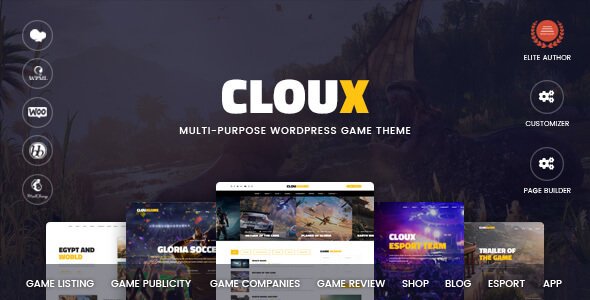
Stuck on your Cloux WordPress theme? Let's fix it.
No endless back-and-forth. Just send us the details and we'll get it done.
No obligation · Replies within 1 hour · Quote within 1 day
Setup · Customization · Bug fixes · WooCommerce integration
About Cloux WP Theme
Cloux is a multi-purpose WordPress theme by GloriaThemes, built for agencies, freelancers, and creative businesses that want a clean, professional site without heavy page builder bloat. It ships with a solid set of pre-built demo sites covering portfolios, agencies, and corporate layouts, all importable in a few clicks.
The theme runs on Elementor, so layout editing is visual and straightforward. Typography, colors, and header styles are all controllable from the Customizer. It uses lightweight code and avoids packing in features most users will never touch, which keeps things manageable.
GloriaThemes maintains the theme with regular updates and provides documentation and support through ThemeForest. For most small to mid-sized business sites, Cloux delivers a reliable starting point without requiring a developer just to get something live.
Get matched with a Cloux developer in under one day
Tell us about your Cloux project. Small fixes, Cloux theme customization, or a full website build, whatever you need, we've got it covered.
We'll connect you to the right Cloux developers, define the scope, and get everything 100% clear.
You'll get one estimate, hire your preferred developer, and start collaborating.
Most Cloux problems come down to one thing: the person building the site does not know the theme well enough to work with its structure confidently. GloriaThemes built Cloux with specific patterns in mind, and working against them causes issues that stack up fast.
Our developers on Codeable know WordPress themes at a code level, not just the Customizer. They can handle custom layouts, plugin conflicts, child theme development, and anything else your Cloux site needs, done cleanly the first time.
Pros
- Ships with well-designed demo sites that cover agency, portfolio, and corporate use cases
- Built on Elementor, so page editing is visual and does not require touching code for most layouts
- Lightweight compared to multi-purpose themes that bundle everything by default
- Regular updates from GloriaThemes keep it compatible with current WordPress versions
- Clean typography defaults that work well for content-heavy business sites without heavy styling work
Cons
- Demo import can pull in a lot of placeholder content that takes time to clean up manually
- WooCommerce styling requires custom CSS to match the main design beyond default product pages
- Header builder options are limited compared to themes with dedicated header builders like Astra or GeneratePress
- Support is ticket-based through ThemeForest, which can be slow for urgent issues
- Some Elementor widget styling is tied to theme CSS in ways that are not obvious without inspecting the code
Who is Cloux for?
Creative Agency Website
Cloux’s agency demo layouts are some of its strongest. Clean service sections, team grids, and case study page structures work well for small to mid-sized agencies that need to present work professionally. Elementor makes it practical to update content without developer help once the initial build is done.
Freelance Portfolio
Freelancers in design, development, or copywriting get a clean portfolio structure that focuses on work samples without distraction. The minimal defaults mean a freelancer’s work is the visual focus, not the theme. Adding a contact form and PDF download for a rate card is straightforward with standard plugins.
Corporate Business Site
Corporate sites need reliable structure more than visual flair. Cloux delivers that. The layouts are professional, the typography is readable, and the page structure supports the kind of hierarchy that works for a company with multiple service areas, a team page, and a contact section.
Digital Marketing Agency
Marketing agencies often need landing pages alongside main site pages. Cloux handles this well with Elementor, where a standalone campaign page can be built outside the main template. Conversion-focused sections like testimonials, stats blocks, and CTA rows are all available in the demo content to adapt.
Consulting Firm
Consulting firms need a site that communicates credibility fast. Cloux’s corporate-style demo works here. A clear services section, a lead capture form, and a simple case study or results page are all achievable without custom development for most straightforward consulting businesses.

Customizing Cloux
Out of the box, Cloux covers the basics well. You can swap demo content, adjust the global color palette, change fonts, and rearrange sections using Elementor. The header builder gives you a few layout options, and the footer is editable through widgets.
Where things get more involved is when you need something the demo does not show. Custom post type layouts, WooCommerce styling beyond defaults, or integrating third-party tools often require someone who knows the theme well.
A Cloux expert can move significantly faster than a generalist because they already know which settings override others, where the theme’s CSS is structured, and which customizations are cleanest to implement in child theme code versus the Customizer. That saves you revision cycles and avoids technical debt later.
Recommended plugins for Cloux
Cloux pairs well with several plugins that extend what the theme does without creating conflicts. WooCommerce works for adding a shop layer. Contact Form 7 and WPForms both integrate cleanly. For SEO, a plugin like Yoast or Rank Math handles what the theme does not cover natively. Check out our WordPress SEO service if that needs attention.
On the performance side, Cloux’s relatively lean codebase means caching and image optimization plugins can push scores further. Our WordPress performance service covers full optimization if your site needs faster load times across all devices.
Not sure which plugins to use? This WordPress plugins directory covers the most popular options with reviews and setup guides.
Cloux common issues
Cloux demo import not working
Demo import failures in Cloux are usually caused by server-side limits on file upload size or memory. Check your php.ini settings and raise upload_max_filesize, post_max_size, and memory_limit to at least 256MB. Also confirm that the required plugins, Elementor and any GloriaThemes companion plugin, are installed and active before starting the import. If the issue continues, our WordPress bug fixing service can resolve it quickly.
Cloux header not displaying correctly on mobile
Mobile header problems in Cloux are often traced to a conflict between the theme’s mobile menu settings and custom CSS that affects breakpoints. Start by checking the Customizer header settings and resetting any mobile-specific overrides. If a child theme or custom CSS is active, look for max-width or display rules targeting the header element. Elementor’s responsive controls can also override theme settings, so check those at the section and column level.
Cloux Elementor widgets not loading or missing
Missing Elementor widgets in Cloux almost always mean the GloriaThemes companion plugin is not active or is outdated. Go to Plugins, confirm it is installed, and check for updates. If Elementor itself was recently updated, a version mismatch can also cause widgets to disappear from the panel. Deactivating and reactivating both the companion plugin and Elementor often clears it. If elements still fail to render, regenerate the CSS from Elementor’s tools menu.
Cloux child theme not applying styles
If your Cloux child theme styles are not applying, the most common reason is that the child theme’s stylesheet is not enqueuing the parent theme correctly. Open your child theme’s functions.php and confirm you are using wp_enqueue_scripts to load the parent stylesheet, not an @import in the CSS file. Also check that the child theme’s Template header in style.css exactly matches the parent theme folder name, including capitalization.
Cloux FAQ
GloriaThemes updates Cloux regularly and the theme is tested against current WordPress releases. As of recent versions it is compatible with WordPress 6.x. Always check the changelog on ThemeForest before updating and keep a backup of your site first. If a major WordPress update breaks something, our WordPress maintenance service can handle compatibility fixes.
Yes, Cloux supports WooCommerce. Basic shop, product, and cart pages render correctly. That said, the styling on product pages and checkout is fairly minimal and will likely need CSS work to match your main design closely. A developer can handle this faster than trial and error in the Customizer.
Cloux is built around Elementor and most of the demo content relies on it. You can use the standard WordPress block editor for basic pages, but you will lose access to the pre-built sections and layouts. For anything beyond simple text pages, Elementor is effectively required to get the results shown in the demo.
Always use a child theme for any CSS or template changes. Updates to the parent theme then do not overwrite your work. Before updating, take a full site backup. Customizer settings are stored in the database and survive updates. Changes made directly to parent theme files will be lost, which is why a child theme matters.
Cloux’s code is reasonably clean, which is a good baseline for SEO. It does not add excessive markup or slow-loading scripts by default. That said, the theme handles layout, not SEO strategy. You will need a plugin like Rank Math or Yoast for meta tags, schema, and structured data. Our WordPress SEO service covers the full setup.
Hire a Cloux Developer
If your Cloux site needs custom work, a redesign, bug fixes, or performance improvements, working with an experienced developer is the faster and cleaner route. Through Codeable, you get matched with vetted WordPress developers who have real theme experience, not generalists guessing their way through your project.
Get a free estimate with no obligation. Describe your project and get a clear scope and price before you commit to anything.
You'll need a free Codeable account so developers can ask questions and send their quotes.