Coiffeur WordPress Theme
by freevision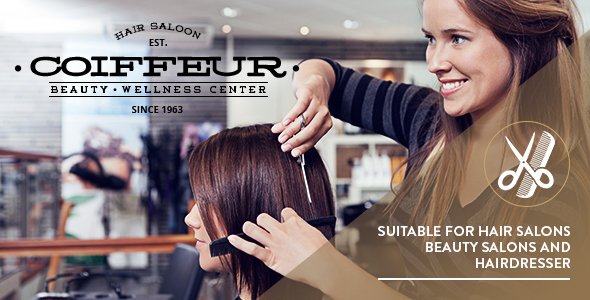
Stuck on your Coiffeur WordPress theme? Let's fix it.
No endless back-and-forth. Just send us the details and we'll get it done.
No obligation · Replies within 1 hour · Quote within 1 day
Setup · Customization · Bug fixes · WooCommerce integration
About Coiffeur WP Theme
Coiffeur is a WordPress theme by freevision built for hair salons, barbershops, and beauty studios. It ships with a clean, image-forward layout that puts your work front and center. The theme includes a booking-ready structure, service listings, team member profiles, and gallery sections that suit any salon-style business.
Built on a solid foundation, Coiffeur supports the WordPress Customizer for basic branding changes and works with popular page builders for more control. It is translation-ready and responsive across mobile, tablet, and desktop. If you run a single-location salon or a small beauty brand and want a professional site without starting from scratch, Coiffeur is a practical starting point worth considering.
Get matched with a Coiffeur developer in under one day
Tell us about your Coiffeur project. Small fixes, Coiffeur theme customization, or a full website build, whatever you need, we've got it covered.
We'll connect you to the right Coiffeur developers, define the scope, and get everything 100% clear.
You'll get one estimate, hire your preferred developer, and start collaborating.
Most Coiffeur issues — broken layouts after updates, booking plugin conflicts, slow load times on image-heavy pages — have specific causes and specific fixes. Guessing wastes time. The developers available through Codeable have worked across WordPress themes including salon and beauty builds, so they can diagnose fast and build to a brief without hand-holding. Every project starts with a free estimate and no obligation to proceed. That makes it a low-risk way to get an honest assessment of what your Coiffeur site actually needs.
Pros
- Purpose-built for salon and beauty businesses with relevant sections already in place
- Responsive design handles mobile bookings and gallery browsing without extra setup
- Compatible with major booking plugins including Amelia and Simply Schedule Appointments
- WordPress Customizer support lets non-technical users adjust colors, fonts, and basic layout
- Translation-ready out of the box, useful for multilingual or bilingual salon websites
Cons
- Limited layout flexibility without a page builder or custom development work
- No native online booking system — you must install and configure a third-party plugin
- Demo content import can be unreliable and may not fully replicate the preview site
- Theme options are relatively basic compared to multipurpose themes with extensive panels
- Update frequency from freevision has been inconsistent, which can create compatibility gaps over time
Who is Coiffeur for?
Hair Salons
Coiffeur was clearly designed with hair salons in mind. The service listing layout, stylist profiles, and gallery sections map directly to what a salon website needs. A Coiffeur specialist can extend these with online booking, pricing tables, and location-specific SEO content to turn the theme into a fully functional business site.
Barbershops
Barbershops need a clean, direct layout with strong imagery and easy booking access. Coiffeur handles both well. A Coiffeur developer can customize the color scheme, adjust typography for a more masculine feel, and wire up a booking plugin so clients can reserve a slot without calling in.
Beauty Studios
Beauty studios offering facials, waxing, or lash treatments benefit from Coiffeur’s image-forward structure. The theme’s gallery and service sections display treatment menus clearly. With some targeted development, a Coiffeur expert can add treatment categories, package pricing, and a polished booking experience that fits the brand.
Nail Salons
Nail salons need to showcase work visually and make booking frictionless. Coiffeur’s gallery and team sections cover the first part. A Coiffeur developer can handle the second — setting up a booking plugin, configuring service-specific appointment types, and making sure the mobile experience is smooth for clients browsing on their phones.
Freelance Stylists and Mobile Beauticians
Freelance stylists and mobile beauticians benefit from a lightweight, fast-loading site that communicates availability and services clearly. Coiffeur gives a professional starting point without unnecessary complexity. A Coiffeur specialist can strip it back to essentials, add a contact or booking form, and make sure local SEO is working to bring in nearby clients.

Customizing Coiffeur
Out of the box, Coiffeur gives you font controls, color options, header and footer settings, and layout choices through the WordPress Customizer. That covers the basics. For anything beyond that — custom booking flows, restructured service pages, branded appointment forms, or a homepage that actually reflects your salon — you will need deeper work.
A Coiffeur expert can build on the theme’s structure without breaking its core behavior. That means custom post types for stylists, integration with booking plugins like Amelia or Simply Schedule Appointments, and CSS or child theme modifications that survive updates. If you want the site to match your brand rather than look like every other Coiffeur install, working with a Coiffeur specialist is the faster and safer route.
Recommended plugins for Coiffeur
Coiffeur works well with several plugin categories that extend its core functionality. WooCommerce can add an online shop for hair products or gift vouchers. Booking plugins like Amelia handle appointment scheduling cleanly within the theme’s layout. For multilingual salons, WPML and Polylang both integrate without major conflicts.
On the technical side, pairing Coiffeur with a caching plugin and a CDN makes a real difference to load time — something a WordPress performance specialist can set up properly. If you are targeting local search traffic, structured data and on-page work from a WordPress SEO specialist will help Coiffeur-based sites rank for local salon searches.
Not sure which plugins to use? This WordPress plugins directory covers the most popular options with reviews and setup guides.
Coiffeur common issues
Coiffeur theme not loading demo content correctly
Demo import failures in Coiffeur are usually caused by server memory limits, missing required plugins, or a timeout during the XML import process. First, check that all required plugins listed in the theme documentation are active. Increase max_execution_time and memory_limit in your php.ini or wp-config.php. If the import still fails partially, try importing content manually via WordPress’s built-in importer. For persistent issues, a WordPress bug fixing specialist can run a clean import in a staging environment and migrate it safely.
Coiffeur booking plugin conflict causing page layout to break
Layout breaks after installing a booking plugin are often caused by CSS conflicts between the plugin’s front-end styles and Coiffeur’s stylesheet. Open your browser’s developer tools and inspect which styles are overriding each other. Adding targeted CSS in a child theme can resolve most visual conflicts without touching core files. If the conflict runs deeper — JavaScript errors or broken template structure — a WordPress bug fixing developer can trace the source and apply a clean fix that holds through updates.
Coiffeur theme slow to load on mobile after adding gallery images
Heavy gallery images are the most common reason a Coiffeur site loads slowly on mobile. Start by compressing images through a plugin like ShortPixel or Imagify before uploading. Enable lazy loading if the theme does not do it by default — WordPress core supports this natively since version 5.5. Use a caching plugin and consider serving images through a CDN. If scores are still poor after those steps, a performance audit will identify what else is slowing the page down.
Coiffeur WordPress theme not displaying correctly after update
Visual regressions after a theme update usually mean a template file has changed and any custom CSS or template overrides are now out of sync. If you edited theme files directly rather than using a child theme, those changes will have been overwritten. Restore from a backup if one is available, then move all customizations into a child theme before re-applying the update. Going forward, always test updates on a staging site first. A Coiffeur developer can set up that workflow so future updates do not catch you off guard.
Coiffeur FAQ
Coiffeur by freevision is available as a free theme through the WordPress theme directory. There is no premium version with additional features. That means no paid license to manage, but also no dedicated support beyond community forums and the developer’s documentation. For anything beyond basic setup, a Coiffeur specialist is the most reliable source of help.
Yes. Coiffeur does not include a native booking system, but it works alongside plugins like Amelia, Simply Schedule Appointments, and Bookly. Each plugin has its own setup process and pricing. A Coiffeur developer can handle the integration — making sure the booking widget matches the site design and the confirmation workflow is set up correctly from the start.
Coiffeur is compatible with Elementor, which gives you significantly more layout control than the Customizer alone. WPBakery can also be used but requires more configuration to work cleanly with the theme’s existing structure. If you plan to build out pages in a visual editor, Elementor is the more straightforward choice with Coiffeur.
Create a new folder in wp-content/themes/, add a style.css file with the correct header declaring the parent theme as Coiffeur, and include a functions.php that enqueues the parent stylesheet. Activate the child theme from the WordPress dashboard. All your custom CSS and template overrides go in the child theme so updates to the parent do not erase your work.
Yes, migrating an existing salon site to Coiffeur is straightforward in most cases. Content, images, and posts transfer over through the standard WordPress export and import process. The main work is rebuilding page layouts to match the Coiffeur structure. A WordPress migration specialist can handle the full move including redirects, content mapping, and testing before the new site goes live.
Hire a Coiffeur WordPress Developer
Whether you need a Coiffeur developer to fix a specific bug, rebuild a page template, or set up a full appointment booking workflow, the right person can get it done cleanly. Our developers work exclusively through Codeable, where every specialist is vetted before taking on client work.
Tell us what you need and you will have a clear estimate within 24 hours. No commitment required. Get a Free Estimate and see exactly what your project will cost before you decide anything.
You'll need a free Codeable account so developers can ask questions and send their quotes.