Contentberg WordPress Theme
by ThemeSphere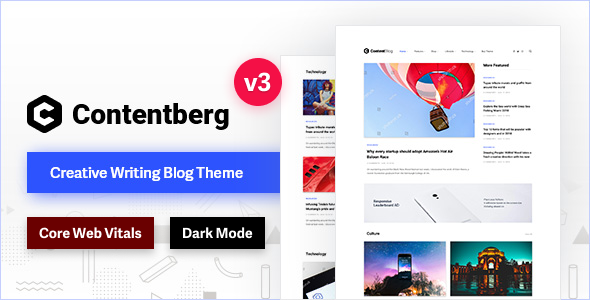
Stuck on your Contentberg WordPress theme? Let's fix it.
No endless back-and-forth. Just send us the details and we'll get it done.
No obligation · Replies within 1 hour · Quote within 1 day
Setup · Customization · Bug fixes · WooCommerce integration
About Contentberg WP Theme
Contentberg is a magazine and blog WordPress theme built by ThemeSphere. It targets content-heavy sites that need clean layouts, fast load times, and flexible category pages. The theme ships with multiple homepage demos, a drag-and-drop builder integration, and native support for WooCommerce and Elementor.
ThemeSphere has a track record of well-coded themes, and Contentberg follows that pattern. It uses a modular block system for building page layouts, which gives editors real control without touching PHP. The typography system covers headlines, body copy, and post meta in detail. Color controls are granular enough to match brand guidelines without a child theme. It’s a strong base for news sites, niche blogs, and affiliate content operations that need structure and speed out of the box.
Get matched with a Contentberg developer in under one day
Tell us about your Contentberg project. Small fixes, Contentberg theme customization, or a full website build, whatever you need, we've got it covered.
We'll connect you to the right Contentberg developers, define the scope, and get everything 100% clear.
You'll get one estimate, hire your preferred developer, and start collaborating.
Contentberg is flexible, but flexibility means decisions. Picking the wrong layout approach early creates rework later. A Contentberg developer on Codeable has built on this theme before, knows where the edge cases are, and can move fast without trial and error. Codeable only accepts the top tier of WordPress developers, so you’re not rolling the dice on quality. You post a project, get an estimate within 24 hours, and only hire if it makes sense. No obligation, no risk.
Pros
- Modular block system gives editors real layout control without code
- Fast default performance with clean, minimal markup compared to most magazine themes
- Granular typography controls including font size, weight, and line height per element
- Native WooCommerce and Elementor compatibility with no plugin conflicts out of the box
- Multiple prebuilt demos covering news, lifestyle, tech, and niche blog formats
Cons
- The options panel is large and takes time to learn, steep curve for non-technical clients
- Block grid customisation beyond preset layouts requires CSS or PHP knowledge
- Some demo content imports partially, requiring manual cleanup before launching
- RTL support exists but has occasional styling gaps in complex layouts
- Limited native dark mode support, requires custom CSS or a plugin workaround
Who is Contentberg for?
News and Online Magazine
Contentberg’s category grid layouts and sticky sidebar ad zones make it a practical choice for news and magazine sites. A Contentberg developer can set up category-specific templates, breaking news tickers, and homepage layouts that surface content from multiple verticals without the page feeling cluttered.
Niche Affiliate Blog
Affiliate blogs need clean post layouts, fast load times, and clear call-to-action placement. Contentberg’s article card system and comparison table support make it usable for product-focused content. A Contentberg specialist can wire up affiliate plugins and optimise the layout to push clicks without sacrificing readability.
Tech and Gadget Review Site
Review sites benefit from Contentberg’s structured post formats and sidebar flexibility. A developer can add custom review schema, star rating blocks, and product spec tables that integrate with the theme’s layout system. The result is a tech review site that ranks and reads well across devices.
Lifestyle and Wellness Publication
Lifestyle publications need strong visual hierarchy and flexible featured image handling. Contentberg’s full-width hero options and category colour coding work well here. A Contentberg expert can configure section-specific branding so health, food, and travel verticals each have their own visual identity within one install.
Multi-Author Editorial Platform
Multi-author sites need author archive pages, contributor bios, and role-based editing flows. Contentberg supports author page customisation, and a Contentberg developer can extend it with guest post workflows, editorial calendars via plugin, and author-specific post layouts that keep the site consistent across contributors.

Customizing Contentberg
Contentberg ships with a lot of options, but getting a site to look exactly right still takes work. The Customizer covers fonts, colors, header layouts, and sidebar positions. Beyond that, you’ll likely need a Contentberg expert to handle things like custom post templates, conditional sidebar logic, or integrating a third-party ad management plugin cleanly.
Child theme setup is straightforward, but modifying the block grid system or overriding the default article card styles requires solid PHP and CSS knowledge. Custom author pages, category landing pages with unique layouts, and paywall integrations are common requests that go beyond what the options panel handles. A Contentberg specialist can scope these changes quickly and build them in a way that survives theme updates.
Recommended plugins for Contentberg
Contentberg works with the major WordPress plugin ecosystem without much friction. For ad-heavy publishing sites, Ad Inserter and Advanced Ads slot in cleanly. WooCommerce support is built in, useful for merchandise or digital downloads alongside editorial content.
Performance matters for magazine sites with high page counts. A developer can configure caching, image optimisation, and Core Web Vitals improvements through our WordPress performance service. If organic traffic is the main acquisition channel, structured data for articles, breadcrumbs, and category pages can be handled through our WordPress SEO service. Both are common add-ons for Contentberg builds.
Not sure which plugins to use? This WordPress plugins directory covers the most popular options with reviews and setup guides.
Contentberg common issues
Contentberg homepage layout not saving in Customizer
This usually comes down to a caching layer or a JavaScript conflict blocking the Customizer’s save request. Start by clearing server-side and browser cache, then check the browser console for JS errors. Plugin conflicts, especially with optimisation or security plugins, are a common cause. If the issue persists after disabling plugins, the problem may be a corrupted theme option entry in the database. A WordPress bug fixing specialist can trace the request, identify the conflict, and restore Customizer functionality without data loss.
Contentberg fonts not loading or reverting to default
Contentberg loads fonts via the Google Fonts API by default. If fonts are reverting or failing to load, check whether a privacy plugin is blocking external font requests. Some hosts and caching setups also strip font-related headers. The fix is either whitelisting the font requests or self-hosting the fonts locally. A WordPress developer can set this up cleanly and ensure fonts render consistently across environments and devices.
Contentberg demo import failing or showing blank pages
Demo import failures in Contentberg are often caused by server memory limits or execution timeout settings. The XML importer needs enough PHP memory and time to process all post types, images, and widgets. Set memory_limit to at least 256MB and max_execution_time to 300 in your php.ini or wp-config.php. If blank pages appear after import, check whether required plugins like the ThemeSphere blocks plugin were activated before importing. Missing required plugins will leave widget areas and page builders empty.
Contentberg sidebar not showing on single posts
Contentberg controls sidebar display at both the global and per-post level. If the sidebar is missing on single posts, check the Customizer under Single Post settings first. If that’s set correctly, check the individual post’s sidebar meta box, which can override the global setting. Sidebar disappearing after a theme update usually means a template override in a child theme is outdated. Review any single.php or content.php overrides against the current theme version.
Contentberg FAQ
Contentberg outputs clean HTML with proper heading hierarchy and supports schema markup through plugins like Yoast or Rank Math. The theme itself doesn’t bloat the DOM, which helps with Core Web Vitals. For a full SEO setup including structured data, sitemap configuration, and page speed optimisation, a specialist can handle that through a dedicated WordPress SEO service.
Yes. Contentberg includes native Elementor compatibility. You can use Elementor for page-level layouts while the theme handles the global structure, header, footer, and archive templates. For single posts and magazine-style listings, ThemeSphere’s own block system tends to be faster. A Contentberg developer can advise on which tool to use for which part of the site.
Go to Appearance, then Import Demo Data after activating the theme and required plugins. Select your demo and run the importer. Make sure required plugins are active first or the import will leave gaps. Server memory needs to be at least 256MB. If the import stalls or completes with missing content, a developer can run a manual XML import and fix any missing widget or menu assignments.
Contentberg has built-in WooCommerce support. Product pages and the cart use the theme’s styling with no major conflicts. It’s better suited as a hybrid site, editorial content with a shop section, rather than a pure ecommerce build. If WooCommerce is a core part of the project, a Contentberg specialist can customise the shop templates to match the editorial design.
No. Contentberg has its own modular block system for building homepage and archive layouts inside the Customizer and via widgets. Elementor is supported but optional. For most magazine or blog setups, the native system is sufficient and faster. A page builder is useful if you need highly custom landing pages or sales pages beyond the standard post and archive templates.
Hire a Contentberg Developer
Whether you need a full site build, a specific feature added, or a layout that matches your brand, a vetted Contentberg expert can handle it. Work is delivered through Codeable, where every developer is screened and reviewed. Post your project, get a free estimate, and decide from there. No contracts, no risk. Get a Free Estimate and describe what you need.
You'll need a free Codeable account so developers can ask questions and send their quotes.