Course Builder WordPress Theme
by ThimPress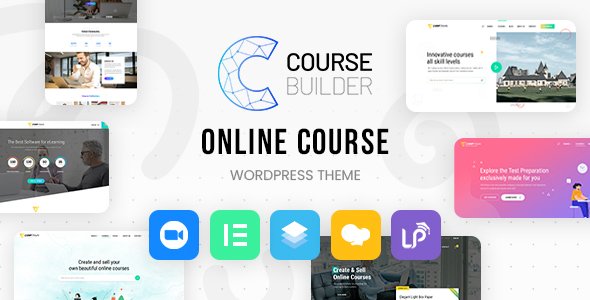
Stuck on your Course Builder WordPress theme? Let's fix it.
No endless back-and-forth. Just send us the details and we'll get it done.
No obligation · Replies within 1 hour · Quote within 1 day
Setup · Customization · Bug fixes · WooCommerce integration
About Course Builder WP Theme
Course Builder is a WordPress theme by ThimPress built specifically for online education platforms. It pairs tightly with the LearnPress LMS plugin, also by ThimPress, giving you a ready-made stack for selling and delivering courses without stitching together unrelated tools.
The theme handles course listings, lesson pages, instructor profiles, quiz layouts, and checkout flows out of the box. It uses Elementor for page building, so layout control is visual and straightforward. The design is clean and conversion-focused, with course grids, pricing tables, and enrollment CTAs already styled.
Course Builder suits solo educators, training businesses, and universities that need a functional eLearning site fast. It is not a bloated multipurpose theme. It does one job and does it well, which keeps performance overhead lower than most education-themed alternatives on the market.
Get matched with a Course Builder developer in under one day
Tell us about your Course Builder project. Small fixes, Course Builder theme customization, or a full website build, whatever you need, we've got it covered.
We'll connect you to the right Course Builder developers, define the scope, and get everything 100% clear.
You'll get one estimate, hire your preferred developer, and start collaborating.
Most Course Builder problems come down to LearnPress configuration, custom template overrides, or payment gateway conflicts. These are not issues you want to debug alone. A vetted Course Builder developer on Codeable has seen these setups before and can diagnose fast.
Codeable only works with screened WordPress developers. You post a project, get a fixed-price estimate within 24 hours, and only pay when you are satisfied. No hourly surprises, no offshore lottery.
Pros
- Built specifically for LearnPress, so theme and LMS work together without compatibility patches
- Elementor integration gives full visual control over course pages and landing layouts
- Includes pre-built demo content for eLearning sites, reducing setup time
- Clean, education-focused design without the bloat of multipurpose themes
- Regular updates from ThimPress that track LearnPress plugin changes
Cons
- Heavily tied to LearnPress, making it difficult to switch LMS plugins later
- Some advanced features like certificates and assignments require paid LearnPress add-ons
- Elementor dependency adds page load weight that needs active performance tuning
- Documentation is thin on advanced customization and template override workflows
- Support quality from ThimPress can be slow during high-volume periods
Who is Course Builder for?
Independent Online Course Creator
Solo educators selling video courses or structured curricula benefit from Course Builder’s tight LearnPress integration. Course grids, lesson drip scheduling, and built-in checkout flows mean you can launch a paid course site without custom development. A Course Builder specialist can configure payment gateways and certificate templates to match your brand quickly.
Corporate Training Portal
Businesses running internal training programs need user management, progress tracking, and assignment workflows. Course Builder handles these through LearnPress Pro add-ons. A Course Builder developer can set up department-specific course access, custom completion certificates, and manager reporting dashboards tailored to your org structure.
University or School eLearning Platform
Higher education institutions need multi-instructor support, bulk enrollment, and SCORM compatibility. Course Builder provides the front-end framework while LearnPress handles the backend logic. A Course Builder expert can extend the theme with custom student portals, faculty profile pages, and semester-based course filtering that standard templates do not cover.
Coding and Tech Skills Bootcamp
Tech bootcamps require coding exercise displays, progress badges, and cohort management. Course Builder’s flexible Elementor layouts work well for structured learning paths. Pairing the theme with the right LearnPress add-ons and a Course Builder specialist ensures quiz configurations, assignment submissions, and peer review workflows function without conflicts.
Fitness and Wellness Coaching Platform
Wellness coaches selling workout plans, nutrition guides, or live Zoom sessions can use Course Builder to package content as structured courses. The theme supports video embeds, downloadable resources, and membership gating. A Course Builder developer can integrate Zoom add-ons and configure recurring subscription payments through WooCommerce or Stripe.

Customizing Course Builder
Course Builder customization starts in the WordPress Customizer, where you control colors, fonts, header layout, and footer structure. Elementor handles the heavy lifting for page layouts, and ThimPress provides pre-built section templates for course pages, instructor bios, and landing pages.
LearnPress settings add another layer: curriculum structure, quiz configuration, certificate templates, and payment gateway options all live in their own panels. Getting these systems working together the way you want takes time, especially when custom post types, conditional display, and membership rules are involved.
A Course Builder expert can shorten that process significantly. Whether you need a custom course archive layout, a branded certificate design, or instructor dashboard modifications, hiring a Course Builder specialist means you get clean, maintainable code rather than workarounds that break on the next update.
Recommended plugins for Course Builder
Course Builder extends naturally through LearnPress add-ons. The most useful include LearnPress Pro (bundles co-instructors, assignments, and certificates), WooCommerce payment integration, and the Zoom meeting add-on for live sessions.
For performance, caching plugins like WP Rocket and image optimization tools make a real difference on course archive pages with heavy media. See our WordPress performance service for a full optimization approach.
If organic search is a priority, combining Course Builder with a solid schema and on-page setup helps course pages rank for specific queries. Our WordPress SEO service covers that end to end.
Not sure which plugins to use? This WordPress plugins directory covers the most popular options with reviews and setup guides.
Course Builder common issues
Course Builder LearnPress courses not showing on page
This usually means the LearnPress course post type is not assigned to the correct page template, or the course archive page setting in LearnPress is not configured. Go to LearnPress settings, confirm the Courses page is set, and check that your page uses the Course Builder course archive template. If the issue persists after checking those settings, a template conflict with a plugin or child theme override is likely the cause.
Course Builder checkout page not working or blank
A blank or broken checkout page in Course Builder almost always points to a JavaScript conflict, a misconfigured LearnPress payment add-on, or a caching layer serving a stale page. Start by disabling caching and testing in an incognito window. Check the browser console for JS errors. If WooCommerce is handling payments, confirm the LearnPress WooCommerce add-on is active and properly configured. For persistent issues, our bug fixing service can trace the conflict quickly.
Course Builder Elementor widgets not loading in editor
When Course Builder’s Elementor widgets fail to load, the most common causes are a version mismatch between Course Builder, LearnPress, and Elementor, or a PHP error suppressing widget registration. Check for plugin update notifications first. Deactivate third-party plugins temporarily to isolate conflicts. Regenerate the Elementor CSS cache from the Elementor tools panel. If widgets still do not appear, the theme may need a compatibility patch between its current version and your Elementor release.
LearnPress quiz not saving results with Course Builder theme
Quiz results not saving typically means a database write is failing, a nonce is expiring, or a caching plugin is interfering with the AJAX response. Disable caching for logged-in users and test again. Check the browser network tab for failed AJAX calls to the LearnPress quiz endpoint. If you are using a security plugin with AJAX restrictions, whitelist the LearnPress quiz submission actions. Database permission issues on the LearnPress quiz tables are less common but worth checking if all else fails.
Course Builder course thumbnail images not displaying
Missing course thumbnails in Course Builder usually come down to image size regeneration after a theme switch, or a CDN serving cached broken URLs. Run a thumbnail regeneration using a plugin like Regenerate Thumbnails. If you recently migrated the site, check that image file paths in the database match the current domain. Course Builder uses specific image sizes registered by LearnPress, so those need to exist in your media library correctly.
Course Builder header menu not showing on mobile
A Course Builder header menu that disappears on mobile is almost always a CSS conflict or a missing mobile menu toggle configuration. Open browser dev tools on a mobile viewport and check whether the hamburger icon element exists in the DOM but has a display issue, or is missing entirely. Check that the correct menu is assigned to the mobile location in Appearance > Menus. If a child theme or custom CSS is overriding the header, review z-index and display rules on the nav wrapper.
LearnPress enrollment button missing after Course Builder update
The enrollment button going missing after a Course Builder update points to a template override that is now out of sync with the updated theme files. If you copied LearnPress template files into your child theme or a custom plugin, those files may be outdated. Check the LearnPress template version headers against the plugin version. Updating or removing the stale overrides restores the button. If you need custom enrollment logic preserved, a WordPress bug fixing specialist can merge the changes cleanly.
Course Builder slow loading on course archive pages
Slow course archive pages in Course Builder are typically caused by unoptimized course thumbnail images, excessive LearnPress database queries on pages with many courses, or Elementor rendering overhead. Start by enabling query caching and object caching at the server level. Lazy load images and limit courses per page to reduce initial payload. If Elementor widgets are making multiple separate queries for course meta, consolidating those with a custom widget or preloaded data can drop load time significantly. See our WordPress performance service for a full audit approach.
Course Builder certificate template not generating PDF
Certificate PDF generation failures in Course Builder usually mean the mPDF or TCPDF library used by LearnPress cannot write to the uploads directory, or a required PHP extension is missing. Check that your uploads folder is writable and that the php-mbstring and php-gd extensions are enabled on your server. Also confirm the certificate template is fully configured in LearnPress settings. Some hosting environments block the file generation path, which requires a server-level fix rather than a plugin change.
WooCommerce payment not completing with Course Builder LearnPress
WooCommerce payment failures with Course Builder and LearnPress almost always trace to the LearnPress WooCommerce add-on not correctly creating WooCommerce order items, or a webhook mismatch in your payment gateway. Confirm the add-on is active and that each course has a WooCommerce product correctly linked. Check WooCommerce order logs for failed transactions. For Stripe or PayPal, verify webhook endpoints are registered correctly. If orders complete in WooCommerce but enrollment is not triggered, the order status hook is likely misconfigured. Our bug fixing service handles this specific integration frequently.
Course Builder FAQ
Course Builder by ThimPress is available in both free and premium versions. The free version is on WordPress.org and includes core eLearning layouts. The premium version unlocks additional demo templates, advanced header options, and priority support. Most serious course sites will need the premium version alongside paid LearnPress add-ons for full functionality.
Course Builder is designed around LearnPress and depends on it for all course-related functionality. Course post types, lesson pages, quiz layouts, and enrollment flows are all powered by LearnPress. You can use the theme without it for a basic site, but you would lose everything that makes Course Builder worth choosing over a general-purpose theme.
Yes. LearnPress includes a WooCommerce integration add-on that connects course purchases to WooCommerce orders. This lets you use WooCommerce payment gateways, order management, and coupon systems for course sales. Configuration requires the add-on to be active and each course linked to a WooCommerce product. Some setup steps can trip people up, so plan time for testing the full purchase flow.
Yes, Course Builder is built with Elementor compatibility in mind. It includes custom Elementor widgets for course listings, instructor profiles, and category filters. You can build and modify any page using the Elementor visual editor. Keep both Elementor and Course Builder updated to avoid widget registration conflicts that can break the editor experience.
After activating Course Builder, WordPress will prompt you to import demo content through the theme setup wizard. You can also import it manually via Appearance > Import Demo. The process installs sample pages, course content, and widget configurations. Run it on a fresh install to avoid conflicts with existing content. Importing over an existing site can overwrite menus and settings.
Course Builder supports membership-style access through LearnPress add-ons like LearnPress Membership. This lets you sell recurring subscriptions that unlock course bundles. For more complex membership logic, integrating a dedicated plugin like Paid Memberships Pro alongside LearnPress works, but requires developer configuration to avoid access rule conflicts.
Course Builder uses LearnPress template files that can be overridden in a child theme. Copy the relevant template from the LearnPress plugin’s templates folder into your child theme under a learnpress subfolder, then modify it there. This keeps your changes safe during plugin updates. For Elementor-based pages, you can build custom layouts using the Course Builder Elementor widgets without touching PHP templates.
Multiple instructor support requires the LearnPress Co-Instructors add-on, which is part of the LearnPress Pro bundle. Once active, you can assign more than one instructor to a course and configure revenue sharing. Course Builder displays instructor profiles and bios on course pages using template sections that support co-instructor data from the add-on.
Migrating existing courses to Course Builder depends on where they currently live. If you are moving from another LearnPress-based site, a database migration works cleanly. Moving from a different LMS like LifterLMS or Teachable requires manual content re-entry or a custom migration script. For complex migrations, our WordPress migration service can handle data mapping and testing.
Course Builder produces clean HTML and supports basic on-page SEO through standard WordPress SEO plugins like Rank Math or Yoast. However, structured data for courses, breadcrumb schema, and page speed optimization need deliberate configuration. The Elementor dependency adds render-blocking assets that can affect Core Web Vitals scores without performance tuning. Solid SEO results require work beyond the theme defaults.
Hire a Course Builder Expert Developer
Need a Course Builder developer to fix a bug, customize LearnPress templates, or build out a full eLearning platform? Post your project and get a free, no-obligation estimate from a vetted specialist. Work is scoped upfront, so you know the cost before anything starts. Get a Free Estimate and have a developer matched to your project within 24 hours.
You'll need a free Codeable account so developers can ask questions and send their quotes.