CozyStay WordPress Theme
by LoftOcean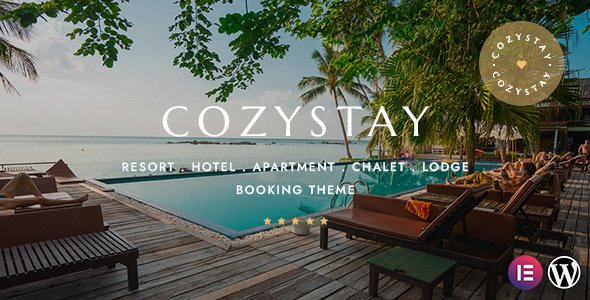
Stuck on your CozyStay WordPress theme? Let's fix it.
No endless back-and-forth. Just send us the details and we'll get it done.
No obligation · Replies within 1 hour · Quote within 1 day
Setup · Customization · Bug fixes · WooCommerce integration
About CozyStay WP Theme
CozyStay is a hotel and rental property WordPress theme built by LoftOcean. It targets accommodation businesses that need a clean, booking-ready website without heavy custom development. The theme ships with a purpose-built reservation system, room listing templates, and pre-built demo content that covers hotels, villas, hostels, and bed-and-breakfast setups.
LoftOcean designed CozyStay around the HBook or MotoPress Hotel Booking plugin ecosystem, so availability calendars, seasonal pricing, and online payment integration are all within reach out of the box. The Elementor-based page builder support means layout changes are visual and direct. For property owners who want a polished guest-facing site without starting from scratch, CozyStay covers the fundamentals without unnecessary bloat.
Get matched with a CozyStay developer in under one day
Tell us about your CozyStay project. Small fixes, CozyStay theme customization, or a full website build, whatever you need, we've got it covered.
We'll connect you to the right CozyStay developers, define the scope, and get everything 100% clear.
You'll get one estimate, hire your preferred developer, and start collaborating.
CozyStay has enough moving parts, booking plugins, Elementor templates, payment gateways, and availability logic, that small configuration mistakes cost you real bookings. A vetted CozyStay developer on Codeable has seen these setups before. You get an accurate estimate before any work starts, no hourly surprises, and a developer who understands the LoftOcean theme structure specifically. Codeable screens every developer, so you are not gambling on a freelancer profile.
Pros
- Built specifically for hospitality use cases with room listing templates and booking-ready structure included
- Compatible with both MotoPress Hotel Booking and HBook, giving flexibility on reservation system choice
- Elementor integration makes visual layout changes straightforward without touching template files
- LoftOcean provides multiple demo imports covering hotels, villas, hostels, and B&B properties
- Clean, photo-forward design that works well for high-quality property photography
Cons
- Full booking functionality requires a paid third-party plugin, which adds to the total cost
- Heavy demo content can slow down sites if images and assets are not properly optimized after import
- Advanced customization of booking forms requires plugin-level knowledge, not just theme panel settings
- Limited built-in filter options for properties with many room types or complex availability rules
- Child theme setup is not optional if you plan to modify template files and want to survive updates
Who is CozyStay for?
Boutique Hotels
CozyStay’s room detail templates and gallery layouts suit boutique hotels that rely on strong visuals and clear room differentiation. A CozyStay developer can configure room categories, amenity lists, and seasonal pricing to reflect the actual offering, with a booking flow that does not push guests away before they confirm.
Vacation Rental Villas
Villa rental sites need flexible availability calendars and clear pricing breakdowns. CozyStay paired with MotoPress Hotel Booking handles nightly rates, minimum stay rules, and deposit logic. A CozyStay specialist can tailor the property listing layout to show the features villa guests actually look for before booking.
Bed and Breakfast Properties
Bed and breakfast operators often need a simple, warm site that converts local search traffic into direct bookings. CozyStay’s design adapts well to smaller properties. A CozyStay expert can set up a streamlined one-property booking flow, add a local area guide section, and configure breakfast inclusion options within the reservation system.
Hostels and Budget Accommodation
Hostels require dorm bed management, gender-specific room filters, and low-friction booking. CozyStay’s structure can support this with the right plugin configuration. A CozyStay developer sets up bed-level availability, custom pricing tiers, and a straightforward checkout that works on mobile where most hostel guests are browsing.
Glamping and Eco Retreats
Glamping and eco retreat sites live or die on atmosphere and story. CozyStay’s full-width layouts and immersive gallery options give these properties the visual space they need. A CozyStay specialist can build custom accommodation type pages that highlight tent or cabin options with unique pricing and availability rules for each.

Customizing CozyStay
CozyStay gives you a solid starting point, but most hospitality businesses need adjustments that go beyond the theme panel. Room detail layouts, custom rate tables, multi-language setup, and branded booking flows all require hands-on work inside the theme files and plugin settings.
A CozyStay expert can rebuild demo sections to match your actual property, wire up payment gateways correctly, and configure seasonal pricing rules without breaking the booking logic. Child theme development keeps your changes safe across updates. If you need a custom amenity filter, a specific check-in widget placement, or a loyalty program section bolted onto the existing structure, a CozyStay specialist handles that without guesswork or trial and error on your live site.
Recommended plugins for CozyStay
CozyStay works well with plugins that extend its core booking functionality. MotoPress Hotel Booking and HBook are the most common choices for calendar management and payment processing. For site speed, caching layers and image optimization matter on property sites where photo-heavy room galleries slow down load times. A proper performance audit can cut seconds off your time-to-first-byte. Visit our WordPress performance service for details.
For properties targeting organic search, structured data for accommodation listings and local SEO setup make a real difference. Our WordPress SEO service covers schema markup and on-page optimization specific to hospitality sites.
Not sure which plugins to use? This WordPress plugins directory covers the most popular options with reviews and setup guides.
CozyStay common issues
CozyStay booking form not showing on page
This usually happens when the booking plugin shortcode is missing from the page or the plugin is deactivated. Check that MotoPress Hotel Booking or HBook is active and that the correct shortcode is placed in the page content, not just in a widget area. Also confirm the booking page is correctly assigned in the plugin settings. If the form shows in preview but not on the live page, a caching plugin is likely serving a stale version. Clear all cache layers and test again.
CozyStay availability calendar not loading
Availability calendar failures in CozyStay are almost always tied to a JavaScript conflict with another plugin or a missing API key. Open your browser console and look for JS errors. Deactivate plugins one by one to isolate the conflict. If you are using a caching or minification plugin, exclude the booking plugin scripts from minification. If the calendar loaded before and broke after an update, roll back the plugin version and check the changelog for known issues. Our WordPress bug fixing service can isolate and resolve this quickly.
CozyStay room images not displaying correctly
Room images failing to display in CozyStay are typically a thumbnail regeneration issue after theme activation or a media library path problem. Run a thumbnail regeneration plugin to rebuild all image sizes to match CozyStay’s registered dimensions. If images show broken icons, check that the uploads folder permissions are set correctly (755 for directories, 644 for files). Also verify the image URLs in the media library are using the correct domain, especially if the site was recently migrated.
CozyStay Elementor sections blank after update
Blank Elementor sections after a CozyStay update usually mean a widget or template registered by the theme or a companion plugin has been removed or renamed. Open the affected page in Elementor and look for elements flagged as missing. You may need to rebuild those sections using current widgets. If the entire page canvas is blank, check for a PHP fatal error in your debug log. Updating Elementor and CozyStay together without testing in staging first is the most common cause. Our WordPress bug fixing service handles post-update breakage fast.
CozyStay mobile menu not working
Mobile menu issues in CozyStay are almost always caused by a JavaScript conflict or a missing dependency. Check if the hamburger icon appears but clicking it does nothing. Open browser dev tools on mobile emulation and look for console errors. A common culprit is jQuery being loaded in the footer while a script depending on it loads in the header. Also check if a caching plugin is serving a minified JS file with errors. Disable JS minification temporarily and retest.
CozyStay demo import fails or is incomplete
CozyStay demo imports fail for a few predictable reasons. Server memory limits below 256MB, PHP execution timeouts, or max upload size restrictions all stop the import mid-process. Increase these in your php.ini or wp-config.php before importing. If the import completes but pages look wrong, the required plugins (Elementor, the booking plugin) were not activated before importing. Reset the site, activate all required plugins first, then reimport. Large demo files also time out on shared hosting.
CozyStay checkout page showing 404 error
A 404 on the CozyStay checkout page means the booking plugin’s pages were deleted, not assigned, or the permalink structure needs flushing. Go to Settings, then Permalinks, and save without changes to rebuild the rewrite rules. Then check the booking plugin settings for a checkout page assignment and make sure that page exists and contains the correct shortcode. If the page exists but still returns 404, a custom rewrite rule from another plugin may be conflicting.
CozyStay custom CSS not applying
Custom CSS not applying in CozyStay is usually a specificity issue or a caching problem. First, clear all caches including server-side and CDN. If the styles still do not apply, your selectors may be overridden by more specific theme rules. Use browser inspect tools to find the exact selector the theme uses and match or increase specificity in your custom CSS. CSS added through the WordPress Customizer should be placed in Additional CSS, not in a child theme stylesheet if you want it to load last.
CozyStay payment gateway not connecting
Payment gateway connection failures in CozyStay’s booking setup are almost always a plugin configuration issue, not a theme issue. Check that your gateway API keys are entered correctly in the booking plugin settings, not the theme panel. Stripe and PayPal both require webhook endpoints to be reachable. If you are on a local or staging environment, live payment gateways will not connect. For SSL-related errors, confirm your certificate is valid and that the site URL in WordPress settings uses HTTPS. Our WordPress bug fixing service can diagnose gateway errors directly.
CozyStay room pricing not updating on booking form
Room pricing not updating on the CozyStay booking form usually means a caching layer is serving stale price data or the booking plugin’s pricing rules are set up in a conflicting order. Check for rate conflicts in the booking plugin, specifically overlapping seasonal rates with different priority levels. If prices update in the admin but not on the front end, clear object cache and page cache. Also check if a page builder cache (Elementor CSS) is overriding live data output.
CozyStay FAQ
Yes. CozyStay is designed to work alongside MotoPress Hotel Booking. The theme’s room templates and booking form placements are built with this plugin in mind. You will still need a MotoPress license separately, as it is not bundled with the theme. A CozyStay expert can configure the two together correctly from the start.
Yes. CozyStay includes Elementor compatibility and most of the demo content is built with Elementor page templates. You will need Elementor installed and active to edit these templates visually. Some sections also rely on LoftOcean’s own Elementor widgets that ship with the theme’s companion plugin.
CozyStay is primarily designed for single-property sites. Multi-property or multi-location setups require additional configuration at the booking plugin level, not the theme level. MotoPress Hotel Booking does support multiple accommodations, but the theme layout may need custom adjustments to present them cleanly. A CozyStay developer can build this out properly.
CozyStay is officially compatible with MotoPress Hotel Booking and HBook. These are the two most commonly used options. WooCommerce Bookings can also be integrated with custom development work. The right choice depends on your pricing structure, payment needs, and whether you need channel manager connectivity.
CozyStay works well for small properties. Bed and breakfasts, boutique hotels, and vacation rental villas are all common use cases. The theme scales down cleanly to single-room or small multi-room setups without requiring enterprise-level configuration. The demo content includes smaller property layouts specifically.
CozyStay demo import is handled through the theme’s onboarding panel or a one-click import plugin like Merlin WP. Before importing, activate all required plugins including Elementor and your chosen booking plugin. Set your PHP memory limit to at least 256MB. After import, reassign menus and check widget areas since these sometimes do not transfer cleanly.
CozyStay does not have a native WooCommerce integration. If you need e-commerce alongside bookings, such as selling gift vouchers or merchandise, WooCommerce can coexist on the same WordPress install, but the two systems will not share a unified cart. Custom development is needed if you want them to work together as a single checkout flow.
Yes, migrating an existing hotel site to CozyStay is possible. Content, images, and booking history from your old system will need to be moved carefully. Our WordPress migration service handles this without data loss. The bigger task is rebuilding your existing pages inside CozyStay’s templates, which a CozyStay specialist can plan and execute properly.
LoftOcean updates CozyStay regularly, typically following major WordPress and Elementor releases. Update frequency varies, but the theme receives compatibility patches and occasional feature additions. Keeping the theme updated is important, but always test updates in a staging environment first since Elementor template structures can break after major version changes.
A basic CozyStay setup with demo content and a standard booking plugin configuration is manageable for someone comfortable with WordPress. However, custom layouts, payment gateway setup, pricing rules, and performance optimization require more than basic familiarity. Most property owners get better results faster by working with a CozyStay developer from the start rather than troubleshooting later.
Hire a CozyStay Expert Developer
Whether you need a full CozyStay setup, a booking plugin integration, or a layout that matches your brand, a specialist gets it done without the back-and-forth. Post your project and get a free estimate with no obligation to hire. Get a Free Estimate and have a qualified CozyStay developer review your project within 24 hours.
You'll need a free Codeable account so developers can ask questions and send their quotes.