Croma WordPress Theme
by IronTemplates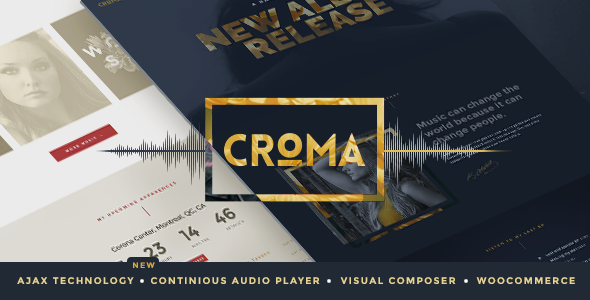
Stuck on your Croma WordPress theme? Let's fix it.
No endless back-and-forth. Just send us the details and we'll get it done.
No obligation · Replies within 1 hour · Quote within 1 day
Setup · Customization · Bug fixes · WooCommerce integration
About Croma WP Theme
Croma is a multipurpose WordPress theme by IronTemplates, built for portfolio sites, agencies, and creative professionals. It ships with a drag-and-drop page builder, a library of pre-built demo templates, and a clean visual style that works across industries. The theme is optimised for speed and includes built-in support for WooCommerce, making it a practical choice for creatives who also sell products or services online.
Setup is straightforward. Import a demo, swap in your content, and the site is close to launch-ready. The theme options panel gives you control over typography, colours, header layouts, and footer styles without touching code. Croma is compatible with major plugins including WPML for multilingual builds and popular SEO tools. It suits freelancers, small studios, and product-based businesses that want a polished result without a custom build budget.
Get matched with a Croma developer in under one day
Tell us about your Croma project. Small fixes, Croma theme customization, or a full website build, whatever you need, we've got it covered.
We'll connect you to the right Croma developers, define the scope, and get everything 100% clear.
You'll get one estimate, hire your preferred developer, and start collaborating.
Most Croma issues are not theme bugs. They are configuration problems, plugin conflicts, or customisations applied in ways that break on updates. A developer who knows the theme’s structure spots these quickly.
Through Codeable, you get access to vetted WordPress developers with hands-on experience across themes like Croma. Post a project, get matched within 24 hours, and receive a free estimate before any commitment. No bidding wars, no junior developers learning on your project.
Pros
- Pre-built demos cover a wide range of creative and agency layouts, reducing initial setup time significantly.
- Built-in WooCommerce support means you can add a shop without hunting for a compatible extension.
- The theme options panel is well-organised and covers typography, colours, and headers without requiring code edits.
- WPML compatibility makes it a usable choice for multilingual sites without major workarounds.
- Regular updates from IronTemplates keep the theme compatible with current WordPress core releases.
Cons
- The bundled page builder can add significant markup bloat, which hurts page speed on content-heavy pages.
- Switching away from the included page builder later locks you into a rebuild, since content is stored as shortcodes.
- Some demo sections are difficult to replicate outside the original demo context, making selective imports frustrating.
- Customer support response times from IronTemplates can be slow, especially for complex customisation questions.
- Deep WooCommerce customisation requires template overrides that are not covered in the theme documentation.
Who is Croma for?
Creative Portfolio
Croma’s portfolio post type and filterable grid layouts make it a natural fit for showcasing creative work. A Croma developer can extend the default portfolio with custom taxonomies, lightbox options, and case study templates that go beyond the standard demo setup.
Digital Agency
Agency sites need service pages, team profiles, and client work displayed clearly. Croma’s multi-demo library includes agency-focused layouts. A Croma specialist can combine elements from multiple demos, add custom animations, and wire up contact forms to CRM tools.
Freelance Designer or Photographer
Photographers and designers need fast-loading image galleries and a clean presentation. Croma supports full-width layouts and minimal navigation styles that keep focus on the work. Performance tuning by a Croma expert ensures large image libraries do not slow the site down.
Small eCommerce Store
With native WooCommerce support, Croma works for small product catalogues without major setup friction. A Croma developer can customise product pages, cart templates, and checkout flow to match your brand without building from scratch.
Consulting or Coaching Business
Coaches and consultants need clear service pages, booking integration, and strong calls to action. Croma’s layout flexibility supports these structures. A Croma specialist can add booking plugin compatibility, custom lead forms, and structured content sections.

Customizing Croma
Out of the box, Croma covers the basics well. The theme options panel handles global colours, fonts, and layout switches. The bundled page builder lets you arrange sections visually, and most demos can be customised without writing a single line of code.
Where things get more complex is when you need Croma to behave in ways the defaults do not support. Custom post type layouts, conditional header logic, advanced WooCommerce template overrides, or pixel-precise design adjustments all require developer knowledge. A Croma expert can also clean up builder bloat, improve template hierarchy, and make the site perform better under the hood.
If you need modifications beyond what the panel offers, working with a Croma specialist saves time and avoids the common mistakes that come from editing theme files directly without a child theme in place.
Recommended plugins for Croma
Croma pairs well with a focused plugin stack. For contact forms, WPForms or Gravity Forms integrate cleanly. WooCommerce handles ecommerce without conflicts. WPML works for multilingual setups, and Advanced Custom Fields lets you add structured data to pages and post types.
Performance matters on image-heavy creative sites. A caching plugin like WP Rocket combined with a CDN keeps load times low. See our WordPress performance optimisation service if speed is a priority. For organic visibility, pairing Croma with a solid technical setup and the right schema structure makes a real difference. Our WordPress SEO service covers both audits and implementation.
Not sure which plugins to use? This WordPress plugins directory covers the most popular options with reviews and setup guides.
Croma common issues
Croma theme not loading after WordPress update
A failed load after a WordPress core update usually points to a PHP compatibility issue or a conflict introduced by the update. First, check your PHP version in the hosting control panel and compare it against IronTemplates’ stated requirements. Deactivate plugins one by one to isolate a conflict. If the theme files themselves are corrupted, reinstall from a fresh download. If you cannot identify the cause, our WordPress bug fixing service can diagnose and resolve it quickly.
Croma page builder layouts broken on mobile
Mobile layout breaks in Croma are often caused by column settings that do not collapse correctly, or fixed-width values set inside the page builder rather than using responsive units. Open the page builder, check each section’s column settings, and switch fixed pixel widths to percentages. Also verify that the theme’s mobile breakpoint settings in the Customiser match your target devices. Testing in multiple browsers catches issues that only appear on specific rendering engines.
Croma demo import failing or stuck
Demo imports fail most often due to server memory limits, execution time restrictions, or missing required plugins. Before importing, install all plugins the demo requires. Increase the PHP memory limit to at least 256MB and set max execution time to 300 seconds in your php.ini or via your host’s control panel. If the import still stalls, try importing content only first, then widgets, then theme options separately. A fresh WordPress install with no other active plugins gives the cleanest result.
Croma header not displaying correctly
Header display problems in Croma usually come down to conflicting CSS from a plugin or a misconfiguration in the theme’s header builder. Check the Header settings under the Croma options panel and confirm the header style is set correctly. Inspect the page with browser developer tools to identify which CSS rule is overriding the header. If a plugin like Elementor or a custom CSS block is injecting conflicting styles, isolate and remove it.
Croma WooCommerce product page layout broken
Broken WooCommerce product pages after a WooCommerce update are common with themes that override core templates. Croma may include outdated WooCommerce template files that no longer match the current plugin structure. In WooCommerce, go to Status then System Status to see which templates are outdated. Update them manually or use a child theme to apply the correct template versions. Our WordPress bug fixing service handles WooCommerce template conflicts regularly.
Croma custom CSS not applying
Custom CSS not applying in Croma is almost always a specificity problem. The theme’s own styles may have higher specificity than your custom rules. Use browser developer tools to inspect the element, find the existing CSS rule, and write your custom CSS with equal or greater specificity. Add custom CSS through the WordPress Customiser’s Additional CSS field rather than editing theme files directly, so changes survive theme updates.
Croma portfolio filter not working
The portfolio filter in Croma relies on JavaScript that can conflict with caching plugins or other scripts. First, clear all caches and test. If the filter still does not work, open the browser console and look for JavaScript errors. A common cause is jQuery being loaded in no-conflict mode while the filter script expects it in the global scope. Enqueue scripts correctly in a child theme or ask a developer to patch the conflict without altering core theme files.
Croma site loading slowly after adding content
Slow load times on a Croma site usually come from the page builder generating heavy DOM output, unoptimised images, or too many render-blocking scripts. Start by running a speed test on GTmetrix or PageSpeed Insights to identify the biggest offenders. Install a caching plugin, serve images in WebP format, and defer non-critical JavaScript. For deeper performance work, see our WordPress bug fixing service or consider a full performance audit.
Croma child theme changes not showing
If child theme changes are not appearing, the child theme may not be activated, or the parent theme’s styles are loading after the child theme’s styles and overriding them. Confirm the child theme is active in Appearance then Themes. Check the child theme’s functions.php to ensure the parent stylesheet is enqueued correctly using wp_enqueue_style with the parent handle as a dependency. Avoid using @import in style.css as it creates load order issues.
Croma contact form not sending emails
Contact form email failures in Croma setups are almost never a theme issue. The problem is usually the hosting server’s mail function being blocked or the from address not matching the domain. Install an SMTP plugin such as WP Mail SMTP and configure it to send through a transactional email service like SendGrid or Mailgun. Test delivery using the plugin’s built-in diagnostic tool. Check spam folders before assuming emails are not arriving at all.
Croma FAQ
Croma is a solid choice for creative portfolios, agencies, and small businesses. It offers a good range of pre-built demos, decent WooCommerce support, and a manageable options panel. It is not the leanest theme available, and the bundled page builder adds weight. For straightforward builds it works well. Complex or performance-critical projects may benefit from a more lightweight base or custom development.
Croma is primarily built around its own bundled page builder. Elementor can be installed and used alongside it, but mixing builders on the same site creates conflicts and bloat. If you want to use Elementor, it is cleaner to disable the bundled builder and commit to Elementor fully. A Croma developer can configure this setup and ensure the theme’s styles still apply correctly.
Go to Appearance then IronTemplates Demo Importer in your WordPress dashboard. Select the demo you want, ensure the required plugins are installed, then click Import. Server limits can cause timeouts on shared hosting. Increasing PHP memory to 256MB and execution time to 300 seconds before importing reduces failed imports significantly.
Yes. Croma includes WooCommerce support and ships with styled templates for shop, product, cart, and checkout pages. It handles basic store setups without additional plugins. For advanced WooCommerce customisation, such as custom product layouts or checkout field modifications, you will need template overrides in a child theme or help from a Croma specialist.
Always use a child theme before making any modifications. When you update the parent theme, child theme files are not overwritten. Before updating, check the changelog for template changes that might affect your overrides. Take a full site backup first. If you have edited parent theme files directly, those changes will be lost on update and will need to be reapplied.
Croma is compatible with WPML, the most widely used multilingual plugin for WordPress. Polylang also works. You will need to translate theme strings through WPML’s string translation module. Some builder elements require manual translation setup. For a full multilingual build, a Croma developer familiar with WPML can configure this correctly from the start.
Create a new folder in wp-content/themes, for example croma-child. Inside it, create a style.css file with the correct header declaring Template: croma, and a functions.php that enqueues the parent stylesheet using wp_enqueue_style. Activate the child theme in Appearance then Themes. All custom CSS and template overrides go into the child theme folder, not the parent.
Yes. Croma’s typography settings include access to the full Google Fonts library. You can set different fonts for headings and body text from the Customiser. For custom self-hosted fonts not available on Google Fonts, you will need to enqueue them manually through a child theme’s functions.php and apply them via CSS.
Croma developer rates vary by project scope. Small fixes or single-page customisations typically run between $50 and $200. Full site builds or complex custom work cost more. Through Codeable, you post your project, receive a free estimate, and only proceed if the price works for you. There is no obligation to hire after getting an estimate.
IronTemplates offers theme support through their official channels, which covers bugs and core functionality. For custom development, layout changes, plugin conflicts, or anything outside standard support scope, working with an independent Croma specialist is faster and more effective. You can get a free estimate from a vetted developer through our service.
Hire a Croma Developer for Your WordPress Project
Whether you need a full Croma build, specific customisations, or fixes to an existing site, working with a specialist gets it done correctly the first time. Describe your project and get a free, no-obligation estimate from a vetted WordPress developer. Get a Free Estimate and have a developer matched to your project within 24 hours.
You'll need a free Codeable account so developers can ask questions and send their quotes.