Docy WordPress Theme
by spider-themes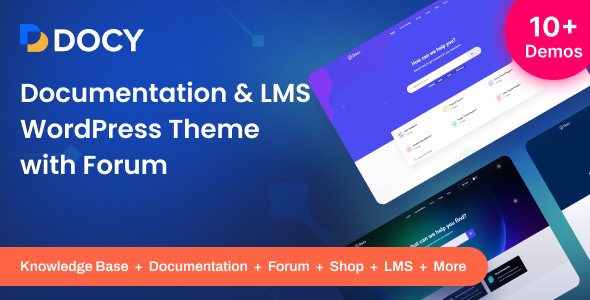
Stuck on your Docy WordPress theme? Let's fix it.
No endless back-and-forth. Just send us the details and we'll get it done.
No obligation · Replies within 1 hour · Quote within 1 day
Setup · Customization · Bug fixes · WooCommerce integration
About Docy WP Theme
Docy is a WordPress documentation theme built by spider-themes. It is designed specifically for software products, SaaS tools, and developer-facing documentation sites. The theme ships with a clean two-column layout, sticky sidebar navigation, and a built-in search function that helps users find answers fast.
Out of the box, Docy supports dark mode, RTL languages, and Elementor page builder. It also includes a knowledge base structure with category grouping, breadcrumbs, and a table of contents block for long articles. For teams publishing technical documentation or help centre content, Docy removes most of the setup work and gives you a functional, readable structure from day one.
It works well for product manuals, API references, plugin documentation, and internal wikis. Pricing is through ThemeForest, where it holds a strong rating across several hundred reviews.
Get matched with a Docy developer in under one day
Tell us about your Docy project. Small fixes, Docy theme customization, or a full website build, whatever you need, we've got it covered.
We'll connect you to the right Docy developers, define the scope, and get everything 100% clear.
You'll get one estimate, hire your preferred developer, and start collaborating.
Docy is opinionated in how it handles documentation structure. That is useful until your requirements do not fit the default setup. Finding a developer who has actually worked inside the theme saves significant time. Through Codeable, you get matched with vetted WordPress professionals who know themes like Docy. No job boards, no guessing. Post your project, get an estimate, and decide if you want to proceed. There is no cost to get that estimate and no obligation to hire.
Pros
- Pre-built documentation structure saves significant setup time for knowledge base and help centre projects
- Native dark mode toggle works out of the box without any plugin or extra configuration
- Built-in table of contents block makes long technical articles much easier to navigate
- RTL language support included, which matters for Arabic, Hebrew, and Persian-language documentation sites
- Elementor compatibility means non-developers can edit page layouts without touching code
Cons
- Limited flexibility for documentation sites that do not follow a standard category and article hierarchy
- The default search is basic WordPress search and struggles with large documentation sets without additional plugins
- Version control or multi-version documentation is not supported natively and requires custom development
- Styling customisation beyond the options panel requires CSS knowledge, as the theme does not expose all design tokens
- Some users report the sticky sidebar breaks on certain mobile screen sizes, requiring CSS fixes
Who is Docy for?
SaaS Product Documentation
SaaS teams need documentation that loads fast, searches well, and keeps users moving. Docy handles the structure so your team can focus on writing content. The category grouping works well for separating onboarding guides, feature references, and troubleshooting articles into distinct sections users can browse independently.
WordPress Plugin or Theme Docs
WordPress plugin and theme developers often need a public documentation site that mirrors the product’s own ecosystem. Docy fits that context well. You can structure docs by version or feature area, and the clean layout keeps readers focused on the content rather than the interface around it.
Internal Company Knowledge Base
Internal knowledge bases need fast search and clear navigation more than anything else. Docy provides both. Restrict access with a membership plugin, organise articles by department or topic, and let the built-in sidebar handle navigation. Works well for HR policies, IT procedures, and onboarding materials.
API Reference Site
API reference documentation is dense. Docy’s sticky sidebar and table of contents make it easier for developers to scan and jump between endpoints. Pair it with a syntax highlighting plugin like Enlighter or Prism and you have a readable API docs site without building from scratch.
Software User Manuals
Hardware or software companies shipping user manuals online need a format that works across devices and audiences. Docy handles print-style documentation well in a web context. Section-based navigation, clear headings, and the table of contents block all make it suitable for detailed product guides and setup instructions.

Customizing Docy
Docy gives you a solid starting point, but most product teams need adjustments that go beyond what the theme options panel offers. A Docy expert can restructure the sidebar navigation to match your content hierarchy, rework the search to filter by product version or category, and apply custom CSS that aligns the theme with your brand without breaking mobile layouts.
Common customisation requests include adding a changelog section, integrating a feedback widget, building a version switcher for multi-product docs, and creating a landing page that introduces the documentation before users dive in. These changes require PHP template edits and a clear understanding of how Docy structures its post types and taxonomies.
Working with a developer who knows Docy specifically means fewer hours spent reverse-engineering the theme and more time shipping a documentation site that actually works for your users.
Recommended plugins for Docy
Docy works with several plugins that extend its functionality. BetterDocs and Heroic Knowledge Base can be layered in if you want more advanced article management. For search, adding SearchWP improves on the default WordPress search significantly.
If your documentation site also needs to rank well, pairing Docy with proper on-page SEO work is worth the effort. Learn more on our WordPress SEO service page. For sites serving large audiences, image optimisation and caching are critical. Our WordPress performance service covers both.
Not sure which plugins to use? This WordPress plugins directory covers the most popular options with reviews and setup guides.
Docy common issues
Docy search not working or returning no results
The default Docy search relies on WordPress core search, which indexes post titles and content but can miss documents depending on your post type settings. First, check that your documentation post type is included in search results under Settings. If the issue persists, the search index may need rebuilding. For large doc sets, adding SearchWP and configuring it to index Docy’s custom post types usually resolves persistent search failures. Check our WordPress bug fixing service if you need hands-on help.
Docy sidebar not sticky or overlapping content on mobile
Sticky sidebar issues in Docy are usually caused by a CSS conflict with another plugin or a parent element with overflow: hidden set incorrectly. Open browser dev tools, inspect the sidebar element, and check for conflicting position or overflow rules. On mobile, the sidebar often breaks because the JavaScript controlling sticky behaviour does not account for certain viewport widths. A targeted CSS fix for the relevant breakpoints usually resolves it. If a page builder is active, check whether it is adding wrapper divs that interfere with the layout.
Docy dark mode not saving or reverting on page reload
Dark mode preference in Docy is typically stored in localStorage. If it reverts on reload, the most common cause is a caching plugin serving a cached version of the page that does not reflect the stored preference. Exclude the localStorage key from being overridden, or configure your cache plugin to respect user preferences. Some security plugins also clear localStorage on navigation, which causes the same symptom. Check your maintenance setup if caching conflicts are frequent.
Docy table of contents not showing headings from content
The Docy table of contents pulls headings from the post content area. If headings are not appearing, the most likely cause is that content is being entered through a page builder like Elementor rather than the standard WordPress editor. Docy’s TOC script scans the post content field, not rendered builder output. Switching to the native editor for documentation articles usually fixes this. Alternatively, a developer can modify the TOC script to target the correct rendered container in the page builder’s output.
Docy FAQ
Docy works well for medium-sized documentation sites. For very large doc sets with thousands of articles, the default search becomes a bottleneck and you will need SearchWP or a similar plugin. The category and article hierarchy also requires some planning at scale. A developer can help restructure the taxonomy to keep navigation manageable as content grows.
Yes, Docy is compatible with Elementor for building custom pages like landing pages or feature overviews. However, the core documentation article layout is best managed through the native WordPress editor. Using Elementor for individual doc articles can break features like the table of contents and the built-in breadcrumb trail.
Docy does not include access restriction features natively. To run a private knowledge base, you need a membership or access control plugin such as MemberPress, Restrict Content Pro, or a simple password-protection plugin. Once access control is handled at the plugin level, Docy functions normally for internal use.
By default, WordPress search only queries post types marked as searchable. To include Docy’s documentation post type, go to the theme settings or add a small code snippet to functions.php that sets the post type to public search. For more control over what gets indexed, SearchWP lets you configure this through a UI without any code.
Docy is sold through ThemeForest by spider-themes, who continue to release updates. Check the ThemeForest changelog tab on the Docy product page for the most recent update date. If the theme has not been updated in over a year, test carefully for compatibility with the current WordPress version before committing to it for a new project.
Hire a Docy Developer
If your Docy documentation site needs custom layouts, integration work, or fixes that have been sitting on the to-do list, the fastest way forward is to talk to a developer who has done it before. Post your project and get a free estimate within 24 hours. No commitment required. Get your free estimate here and see exactly what your project would cost before you decide anything.
You'll need a free Codeable account so developers can ask questions and send their quotes.