Ecomus WordPress Theme
by drfuri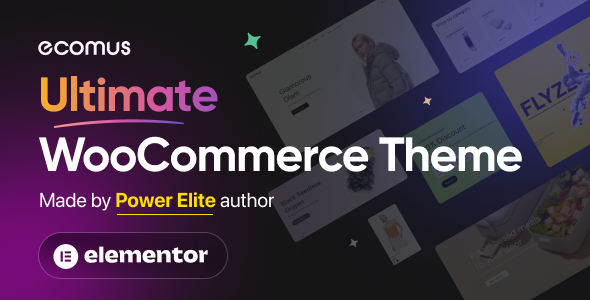
Stuck on your Ecomus WordPress theme? Let's fix it.
No endless back-and-forth. Just send us the details and we'll get it done.
No obligation · Replies within 1 hour · Quote within 1 day
Setup · Customization · Bug fixes · WooCommerce integration
About Ecomus WP Theme
Ecomus is a WooCommerce theme built by drfuri, designed specifically for fashion, lifestyle, and multi-niche online stores. It ships with over 40 pre-built demos, a clean layout system, and deep WooCommerce integration that covers product filtering, AJAX cart, wishlist, and compare functionality out of the box.
Built on Elementor and WPBakery compatibility, Ecomus gives store owners a flexible starting point without requiring custom development from scratch. The theme supports variable products, lookbook layouts, mega menus, and RTL languages. Performance-wise, it uses lazy loading and minimal dependencies to keep page weight manageable. If you run a WooCommerce store and want a polished, feature-rich theme without stitching together plugins, Ecomus is a solid choice worth serious consideration.
Get matched with a Ecomus developer in under one day
Tell us about your Ecomus project. Small fixes, Ecomus theme customization, or a full website build, whatever you need, we've got it covered.
We'll connect you to the right Ecomus developers, define the scope, and get everything 100% clear.
You'll get one estimate, hire your preferred developer, and start collaborating.
Ecomus is capable, but getting the most out of it means knowing where the theme’s defaults end and custom development begins. A vetted Ecomus developer on Codeable can handle targeted modifications, complex WooCommerce integrations, and performance work without overhauling your entire setup. Codeable’s network only includes developers who have passed a rigorous screening process, so you’re not gambling on an unknown. Post your project, get a clear estimate, and only move forward if it makes sense for your store.
Pros
- 40+ pre-built demos covering fashion, electronics, furniture, and multi-niche stores
- Deep WooCommerce integration with AJAX cart, wishlist, compare, and advanced product filtering built in
- Elementor compatibility allows visual editing without writing code
- Lookbook and shoppable image features are native, no extra plugin required
- RTL support and translation-ready structure make it suitable for international stores
Cons
- Heavy feature set increases initial page weight if assets are not properly optimized
- Some demo content imports incompletely without the exact plugin versions used during development
- Mega menu customization beyond preset styles requires PHP or CSS intervention
- Limited documentation for advanced WooCommerce hook customizations specific to the theme
- Child theme setup is recommended but not enforced, making update-safe customization easy to skip
Who is Ecomus for?
Fashion and Apparel Stores
Ecomus was clearly designed with fashion in mind. Its lookbook layouts, full-width product imagery, and hover-state product swatches suit clothing and accessories stores well. An Ecomus specialist can extend these features with size guide popups, outfit builder logic, or custom collection page templates that match your brand’s visual identity precisely.
Electronics and Gadget Retailers
The theme’s grid-heavy layouts and comparison feature make it practical for electronics retailers managing large catalogs. An Ecomus developer can configure advanced product filtering by specs, integrate compatibility checkers, and optimize category pages for the kind of high-intent search traffic electronics stores depend on to convert.
Home Decor and Furniture Shops
Ecomus handles visual-heavy product presentations well, which matters for furniture and home decor where customers need to imagine products in context. Room scene imagery, lifestyle lookbooks, and curated collection pages are all achievable. An Ecomus expert can build custom room-style layouts or integrate AR preview plugins where needed.
Beauty and Cosmetics Brands
Beauty brands need clean, editorial-style product pages with strong visual hierarchy. Ecomus supports ingredient lists, shade swatches, and before-and-after sections through custom template work. An Ecomus specialist can configure product bundling, subscription add-ons, and loyalty program integrations suited to repeat-purchase cosmetics businesses.
Multi-Vendor Marketplaces
With Dokan or WCFM integration, Ecomus can serve as a multi-vendor storefront. The theme’s flexible header, category navigation, and product card styles adapt to marketplace structures. An Ecomus developer can configure vendor-specific storefronts, commission logic, and product submission workflows without replacing the theme’s front-end.

Customizing Ecomus
Ecomus comes with a lot built in, but most stores need changes that go beyond the theme options panel. That might mean custom product page layouts, tweaked checkout flows, brand-specific typography, or integrations with third-party tools like subscription plugins or ERP systems.
An experienced Ecomus expert can modify template files, extend WooCommerce hooks, and build child theme overrides without touching core files. This keeps your store updatable and stable long-term. Whether you need a header rebuilt from scratch, a custom mega menu, or a product filter that matches your catalog structure exactly, working with an Ecomus specialist saves time and avoids the trial-and-error that comes from doing it alone. Custom work on Ecomus is precise when you know where to intervene.
Recommended plugins for Ecomus
Ecomus pairs well with several plugins that extend its default capabilities. For speed, tools like FlyingPress or WP Rocket complement the theme’s lazy loading with full-page caching and critical CSS generation. Improving WordPress performance on an Ecomus store typically means also optimizing WooCommerce-specific queries and deferring non-critical scripts.
On the visibility side, pairing Ecomus with a structured WordPress SEO setup, including schema for products, breadcrumbs, and category pages, gives your store a measurable edge in search. Ecomus doesn’t block these integrations, but they do require proper configuration to work correctly alongside the theme’s built-in features.
Not sure which plugins to use? This WordPress plugins directory covers the most popular options with reviews and setup guides.
Ecomus common issues
Ecomus product page not showing variation images correctly
Variation image switching in Ecomus relies on WooCommerce’s gallery scripts combined with the theme’s own swatch logic. If images aren’t updating on variation select, the usual culprits are a JavaScript conflict with a caching plugin, a missing featured image on the variation itself, or a theme update that changed the event binding. Clear all caches first, then check each variation has its own image assigned. If the problem persists, a WordPress bug fixing specialist can trace the exact script conflict and patch it cleanly.
Ecomus AJAX filter not working after plugin update
Ecomus uses its own AJAX filtering system tied to WooCommerce product taxonomy. After a plugin update, especially to WooCommerce or filtering plugins like YITH or WooCommerce Product Filter, the nonce or query parameters can break. First, deactivate recently updated plugins one at a time to isolate the conflict. If the filter returns no results or throws a console error, the issue is usually a mismatched query hook. A WordPress bug fixing service can resolve this quickly with direct code inspection.
Ecomus mega menu not saving or disappearing on mobile
Mega menu settings in Ecomus are stored as menu item metadata. If your mega menu disappears after saving or breaks on mobile, the first thing to check is whether a caching plugin is serving a stale version of the menu markup. Disable caching temporarily and re-save. If the issue is specifically on mobile, the problem is usually in the theme’s responsive CSS overriding the mega menu container. Inspect the element and trace which media query is collapsing it incorrectly.
Ecomus demo import failing or showing blank pages
Ecomus demo imports depend on specific plugin versions and server configurations. Common failure points include PHP memory limits below 256MB, execution time limits cutting the import short, and missing required plugins like Elementor or WPBakery. Increase your PHP limits in wp-config.php or php.ini, install all required plugins before importing, and use the theme’s recommended import method rather than the WordPress importer. If pages import but appear blank, regenerate Elementor CSS from the Elementor tools panel.
Ecomus FAQ
Yes. Ecomus is built specifically for WooCommerce stores. It includes native support for product filtering, AJAX cart, wishlist, product comparison, and multiple product page layouts. It works best for fashion, lifestyle, and multi-niche retail stores. For complex WooCommerce setups or heavily customized stores, working with an Ecomus developer ensures the integration holds up under real traffic and catalog size.
Ecomus supports Elementor for page building. Most demo pages are built with Elementor, and the theme registers custom widgets and sections that work within the Elementor editor. Some template files, particularly WooCommerce-specific pages like checkout and single product, are controlled by the theme’s PHP templates rather than Elementor, so those areas need developer-level customization.
Post your project on Codeable and get matched with a vetted Ecomus specialist within 24 hours. You’ll receive a free estimate with no obligation to hire. This is the fastest way to connect with a developer who has direct experience with Ecomus’s structure and WooCommerce integration rather than a generalist figuring it out as they go.
Ecomus can handle large catalogs, but performance optimization becomes important at scale. The theme’s AJAX filtering and lazy loading help, but you’ll need proper database indexing, a caching layer, and potentially a search plugin like SearchWP or Elasticsearch integration. An Ecomus developer can audit your catalog setup and implement the right stack before slow load times start affecting conversions.
Ecomus by drfuri is actively maintained on ThemeForest and receives updates covering WooCommerce compatibility, bug fixes, and new demo content. That said, updates can occasionally conflict with customizations made directly to theme files, which is why building on a child theme is strongly recommended. An Ecomus expert will always set up customizations in a way that survives future updates safely.
Hire an Ecomus Developer for Your WooCommerce Store
Whether you need a specific layout fixed, a custom feature added, or a full store build on Ecomus, working with a specialist makes the difference between a store that looks like a template and one that performs like a product. Our Ecomus developers know the theme’s structure, WooCommerce’s hook system, and how to build cleanly without breaking updates. Get a Free Estimate and describe exactly what your store needs. No obligation, no guesswork.
You'll need a free Codeable account so developers can ask questions and send their quotes.