Eikra WordPress Theme
by RadiusTheme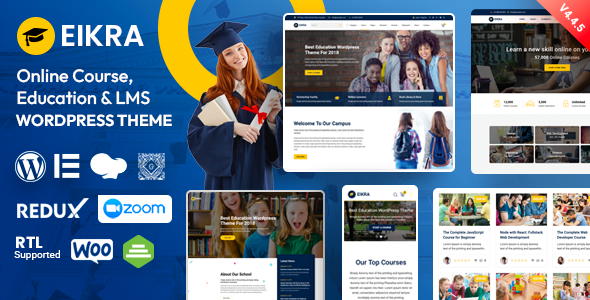
Stuck on your Eikra WordPress theme? Let's fix it.
No endless back-and-forth. Just send us the details and we'll get it done.
No obligation · Replies within 1 hour · Quote within 1 day
Setup · Customization · Bug fixes · WooCommerce integration
About Eikra WP Theme
Eikra is a multipurpose WordPress theme built by RadiusTheme, targeting education and course-focused websites. It integrates tightly with LearnPress, the free LMS plugin, making it a practical choice for online academies, tutors, and training platforms. The theme ships with a drag-and-drop page builder, a collection of pre-built demo sites, and header/footer builder support through ElementsKit or similar tools.
Eikra supports WooCommerce for course sales, membership plugins, and standard blog layouts. The Customizer covers typography, colors, and layout settings without requiring code. RadiusTheme maintains the theme actively, with regular updates aligned to WordPress core changes. It performs reasonably well out of the box, though image-heavy demo content can slow things down if not optimized after import. Overall, Eikra suits education sites that need LMS features without a premium LMS plugin cost.
Get matched with a Eikra developer in under one day
Tell us about your Eikra project. Small fixes, Eikra theme customization, or a full website build, whatever you need, we've got it covered.
We'll connect you to the right Eikra developers, define the scope, and get everything 100% clear.
You'll get one estimate, hire your preferred developer, and start collaborating.
Eikra customization goes deeper than the Customizer. RT Framework hooks, LearnPress template overrides, and Elementor widget conflicts are all areas where small mistakes create real problems. Codeable connects you with vetted WordPress developers who have hands-on experience with education themes like Eikra. No bidding, no guesswork. You post your project, get matched within 24 hours, and receive a fixed estimate before any work starts. If you need an Eikra specialist, that’s the fastest way to find one.
Pros
- Native LearnPress integration with dedicated course, lesson, and quiz templates included
- Multiple pre-built demo sites covering education, tutoring, and university layouts
- Header and footer builder included via companion plugin, no extra plugin purchase needed
- WooCommerce support works cleanly for paid course sales and membership setups
- Actively maintained by RadiusTheme with consistent WordPress core compatibility updates
Cons
- RT Framework companion plugin is required for most features, adding a dependency that could cause conflicts
- Demo content import can result in slow page speeds until images and scripts are manually optimized
- LearnPress template overrides require PHP knowledge to customize beyond the default layouts
- Limited third-party LMS support — Tutor LMS and LifterLMS require extra configuration to work properly
- Some Elementor widgets bundled with the theme duplicate functionality and add unnecessary page weight
Who is Eikra for?
Online Course Academy
Eikra fits online course academies well. LearnPress handles course creation, quizzes, and student management, while Eikra’s course grid and single course templates display content cleanly. An Eikra developer can configure course categories, instructor pages, and WooCommerce checkout to support paid enrolments without third-party LMS costs.
Private Tutoring Business
Tutors offering one-on-one or group sessions can use Eikra’s service-style layouts paired with a booking plugin. The theme handles instructor profiles and testimonials well. An Eikra specialist can extend the layout to show availability calendars, session packages, and contact forms in a layout consistent with the rest of the site.
University or School Website
Schools and universities need pages for departments, faculties, events, and news alongside course listings. Eikra’s multipurpose demos cover these use cases. A custom Eikra setup typically includes department archive templates, an events calendar integration, and a staff directory — areas that need developer input to match institutional branding.
Corporate Training Portal
Corporate training portals require private course access, team enrolments, and progress tracking. Eikra with LearnPress and a membership plugin handles the foundation. An Eikra developer can restrict content by user role, create manager dashboards, and style the portal to match internal brand guidelines without touching the public-facing site.
Coaching and Certification Platform
Coaches offering certification programs need structured course paths, certificate generation, and payment handling. Eikra supports these with LearnPress add-ons. An Eikra specialist can configure prerequisite courses, auto-issue certificates on completion, and set up upsell flows for course bundles using WooCommerce alongside the LMS.

Customizing Eikra
Eikra gives you a solid starting point, but most sites need work beyond what the Customizer offers. Custom course layouts, instructor profile pages, and category archive templates often require direct PHP or Elementor work. An experienced Eikra expert can restructure the LearnPress templates, adjust the course grid, and modify the header builder without breaking core functionality on updates.
RadiusTheme uses its own companion plugin, RT Framework, which controls many theme features. Customizing these areas without understanding the plugin’s hooks can cause conflicts. Child theme setup is strongly recommended before making any code-level changes. An Eikra specialist can also rework the checkout flow for course purchases, integrate custom certificate designs, and align the theme’s styling with your brand more precisely than the default settings allow.
Recommended plugins for Eikra
Eikra is built to work with LearnPress, WooCommerce, and Elementor. Adding plugins like WP Rocket or Perfmatters helps with WordPress performance, especially after importing demo content that loads several render-blocking scripts. For course sites targeting organic traffic, pairing Eikra with Rank Math or Yoast and using a proper WordPress SEO setup makes a measurable difference. WPML and Polylang both work with Eikra for multilingual deployments. BuddyPress can extend it into a learning community, though integration requires custom work.
Not sure which plugins to use? This WordPress plugins directory covers the most popular options with reviews and setup guides.
Eikra common issues
Eikra course page not displaying correctly after update
This usually happens when a LearnPress or RT Framework update changes template hooks. First, clear your cache. Then check if you have a child theme with overridden LearnPress templates that no longer match the updated plugin files. Compare your template files against the plugin’s originals and update accordingly. If the layout is broken site-wide after a specific update, check the changelog for both LearnPress and Eikra. For persistent issues, our WordPress bug fixing service can identify the conflict quickly.
Eikra header builder not saving changes
The Eikra header builder relies on the RT Framework plugin. If changes aren’t saving, check whether the RT Framework plugin is active and up to date. A JavaScript conflict from another plugin or a caching layer preventing the save request from completing is also common. Open your browser console for JS errors while saving. Disable caching plugins temporarily and test in an incognito window. If the issue persists across plugins, deactivate non-essential plugins one at a time to isolate the conflict.
LearnPress courses not showing on Eikra archive page
When courses don’t appear on the Eikra archive page, the most common cause is a misconfigured LearnPress settings page. Go to LearnPress settings and confirm the course archive page is correctly assigned. Also check that the page template is set to the LearnPress course archive template, not a blank or default page. Flushing permalinks under Settings then Permalinks often resolves missing archive pages after plugin reinstalls or migrations.
Eikra demo import failed or incomplete
Eikra demo imports can fail due to server timeout limits, low PHP memory, or file permission issues. Increase max_execution_time and memory_limit in your PHP configuration before retrying. Make sure all required plugins are installed and activated before importing. If the import completes partially, reset the site using a plugin like WP Reset and try again. For shared hosting environments, importing demos manually via XML and widget data files separately is more reliable.
Eikra Elementor widgets missing after plugin update
Eikra registers its Elementor widgets through the RT Framework plugin. If widgets are missing, check that both the RT Framework plugin and Eikra are active and updated to compatible versions. An Elementor update sometimes breaks widget registration if the API calls have changed. Check your PHP error log for registration errors. Regenerating the Elementor CSS cache under Elementor’s Tools tab can also restore widgets that appear missing but are actually failing to load their assets.
Eikra mobile menu not opening or broken on small screens
A broken mobile menu on Eikra usually points to a JavaScript error preventing the toggle script from initializing. Open browser dev tools on mobile viewport and check the console for errors. jQuery conflicts from third-party plugins are a common cause. Also verify that the menu location is correctly assigned in Appearance then Menus. If you’re using a custom header built with the RT Framework header builder, check that the mobile menu element is added and configured in the mobile header layout.
Eikra checkout page WooCommerce layout broken
WooCommerce checkout layout issues in Eikra often occur when WooCommerce updates its block-based checkout and the theme’s styles don’t cover the new markup. First check if switching to the classic checkout shortcode resolves the layout. Add
Eikra custom CSS not applying in child theme
If custom CSS added to a child theme isn’t applying, confirm the child theme is actually active under Appearance then Themes. Check that your child theme’s style.css file correctly references the parent theme using the Template: header. CSS specificity is another common issue — the parent theme may be using more specific selectors. Try adding !important temporarily to test, then rewrite your selector to match or exceed the parent’s specificity. Avoid adding CSS to the parent theme directly, as updates will overwrite it.
Eikra page builder content showing raw shortcodes
Raw shortcodes appearing on the frontend usually mean the plugin that registered those shortcodes is deactivated or missing. In Eikra’s case, this is often the RT Framework plugin or Elementor. Reactivate both and check if the content renders correctly. If you imported demo content without the required plugins active, shortcodes may have been saved as plain text in the database. Editing those pages and re-inserting the elements through the page builder corrects the display.
Eikra RT Framework plugin conflict with third-party plugins
RT Framework controls many of Eikra’s core features, and conflicts with other plugins are possible, particularly with other theme frameworks, page builders beyond Elementor, or security plugins that block certain REST API calls. Identify the conflicting plugin by deactivating plugins one at a time in a staging environment. Check error logs for PHP fatal errors or warnings that point to a specific plugin file. If the conflict is with a security or caching plugin, whitelisting RT Framework’s scripts often resolves it. Get help diagnosing plugin conflicts if the issue is hard to isolate.
Eikra FAQ
Eikra is a multipurpose WordPress theme focused on education and e-learning websites. It includes layouts for online courses, university sites, tutoring businesses, and training portals. It integrates directly with LearnPress for course management and WooCommerce for paid enrolments. RadiusTheme also provides non-education demo layouts for general business use.
Yes. Eikra is designed specifically around LearnPress. It includes custom templates for course archives, single course pages, lessons, quizzes, and instructor profiles. Most LearnPress shortcodes and widgets render correctly within the theme’s layouts. For advanced LearnPress customization, an Eikra developer can modify template files via a child theme without affecting core functionality.
Eikra includes Elementor support and registers custom widgets through the RT Framework plugin. Most layout customization happens inside Elementor. Some Eikra-specific widgets like course grids and instructor sliders are only available when both RT Framework and Elementor are active. Gutenberg support exists but is limited compared to the Elementor experience.
Yes, RT Framework is a required companion plugin for Eikra. It handles theme options, the header and footer builder, custom widgets, and many layout features. Without it, most of Eikra’s functionality won’t work. RadiusTheme distributes RT Framework as a free plugin through the WordPress repository and bundles it with the theme package.
Eikra follows WordPress SEO best practices in its markup — semantic HTML, proper heading structure, and schema support for courses. For full SEO control, pair it with Rank Math or Yoast SEO. Page speed needs attention after demo import since bundled scripts add load time. A proper WordPress SEO setup alongside performance optimization gives the best results.
Yes. Eikra includes WooCommerce compatibility for selling courses and digital products. The cart, checkout, and account pages are styled to match the theme. WooCommerce is commonly used alongside LearnPress to handle payment processing, while LearnPress manages course access and student progress. An Eikra developer can customize the checkout flow or product layouts further.
Create a child theme by making a new folder in /wp-content/themes/ with a style.css file that includes the Template: eikra header and a functions.php that enqueues the parent stylesheet. Activate the child theme in Appearance then Themes. All customizations should go in the child theme to survive Eikra updates. RadiusTheme also provides a starter child theme in their documentation.
Eikra is compatible with WPML and Polylang for multilingual builds. String translation for theme-specific text is handled through WPML’s theme strings scanner or Loco Translate. LearnPress also has multilingual support, though course duplication per language requires manual setup. For complex multilingual education sites, working with an Eikra specialist reduces setup time considerably.
Eikra has a free version available in the WordPress theme directory with basic features. The premium version from RadiusTheme’s website unlocks all demos, the header builder, advanced course layouts, and priority support. Premium pricing is one-time per site or available as a bundle. For production education sites, the premium version is generally necessary for the full feature set.
Yes. Eikra specialists are available through Codeable, a vetted WordPress developer network. You post your project, describe what you need, and get matched with a developer who has direct experience with education themes and LearnPress. Fixed estimates, no bidding, and work only begins when you approve the scope. Get a Free Estimate to start.
Hire an Eikra Developer for Your WordPress Site
Whether you need a full Eikra setup, LearnPress customization, or fixes to a broken layout, working with a specialist saves time and avoids costly mistakes. Our developers know the RT Framework, Eikra’s template structure, and how it behaves with LMS plugins. Get a Free Estimate and describe your project. No commitment required, and you’ll have a clear scope and price before anything begins.
You'll need a free Codeable account so developers can ask questions and send their quotes.