Ekko WordPress Theme
by Key-Design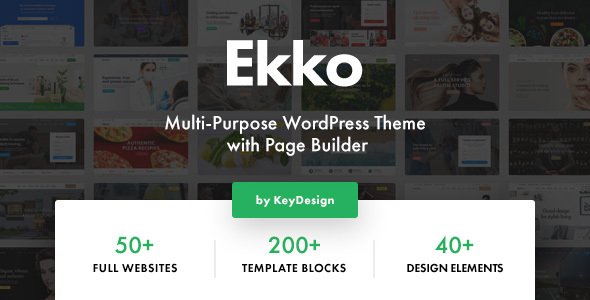
Stuck on your Ekko WordPress theme? Let's fix it.
No endless back-and-forth. Just send us the details and we'll get it done.
No obligation · Replies within 1 hour · Quote within 1 day
Setup · Customization · Bug fixes · WooCommerce integration
About Ekko WP Theme
Ekko is a multipurpose WordPress theme by Key-Design, built around a one-page layout structure with smooth scrolling sections, animated counters, and a prominent full-screen hero. It targets agencies, freelancers, and small businesses that want a polished single-page presence without building from scratch.
The theme ships with WPBakery Page Builder included, a set of pre-built demo layouts, and support for Contact Form 7 and WPML. The design leans toward clean typography, minimal whitespace, and bold call-to-action blocks. Out of the box, Ekko covers most standard business page requirements: services, portfolio, testimonials, team members, and pricing tables. It is actively maintained by Key-Design on ThemeForest with regular updates tied to WordPress core releases.
Get matched with a Ekko developer in under one day
Tell us about your Ekko project. Small fixes, Ekko theme customization, or a full website build, whatever you need, we've got it covered.
We'll connect you to the right Ekko developers, define the scope, and get everything 100% clear.
You'll get one estimate, hire your preferred developer, and start collaborating.
Finding a developer who knows Ekko’s WPBakery integration, section-based layout logic, and Key-Design’s update conventions saves a project from weeks of trial and error. Through Codeable, you get matched with vetted WordPress developers who have hands-on experience with themes like Ekko. Every project starts with a free estimate, no commitment required. Whether you need a single fix or a full custom build on top of Ekko, the process is straightforward: post your project, receive estimates within 24 hours, and hire with confidence.
Pros
- WPBakery Page Builder included at no extra cost
- One-click demo import makes initial setup fast
- WPML compatible for multilingual business sites
- Smooth scroll one-page layout works well for agency and portfolio presentations
- Regularly updated by Key-Design to maintain WordPress compatibility
Cons
- WPBakery adds significant CSS and JS bloat that hurts page speed scores
- Heavy reliance on shortcodes makes switching themes difficult without content loss
- Demo import can overwrite existing settings if not handled carefully
- Limited native block editor support; Gutenberg experience is inconsistent
- Deep customization beyond Customizer options requires PHP and CSS knowledge
Who is Ekko for?
Digital Agency
Ekko suits digital agencies that need a fast-to-launch one-page site covering services, team profiles, and a contact section. The pre-built agency demo covers most requirements. A developer can extend it with custom project filtering or a case study section that goes beyond the default portfolio shortcode.
Freelance Designer or Developer
Freelancers who want a professional single-page presence can use Ekko’s portfolio and testimonial sections out of the box. An Ekko specialist can strip out sections not needed, tighten the layout, and add a custom services block that fits a freelancer’s specific offer without relying on generic demo content.
Startup Landing Page
Startups launching an MVP or testing a product concept benefit from Ekko’s full-screen hero, feature blocks, and pricing tables. The theme’s structure maps closely to standard SaaS landing page patterns. A developer can wire up a lead capture form or integrate a CRM directly into the contact section.
Creative Portfolio
Photographers, illustrators, and motion designers can use Ekko’s portfolio section as a visual showcase. With custom CSS and a configured lightbox plugin, an Ekko developer can turn the default grid into a category-filtered gallery that loads quickly and displays work without distraction.
Small Business Services Site
Local service businesses such as consultancies, cleaning companies, or tradespeople can use Ekko’s services section, map integration, and contact form to cover all the essentials. An Ekko expert can add schema markup, a Google Maps embed, and a booking form to make the site functionally complete.

Customizing Ekko
Most Ekko customization happens inside the WordPress Customizer and WPBakery’s front-end editor. You can adjust color schemes, typography, section ordering, and header styles without touching code. Switching between demo layouts is straightforward through the one-click import tool.
Beyond the surface level, deeper changes, such as custom section animations, modified grid structures, or integrating third-party plugins cleanly, typically require a developer familiar with the theme’s architecture. An Ekko expert can extend the child theme properly, avoid update conflicts, and build functionality that the default options don’t cover. If your project needs a custom portfolio filter, a dynamic pricing section, or a non-standard header behavior, working with an Ekko specialist saves significant time and prevents broken layouts down the line.
Recommended plugins for Ekko
Ekko pairs well with performance and SEO plugins, but configuration matters. Caching plugins like WP Rocket or LiteSpeed Cache reduce load times caused by WPBakery’s asset bloat. Proper lazy loading and image optimization are worth setting up early. Visit our WordPress performance service if you need a full audit.
For search visibility, Ekko’s single-page structure requires careful attention to heading hierarchy and meta structure. Yoast SEO or Rank Math integrate cleanly, but the on-page setup still needs manual work. Our WordPress SEO service covers technical and on-page optimisation for theme-specific layouts like Ekko.
Not sure which plugins to use? This WordPress plugins directory covers the most popular options with reviews and setup guides.
Ekko common issues
Ekko theme not loading styles after update
This usually happens when the parent theme is updated but the browser or server is serving cached stylesheets. Clear your caching plugin cache first, then clear the browser cache. If styles are still missing, check whether your child theme’s wp_enqueue_scripts function correctly enqueues the parent stylesheet. A missing or incorrect get_template_directory_uri() path is a common cause. Recheck the child theme’s functions.php and confirm the enqueue hook runs at the right priority.
WPBakery shortcodes showing as plain text in Ekko
If WPBakery shortcodes are rendering as raw text, the plugin is either deactivated or not licensed correctly. Ekko bundles WPBakery through TGM Plugin Activation. Go to Appearance > Install Plugins and ensure WPBakery is installed and active. If it shows as needing an update, run the update from that panel rather than through the standard plugin screen. Also confirm no security plugin is stripping bracket characters from post content.
Ekko contact form not sending emails
Ekko uses Contact Form 7 for its default contact section. If emails are not arriving, the issue is almost always server-side mail delivery, not the theme itself. Install an SMTP plugin such as WP Mail SMTP and connect it to a transactional mail provider. Check spam folders before assuming delivery failure. Also verify the form’s recipient address is correct in the CF7 settings panel. If the form submits but shows an error, check for JavaScript conflicts in the browser console. Our WordPress bug fixing service can diagnose this quickly.
Ekko smooth scroll not working on mobile
Ekko’s smooth scroll relies on JavaScript that targets anchor links within the same page. On mobile, this can break if a touch event library conflicts with the scroll script or if a caching plugin has concatenated scripts in the wrong order. Disable JS optimization in your cache plugin temporarily and test. Also check whether a mobile menu plugin overrides the default anchor behavior. Inspecting the browser console on a mobile device via remote debugging usually isolates the conflict fast.
Ekko demo import fails or stops halfway
Demo import failures in Ekko typically come from server timeout limits or memory constraints. Increase max_execution_time to 300 and memory_limit to 256M in php.ini or wp-config.php. Also ensure the Required Plugins listed under Appearance > Install Plugins are all active before importing. Importing with plugins missing causes partial imports that appear to complete but leave sections broken. Try the import again after confirming server limits and plugin status. Our WordPress bug fixing service can handle stuck imports remotely.
Ekko portfolio section not filtering correctly
Ekko’s portfolio filter uses isotope.js to sort items by category. If filtering does not work, check whether the portfolio items are correctly assigned to categories in the backend. Then verify that isotope.js is loading without a console error. Script dequeuing by optimization plugins or theme script conflicts are common causes. Re-enabling default script loading temporarily will confirm whether the issue is a plugin conflict. Rebuilding the WPBakery cache from the WPBakery settings panel can also resolve stale shortcode output.
Ekko header overlapping page content
The Ekko header uses a fixed or sticky position by default, and if the first page section does not account for the header height, content sits behind it. This is controlled by a top padding value on the first section. In WPBakery, select the first row, open its settings, and add a top padding value equal to the header height in pixels. Typically 80 to 100 pixels resolves it. You can also target it with CSS: .first-section { padding-top: 90px; } inside your child theme’s stylesheet.
Ekko site slow loading fix
Ekko’s speed issues stem mostly from WPBakery loading all its CSS and JS on every page. Install WP Rocket or LiteSpeed Cache and enable CSS/JS minification and combination. Set WPBakery to load assets only when a shortcode is present. Compress and serve images in WebP format. Disable Google Fonts if you are loading a custom font stack. Run a GTmetrix or PageSpeed Insights audit before and after each change so you can isolate which optimization has the most impact on your specific setup.
Ekko child theme not applying custom CSS
If your child theme’s custom CSS is not applying, first confirm the child theme is actually active under Appearance > Themes. Then check that the child theme’s style.css has a valid Template: header pointing to the parent theme folder name, which should be ekko. Also verify the child theme’s functions.php enqueues both parent and child stylesheets in the correct order, with the child sheet loading after the parent. CSS specificity conflicts can also prevent styles from applying even when loaded correctly.
Ekko theme breaking after WordPress update
After a major WordPress update, Ekko may show layout breaks or white screens if the theme or WPBakery version is out of date. Check ThemeForest for the latest Ekko update and install it via Appearance > Themes > Add New using the downloaded zip. Update WPBakery from the bundled update panel, not the plugin directory. If a white screen occurs, enable WP_DEBUG in wp-config.php to identify the exact PHP error. Most post-update breaks are PHP deprecation notices in older shortcode functions. Our WordPress bug fixing service covers post-update recovery.
Ekko FAQ
Ekko’s design is built around WPBakery, not Gutenberg. The block editor works for basic text editing but the theme’s visual sections rely on WPBakery shortcodes. Attempting to rebuild layouts in Gutenberg will require significant developer work. If full block editor support is a priority, a different theme may be a better fit.
Yes. While Ekko is designed as a one-page theme, you can create separate pages and assign different templates to them. The smooth-scroll navigation can be replaced with standard WordPress menus. An Ekko developer can configure this properly so multi-page and one-page sections coexist without menu or scroll conflicts.
Ekko does not include native WooCommerce templates, so product pages will use WooCommerce’s default styling, which may not match Ekko’s design. Basic compatibility works, but a developer would need to style WooCommerce pages to align with the rest of the theme. It is workable but not ideal for a full e-commerce build.
Always use a child theme before making any code changes. Customizations in the Customizer are stored in the database and survive theme updates. WPBakery content is also stored in the database. However, if you have edited parent theme files directly, those changes will be overwritten. Create a child theme and move all custom code there before updating.
Ekko’s one-page structure requires extra attention to heading hierarchy, since a single page may have multiple H1-level visual sections. WPBakery also loads extra scripts that can hurt Core Web Vitals. With proper SEO plugin configuration, schema markup, and performance optimization, Ekko can perform well in search.
Ekko is WPML compatible according to Key-Design’s documentation. You can translate all theme strings and page content through WPML. Polylang is also commonly used with Ekko. An Ekko specialist can configure the language switcher in the navigation and ensure translated sections display correctly without layout breaks.
Ekko uses WPBakery Page Builder, which is included in the theme purchase. WPBakery is a front-end and back-end drag-and-drop editor that uses shortcodes stored in post content. It is not the same as Elementor or Gutenberg. Make sure to install it through the theme’s plugin installer, not the WordPress plugin directory.
Create a new folder in wp-content/themes/ named ekko-child. Inside it, add a style.css file with the correct theme header including Template: ekko, and a functions.php file that enqueues parent and child stylesheets. Activate the child theme from the Themes panel. All custom CSS and PHP changes go into the child theme files from that point forward.
Yes. Post your project on Codeable and get matched with a vetted Ekko developer within 24 hours. You receive a free estimate with no obligation to hire. Whether you need layout changes, plugin integration, or performance fixes, an experienced Ekko specialist can scope and deliver the work cleanly.
Migrating an Ekko site follows standard WordPress migration steps: export the database, copy all theme and plugin files, update the siteurl and home values in the database, and update wp-config.php with the new database credentials. A plugin like Duplicator or All-in-One WP Migration automates most of this. Check our WordPress migration service if you need hands-on help.
Hire an Ekko Developer
If you need an Ekko expert to customize your layout, fix a breaking issue, or build new functionality on top of the theme, we can match you with the right developer fast. Work is scoped clearly, delivered through Codeable’s vetted network, and backed by a satisfaction guarantee. Get a Free Estimate and describe your project. No obligation, no upfront cost.
You'll need a free Codeable account so developers can ask questions and send their quotes.