Electron WordPress Theme
by Ninetheme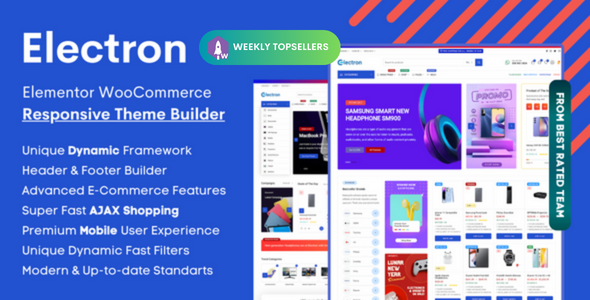
Stuck on your Electron WordPress theme? Let's fix it.
No endless back-and-forth. Just send us the details and we'll get it done.
No obligation · Replies within 1 hour · Quote within 1 day
Setup · Customization · Bug fixes · WooCommerce integration
About Electron WP Theme
Electron is a multipurpose WordPress theme built by Ninetheme. It ships with a visual drag-and-drop page builder, a library of pre-built demo sites, and a clean codebase designed for fast load times. It targets agencies, freelancers, and small businesses that need a polished site without hiring a developer from scratch.
The theme supports WooCommerce, Elementor, and WPBakery out of the box. Demos cover portfolios, corporate sites, landing pages, and shops. One-click demo import gets you up and running quickly. Header and footer builders give you layout control without touching code. Regular updates from Ninetheme keep compatibility with current WordPress and PHP versions in check. Overall, Electron is a solid mid-range theme that punches above its price point for design flexibility.
Get matched with a Electron developer in under one day
Tell us about your Electron project. Small fixes, Electron theme customization, or a full website build, whatever you need, we've got it covered.
We'll connect you to the right Electron developers, define the scope, and get everything 100% clear.
You'll get one estimate, hire your preferred developer, and start collaborating.
Electron is flexible, but flexibility creates complexity. Misconfigured header builders, plugin conflicts, or customizations that break on updates are common problems. Codeable connects you with vetted WordPress developers who have worked with themes like Electron before. You get a free estimate, a clear scope, and no obligation to hire. No bidding wars, no junior developers learning on your project. Just a specialist who can get the work done right the first time.
Pros
- One-click demo import covers a wide range of industries and gets you a working layout in minutes
- Built-in header and footer builder removes the need for separate plugins like Elementor Header Footer
- WooCommerce support is included without requiring a child theme or compatibility plugin
- Lightweight core with deferred scripts and lazy loading options keeps baseline performance reasonable
- Ninetheme provides regular updates that track WordPress and WooCommerce version changes
Cons
- Options panel has a steep learning curve with overlapping controls in Customizer and the theme panel
- Demo content imports heavy image assets that need manual replacement before a site looks original
- Deep customization requires WPBakery or Elementor knowledge on top of theme-specific settings
- Support response times from Ninetheme can be slow during peak periods based on user reviews
- Switching away from Electron later is difficult because shortcodes and builder elements create lock-in
Who is Electron for?
Creative Agency
Electron includes agency-specific demos with project grids, team sections, and service layouts. The portfolio post type handles case studies well. Mega menu support makes navigation clean across large service catalogs. A developer can strip unused demo elements and tailor the layout to match your brand without rebuilding from scratch.
WooCommerce Store
WooCommerce integration covers product pages, cart, checkout, and account pages with styled defaults. You can adjust shop grid columns, product card layout, and sidebar filters through the options panel. For stores with custom product types or checkout flows, an Electron developer can extend these defaults without breaking theme updates.
Freelance Portfolio
The portfolio demos in Electron support filterable grids, full-screen project views, and case study layouts. Typography controls and whitespace options give the kind of clean presentation freelancers need. Setup is fast from a demo, and a developer can add custom project fields or a contact integration specific to your workflow.
Corporate Business Site
Corporate demos include hero sections, service blocks, team profiles, testimonials, and contact maps. The header builder supports dual navigation and a top bar for contact details. For companies that need custom forms, CRM integration, or a members-only section, Electron provides a solid base a developer can build on.
Startup Landing Page
Single-page landing demos in Electron use full-width sections, animated counters, pricing tables, and CTA buttons. The theme handles scroll-based navigation well. For product launches or lead generation pages with A/B testing or pixel integrations, a developer can configure these cleanly within the existing theme structure.

Customizing Electron
Electron gives you a lot of control through the WordPress Customizer and its built-in options panel. You can adjust typography, color schemes, header layouts, sidebar positions, and footer columns without writing a line of CSS. The header builder supports sticky headers, transparent overlays, and mega menus.
For deeper changes, things get more technical. Custom post types, non-standard layouts, or WooCommerce modifications often need developer involvement. An Electron expert knows which settings conflict, which demo assets to strip, and how to extend the theme without breaking future updates. If you need functionality beyond the theme defaults, working with a specialist saves significant time and avoids the trial-and-error cycle most site owners run into.
Recommended plugins for Electron
Electron integrates with the most common WordPress plugin ecosystem. WooCommerce handles product listings and checkout. Elementor or WPBakery covers page layout. WPML and Polylang add multilingual support. Contact Form 7 and WPForms work without compatibility issues.
For performance, pairing Electron with a caching plugin and optimized hosting matters more than the theme itself. Check the WordPress performance service if load times are a concern. For search visibility, structured content and clean markup help, but you will still need a solid SEO strategy on top of what the theme provides.
Not sure which plugins to use? This WordPress plugins directory covers the most popular options with reviews and setup guides.
Electron common issues
Electron theme header not showing correctly after update
Header display issues after an Electron update usually come from cached CSS or a conflict between the header builder settings and a recently updated plugin. Start by clearing all caches, including server-level and CDN. If the issue persists, check the Customizer header settings for reset values. A plugin conflict with a header or menu plugin is also a common cause. If you cannot isolate it, a WordPress bug fixing service can identify the conflict quickly.
Electron WordPress theme slow loading on mobile
Slow mobile load times with Electron often trace back to unoptimized demo images, render-blocking scripts from WPBakery or Elementor, and unminified CSS loaded by the theme. Start by replacing demo images with compressed originals and enabling lazy loading. Disable unused page builder scripts on pages that do not use them. A caching plugin with CSS and JS minification helps. For persistent issues, a developer audit of the asset load order will identify the specific bottlenecks.
Electron theme demo import not working or stuck
Electron demo imports fail most often because of PHP memory limits, max execution time settings, or a conflicting plugin blocking the import process. Set memory to at least 256MB and max execution time to 300 seconds in your php.ini or wp-config.php. Deactivate all non-essential plugins before importing. If the importer stalls mid-way, a manual import of the XML content file followed by widget and Customizer settings import separately usually completes the process.
Electron theme WooCommerce styles broken
WooCommerce style breaks in Electron typically follow a WooCommerce major version update where template files change. Electron’s bundled WooCommerce templates may be outdated compared to the plugin version. Check the WooCommerce system status for outdated templates. Copying updated templates into the theme’s WooCommerce folder fixes most styling gaps. If your site uses a child theme, the override templates there need updating too. This is a recurring task after each WooCommerce major release.
Electron FAQ
Yes, Electron is compatible with Elementor. You can use Elementor to build and edit page layouts within the theme. However, some Electron-specific header, footer, and layout settings are managed through the theme’s own options panel, not Elementor. Running both simultaneously requires some care to avoid duplicated styling or conflicting layout controls.
Electron includes built-in WooCommerce support covering shop pages, product pages, cart, and checkout. Default styling is applied automatically. Some advanced WooCommerce features like custom product types or checkout modifications may need developer work. After major WooCommerce updates, check for outdated template files in the theme to avoid broken layouts.
After installing and activating Electron, go to the theme panel and look for the demo importer section. Choose a demo and click import. Make sure your hosting meets the PHP memory and execution time requirements beforehand. Deactivate any caching or security plugins during the import to avoid interruptions. The process typically takes two to five minutes depending on server speed.
Electron ships with WPBakery included, but you are not required to use it. If you prefer Elementor or the native WordPress block editor, you can build pages with those instead. Some demo layouts are built specifically in WPBakery, so importing those demos and switching editors mid-project requires rebuilding those pages in your chosen tool.
Always use a child theme for any code-level customizations before updating. Customizer settings and theme panel options are stored in the database and are not overwritten by theme updates. Page builder content is also database-stored and safe. Back up the site before updating. After updating, check header templates, WooCommerce pages, and any customized template files for visual regressions.
Hire an Electron WordPress Developer
Need a developer who knows Electron inside out? Whether you are building from a demo, customizing layouts, fixing a bug, or integrating WooCommerce, a specialist will get it done faster and cleaner than trial and error. Get a free estimate through Codeable. You describe the project, get matched within 24 hours, and only proceed if the scope and price work for you. No risk, no commitment upfront.
You'll need a free Codeable account so developers can ask questions and send their quotes.