Emphires WordPress Theme
by Creatives_Planet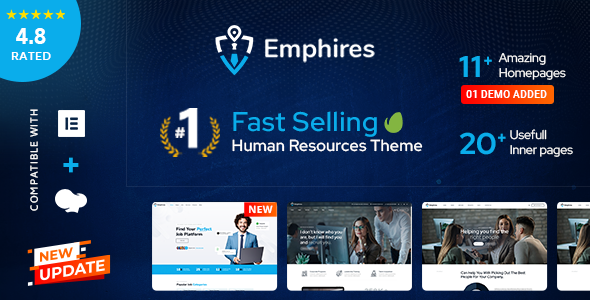
Stuck on your Emphires WordPress theme? Let's fix it.
No endless back-and-forth. Just send us the details and we'll get it done.
No obligation · Replies within 1 hour · Quote within 1 day
Setup · Customization · Bug fixes · WooCommerce integration
About Emphires WP Theme
Emphires is a WordPress theme built by Creatives_Planet, designed primarily for HR agencies, staffing firms, and recruitment businesses. It ships with a clean, professional layout that puts job listings, team profiles, and service packages front and center.
The theme includes a drag-and-drop page builder, pre-built demo content, and dedicated templates for job listings, candidate profiles, and contact forms. WooCommerce compatibility makes it straightforward to sell recruitment packages or HR consulting services directly from your site.
Emphires works with Elementor, which gives you visual control over most page elements without touching code. The theme is translation-ready and includes RTL support, making it a practical choice for international HR firms or multilingual staffing agencies.
Get matched with a Emphires developer in under one day
Tell us about your Emphires project. Small fixes, Emphires theme customization, or a full website build, whatever you need, we've got it covered.
We'll connect you to the right Emphires developers, define the scope, and get everything 100% clear.
You'll get one estimate, hire your preferred developer, and start collaborating.
Emphires looks polished in the demo, but production sites for HR and staffing firms have specific needs: filtered job boards, custom application flows, CRM integrations, and fast load times under real traffic. Getting those things working correctly takes a developer who understands both WordPress internals and the theme’s architecture. FoxyConcept connects you with vetted specialists through Codeable, a platform built specifically for serious WordPress work. You get a real estimate before committing to anything.
Pros
- Purpose-built for HR and staffing sites with dedicated job listing and candidate profile templates
- Elementor compatibility gives non-developers visual control over page layouts
- WooCommerce support allows selling recruitment packages or consulting services directly
- RTL language support and translation-ready structure suit international agencies
- Pre-built demo content significantly reduces initial setup time
Cons
- Limited built-in filtering for job listings — advanced search requires additional plugins or custom code
- Demo content imports can conflict with existing WordPress installations if not handled carefully
- Plugin updates from Elementor or WooCommerce occasionally break theme-specific styling
- Support from Creatives_Planet can be slow for complex customization questions
- Out-of-the-box page speed scores are moderate and usually need optimization before going live
Who is Emphires for?
HR Staffing Agencies
Emphires was built with staffing agencies in mind. The candidate profile templates, service package layouts, and contact forms align directly with how agencies present clients and candidates. A developer can extend these with CRM connections or automated shortlisting workflows.
Recruitment Consultancies
Recruitment consultancies need credibility on the page. Emphires delivers clean typography, team bios, and testimonial sections that communicate professionalism. Custom work can add industry-specific filtering, niche landing pages, and lead capture forms tailored to specific hiring verticals.
Job Board Websites
With WP Job Manager added on top, Emphires becomes a structured job board. Employers can post listings, candidates can apply, and you can monetize through paid listing tiers via WooCommerce. A developer helps configure the full posting and application pipeline correctly.
Corporate HR Departments
Large organizations sometimes use Emphires to build internal-facing HR portals or external careers pages. The theme’s layout flexibility supports both use cases. Custom development adds SSO login, internal job applications, and integration with HR software like BambooHR or Workday.
Freelance HR Consultants
Independent HR consultants use Emphires to present services, collect leads, and publish thought leadership content. The blog layout and service page templates work well here. A focused developer engagement can add booking functionality, client intake forms, or a simple member area.

Customizing Emphires
Emphires gives you a reasonable starting point, but most agencies need changes that go beyond the theme options panel. Adjusting the job listing layout, modifying how candidate profiles display, or integrating a third-party applicant tracking system typically requires custom PHP or CSS work.
The theme’s Elementor widgets cover the basics, but building out complex filtering systems, custom post type displays, or automated email workflows usually means writing code the theme doesn’t include out of the box.
Working with an Emphires expert through FoxyConcept means you get a developer who knows the theme’s structure, its hooks, and where it tends to break under customization pressure. Changes get done right the first time, without introducing layout conflicts or breaking your existing content.
Recommended plugins for Emphires
Emphires pairs well with several plugins that extend its core functionality. WP Job Manager adds structured job listing management. Gravity Forms or WS Form handle applications and multi-step candidate intake forms. For membership-based job boards, Paid Memberships Pro integrates cleanly.
If site speed is a concern after adding these plugins, a WordPress performance audit can identify what’s slowing things down. For agencies investing in organic search, WordPress SEO work on top of Emphires can meaningfully improve job listing visibility in Google.
Not sure which plugins to use? This WordPress plugins directory covers the most popular options with reviews and setup guides.
Emphires common issues
Emphires job listings not displaying correctly after update
This usually happens when WP Job Manager or a related plugin updates and conflicts with the theme’s custom post type templates. Check the theme’s archive-job_listing.php and single-job_listing.php files for outdated template tags. Clearing your cache after any plugin update is the first step. If the layout is still broken, a WordPress bug fixing service can isolate the exact conflict quickly.
Emphires Elementor widgets broken or missing
Emphires registers custom Elementor widgets that can stop loading if the theme isn’t fully activated or if Elementor updates change its widget API. Deactivate and reactivate the theme first. If widgets still don’t appear, check for PHP errors in your debug log. Mismatched Elementor Pro and free versions also cause this. A developer can identify whether the issue is in the theme’s widget registration code or in your Elementor configuration.
Emphires demo import failing or incomplete
Demo imports fail most often due to server memory limits, upload size restrictions, or timeout settings. Set memory_limit to at least 256MB and max_execution_time to 300 in your php.ini. Large XML files from Creatives_Planet sometimes need to be split and imported in stages. If the import completes but images are missing, run the media regeneration tool. Persistent failures usually need server-level access to diagnose.
Emphires WooCommerce pages showing wrong layout
Emphires includes WooCommerce template overrides inside a /woocommerce/ folder in the theme directory. When WooCommerce updates, these overrides go stale and display incorrectly. Go to WooCommerce > Status > System Status to see which templates are outdated. Updating them requires copying the new template files from the WooCommerce plugin folder and reapplying any Emphires-specific styling. This is a straightforward fix but does require file-level access.
Emphires FAQ
Creatives_Planet releases compatibility updates periodically, but there is often a lag after major WordPress releases. Check the theme’s changelog on ThemeForest before updating WordPress core on a live site. Running updates on a staging environment first prevents downtime. If you’re on an older version of Emphires and unsure about compatibility, a WordPress maintenance plan helps you stay current safely.
Emphires is built around Elementor. Most of its page templates and demo layouts depend on Elementor’s structure. You can technically use the theme with the classic editor for simple pages, but you’ll lose most of the designed templates. If you prefer a different builder, it’s worth assessing compatibility before committing to the theme.
Yes. Emphires is translation-ready and includes RTL stylesheet support. It works with WPML and Polylang for full multilingual setups. Some custom Elementor widget text strings may need manual translation file updates. A developer can audit which strings are properly registered for translation and fix any that aren’t pulling through correctly.
Migrating an existing site to Emphires means rebuilding your current pages inside Elementor using the theme’s templates. Content and data migrate cleanly, but design reconstruction takes time. If you’re moving from another platform entirely, WordPress migration services handle the technical transfer so you can focus on the design rebuild.
Creatives_Planet provides support through ThemeForest’s comment system, which works for straightforward questions. For customization beyond what the theme options allow, you need a WordPress developer familiar with the theme. FoxyConcept connects you with Emphires specialists through WordPress development services. Get a free estimate to discuss your specific requirements.
Hire an Emphires Developer
If your Emphires site needs custom functionality, a layout that doesn’t match any demo, or an integration the theme doesn’t support out of the box, a dedicated developer will get you there faster than trial and error. FoxyConcept delivers WordPress work through Codeable, so every developer is vetted and accountable. Get a free estimate and describe exactly what you need. No obligation to hire.
You'll need a free Codeable account so developers can ask questions and send their quotes.