Epron WordPress Theme
by rascals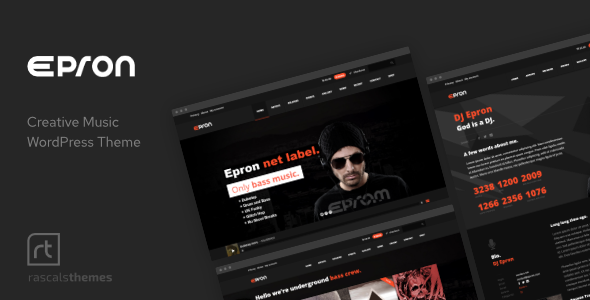
Stuck on your Epron WordPress theme? Let's fix it.
No endless back-and-forth. Just send us the details and we'll get it done.
No obligation · Replies within 1 hour · Quote within 1 day
Setup · Customization · Bug fixes · WooCommerce integration
About Epron WP Theme
Epron is a WordPress theme built by Rascals, designed primarily for podcast and radio websites. It ships with a built-in audio player, episode management, and a dark, media-focused layout that works well for content creators who want their audio front and center.
The theme supports WooCommerce for selling merchandise or subscriptions, integrates with popular podcast plugins, and includes multiple homepage layouts to suit different show formats. The typography is clean, the mobile experience is solid, and the page builder compatibility makes it flexible enough to extend beyond pure podcast use into broader media or entertainment sites.
If you run a podcast, internet radio station, or audio-based publication and want a theme built specifically for that content type, Epron covers most of what you need out of the box without heavy customisation.
Get matched with a Epron developer in under one day
Tell us about your Epron project. Small fixes, Epron theme customization, or a full website build, whatever you need, we've got it covered.
We'll connect you to the right Epron developers, define the scope, and get everything 100% clear.
You'll get one estimate, hire your preferred developer, and start collaborating.
Rascals builds themes with podcast-specific functionality baked in, but that specificity means there’s less generic documentation available when something doesn’t behave as expected. An experienced Epron developer on Codeable has worked with the theme’s audio components, episode post types, and layout system before. You get targeted help rather than trial and error. Whether it’s a layout conflict, a plugin integration, or a full site build, a vetted developer matched through Codeable gets it done without back-and-forth guesswork.
Pros
- Built specifically for podcasts and audio content, not a generic theme adapted for it
- Integrated audio player with persistent playback across page navigation
- Episode custom post type with structured metadata fields out of the box
- WooCommerce support for selling merchandise, memberships, or premium content
- Multiple homepage layouts suited to different show formats and content volumes
Cons
- Documentation is limited compared to larger theme frameworks, which makes troubleshooting harder
- The built-in player has limited styling options without custom CSS or JavaScript edits
- Fewer third-party tutorials and community resources than mainstream themes like Astra or Divi
- Heavy use of custom post types can complicate migrations to other themes later
- Some layout sections are tightly coupled to Rascals' page builder approach, reducing flexibility
Who is Epron for?
Independent Podcasters
Epron gives independent podcasters a dedicated home for episodes, show notes, and archives without relying on a third-party hosting page. The episode post type keeps content organized, and the built-in player means listeners don’t need to leave your site to hear the latest episode. An Epron developer can wire up your RSS feed and configure automatic episode imports to keep everything in sync.
Internet Radio Stations
Internet radio stations need a site that streams live audio while also hosting archived shows. Epron’s layout handles both without heavy customisation. A station can display a live player in the header, list scheduled programs, and maintain a back-catalogue of past broadcasts. An Epron specialist can configure the stream embed and set up a show schedule that updates automatically.
Audio News Publications
Audio news outlets publishing daily briefings or long-form investigative audio benefit from Epron’s archive structure and episode metadata. The theme supports categorized content, making it straightforward to separate news categories or correspondent series. With proper SEO configuration, individual episode pages can rank for topic searches and drive organic traffic to your audio content.
Music and Artist Portfolios
Musicians and audio artists can use Epron as a portfolio and listening hub. The theme’s dark aesthetic and media-forward layout suit an artist brand better than standard blog themes. A developer can build out discography sections, integrate streaming links alongside the native player, and create a store through WooCommerce for digital downloads or physical merchandise.
Membership-Based Audio Communities
Creators running paid audio communities can combine Epron with a membership plugin to gate premium episodes behind a paywall. WooCommerce handles subscriptions, and access rules control which content members can reach. An Epron developer can configure the full flow from signup to gated episode access, keeping the listener experience clean and the backend manageable.

Customizing Epron
Epron’s Customizer options handle the basics well: color schemes, typography, header layout, and player styling. But once you move past those defaults, things get more hands-on. Setting up custom episode archives, tweaking the built-in player behavior, or integrating a third-party podcast feed often requires template edits or custom CSS that goes beyond what non-developers should attempt.
Hiring an Epron expert means you get those adjustments done correctly the first time. A developer familiar with Rascals’ codebase can modify episode templates, build out a membership section, wire up a subscription flow, or restructure the homepage layout to match your brand without breaking the theme’s audio functionality.
Whether you need minor style changes or a full buildout, working with an Epron specialist keeps the site stable and properly configured from the start.
Recommended plugins for Epron
Epron pairs well with a focused set of plugins. For podcast SEO, adding a dedicated schema plugin or working with an SEO specialist helps episode pages rank for topic-specific searches. For performance, the audio-heavy nature of the theme means caching and lazy loading matter more than on a typical blog. A proper WordPress performance setup can significantly reduce load times, especially on archive pages with multiple embedded players. WooCommerce, Mailchimp, and membership plugins like MemberPress also extend Epron into a full-service creator platform when configured correctly.
Not sure which plugins to use? This WordPress plugins directory covers the most popular options with reviews and setup guides.
Epron common issues
Epron audio player not showing on mobile
The audio player failing on mobile is usually caused by a CSS conflict with the mobile stylesheet or a JavaScript error triggered by a plugin. Open your browser’s developer tools on a mobile-sized viewport and check the console for JS errors. If the player container is hidden via CSS, add a targeted override in your child theme. If a caching plugin is serving a stale asset, purge the cache and retest. If the problem persists, a WordPress bug fixing service can isolate the conflict quickly.
Epron persistent player stops between pages
Persistent audio playback breaks when a page reload is triggered instead of an AJAX navigation. Check whether a plugin is forcing full page reloads, particularly security or caching plugins that interfere with Epron’s AJAX page transitions. Disable plugins one at a time to find the conflict. If your caching plugin is fragmenting pages incorrectly, configure it to exclude the player footer from caching. This requires editing the plugin’s exclusion rules or adjusting Epron’s AJAX settings in the theme options.
Episode custom post type not displaying in archive
If episode posts aren’t appearing in the archive, first confirm the episode post type is set to public and has an archive enabled in the theme settings. Then go to Settings > Permalinks and save without changes to flush rewrite rules. If the archive URL returns a 404, the rewrite rules haven’t registered correctly. Deactivating and reactivating Epron or running a rewrite flush via WP-CLI usually resolves it. A WordPress bug fixing specialist can confirm whether it’s a theme or hosting configuration issue.
Epron theme slow to load on episode pages
Episode archive pages load slowly when multiple audio embeds render on the same page without lazy loading. Install a lazy load plugin that handles iframes and audio elements, or configure Epron to load only the play button and fetch the player JavaScript on interaction. Also audit your image sizes on episode thumbnails and enable a CDN if you’re self-hosting audio files. A full WordPress performance review will identify the heaviest bottlenecks specific to your setup.
Epron homepage layout broken after update
Homepage layout breaks after a theme update are typically caused by a conflict between updated template files and saved Customizer settings, or a page builder shortcode that no longer maps to the same template section. Open the Customizer and check each homepage section individually. If you’re using a page builder, recheck the section blocks for missing elements. If you made direct edits to theme files rather than using a child theme, those changes were overwritten by the update. Restore from a backup and move edits to a child theme going forward.
Epron not compatible with Elementor
Epron is built around its own page builder structure and Rascals’ custom blocks. Full Elementor compatibility isn’t guaranteed, and some sections may conflict with Elementor’s rendering. The safest approach is to use Elementor only on standard pages, not on Epron-specific templates like episode archives or the homepage template. If you need deep Elementor integration, a developer familiar with both tools can bridge the gap by creating custom Elementor templates that sit alongside rather than inside Epron’s native structure.
RSS feed not syncing with Epron episode posts
RSS feed sync issues usually come down to the feed URL not being recognized by your podcast plugin, or the episode post type not being included in the feed output. Check that your podcast plugin is set to pull from the correct custom post type. If you’re using a plugin like Seriously Simple Podcasting alongside Epron, confirm which post type each tool owns. Duplicate post type registrations cause feed conflicts. Standardize on one system for episode management and configure the other to defer to it.
Epron WooCommerce shop page layout issues
WooCommerce shop page layout issues in Epron often appear because the theme’s stylesheet doesn’t fully account for WooCommerce’s default template classes. Check whether Epron includes a WooCommerce compatibility file by looking for a woocommerce folder in the theme directory. If it’s missing, WooCommerce falls back to its own templates unstyled. Add a child theme with a woocommerce.css file to layer in the missing styles without modifying core theme files.
Epron search not returning episode results
WordPress search excludes custom post types by default unless explicitly registered for search inclusion. If episode posts aren’t appearing in search results, the episode post type likely has exclude_from_search set to true, or the theme isn’t modifying the search query to include it. Add a filter to pre_get_posts in your child theme’s functions.php to include the episode post type in search queries. This is a one-function fix that takes under five minutes with the right code.
Epron child theme not inheriting parent styles
If your Epron child theme isn’t picking up parent styles, the most common cause is an incorrect wp_enqueue_scripts setup. The child theme’s functions.php must enqueue the parent stylesheet with the correct dependency declaration. Avoid using @import in the child theme’s style.css as it causes load order issues. Check the enqueue function and confirm the parent theme handle matches exactly. If the child theme was set up incorrectly from the start, a bug fix can rebuild it cleanly.
Epron FAQ
Yes, for audio-focused sites. Epron is built specifically for podcasts and radio rather than adapted from a generic theme. It includes episode management, a persistent audio player, and archive structures suited to audio content. If your primary content is audio, it’s a more purpose-built choice than trying to force a blog theme to behave like a podcast site.
Epron can display episodes from external podcast hosts by embedding the player code or using a podcast plugin that pulls your RSS feed. Platforms like Buzzsprout and Podbean provide embeddable players and RSS feeds that work alongside Epron’s episode post type. An Epron developer can configure the integration so your hosting platform and your WordPress site stay in sync without manual updates.
Yes. Epron supports live stream embeds, program schedules, and audio archives, which covers the core needs of an internet radio site. You’ll need a streaming service for the actual audio delivery, but Epron handles the front-end presentation. An Epron specialist can configure the live player, schedule display, and on-demand archive to work together cleanly.
Episodes in Epron are managed through a custom post type in the WordPress dashboard. You create a new episode post, add the audio file or embed URL, fill in the episode metadata, and publish. The theme handles the display automatically based on your chosen layout. For bulk imports from an existing RSS feed, a podcast plugin like Seriously Simple Podcasting can automate the process.
Yes, Epron includes WooCommerce support. You can sell merchandise, digital downloads, or subscription products through a WooCommerce store integrated into the theme. The level of styling compatibility varies, and some WooCommerce template pages may need CSS adjustments to match the Epron design. A developer can fill those gaps cleanly using a child theme.
Epron works with Gutenberg for standard page and post editing. However, the theme’s specialized templates, like episode archives and the homepage sections, rely on Rascals’ own structure rather than full block editor integration. You can use Gutenberg blocks in post content areas, but the theme-specific layouts are managed through the Customizer and theme settings rather than the block editor.
Migrating to Epron requires mapping your existing content to Epron’s episode post type and rebuilding your homepage using the theme’s layout system. Standard posts and pages transfer without issue. Audio content and podcast-specific metadata need remapping. If you’re coming from another podcast theme, a WordPress migration specialist can handle the data transfer and post-type remapping without content loss.
Yes. Posting your project on Codeable connects you with vetted Epron developers who know the theme’s structure. You describe what you need, receive a clear estimate, and hire only if you’re satisfied. It’s the most direct way to find someone with specific Epron experience rather than a generalist who’ll spend time learning the theme on your project’s time.
Epron doesn’t ship with a pre-built child theme, but creating one is straightforward. A child theme lets you make customizations that survive theme updates. If you’re planning any code-level changes, a child theme is essential. An Epron developer can set one up correctly in under an hour and migrate any existing customizations into it safely.
Start by auditing episode archive pages since they carry the heaviest load. Enable lazy loading for audio players and images, use a caching plugin configured to work with Epron’s AJAX navigation, and move audio files to a dedicated host or CDN rather than serving them from WordPress. A WordPress performance specialist can run a full audit and prioritize the fixes with the biggest impact for your specific setup.
Hire an Epron Developer
If your Epron site needs work, from a quick fix to a full build, the fastest route is posting your project and getting matched with a developer who knows the theme. No retainers, no vague quotes. You describe the work, get a clear estimate, and decide whether to move forward. Get a Free Estimate and have an Epron specialist review your project within 24 hours.
You'll need a free Codeable account so developers can ask questions and send their quotes.