Ewebot WordPress Theme
by GT3themes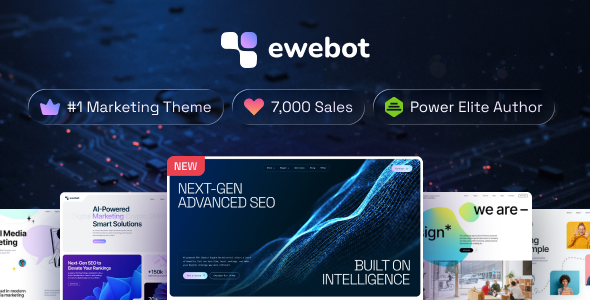
Stuck on your Ewebot WordPress theme? Let's fix it.
No endless back-and-forth. Just send us the details and we'll get it done.
No obligation · Replies within 1 hour · Quote within 1 day
Setup · Customization · Bug fixes · WooCommerce integration
About Ewebot WP Theme
Ewebot is a WordPress theme built by GT3themes, aimed at SEO agencies, digital marketing firms, and web studios. It ships with the WPBakery page builder, a set of pre-built demo sites, and GT3 Page Builder blocks. The design leans toward clean, corporate layouts with strong calls to action and service-focused sections.
Out of the box, Ewebot includes a header builder, custom widgets, contact forms, and portfolio post types. It integrates with popular plugins like Revolution Slider and WPML, making it viable for multilingual agency sites. Performance depends heavily on how the theme is configured, as the bundled plugin stack can add weight if left unchecked. For teams who need a polished agency site without building from scratch, Ewebot covers most of the structural groundwork.
Get matched with a Ewebot developer in under one day
Tell us about your Ewebot project. Small fixes, Ewebot theme customization, or a full website build, whatever you need, we've got it covered.
We'll connect you to the right Ewebot developers, define the scope, and get everything 100% clear.
You'll get one estimate, hire your preferred developer, and start collaborating.
Ewebot has enough moving parts that small configuration mistakes compound quickly. A misaligned WPBakery update can break layouts. A wrong hook in the child theme causes display issues across multiple templates. Getting an experienced Ewebot developer involved early avoids those problems. Through Codeable, you get access to vetted WordPress specialists who have worked with GT3themes products before. No generalist freelancers, no guesswork. Post a project, get a free estimate, and know exactly what the work involves before committing to anything.
Pros
- Pre-built agency and SEO demo sites cut initial setup time significantly
- GT3 Header Builder offers real flexibility for sticky headers and custom nav layouts
- WPBakery integration means a large library of third-party add-ons is available
- WPML compatible, making multilingual agency sites straightforward to configure
- Active GT3themes support with documentation covering most common customization scenarios
Cons
- WPBakery shortcode lock-in makes switching page builders later very painful
- Bundled plugins and sliders add noticeable page weight without optimization
- Schema and structured data support is limited out of the box
- Some demo sections rely on Revolution Slider, which requires a separate license renewal
- Child theme customization requires solid PHP knowledge once you move past basic Customizer options
Who is Ewebot for?
Digital Marketing Agencies
Ewebot’s service section layouts, case study templates, and team pages fit digital marketing agencies well. An Ewebot specialist can configure the demo to reflect your specific service stack, add custom lead capture forms, and wire up CRM integrations so incoming inquiries actually reach your sales process without extra manual steps.
SEO Consultancies
SEO firms benefit from Ewebot’s structured service pages and blog layout, but need extra work to make the theme itself rank well. An Ewebot developer can implement proper heading hierarchies, configure Rank Math schema for service pages, and clean up render-blocking scripts that hurt Core Web Vitals scores on agency sites competing in search.
Web Design Studios
Web design studios need a portfolio that loads fast and looks sharp. Ewebot’s portfolio post type works out of the box, but a developer can extend it with custom taxonomies, filterable grids, and lightbox configurations. Pairing that with a properly optimized image pipeline keeps the portfolio visually strong without tanking performance metrics.
PPC and Paid Media Teams
PPC agencies often need dedicated landing pages separate from the main site structure. An Ewebot developer can create stripped-down page templates that remove the standard header and footer, reducing distractions and improving conversion tracking. These templates can be tied directly to UTM-tracked campaigns and connected to Google Tag Manager for accurate reporting.
Freelance Marketing Consultants
Solo consultants using Ewebot need a site that looks professional without ongoing maintenance overhead. A one-time setup from an Ewebot specialist, covering clean demo configuration, contact form setup, basic SEO, and a caching plugin, gives you a site that runs itself while you focus on client work rather than WordPress admin.

Customizing Ewebot
Ewebot gives you a decent amount of control through the WordPress Customizer and WPBakery’s front-end editor. You can adjust typography, colors, header layouts, and footer columns without touching code. The GT3 demo importer makes it easy to start from an existing layout and modify from there.
That said, deeper changes require working inside WPBakery shortcodes or editing child theme files, which gets complex fast. If you need custom post types, non-standard layouts, or advanced animations, you’ll want an Ewebot expert who knows the theme’s structure. Modifications like custom service grids, client portal sections, or tailored pricing tables are doable but take real PHP and CSS work to get right without breaking the existing template hierarchy.
Recommended plugins for Ewebot
Ewebot pairs well with caching plugins like WP Rocket or LiteSpeed Cache, since the WPBakery stack and bundled sliders can slow page loads without optimization. Configuring lazy loading, deferring scripts, and compressing assets matters here. See our WordPress performance services for hands-on help with that.
On the SEO side, Ewebot’s schema markup is minimal by default. Pairing it with Rank Math or Yoast, and properly configuring structured data for agency services, sharpens search visibility. For agencies using Ewebot to attract clients, that setup is worth doing properly. Our WordPress SEO services cover the full configuration.
Not sure which plugins to use? This WordPress plugins directory covers the most popular options with reviews and setup guides.
Ewebot common issues
Ewebot page builder content not showing after update
This usually happens when WPBakery is updated independently from the theme, causing shortcode conflicts. Roll back WPBakery to the version bundled with your current Ewebot release, then test page rendering. If content still shows raw shortcodes, regenerate the post meta. For persistent cases, a developer can audit the template files for deprecated function calls introduced in newer WPBakery versions. Our WordPress bug fixing service handles this type of conflict efficiently.
Ewebot header not sticky on mobile
Ewebot’s sticky header is controlled through the GT3 Header Builder settings. On mobile, the sticky behavior can be disabled or overridden by conflicting CSS from a caching plugin’s minification. Check whether the issue persists with caching disabled. If it does, inspect the header builder settings under Appearance and confirm sticky mode is enabled for mobile breakpoints. Adding a small CSS override in your child theme targeting the mobile viewport often resolves remaining edge cases.
Ewebot Revolution Slider not loading
Revolution Slider requires an active license key for automatic updates. If the slider stops loading, it’s usually caused by an outdated plugin version conflicting with a newer version of jQuery bundled with WordPress core. Update Revolution Slider manually by downloading the latest package from their site. If the license has expired, assets may load from a blocked CDN endpoint. Clearing all caches after updating typically resolves blank or broken slider sections.
Ewebot demo import fails or gets stuck
Ewebot’s one-click demo import needs sufficient PHP memory and execution time. Most shared hosts default to limits that are too low. Increase memory_limit to 256MB and max_execution_time to 300 in your php.ini or wp-config.php. Also ensure all required plugins are installed and activated before importing. If the importer still stalls, import content, widgets, and theme settings separately rather than using the all-in-one option. See our WordPress bug fixing service for import failures.
Ewebot WPBakery elements misaligned on frontend
Misaligned WPBakery elements usually trace back to CSS from another active plugin conflicting with Ewebot’s grid system. Temporarily deactivate non-essential plugins and check if alignment restores. If it does, reactivate plugins one at a time to isolate the conflict. A browser inspector will show which stylesheet is overriding the column widths. Adding a targeted fix in your child theme’s CSS file corrects it without modifying core theme files.
Ewebot contact form not sending emails
Ewebot uses Contact Form 7 or a GT3 custom form module depending on the demo. WordPress does not send mail reliably on most hosts without SMTP configuration. Install WP Mail SMTP, connect it to a transactional email service like Mailgun or SendGrid, and run a test email. Also check that form submission redirects are not blocking the confirmation response. If spam filters are catching messages, configure SPF and DKIM records for your domain in your DNS settings.
Ewebot site slow after enabling all plugins
Ewebot’s plugin stack, including WPBakery, Revolution Slider, and GT3 widgets, generates multiple HTTP requests and render-blocking scripts. Install WP Rocket or LiteSpeed Cache and enable script deferral, lazy loading for images, and CSS minification. Disable any bundled sliders you are not actively using. Running a Lighthouse audit before and after identifies which specific assets are causing the worst delays. Hosting environment matters too, so a VPS or managed WordPress host improves baseline response times.
Ewebot portfolio page not displaying correctly
Portfolio display issues in Ewebot are commonly caused by a permalink flush being needed after the portfolio post type registers. Go to Settings, then Permalinks, and click Save without changing anything. This refreshes rewrite rules. If individual portfolio items show 404 errors, the same fix applies. For layout issues in the portfolio grid, check that the GT3 portfolio widget or WPBakery portfolio element has the correct category filter and column settings configured in the block options.
Ewebot child theme not loading custom styles
A child theme not loading styles is almost always a broken or missing wp_enqueue_style call in the child theme’s functions.php. The enqueue must correctly reference the parent theme stylesheet as a dependency before adding child styles. Check that the child theme folder name matches exactly and that style.css includes the correct Template: header pointing to the Ewebot parent theme slug. Our WordPress bug fixing service can audit and fix child theme setup issues quickly.
Ewebot WPML translation not working on service pages
When WPML translations don’t appear on Ewebot service pages, the most common cause is that WPBakery content has not been flagged for translation in WPML’s String Translation module. Go to WPML String Translation and scan the page for new strings. Also confirm that the page template assigned to the translated page matches the original. If translated pages fall back to default language content, check that WPML’s language switcher URL structure matches your permalink settings in WordPress.
Ewebot FAQ
Ewebot was designed with SEO and digital marketing agencies in mind. It includes service page layouts, case study sections, and blog templates that suit that niche. However, the theme’s SEO performance depends on proper configuration. Schema markup, Core Web Vitals, and heading structure all need deliberate setup. An Ewebot specialist can handle those details so the site actually performs in search, not just looks the part.
Ewebot is built around WPBakery, not Elementor. Technically you can install Elementor alongside it, but the two builders conflict and create messy output. Trying to run both is not recommended. If you need Elementor, a different theme built natively for it is a better starting point than trying to retrofit Ewebot.
Always use a child theme for any custom CSS or PHP changes. When you update Ewebot, child theme files are untouched. Before updating, back up your database and files, then test the update on a staging site first. WPBakery and Revolution Slider should be updated in sync with the theme to avoid shortcode and script conflicts that can break page layouts.
Yes. Ewebot is WPML compatible, which means you can create translated versions of pages, posts, and custom content types. You’ll need a WPML license and some configuration work, particularly for WPBakery string translation. For agencies targeting multiple language markets, this combination works well when set up correctly.
Ewebot uses WPBakery Page Builder as its primary layout tool, alongside GT3’s own block system. This gives you front-end and back-end editing modes. WPBakery has a large add-on ecosystem, but it also creates shortcode dependency that makes switching builders difficult later. Know that trade-off before committing to the theme long term.
Ewebot includes basic WooCommerce compatibility, meaning shop, product, cart, and checkout pages will render using Ewebot’s styling. However, it is not a dedicated ecommerce theme. Simple product listings work fine, but complex store requirements like custom product builders or subscription flows would need additional development work.
After installing and activating Ewebot along with its required plugins, go to Appearance, then GT3 Demo Importer. Select the demo you want and run the importer. Make sure all required plugins are active first and that your server meets the PHP memory and timeout thresholds. Import on a fresh WordPress install to avoid conflicts with existing content.
GT3themes does not distribute an official Ewebot child theme, but creating one is straightforward. You need a folder with a style.css file containing the correct parent theme header, and a functions.php that enqueues the parent stylesheet. Make all custom edits inside the child theme so updates to Ewebot do not overwrite your changes.
Ewebot developer rates on Codeable typically reflect the scope of work rather than a flat hourly figure. Small fixes and configurations cost less than full custom builds. Post your project with as much detail as possible to get an accurate estimate. There’s no obligation to hire after receiving the estimate, so it’s a low-risk way to understand what your project actually involves.
Yes, migrating an existing site to Ewebot is possible, but content built in another page builder will not transfer cleanly into WPBakery layouts. You would typically rebuild key pages using Ewebot’s templates. For sites on other WordPress themes with standard content, the migration is less painful. Our WordPress migration service can handle the technical side of moving hosting and rebuilding within the new theme.
Hire an Ewebot Developer
Whether you need a full Ewebot setup, custom layout work, or fixes on an existing site, working with a specialist saves time and avoids costly mistakes. Our Ewebot developers work through Codeable, delivering scoped, accountable work with no surprise costs. Get a free estimate and describe your project. You’ll hear back within 24 hours with a clear plan.
You'll need a free Codeable account so developers can ask questions and send their quotes.