Exhibz WordPress Theme
by trippleS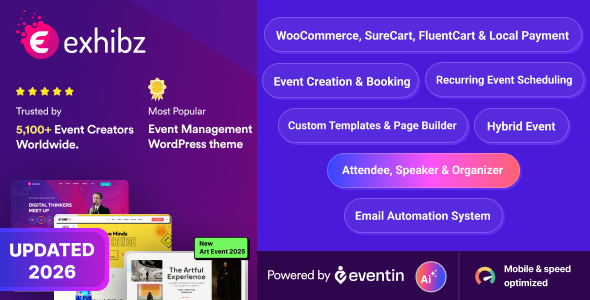
Stuck on your Exhibz WordPress theme? Let's fix it.
No endless back-and-forth. Just send us the details and we'll get it done.
No obligation · Replies within 1 hour · Quote within 1 day
Setup · Customization · Bug fixes · WooCommerce integration
About Exhibz WP Theme
Exhibz is a WordPress theme built by trippleS for event and conference websites. It covers the typical needs of event organizers: speaker profiles, schedule grids, ticket links, countdown timers, and sponsor sections. The design is oriented toward single-event or multi-event sites and works with Elementor for page building.
The theme ships with multiple demo layouts targeting conferences, meetups, music festivals, and corporate events. It includes WooCommerce compatibility for selling tickets directly and integrates with popular form plugins for registration flows. Out of the box it handles most of what an event site needs, though projects with specific booking logic or custom agenda structures will require developer work to get right.
Get matched with a Exhibz developer in under one day
Tell us about your Exhibz project. Small fixes, Exhibz theme customization, or a full website build, whatever you need, we've got it covered.
We'll connect you to the right Exhibz developers, define the scope, and get everything 100% clear.
You'll get one estimate, hire your preferred developer, and start collaborating.
Most Exhibz problems come down to the same things: schedule layouts that break on mobile, ticket flows that need custom logic, or demo content that doesn’t translate to a real event without significant rework. A developer who knows the theme structure fixes these without trial and error.
Through Codeable, you get matched with vetted WordPress developers who have worked on event themes and know exactly where Exhibz bends and where it breaks. No guesswork, no offshore lottery. Post a project and get a scoped estimate before any work starts.
Pros
- Purpose-built event layouts covering schedules, speakers, sponsors, and countdown timers without needing extra plugins
- Multiple demo packs for different event types — conferences, festivals, meetups — that can be imported in one click
- Elementor compatibility means non-developers can adjust most front-end sections without touching code
- WooCommerce ticket selling works out of the box with the bundled setup, reducing reliance on third-party ticketing fees
- Speaker and schedule custom post types keep event content organized and separate from standard pages and posts
Cons
- Schedule builder becomes difficult to manage for multi-track or multi-day events with more than a handful of sessions
- Mobile layout for the schedule grid often requires custom CSS to display correctly on smaller screens
- Demo content import can conflict with existing content or leave orphaned options that affect site behavior
- Theme updates from trippleS have been inconsistent in pace, meaning some compatibility issues with newer WordPress or Elementor versions linger
- Countdown timer and speaker section styling is tightly coupled to the theme's CSS, making visual changes harder than expected
Who is Exhibz for?
Tech Conferences
Exhibz suits tech conferences well because of its speaker grid, session schedule, and sponsor tiers. You can list keynote speakers with bios and social links, build a full agenda by time slot, and sell early-bird passes through WooCommerce. An Exhibz developer can extend this with talk submission forms or attendee-only session access.
Music Festivals
The countdown timer, artist lineup sections, and ticket purchase flow map naturally onto music festival sites. Stage schedules with multiple performance tracks need custom work, but the visual foundation is solid. Exhibz handles the promotional side well — lineup reveals, sponsor logos, and location details all have dedicated sections.
Corporate Summits
Corporate summits benefit from Exhibz’s clean layout options and the ability to separate speaker tracks by department or topic. Agenda pages with session descriptions, downloadable resources per session, and a gated attendee portal can all be built on top of the theme by an experienced Exhibz specialist.
Academic and Research Events
Universities and research groups running symposiums or academic conferences can use Exhibz to list paper presenters, publish abstracts, and manage registration. The speaker post type works for presenters, and the schedule section handles paper slots. Abstract submission usually requires a custom form integration built by a developer.
Nonprofit Fundraising Events
Nonprofits running galas, auctions, or charity runs need a site that converts visitors into donors and ticket buyers fast. Exhibz provides the event structure; a developer can integrate donation plugins, add peer-to-peer fundraising pages, and connect the ticketing flow to a CRM or email platform for follow-up.

Customizing Exhibz
Exhibz gives you a reasonable starting point through its theme options panel and Elementor widgets, but standard controls only go so far. Adjusting the schedule layout for multi-track conferences, modifying speaker archive templates, or building a custom ticket-purchase flow all require hands-on PHP and CSS work.
An Exhibz expert can rebuild sections that feel rigid, add custom post types for workshops or breakout sessions, connect third-party ticketing APIs, and make the theme perform the way your specific event demands. If you need conditional content for early-bird pricing, gated session content for registered attendees, or a branded mobile experience, working with a developer saves significant time versus fighting the default settings.
Recommended plugins for Exhibz
Exhibz pairs well with several plugins depending on your goals. For ticket sales, WooCommerce with a ticketing extension or a direct integration with Eventbrite or Ticket Tailor covers most scenarios. The Events Calendar Pro adds recurring event support if the built-in schedule is too simple.
On the technical side, pairing Exhibz with a caching layer and a CDN makes a real difference for event sites that spike in traffic close to registration deadlines. See our notes on WordPress performance for specifics. For event sites targeting organic search, structured data for events and speaker pages matters more than most organizers realize. Our WordPress SEO optimisation service covers that setup.
Not sure which plugins to use? This WordPress plugins directory covers the most popular options with reviews and setup guides.
Exhibz common issues
Exhibz schedule not displaying correctly on mobile
The Exhibz schedule grid uses a table-style layout that collapses poorly on screens below 768px. The fix involves overriding the default CSS with responsive rules that stack sessions vertically on mobile. Add custom CSS to hide non-essential columns and adjust font sizes for readability. If the layout is built inside an Elementor section, check column stacking settings at the tablet and mobile breakpoints specifically.
Exhibz speaker images not showing after update
Speaker image display issues after an update are usually caused by a change in the featured image size registered by the theme. Go to Settings > Media and confirm the correct dimensions are set, then use a plugin like Regenerate Thumbnails to rebuild all speaker image crops. If images still don’t appear, check whether the speaker custom post type template was overwritten during the update.
Exhibz countdown timer not working
If the Exhibz countdown timer shows zeros or doesn’t count down, the event date field in the theme options is either empty, formatted incorrectly, or set to a past date. Check the date format expected by the theme, usually Y-m-d or a specific datetime string. Also verify that JavaScript is loading correctly on the page and no caching plugin is serving a stale version of the timer output. Clear all caches after updating the date.
Exhibz demo import fails or gets stuck
Demo import failures in Exhibz are commonly caused by server memory limits or upload size restrictions. Set memory_limit to at least 256M and max_execution_time to 300 in your php.ini or wp-config.php. If import gets stuck partway, deactivate all non-required plugins before retrying. Some hosting environments also block the XML import process — importing via WP-CLI is more reliable in those cases. If the problem persists, our WordPress bug fixing service can handle the import directly.
Exhibz WooCommerce ticket button not appearing
When the WooCommerce ticket purchase button doesn’t appear in Exhibz, the most common cause is a missing product assignment in the event settings or a WooCommerce template conflict with the theme. Check the event post’s settings panel for the linked product ID. Also confirm WooCommerce is active and the product is published and in stock. A theme-WooCommerce template mismatch after either plugin updating is another frequent trigger.
Exhibz Elementor widgets missing after update
Missing Exhibz Elementor widgets after an update usually mean the theme’s widget registration code is not firing. This can happen when the Elementor version jumps ahead of what Exhibz was built against. First, update both the theme and Elementor to their latest versions. If widgets still don’t register, deactivate and reactivate the theme. Check the browser console for JavaScript errors that might block widget initialization. In persistent cases, our WordPress bug fixing service can diagnose the conflict.
Exhibz menu not showing on mobile
A missing or non-functional mobile menu in Exhibz is typically a JavaScript conflict or a CSS z-index issue with an overlay element. Open the browser console and check for JS errors on page load. If the hamburger icon appears but the menu doesn’t open, a conflicting script is likely preventing the toggle function from running. Try disabling optimization plugins that combine JS files to isolate the conflict.
Exhibz sponsor section layout broken
The Exhibz sponsor section breaks visually when the number of logos doesn’t match the expected grid column count. Add or remove a logo to complete the row, or adjust the column setting in the section options. Mismatched image dimensions also cause alignment issues — standardize all sponsor logos to the same width and height before uploading. If you’re using Elementor to build the section, check the gap and padding settings at each breakpoint.
Exhibz page builder content not saving
Content not saving in the Exhibz page builder is usually a server-side issue. Check for PHP errors in the debug log by adding WP_DEBUG and WP_DEBUG_LOG to wp-config.php. Autosave failures often come from a low max_input_vars PHP setting — set it to at least 5000. REST API errors can also block Elementor saves; check that your site URL is consistent across WordPress settings and that no security plugin is blocking REST endpoints.
Exhibz site slow on event registration pages
Event registration pages in Exhibz load slowly when form plugins, WooCommerce checkout scripts, and the theme’s own assets all load together without optimization. Use a plugin to defer non-critical JavaScript and minify CSS. Remove unused Exhibz page builder assets on registration pages that don’t use them. For sites expecting high traffic around event launch, a server-level caching setup matters more than frontend tweaks. See our guidance on WordPress bug fixing if performance issues trace back to a specific conflict.
Exhibz FAQ
Exhibz works with recent WordPress versions, but trippleS has not always kept pace with major releases quickly. Before updating WordPress on a live site, test in a staging environment first. If you encounter compatibility issues after a WordPress core update, a developer can patch the specific areas — usually template functions or deprecated hooks — without waiting for an official theme update.
Yes, Exhibz is built around Elementor and includes custom Elementor widgets for speakers, schedules, countdowns, and sponsor grids. You will need Elementor installed and active for the demo layouts to function as designed. The free version of Elementor covers basic use, but some template sections may use Elementor Pro widgets.
Yes. Exhibz integrates with WooCommerce for ticket sales. You create tickets as WooCommerce products and link them to the event. Variable products work for tiered pricing. For more complex ticketing needs — assigned seating, attendee data collection per ticket, or PDF generation — you will need an additional WooCommerce ticketing plugin or custom development.
Exhibz registers a Speakers custom post type in the dashboard. Go to Speakers, add a new speaker, fill in the name, bio, role, social links, and set a featured image. The speaker then becomes available in the Exhibz Elementor speaker grid widget, where you can filter by event or display all speakers in the layout you select.
Exhibz is designed primarily for single-event sites. Running multiple events requires either separate installs, a multisite setup, or custom post type extensions that add event taxonomy filtering. An Exhibz specialist can build a multi-event structure on top of the theme, but it goes beyond what the default settings support without code changes.
The countdown timer date is set in the theme’s Customizer or in the specific Elementor widget settings, depending on which implementation you are using. Look for an Event Date field and enter the date in the format the field expects. After saving, clear your site cache. If the timer still shows the wrong date, a cached JavaScript file may be serving the old value.
Exhibz does not include built-in event structured data markup, which is a significant gap for SEO. Adding JSON-LD schema for events, speakers, and locations manually or through a plugin improves search visibility. Page speed also matters for event sites. Our WordPress SEO optimisation service covers structured data setup specific to event themes.
Technically you can use Exhibz without Elementor, but most of the theme’s demo content and layout features depend on it. Without Elementor, you are left with the basic WordPress editor and theme templates, which limits what you can build visually. For full use of the theme as designed, Elementor is effectively required.
Migrating an existing event site to Exhibz means moving content into the theme’s custom post types — speakers, schedules, sponsors — and rebuilding pages using the Exhibz Elementor widgets. Automated migration tools won’t map content to these custom structures. A developer handles the content mapping and rebuilds the layouts correctly. Our WordPress migration service covers this process.
Cost depends on scope. Fixing a single layout issue or timer bug typically runs less than a few hours of developer time. A full custom Exhibz build with multi-track scheduling, ticket integration, and custom registration logic is a larger project. Through Codeable you get a scoped estimate before any work starts, so you know the exact cost upfront with no obligation to proceed.
Hire an Exhibz Developer
Whether you need a full Exhibz setup from a demo import, a schedule system rebuilt for a multi-track conference, or a specific bug fixed before your event goes live, a qualified developer handles it faster than working through it yourself.
Post your project and get a scoped estimate from a vetted Exhibz expert with no obligation to hire. Get a Free Estimate and know exactly what the work involves before you commit.
You'll need a free Codeable account so developers can ask questions and send their quotes.