Factory WordPress Theme
by commercegurus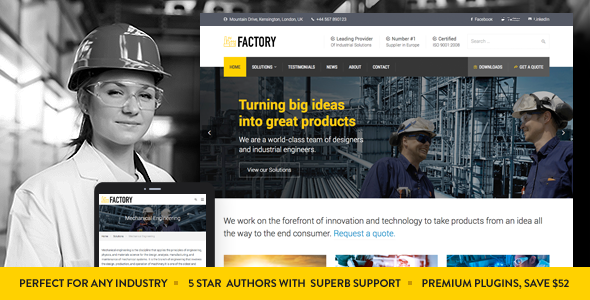
Stuck on your Factory WordPress theme? Let's fix it.
No endless back-and-forth. Just send us the details and we'll get it done.
No obligation · Replies within 1 hour · Quote within 1 day
Setup · Customization · Bug fixes · WooCommerce integration
About Factory WP Theme
Factory is a WooCommerce theme built by CommerceGurus, a team focused exclusively on ecommerce performance. It ships with a drag-and-drop page builder, multiple pre-built shop layouts, and product page templates designed to reduce friction at the point of purchase.
The theme targets store owners who want a polished storefront without writing custom code. It includes built-in upsell and cross-sell display options, sticky add-to-cart bars, and AJAX cart functionality out of the box. CommerceGurus has a reputation for keeping their themes lightweight and WooCommerce-native, which means fewer plugin conflicts and better baseline performance compared to general-purpose themes adapted for ecommerce.
Factory suits small to mid-size stores that want conversion-focused layouts and don’t want to rebuild everything from scratch with a page builder.
Get matched with a Factory developer in under one day
Tell us about your Factory project. Small fixes, Factory theme customization, or a full website build, whatever you need, we've got it covered.
We'll connect you to the right Factory developers, define the scope, and get everything 100% clear.
You'll get one estimate, hire your preferred developer, and start collaborating.
CommerceGurus builds Factory with ecommerce in mind, but every store has different requirements. Getting the most out of the theme often means custom template work, plugin integration, or performance tuning that goes beyond what the settings panel offers.
Through Codeable, you can connect with a vetted Factory WordPress developer who knows WooCommerce inside out. Post a project, get a free estimate within 24 hours, and only move forward if the scope and price make sense. No pressure, no risk.
Pros
- Built specifically for WooCommerce, not adapted from a general-purpose theme
- Includes conversion-focused features like sticky add-to-cart and AJAX cart out of the box
- Multiple pre-built shop and product page layouts that are ready to customize
- CommerceGurus maintains active updates and WooCommerce compatibility
- Lighter codebase than many multipurpose themes, which benefits page load times
Cons
- Fewer layout options outside of ecommerce contexts, limiting non-shop pages
- Advanced customization beyond the options panel requires WooCommerce template knowledge
- Some features overlap with popular WooCommerce plugins, requiring careful setup to avoid duplication
- Documentation is functional but thin on advanced use cases and developer guidance
- Design style is relatively minimal, which may feel too plain for brands wanting bold visual identity
Who is Factory for?
Physical Product Stores
Factory’s clean product page layouts and sticky add-to-cart bar work well for stores selling physical goods. The AJAX cart reduces page reloads during browsing, keeping customers moving toward checkout. A Factory developer can extend product pages with custom fields, size guides, or stock indicators to match your specific catalog requirements.
Fashion and Apparel Shops
Fashion stores need strong image presentation and quick variant switching. Factory supports WooCommerce product variation swatches and gallery zoom. A Factory specialist can configure color and size swatches, set up lookbook-style category pages, and ensure the mobile shopping experience holds up under real traffic conditions.
Electronics and Tech Retailers
Tech retailers often carry products with detailed specs and comparison needs. Factory’s product page templates can be extended by a Factory WordPress developer to include specification tables, compatibility notes, and tabbed product information. Integration with comparison plugins or review aggregators is straightforward with the right development setup.
Handmade and Artisan Goods
Artisan sellers benefit from Factory’s ability to combine editorial-style content with product listings. The theme handles mixed page layouts reasonably well, letting you tell a brand story alongside shop pages. A Factory expert can build custom archive layouts that highlight craftsmanship and support per-product custom content sections.
Health and Wellness Products
Health and wellness stores often need ingredient lists, certifications, and subscription purchase options prominently placed. Factory’s product page flexibility, combined with WooCommerce Subscriptions integration handled by a Factory developer, makes recurring product purchases easy to present and manage without a complicated plugin stack.

Customizing Factory
Factory gives you control over headers, footers, product pages, and shop archives through its built-in options panel and compatibility with Elementor. You can adjust color schemes, typography, button styles, and layout widths without touching code.
That said, deeper customization, like modifying checkout flow, adding custom product tab layouts, or restructuring category pages, typically requires PHP and WooCommerce template overrides. That’s where a Factory expert saves time. A developer who knows the theme’s template structure can make precise changes without breaking core functionality or creating update conflicts.
If you need custom product page sections, conditional layouts, or integration with third-party plugins, working with a Factory WordPress developer is the most reliable route to getting it done properly.
Recommended plugins for Factory
Factory pairs well with several WooCommerce extensions. Popular additions include WooCommerce Subscriptions, WooCommerce Bundles, and review plugins like Yotpo or Judge.me. These work cleanly with the theme’s product page templates in most cases.
Performance plugins like WP Rocket or LiteSpeed Cache integrate without major issues, though image optimization and lazy loading should be tested against Factory’s built-in product gallery. For search visibility, structured data and schema markup need attention since ecommerce stores live and die by product search rankings. A proper setup covering WordPress SEO and site performance makes a measurable difference in organic traffic and conversion rates.
Not sure which plugins to use? This WordPress plugins directory covers the most popular options with reviews and setup guides.
Factory common issues
Factory theme product page layout broken after WooCommerce update
WooCommerce template changes between versions can break overrides baked into themes like Factory. After a WooCommerce update, mismatched template files cause layout issues on product, cart, and checkout pages. Check which templates Factory overrides by comparing version numbers in the WooCommerce status report. Outdated overrides need to be updated manually to match the current WooCommerce template structure. If you’re not comfortable doing that, our WordPress bug fixing service can identify and resolve the conflict without disrupting your live store.
Factory sticky add-to-cart bar not showing on mobile
The sticky add-to-cart bar in Factory can be suppressed by JavaScript conflicts with other plugins, or by CSS specificity issues introduced by a child theme or custom CSS. Start by deactivating plugins one at a time in a staging environment to isolate the conflict. On mobile, viewport meta tag settings or theme CSS media queries can also override the sticky element’s display rules. If the bar was working before a plugin or theme update, rolling back and comparing changelogs helps narrow down the source quickly. A WordPress bug fix gets this resolved without guesswork.
Factory theme slow loading on shop and category pages
Shop and category pages in WooCommerce load multiple product images, price calculations, and tax logic simultaneously, which puts pressure on shared hosting. Factory adds its own scripts and styles on top of WooCommerce’s default assets. Start by enabling a caching layer and optimizing product image sizes. Disable unused Factory features through the theme options. If the problem persists, check whether third-party plugins are adding unoptimized queries to shop page loads. A proper server-side caching configuration combined with image compression usually produces the biggest improvement.
Factory checkout page styling not matching rest of site
WooCommerce checkout pages use their own template structure, and Factory’s styles may not apply consistently across all checkout fields, buttons, and error states. This is especially common when using payment gateway plugins that inject their own markup. The fix usually involves adding targeted CSS rules in your child theme’s stylesheet or adjusting Factory’s checkout template override to align with the current WooCommerce checkout template. Test changes in a staging environment before pushing to production to avoid disrupting active transactions.
Factory FAQ
Yes. Factory is built by CommerceGurus specifically for WooCommerce, which gives it an advantage over general themes repurposed for ecommerce. It includes conversion-focused features like AJAX cart, sticky add-to-cart, and product page templates that are designed around how shoppers actually browse and buy. It’s a solid choice for small to mid-size stores.
Factory has Elementor compatibility, though it works primarily with WooCommerce’s native templates for core shop pages. You can use Elementor for standard pages and some product page sections, but WooCommerce archive, cart, and checkout pages rely on theme template overrides rather than the Elementor editor. A Factory developer can clarify what’s editable through Elementor versus what requires direct template work.
Custom product page layouts in Factory are done through WooCommerce template overrides in a child theme. You copy the relevant template file from the WooCommerce plugin into your child theme’s WooCommerce folder, then edit it. For more complex layouts like tabbed specs or custom image galleries, additional PHP and CSS work is needed. A Factory WordPress specialist can build this out cleanly and maintainably.
Factory is generally compatible with WooCommerce Subscriptions. The plugin handles the subscription logic while Factory provides the product page templates. Some styling adjustments may be needed to ensure subscription pricing displays correctly on product and checkout pages. Testing in a staging environment before going live is recommended, particularly around renewal and account management pages.
Rates for a Factory theme developer vary based on the scope of work. Small fixes or customizations typically run from a few hundred dollars. Full store builds or complex integrations cost more. Through Codeable, you post your project and receive a specific estimate before committing. There’s no obligation to hire, so you can get a clear number without any upfront cost. Get a Free Estimate to see what your project would cost.
Hire a Factory WordPress Expert
Whether you need a custom product page layout, checkout modifications, or a full store build on Factory, the right developer makes the difference between a store that works and one that converts. FoxyConcept connects you with experienced Factory developers through Codeable’s vetted network. Describe your project, get matched fast, and receive a clear estimate before committing to anything. Get a Free Estimate and find out what’s possible for your store.
You'll need a free Codeable account so developers can ask questions and send their quotes.