FlatAds WordPress Theme
by Themes-Dojo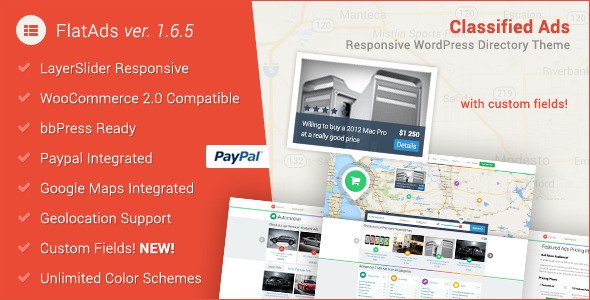
Stuck on your FlatAds WordPress theme? Let's fix it.
No endless back-and-forth. Just send us the details and we'll get it done.
No obligation · Replies within 1 hour · Quote within 1 day
Setup · Customization · Bug fixes · WooCommerce integration
About FlatAds WP Theme
FlatAds is a classified ads WordPress theme built by Themes-Dojo. It gives you a ready-made foundation for launching a listings marketplace — think jobs, real estate, vehicles, or general classifieds. The theme includes front-end ad submission, package-based monetisation, and category filtering right out of the box.
Built on a clean flat design, FlatAds is meant to be practical rather than flashy. Users can register, post ads, manage their listings, and pay for featured placements without you needing to build any of that from scratch. WooCommerce handles the payment side, so you keep control over transactions.
It works with standard WordPress tools and doesn’t lock you into a proprietary page builder. For anyone launching a local listings site or a niche classifieds directory, FlatAds cuts significant development time compared to building from zero.
Get matched with a FlatAds developer in under one day
Tell us about your FlatAds project. Small fixes, FlatAds theme customization, or a full website build, whatever you need, we've got it covered.
We'll connect you to the right FlatAds developers, define the scope, and get everything 100% clear.
You'll get one estimate, hire your preferred developer, and start collaborating.
FlatAds has enough moving parts — ad submissions, user accounts, WooCommerce payments, category structures — that getting stuck on something is common. Having a developer who knows the theme saves hours of trial and error.
Through Codeable, you get access to vetted WordPress specialists who have worked with classified themes and know how to extend or troubleshoot FlatAds properly. No generalist freelancers, no guesswork. Post your project and get an estimate — it costs nothing upfront.
Pros
- Front-end ad submission works out of the box — users can post listings without accessing wp-admin
- WooCommerce integration means you can charge for featured listings or ad packages using a system you already know
- Flat, clean design holds up well without heavy visual customisation
- Built-in user dashboard lets ad posters manage, edit, and renew their own listings
- Category and location filtering is included, which covers the basics for most classified directories
Cons
- The admin interface for managing ad packages and categories can feel cluttered and unintuitive
- Limited documentation makes it harder to troubleshoot or extend without developer help
- No built-in live chat or messaging between buyers and sellers — that requires a third-party plugin
- Mobile experience on listing detail pages can feel cramped and needs CSS work to polish
- Updates from Themes-Dojo have been infrequent, which raises questions about long-term compatibility with newer WordPress versions
Who is FlatAds for?
Local General Classifieds
FlatAds works well as a Craigslist-style local listings site. Users can post in multiple categories — furniture, electronics, services — and browse by location. The front-end submission form handles this well, and the WooCommerce payment layer lets you charge for premium ad placement once traffic grows.
Real Estate Listings
Real estate agents or property portals can use FlatAds to list properties for sale or rent. Custom fields can be added for bedrooms, price, and square footage. Adding a Google Maps plugin improves the location experience. Paid featured listings give agencies a reason to pay for visibility on your platform.
Vehicle Marketplace
Car dealers or private sellers can post vehicle ads with photos and specs. FlatAds handles multi-image uploads and category filtering, so buyers can narrow results by vehicle type. With some custom field additions from a developer, you can add make, model, mileage, and year as searchable parameters.
Job Board
FlatAds can run as a simple job board where employers post openings and job seekers browse by category or location. The front-end submission flow suits employers who want to post without admin access. Paid listing packages let you monetise job posts from day one without needing a separate job board plugin.
Niche Rental Directory
Short-term rental or equipment hire directories are a good fit. Hosts or owners post available items or spaces, and the listing layout handles photos, pricing, and descriptions cleanly. Pair it with a booking plugin if you need reservation functionality beyond what FlatAds covers natively.

Customizing FlatAds
FlatAds ships with a set of theme options that cover colours, fonts, homepage layout, and ad category configuration. Most of the real customisation work happens in the WordPress Customizer and through the built-in theme settings panel.
Getting beyond the defaults — custom listing fields, modified submission flows, location-based filtering, or a unique homepage layout — typically requires template edits or custom code. That’s where a FlatAds expert makes a meaningful difference. Rather than patching things together, a developer who knows the theme’s structure can extend it cleanly without breaking updates or core functionality.
Child theme setup is the right starting point for any serious customisation. If you’re adding monetisation tiers, membership restrictions, or deeper WooCommerce integration, plan for developer time from the start rather than retrofitting later.
Recommended plugins for FlatAds
FlatAds pairs well with several plugins that extend its core classified ads functionality. WooCommerce is already the backbone for payments, so adding subscription plugins or paid membership tiers on top is straightforward. For location search, plugins like WP Store Locator or Google Maps integrations improve the user experience significantly.
For traffic and discoverability, pairing FlatAds with solid WordPress SEO work matters — classified sites rely heavily on category and listing pages ranking in search. If your site is growing and page load is becoming an issue, WordPress performance optimisation can make a real difference on listing-heavy pages.
Not sure which plugins to use? This WordPress plugins directory covers the most popular options with reviews and setup guides.
FlatAds common issues
FlatAds front-end submission form not working
This usually comes down to a JavaScript conflict with another plugin or a missing dependency. Start by switching to a default WordPress theme temporarily to isolate the issue. If the form works, the conflict is in FlatAds or a plugin combination. Check the browser console for JS errors. A common culprit is contact form or SEO plugins that enqueue conflicting scripts. A developer can identify and resolve the conflict without removing functionality. See our WordPress bug fixing service if you need fast help.
FlatAds WooCommerce payment not completing for ad packages
WooCommerce payment failures on FlatAds ad packages are often caused by a misconfigured product setup in WooCommerce, a plugin conflict, or a gateway error. First check the WooCommerce order logs for the specific failure message. Confirm your payment gateway credentials are correct and that the WooCommerce version is compatible with your current WordPress install. If packages were set up incorrectly in the FlatAds settings panel, re-saving them sometimes resolves the issue. Persistent problems usually need a developer to trace the order flow properly.
FlatAds listings not showing on homepage after posting
If ads are being submitted but not appearing on the homepage, check the ad status — they may be pending approval rather than published. Go to your FlatAds settings and confirm whether manual approval is enabled. Also check that your homepage template is set to the correct FlatAds listings template rather than a static page. Permalink settings can also interfere — go to Settings, Permalinks, and hit Save without changing anything to flush rewrite rules. If none of that resolves it, the issue may be in a theme template override.
FlatAds theme broken after WordPress update
Visual breaks after a WordPress core update are common with themes that haven’t been updated recently. Check whether Themes-Dojo has released a compatibility update and apply it if available. If not, the issue is likely a deprecated function or a change in how WordPress handles a hook FlatAds relies on. Running the site through a staging environment before updating is best practice going forward. If the site is already broken, a developer can patch the specific conflict. Our WordPress maintenance service helps prevent this kind of issue recurring.
FlatAds FAQ
Themes-Dojo has been slow with updates in recent years, which is a genuine concern. The theme still functions on current WordPress versions for most users, but there’s no guarantee of regular maintenance or future compatibility patches. If long-term support matters for your project, it’s worth having a developer assess the risk before you build on it.
Yes — FlatAds includes a built-in ad package system that connects to WooCommerce. You can create packages with different price points, featured placement, or listing duration. WooCommerce handles the actual payment processing, so you’ll need that plugin active. It works well for simple monetisation without needing a separate premium plugin.
FlatAds doesn’t have official Elementor support and wasn’t built with page builders in mind. You can use Elementor on standard pages, but the core classified functionality — listing pages, submission forms, user dashboards — runs through FlatAds’ own templates. Mixing page builder layouts with those templates usually requires developer work to avoid conflicts.
FlatAds has a custom fields option in its settings panel for adding fields to ad listings. For more advanced field types or conditional logic, you’d typically use a custom fields plugin alongside the theme or write code to register fields programmatically. Either approach works, but template edits are usually needed to display extra fields correctly on listing pages.
Yes, but it takes planning. If you’re moving from another classified platform, your existing listings and user data will need to be imported and mapped to FlatAds’ data structure. There’s no one-click migration tool for this. A developer can write an import script or use WP CLI to move data cleanly. Check out our WordPress migration service for structured help with this.
Hire a FlatAds Developer
Whether you’re launching from scratch, fixing a bug, or adding new features to your FlatAds site, working with a specialist gets it done right. Our developers know WordPress classified themes inside out — from WooCommerce payment flows to front-end submission forms and custom listing fields.
Get a free estimate with no obligation. You’ll hear back within 24 hours.
You'll need a free Codeable account so developers can ask questions and send their quotes.