Flawless WordPress Theme
by GoodLayers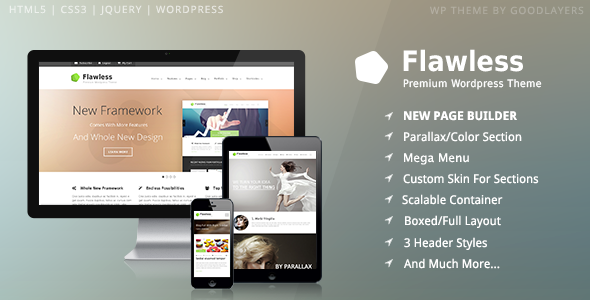
Stuck on your Flawless WordPress theme? Let's fix it.
No endless back-and-forth. Just send us the details and we'll get it done.
No obligation · Replies within 1 hour · Quote within 1 day
Setup · Customization · Bug fixes · WooCommerce integration
About Flawless WP Theme
Flawless is a multipurpose WordPress theme built by GoodLayers, a developer known for producing well-structured, visually polished themes. It ships with the GoodLayers page builder, giving you drag-and-drop control over layouts without needing a third-party plugin. The theme targets creative agencies, portfolios, and business sites that need flexible design options without heavy development work.
Flawless includes a library of pre-built demo sites, covering industries from photography to corporate. Typography controls, color schemes, and header styles are all adjustable through the theme options panel. It supports WooCommerce for basic shop setups and integrates cleanly with popular plugins. The codebase is reasonably clean, though like most feature-rich themes, it benefits from proper configuration to avoid bloat and performance issues.
Get matched with a Flawless developer in under one day
Tell us about your Flawless project. Small fixes, Flawless theme customization, or a full website build, whatever you need, we've got it covered.
We'll connect you to the right Flawless developers, define the scope, and get everything 100% clear.
You'll get one estimate, hire your preferred developer, and start collaborating.
Most Flawless issues come down to configuration, not the theme itself. A developer who knows the GoodLayers ecosystem will diagnose problems faster and build cleaner solutions than someone working it out from scratch. Through Codeable, you get matched with vetted WordPress specialists who have real project experience. No junior developers, no guesswork. Post a project, get a free estimate, and only move forward if you are satisfied with the plan.
Pros
- GoodLayers page builder is included, no extra licence needed
- Large library of pre-built demo sites across multiple industries
- WooCommerce compatible out of the box with styled product pages
- Header and footer builder gives layout flexibility without coding
- One-time purchase with lifetime updates included
Cons
- GoodLayers builder is proprietary, making it harder to switch themes later without rebuilding content
- Demo import does not always transfer perfectly and often needs manual cleanup
- Theme options panel is large and can be overwhelming for first-time users
- Page builder output can generate heavy markup that affects Core Web Vitals
- Documentation is decent but lacks depth for advanced customisation scenarios
Who is Flawless for?
Creative Agency Portfolio
Flawless handles agency portfolio layouts well. The grid and masonry options display case studies cleanly, and the page builder lets you create unique project pages without repetitive templates. A Flawless expert can set up custom post types for projects and configure filtering so visitors can browse by service or industry.
Photography Studio
The full-width image support and clean gallery layouts make Flawless a solid base for photography sites. Combined with a lightbox plugin, it presents work without distraction. A Flawless developer can configure gallery templates, set up client proofing pages, and make sure images load fast without sacrificing quality.
Corporate Business Site
Corporate sites need clear structure and consistent branding. Flawless covers both with its header builder and section controls. Service pages, team grids, and contact forms all work with the existing layout tools. A Flawless specialist can align the design with brand guidelines and connect CRM or lead capture integrations.
WooCommerce Store
Flawless supports WooCommerce with styled category pages, product layouts, and cart design that matches the rest of the theme. It works for small to mid-size stores. A Flawless developer can extend the shop with custom product templates, filter setups, and checkout tweaks that the default WooCommerce styling does not handle on its own.
Freelancer or Consultant Site
Freelancers and consultants need a site that converts. Flawless provides the layout flexibility to build a focused one-page or multi-page site with clear calls to action. A Flawless specialist can set up a booking plugin, testimonial section, and contact flow that turns visitors into enquiries without overcomplicating the design.

Customizing Flawless
Flawless gives you a lot of control through its own GoodLayers page builder, but getting the most out of it takes time. The builder works differently from Elementor or the block editor, so there is a learning curve if you are switching from another setup.
A Flawless expert can shorten that curve significantly. Custom layouts, font pairings, responsive tweaks for mobile, and pixel-level alignment adjustments all take longer when you are learning the system as you go. A Flawless specialist already knows where the panel options are, how the row and column system behaves, and which settings interact with each other in unexpected ways.
Custom CSS work, child theme setup to protect your changes from updates, and integrating third-party tools like booking plugins or CRMs are all areas where hiring a Flawless developer pays off quickly.
Recommended plugins for Flawless
Flawless works with WooCommerce for product listings and simple shop pages. It also supports Contact Form 7, WPML for multilingual sites, and most major gallery plugins. The theme does not add unnecessary plugin dependencies, which keeps the stack manageable.
That said, performance and SEO need attention regardless of the theme. Page builder output can add render-blocking elements and unused CSS. Pairing Flawless with proper WordPress performance optimisation keeps load times in check. On the SEO side, structured data, meta handling, and schema markup are worth reviewing with a WordPress SEO specialist to make sure nothing is missed at the theme level.
Not sure which plugins to use? This WordPress plugins directory covers the most popular options with reviews and setup guides.
Flawless common issues
Flawless theme page builder not loading in WordPress editor
If the GoodLayers page builder is not loading, the most common causes are a plugin conflict, a PHP memory limit that is too low, or a caching plugin serving a stale version of the admin. Start by deactivating all plugins except the GoodLayers core plugin, then reload the editor. If it works, reactivate plugins one at a time to identify the conflict. Increasing PHP memory to at least 256MB in your wp-config.php file also resolves this in many cases. If the problem persists, the WordPress bug fixing service can trace the exact cause.
Flawless demo import failing or incomplete after install
Demo import failures in Flawless are usually caused by server timeout limits, insufficient PHP memory, or file upload size restrictions. The import tries to pull images and content simultaneously, which can exceed shared hosting limits. Try increasing max_execution_time, upload_max_filesize, and memory_limit in your php.ini or via your host’s control panel. Importing in stages, starting with content then importing media separately, also helps. If the import keeps failing or the result looks broken, the WordPress bug fixing service can handle the setup properly.
Flawless theme layouts breaking on mobile screens
Broken mobile layouts in Flawless usually come from row or column padding values set as fixed pixel sizes rather than percentages or responsive units. Open the page builder, select the affected section, and check the spacing and width settings. The theme has per-device visibility controls and responsive padding fields. Use those to override desktop values for tablet and mobile. Custom CSS targeting specific breakpoints can handle edge cases where the builder controls are not granular enough.
Flawless WooCommerce pages not matching theme styles
WooCommerce pages not picking up Flawless styles often happen after a WooCommerce or theme update that resets template files. Check whether your child theme is overriding WooCommerce templates that are now outdated. Go to WooCommerce, Status, System Status to see a list of outdated templates. Update or remove stale overrides. If you have not set up a child theme, custom WooCommerce template changes may have been lost during updates entirely.
Flawless FAQ
Flawless is built around the GoodLayers page builder, not Elementor. You can install Elementor alongside it, but the two builders will conflict on the same page. Most users pick one or the other. If you want to switch your Flawless site to Elementor, a Flawless developer can rebuild the layouts cleanly without losing your content structure.
Flawless has not been redesigned around the block editor. It works in WordPress 6.x but uses its own page builder rather than Gutenberg blocks. You can still use the block editor for basic posts and pages, but the GoodLayers builder handles the complex layouts. Full site editing is not supported in the traditional sense.
Always use a child theme before making any customisation. Changes made directly to the parent Flawless theme files will be overwritten on update. A child theme keeps your CSS and template overrides separate and safe. If you have not set one up yet, do it before the next update. A Flawless specialist can migrate existing customisations into a child theme cleanly.
The GoodLayers page builder is bundled with Flawless. There is no separate licence or extra cost. It activates automatically once the theme is installed and the required plugin is enabled. This is one of the practical advantages of the theme compared to setups that require purchasing a premium page builder separately.
Yes. Flawless is compatible with WPML, the most widely used multilingual plugin for WordPress. You can translate pages, posts, and theme strings through the WPML interface. Some GoodLayers page builder elements require additional string registration, which a Flawless developer can configure if automatic detection misses anything.
Hire a Flawless Developer for Your WordPress Project
Whether you need a full site build on Flawless, layout customisation, plugin integration, or a performance audit, working with a Flawless specialist means the job gets done right the first time. No back-and-forth over basic theme mechanics, no trial and error on your live site.
FoxyConcept works through Codeable, where every developer is vetted before they can take projects. Get a free estimate and see what your project would cost before committing to anything.
You'll need a free Codeable account so developers can ask questions and send their quotes.