Fortunio WordPress Theme
by AncoraThemes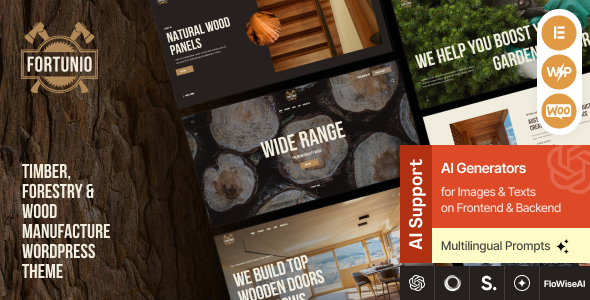
Stuck on your Fortunio WordPress theme? Let's fix it.
No endless back-and-forth. Just send us the details and we'll get it done.
No obligation · Replies within 1 hour · Quote within 1 day
Setup · Customization · Bug fixes · WooCommerce integration
About Fortunio WP Theme
Fortunio is a WordPress theme built by AncoraThemes, designed primarily for financial advisors, consultants, and business service providers. It ships with a clean, professional layout and integrates tightly with Elementor, giving you visual control over most of the design without touching code.
The theme includes pre-built demo content covering services pages, team sections, testimonials, and contact forms. It supports WooCommerce for selling digital products or consultations, and comes with schema markup built in for better search visibility.
AncoraThemes maintains Fortunio actively, with updates addressing WordPress core compatibility and plugin conflicts. If you need a polished starting point for a finance or consulting website and want to avoid building from scratch, Fortunio is a practical choice worth considering.
Get matched with a Fortunio developer in under one day
Tell us about your Fortunio project. Small fixes, Fortunio theme customization, or a full website build, whatever you need, we've got it covered.
We'll connect you to the right Fortunio developers, define the scope, and get everything 100% clear.
You'll get one estimate, hire your preferred developer, and start collaborating.
Most Fortunio sites stall when the built-in demo stops matching what the business actually needs. That gap between template and production-ready site is where things get complicated. The developers available through Codeable are vetted WordPress specialists, not generalists from a job board. They know Fortunio’s architecture, understand how AncoraThemes structures its code, and can deliver custom work that holds up through theme updates. No wasted time, no back-and-forth on basic problems.
Pros
- Ships with multiple pre-built demo layouts tailored to finance and consulting niches
- Deep Elementor integration makes layout changes accessible without writing code
- Built-in schema markup supports better visibility in Google search results
- WooCommerce compatible out of the box for selling services or digital products
- AncoraThemes provides regular updates and dedicated theme support documentation
Cons
- Heavy reliance on Elementor means switching page builders later is a significant rebuild
- Demo import can conflict with existing content if you install it on a non-fresh WordPress setup
- Limited typography customization in the native Customizer without additional CSS
- Some demo sections use static images and placeholder text that require significant replacement effort
- Advanced layout changes like custom header structures require developer knowledge to do cleanly
Who is Fortunio for?
Financial Advisory Firms
Fortunio’s structured service pages and team sections work well for financial advisory firms that need to communicate credibility quickly. The built-in testimonials layout and schema support help establish trust with prospective clients who are comparing multiple firms before making contact.
Business Consultants
Consultants benefit from Fortunio’s clean content hierarchy. Service detail pages, a strong call-to-action above the fold, and contact form integrations make it straightforward to move visitors toward a discovery call or intake form without needing heavy customization to get there.
Accounting Practices
Accounting firms need a professional appearance and clear service descriptions. Fortunio’s layout gives you space to outline tax, bookkeeping, and advisory services in a structured format. The WooCommerce support also works well if you sell tax guides or filing templates directly.
Insurance Brokers
Insurance brokers need a site that builds trust and drives phone or form inquiries. Fortunio’s contact sections and service breakdown pages suit this well. Pair it with a quote request form plugin and you have a functional lead generation setup without starting from scratch.
Mortgage and Lending Services
Mortgage and lending businesses need clear product pages, rate information sections, and prominent contact options. Fortunio’s modular layout handles this structure well. A developer can extend it with custom calculator plugins or CRM form integrations to support the full client intake process.

Customizing Fortunio
Fortunio gives you a solid base, but most projects need more than what the demo ships with. Customizing the header layout, adjusting typography scales, or building out service detail pages with custom fields often requires work beyond the Theme Customizer.
A Fortunio expert can wire up Advanced Custom Fields, create custom Elementor widgets that match your brand, and adjust the CSS without breaking theme update compatibility. That matters because Fortunio updates regularly and poorly placed overrides can cause visual regressions.
If you need a specific layout for a financial calculator, a booking integration, or a custom portfolio section, working with someone who knows Fortunio’s structure saves significant time and avoids the trial-and-error cycle.
Recommended plugins for Fortunio
Fortunio pairs well with several plugins that extend its default functionality. WPForms or Gravity Forms handles lead capture and consultation booking. WPML adds multilingual support if you serve international clients. For selling financial guides or templates, WooCommerce integrates cleanly with the theme’s existing styles.
To get the most out of Fortunio on search, pairing it with proper on-page optimisation work makes a real difference. You can also explore WordPress performance tuning to improve Core Web Vitals scores, and WordPress SEO optimisation to strengthen organic rankings for your financial services site.
Not sure which plugins to use? This WordPress plugins directory covers the most popular options with reviews and setup guides.
Fortunio common issues
Fortunio demo import not working
Demo import failures on Fortunio usually come down to server memory limits or a timeout during the XML import. Set max_execution_time to 300 and memory_limit to at least 256M in your php.ini or wp-config.php. Also confirm you have the required plugins active before importing. If the import still stalls, try importing content in smaller sections. A WordPress bug fixing specialist can resolve persistent import issues quickly.
Fortunio Elementor widgets not loading
If Fortunio’s custom Elementor widgets are missing or throwing errors, the most common cause is a version mismatch between Elementor, Elementor Pro, and the theme itself. Update all three to their latest versions first. If the issue persists, deactivate other plugins one at a time to identify a conflict. Clearing Elementor’s CSS cache under Elementor > Tools often resolves display issues that appear after updates.
Fortunio mobile menu not opening
A broken mobile menu on Fortunio is typically caused by a JavaScript conflict with another plugin. Open your browser console and look for JS errors on the front end. Common culprits are caching plugins that concatenate scripts incorrectly or old jQuery versions. Exclude Fortunio’s navigation scripts from minification in your caching plugin settings. If you recently installed a new plugin before the issue appeared, deactivate it first to confirm.
Fortunio header layout broken after update
Header layout breaks after a Fortunio update usually mean customizations were made directly to theme files rather than through a child theme. When the theme updates, those changes get overwritten. Going forward, all custom CSS and template overrides should live in a child theme. If you need the layout restored urgently, a WordPress bug fixing service can recover your previous customizations and move them into a proper child theme structure.
Fortunio FAQ
Yes, Fortunio is purpose-built for financial advisors, consultants, and related service businesses. It includes pre-built layouts for service pages, team sections, and testimonials. The schema markup support also helps with search visibility. It’s a practical choice if you need a professional-looking site without building the structure from scratch.
Fortunio’s core layouts work with Elementor Free. However, some advanced demo sections and widgets require Elementor Pro for full functionality. If you want to replicate the demo as closely as possible, Elementor Pro is recommended. For basic service pages and content layouts, the free version handles most use cases adequately.
Fortunio is compatible with WPML, which is the most widely used multilingual plugin for WordPress. You can translate pages, service sections, and navigation menus through the WPML interface. Some string translations require using WPML’s String Translation module. Setup takes time to configure correctly, particularly for Elementor-built pages.
Create a new folder in /wp-content/themes/ named something like fortunio-child. Add a style.css file with the correct template header referencing the parent theme, and a functions.php file that enqueues the parent stylesheet. Activate the child theme in WordPress. All custom CSS and template overrides go into the child theme so updates to Fortunio don’t overwrite your changes.
Yes, you can migrate an existing site to Fortunio, but it involves rebuilding your current pages using Elementor and the theme’s layout system. Content migration is straightforward. Design migration takes more effort, especially if your current site uses a different page builder or custom post types. See our WordPress migration service if you need this handled properly.
Hire a Fortunio Developer
Need custom layouts, plugin integrations, or fixes on your Fortunio site? Our developers have worked with AncoraThemes products and know where the common pain points are. Work is scoped clearly before anything starts, so you know exactly what you’re getting. Get a free estimate with no obligation to hire. You’ll hear back within 24 hours.
You'll need a free Codeable account so developers can ask questions and send their quotes.