Front WordPress Theme
by MadrasThemes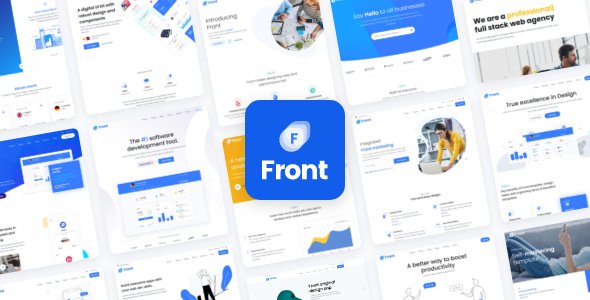
Stuck on your Front WordPress theme? Let's fix it.
No endless back-and-forth. Just send us the details and we'll get it done.
No obligation · Replies within 1 hour · Quote within 1 day
Setup · Customization · Bug fixes · WooCommerce integration
About Front WP Theme
Front is a multipurpose WordPress theme built by MadrasThemes. It ships with over 40 pre-built demos covering SaaS, agency, portfolio, startup, and corporate use cases. Each demo is importable in one click, giving you a working site structure within minutes.
The theme is built on a custom framework with Elementor as the primary page builder. It includes a dedicated header and footer builder, mega menu support, and a library of custom Elementor widgets. Pricing tiers are handled natively, which makes it popular for SaaS and product landing pages.
Front is actively maintained, with regular updates for Elementor compatibility and WordPress core. It holds strong ratings on ThemeForest and is known for clean output and developer-friendly code structure.
Get matched with a Front developer in under one day
Tell us about your Front project. Small fixes, Front theme customization, or a full website build, whatever you need, we've got it covered.
We'll connect you to the right Front developers, define the scope, and get everything 100% clear.
You'll get one estimate, hire your preferred developer, and start collaborating.
Front has enough moving parts that getting it production-ready takes real theme knowledge. Codeable connects you with vetted WordPress developers who have hands-on experience with Front and MadrasThemes’ framework. Every developer on Codeable is reviewed before they can take projects, so you are not guessing at skill level. You post your project, get matched within 24 hours, and receive a fixed estimate before any work begins. No risk, no retainers.
Pros
- 40+ one-click demo imports covering SaaS, agency, startup, and corporate layouts
- Built-in header and footer builder with per-page override support
- Native pricing table and comparison widgets without extra plugins
- Actively maintained with consistent Elementor and WordPress compatibility updates
- Clean, well-structured code that developers can extend without fighting the theme
Cons
- Large number of options makes initial setup time-consuming without prior Front experience
- Asset weight is heavy out of the box and requires manual performance optimization
- Heavy reliance on Elementor means switching page builders later is not practical
- Some demo designs look dated and require significant visual customization to feel current
- Documentation is adequate but gaps exist for advanced custom development scenarios
Who is Front for?
SaaS Product Landing Pages
Front’s SaaS demos include pricing sections, feature grids, and app screenshot layouts built to convert. The native pricing table widget handles monthly and annual toggle logic without plugins. It is a strong starting point for any software product that needs a clean marketing site with structured feature comparisons and clear call-to-action placement.
Digital Agency Websites
The agency demos in Front include portfolio grids, service pages, and team sections. Mega menu support makes it easy to handle large service lists without cluttering the navigation. The header builder gives agencies precise control over their branding across different page types, including separate headers for case study pages and landing pages.
Startup and Fundraising Sites
Front includes startup-specific demo layouts with hero sections, investor pitch blocks, and milestone timelines. These are useful for early-stage companies that need a credibility-building site quickly. The one-click import gets a working structure live fast, and the Elementor-based layout makes it easy to swap content without touching code.
Corporate and Business Sites
Front’s corporate demos are structured for multi-service businesses with deep navigation, team pages, and contact form integration. The theme handles multi-level menus cleanly and supports separate page templates for departments or service lines. It suits companies that need a professional presence with room to grow the site over time.
Freelancer and Developer Portfolios
Front includes portfolio and personal brand demos suited to individual developers, designers, and consultants. Work showcase grids, skills sections, and testimonial blocks are all included. The theme is light enough to configure solo for a personal site, and the Elementor base means updates and content changes are manageable without developer support long-term.

Customizing Front
Front gives you a lot of control out of the box, but the sheer number of options can make customization slow without experience. The header builder alone has dozens of configuration points. Getting a layout to behave consistently across breakpoints often requires custom CSS or conditional logic.
Working with a Front expert saves significant time here. A developer who knows the theme’s framework will know where to override styles without breaking the demo structure, how to extend the custom widgets, and how to wire up the mega menu correctly for complex navigation.
Custom post types, ACF integration, and child theme setup are all common requests. These tasks are straightforward for an experienced Front developer but can quickly create technical debt if handled without theme knowledge.
Recommended plugins for Front
Front integrates cleanly with WooCommerce for product and checkout pages. It supports popular plugins including WPML for multilingual builds, Contact Form 7, and Slider Revolution. The theme’s Elementor widgets handle pricing tables, timelines, and icon blocks natively, reducing plugin dependency.
For performance-critical builds, pairing Front with proper caching and image optimization is essential given its asset weight. SEO-wise, the theme outputs clean heading structures, but additional configuration is recommended. Need help with that? See our WordPress performance service or WordPress SEO optimisation.
Not sure which plugins to use? This WordPress plugins directory covers the most popular options with reviews and setup guides.
Front common issues
Front theme Elementor widgets not loading after update
This usually happens when there is a version mismatch between Front and Elementor after an update to either. Start by clearing all caches including server-side, plugin, and browser. Deactivate and reactivate the Front Core plugin if it is installed. If widgets are still missing, regenerate Elementor CSS under Elementor > Tools. In persistent cases, a conflict with a third-party plugin is likely. Our WordPress bug fixing service can isolate this quickly.
Front theme header builder not saving changes
The header builder saving issue in Front is typically caused by a REST API conflict or a JavaScript error on the admin side. Open your browser console when saving to check for JS errors. Verify that the REST API is not blocked by a security plugin or server rule. Also check that your WordPress address and site address match exactly in Settings > General. If the problem persists after those checks, it usually requires direct server or plugin conflict diagnosis.
Front theme demo import failing or incomplete
Failed demo imports in Front are most often caused by PHP memory limits or max execution time settings being too low. Set memory_limit to at least 256MB and max_execution_time to 300 in your PHP configuration or wp-config.php. Also ensure the required plugins listed for that demo are installed before importing. If the import runs but content is missing, try importing XML and widgets separately using the manual import method documented by MadrasThemes.
Front theme slow loading speed
Front loads a significant amount of CSS and JavaScript from Elementor, theme scripts, and custom fonts by default. Start by running a GTmetrix or PageSpeed test to identify the largest assets. Enable CSS combining and JS deferral through a caching plugin. Limit Google Fonts requests by consolidating font families in Elementor settings. Serve images in WebP format and use lazy loading. For builds where performance is critical, professional optimization makes a measurable difference. See our WordPress performance service for details.
Front FAQ
Front is manageable for beginners using the demo import system, but it is not the simplest theme to customize. The number of settings across the theme options, header builder, and Elementor panels can be disorienting. Beginners who import a demo and make content changes will be fine. Anyone trying to significantly alter layouts or build from scratch will benefit from developer support.
Yes. Front includes WooCommerce-compatible templates for shop, product, cart, and checkout pages. The styling integrates cleanly with the theme’s visual system. Standard WooCommerce functionality works without extra configuration. More complex setups like custom product layouts or membership-gated content may require additional development work on top of what Front provides by default.
Front is sold on ThemeForest under a Regular License, which covers one end product or website. If you need to use it on multiple sites, you need a separate license for each. An Extended License is available for sites where end users are charged. Check ThemeForest’s licensing terms directly for specifics, as MadrasThemes follows standard ThemeForest licensing conditions.
Front is built around Elementor and its custom widget library depends on it. You can technically use the theme without Elementor, but you would lose access to most of the demo layouts and purpose-built widgets. The theme does not have a meaningful fallback for Gutenberg or other builders. If Elementor is not your preferred builder, Front is not the right theme choice.
Yes, using a child theme is strongly recommended before making any code-level customizations to Front. Direct edits to the parent theme will be overwritten on updates. MadrasThemes provides a child theme starter. Any custom PHP functions, template overrides, or CSS that goes beyond the Elementor and theme customizer should live in the child theme to survive updates safely.
Hire a Front WordPress Developer
Whether you need a full site build from a Front demo, custom Elementor widget development, or fixes to an existing Front installation, we can match you with the right developer fast. Work is scoped clearly, priced fairly, and backed by Codeable’s satisfaction guarantee. Get a free estimate and have a developer proposal in your inbox within 24 hours. No obligation to hire.
You'll need a free Codeable account so developers can ask questions and send their quotes.