Furnob WordPress Theme
by KlbTheme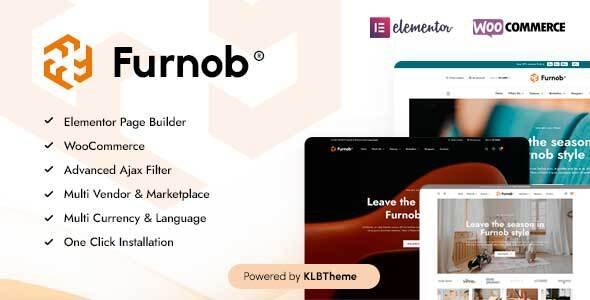
Stuck on your Furnob WordPress theme? Let's fix it.
No endless back-and-forth. Just send us the details and we'll get it done.
No obligation · Replies within 1 hour · Quote within 1 day
Setup · Customization · Bug fixes · WooCommerce integration
About Furnob WP Theme
Furnob is a WooCommerce theme built by KlbTheme, designed specifically for furniture and home decor stores. It ships with a clean, minimal layout that puts product photography front and center. The theme includes multiple homepage demos, a mega menu, Ajax-powered filtering, and a product quick-view feature out of the box.
KlbTheme built Furnob on a custom framework, which means it loads fast but also means you won’t find it built on Elementor or WPBakery natively. Setup is handled through a dedicated theme options panel. It supports variable products, product comparison, and wishlist functionality without needing third-party plugins for those features. For furniture retailers who want a polished storefront without hiring a designer from scratch, Furnob covers most of the basics. That said, deeper customization requires someone familiar with the KlbTheme ecosystem.
Get matched with a Furnob developer in under one day
Tell us about your Furnob project. Small fixes, Furnob theme customization, or a full website build, whatever you need, we've got it covered.
We'll connect you to the right Furnob developers, define the scope, and get everything 100% clear.
You'll get one estimate, hire your preferred developer, and start collaborating.
Furnob runs on KlbTheme’s own framework, which sits outside the standard WordPress page builder ecosystem. That means general WordPress developers often hit walls when trying to modify templates, hooks, or checkout flows. Codeable connects you with vetted developers who have direct experience with WooCommerce themes like Furnob. You get a developer who knows where KlbTheme hooks its components, how to override templates correctly, and how to extend functionality without destabilizing the theme on future updates. No guesswork, no generic fixes.
Pros
- Built specifically for furniture and home decor WooCommerce stores with relevant demo content included
- Product comparison, wishlist, and quick-view features included natively without extra plugins
- Ajax filtering on category pages works out of the box for large product catalogs
- Multiple header and homepage layouts give you starting points without building from zero
- Mega menu with image support handles large furniture category structures cleanly
Cons
- Built on KlbTheme's proprietary framework, not Elementor or Gutenberg, which limits who can customize it
- Documentation is limited and not always updated to match current theme versions
- Heavy demo content and bundled assets can slow page load if not properly optimized
- Theme updates occasionally break customizations made outside the options panel
- Support from KlbTheme can be slow, with long response times on Envato forums
Who is Furnob for?
Furniture Retail Stores
Furnob was built for furniture retailers. The product grid layouts handle large images well, the mega menu supports deep category trees like sofas, dining, bedroom, and office, and the comparison feature lets customers evaluate multiple pieces side by side. It’s a practical starting point for any furniture business moving online or rebuilding an existing WooCommerce store.
Home Decor and Accessories Shops
Home decor stores with a wide mix of products benefit from Furnob’s filtering system and quick-view feature. Shoppers can browse by style, color, or material without leaving the category page. The minimal layout keeps visual focus on the products themselves rather than surrounding design elements, which works well for decor items that need to speak for themselves.
Interior Design Product Showrooms
Interior designers selling curated collections or product bundles can use Furnob’s flexible homepage sections to tell a visual story. Featured collections, lookbook-style grids, and banner sections can be arranged to highlight specific aesthetics or seasonal ranges. With some custom development, product pages can be extended to include room inspiration imagery alongside standard product details.
Lighting and Fixtures Stores
Lighting stores need strong image presentation and clear product variants. Furnob handles variable products well, letting customers select finishes, sizes, or bulb types from the product page. The quick-view feature reduces friction for browsers moving through a large catalog. Category pages can be structured around fixture type, room, or finish without complex plugin configuration.
Outdoor and Garden Furniture Brands
Outdoor and garden furniture brands can use Furnob’s seasonal banner sections and featured product layouts to push specific collections. The theme supports large hero images that work well for lifestyle photography common in outdoor furniture marketing. Ajax filters help customers narrow down by material, size, or price without reloading the page during browsing.

Customizing Furnob
Furnob’s theme options panel handles color schemes, typography, header layouts, and footer structure. You can switch between included demo layouts and adjust most visual settings without touching code. However, anything beyond surface-level changes gets complicated quickly.
KlbTheme uses a proprietary page builder approach, so standard Elementor workflows won’t apply. Custom product page layouts, modified category templates, or changes to the cart and checkout flow all require PHP and CSS work inside the theme’s structure. A Furnob expert who knows the KlbTheme framework can make those changes cleanly without breaking updates or creating technical debt. If you need custom product filters, a modified mega menu, or a unique homepage section, working with someone who has hands-on Furnob experience saves significant time and avoids the trial-and-error that comes with unfamiliar theme architecture.
Recommended plugins for Furnob
Furnob works well with most major WooCommerce plugins. YITH plugins for wishlists, product add-ons, and subscriptions integrate without major conflicts. WooCommerce Bookings can be added for furniture showroom appointment scheduling.
For performance, pairing Furnob with a caching plugin and a CDN is important since image-heavy furniture stores can slow down quickly. See our WordPress performance service for help there. For search visibility, structured product data and schema markup need manual implementation. Our WordPress SEO service covers that. Contact form plugins like WPForms and Gravity Forms work cleanly with the existing layout.
Not sure which plugins to use? This WordPress plugins directory covers the most popular options with reviews and setup guides.
Furnob common issues
Furnob mega menu not showing on mobile
Mobile menu issues in Furnob usually come from a conflict between the theme’s built-in mobile breakpoint settings and a caching plugin or CSS minification tool. Start by clearing all caches and disabling minification temporarily. If the mega menu still fails on mobile, check whether a JavaScript error is blocking the menu toggle. This is often caused by a plugin loading its own jQuery version. A developer can trace the conflict and fix the load order without disabling the plugin entirely. See our bug fixing service if you need hands-on help.
Furnob Ajax filter not working after update
Ajax filter failures in Furnob after an update are typically caused by a mismatch between the theme’s filter scripts and an updated version of WooCommerce. KlbTheme’s filter system hooks into specific WooCommerce functions that change between major releases. Check the browser console for JavaScript errors first. If you see a 400 or 500 error on the Ajax request, the issue is server-side. Reverting to the previous WooCommerce version temporarily confirms the source. A proper fix involves updating the theme’s filter template to match the current WooCommerce hooks.
Furnob product page layout broken after WooCommerce update
WooCommerce regularly updates its product page templates, and Furnob’s overrides can fall out of sync. When this happens, you might see missing add-to-cart buttons, broken variation selectors, or layout shifts on single product pages. Compare Furnob’s template files in woocommerce/single-product/ against the current WooCommerce template versions. Outdated files need to be manually updated to include new WooCommerce markup while preserving KlbTheme’s styling. This is a common task for any Furnob developer familiar with template overrides.
Furnob homepage slider not loading images
If the Furnob homepage slider isn’t loading images, the most common causes are an image path issue after a site migration, a conflict with a lazy loading plugin, or a missing slider script. First, check whether images return a 404 in the network tab. If paths are correct, disable lazy loading on the slider section specifically. If scripts are failing to load, check for a Content Security Policy header blocking external resources. A site migration that changed the domain without updating WordPress URLs is another frequent cause. Our WordPress bug fixing service can diagnose this quickly.
Furnob FAQ
Furnob is not built on Elementor. KlbTheme uses its own options panel and template structure. You can technically install Elementor and use it on specific pages, but the theme’s core product pages, headers, and footers are not Elementor-controlled. Editing those areas still requires working inside KlbTheme’s framework directly, either through the options panel or PHP template files.
Yes. Furnob’s demo content is optional during setup. You can skip the one-click demo import and build your homepage and category pages manually using the theme’s section options. Starting without demo content is cleaner if you already have a product catalog and brand direction. The options panel still gives you access to all layout and styling controls without needing placeholder content installed first.
Furnob has been reported to work with WPML, but compatibility is not officially guaranteed by KlbTheme. Strings within the theme options panel need to be registered manually in WPML’s string translation module. Product pages and WooCommerce content translate through WooCommerce Multilingual. Testing in a staging environment before going live on a multilingual setup is strongly recommended to catch any untranslatable strings early.
Any changes made directly to Furnob’s core theme files will be overwritten during an update. The correct approach is to use a child theme for all PHP and CSS modifications. Customizations made through the theme options panel are stored in the database and survive updates. Before updating, always back up your site and review KlbTheme’s changelog to identify which template files changed. Our WordPress maintenance service handles this as part of routine updates.
Yes, Furnob can be migrated to a new host. The theme itself moves with your WordPress files. The main considerations are updating your site URL in the database, ensuring PHP version compatibility on the new server, and verifying that any server-side requirements for WooCommerce are met. Image paths and slider content sometimes break if URLs aren’t updated correctly post-migration. Our WordPress migration service covers the full process.
Hire a Furnob Developer for Your WooCommerce Store
Whether you need a full store setup, a custom product page layout, or a specific fix in the Furnob framework, we can match you with a developer who knows this theme. Work is scoped and priced upfront through Codeable. No hidden costs, no obligation until you approve the estimate.
Get a free estimate and describe what you need. You’ll hear back within 24 hours.
You'll need a free Codeable account so developers can ask questions and send their quotes.