FWRD WordPress Theme
by IronTemplates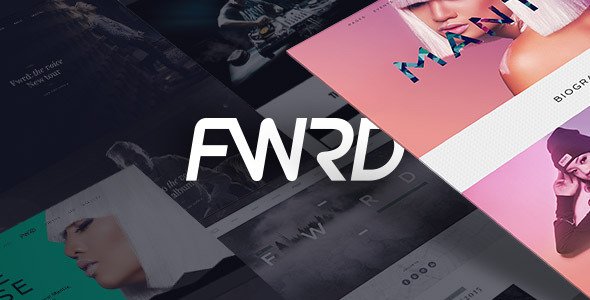
Stuck on your FWRD WordPress theme? Let's fix it.
No endless back-and-forth. Just send us the details and we'll get it done.
No obligation · Replies within 1 hour · Quote within 1 day
Setup · Customization · Bug fixes · WooCommerce integration
About FWRD WP Theme
FWRD is a WordPress theme by IronTemplates built for motion-forward brands, creative agencies, and portfolio-driven businesses. It ships with a drag-and-drop page builder integration, prebuilt section blocks, and a header builder that gives you control over layout without touching code.
The theme targets designers and studios who want a fast, visual-first site without starting from scratch. FWRD includes multiple homepage demos, scroll animations, and a structured typography system that keeps brand consistency across pages. WooCommerce compatibility is baked in, so product pages inherit the same visual language as the rest of the site.
Performance is reasonable out of the box, though heavy animation use can push load times up on shared hosting. Overall, FWRD is a solid pick for creative professionals who want a polished starting point and room to grow.
Get matched with a FWRD developer in under one day
Tell us about your FWRD project. Small fixes, FWRD theme customization, or a full website build, whatever you need, we've got it covered.
We'll connect you to the right FWRD developers, define the scope, and get everything 100% clear.
You'll get one estimate, hire your preferred developer, and start collaborating.
Most FWRD issues come from the same places: conflicting plugins, incorrect child theme setup, or customizations made directly to core theme files that break on update. A FWRD developer who has worked with IronTemplates themes knows where the landmines are before they go off.
Through Codeable, you get matched with vetted WordPress specialists within 24 hours. No junior developers, no outsourcing. Every developer on the platform has passed a rigorous vetting process. You post your project, get a free estimate, and decide from there with no obligation to proceed.
Pros
- Clean animation system built into the theme with scroll-triggered effects that work without extra plugins
- Header builder supports multiple layouts including transparent, sticky, and split headers with per-page overrides
- WooCommerce integration inherits theme styling on product, cart, and checkout pages without heavy custom CSS
- Demo importer is fast and reliable, pulling full page content and settings in a single step
- Typography system uses a structured scale that keeps heading and body sizes consistent across all page templates
Cons
- Animation-heavy sections can slow Time to Interactive on lower-end hosting without performance tuning
- Customizer options do not cover all layout scenarios, and some changes require child theme template files
- Mobile menu behavior has limited configuration options compared to the desktop header builder
- Some prebuilt demo sections rely on specific plugin versions, which can cause display issues after plugin updates
- Documentation covers the basics but lacks depth for advanced use cases like custom post type templates or conditional logic
Who is FWRD for?
Creative Agencies
FWRD handles multi-service agency sites well. The portfolio post type, case study layouts, and team section blocks give agencies a structured way to present work and services. The header builder supports distinct navigation styles for different audience segments, and the page builder integration keeps the whole team able to update content without developer help.
Freelance Designers and Photographers
For solo creatives, FWRD’s portfolio grid options and fullscreen gallery layouts make it easy to let the work lead. The theme’s typography control means personal branding stays consistent across the site. A FWRD specialist can set up custom post types for different work categories, so filtering and presentation match the creative’s exact workflow.
Fashion and Apparel Brands
The WooCommerce integration in FWRD suits fashion brands that need product pages to feel editorial. Lookbook-style layouts, large image sections, and category page control give apparel shops a premium feel without a custom theme build. A FWRD developer can connect sizing guides, product video embeds, and custom variation displays cleanly.
Music Artists and Labels
Music artists and labels need event listings, embeds, and a strong visual identity above everything else. FWRD’s fullscreen hero sections, dark mode support, and animation system suit that aesthetic. A developer can wire up tour date plugins, streaming embeds, and a merch shop through WooCommerce, all inside the same theme framework.
Digital Product Sellers
Selling digital downloads, courses, or templates through FWRD works well with WooCommerce and a plugin like Easy Digital Downloads. The theme’s landing page layouts convert well for single-product or small catalog setups. A FWRD expert can configure checkout flows, license delivery, and member area access without requiring a theme switch.

Customizing FWRD
FWRD gives you a decent amount of customization through the WordPress Customizer and its built-in options panel. You can control typography scales, color palettes, header layouts, and footer columns without writing a single line of CSS. The demo importer makes it straightforward to start from a prebuilt layout.
Where things get more involved is when you need to go beyond the default options. Custom post type layouts, conditional header rules, or integrating third-party plugins often require template overrides or child theme work. That is where hiring a FWRD expert pays off. A developer who knows the theme structure can extend it cleanly without breaking updates or creating technical debt that slows you down later.
If your project involves custom functionality or a heavily modified layout, working with a FWRD specialist from the start will save you significant time and rework.
Recommended plugins for FWRD
FWRD pairs well with a focused set of plugins. WooCommerce handles shop functionality. WPML or Polylang adds multilingual support. For forms, Gravity Forms or WS Form slot in cleanly with the theme’s styling.
Performance plugins matter here. FWRD’s scroll animations and prebuilt sections can add render-blocking scripts if left unconfigured. Pairing the theme with proper caching, image optimization, and lazy loading makes a real difference. See our WordPress performance services for how we approach this.
If organic search matters to your business, structured data, meta control, and technical SEO setup are worth doing properly from day one. Our WordPress SEO services cover the full stack.
Not sure which plugins to use? This WordPress plugins directory covers the most popular options with reviews and setup guides.
FWRD common issues
FWRD theme not loading after update
A blank screen or fatal error after a FWRD update usually points to a PHP version conflict or a plugin that lost compatibility with the new theme code. Start by enabling WP_DEBUG in wp-config.php to surface the actual error. Check your PHP version against IronTemplates’ requirements. If the site is fully down, deactivate all plugins via FTP and reactivate one by one. If the issue persists, our bug fixing service can diagnose and resolve it without data loss.
FWRD scroll animations not working on mobile
FWRD’s scroll animations rely on JavaScript that detects viewport intersection. On mobile, aggressive data-saving modes or browsers that disable JS animations by default will stop them from triggering. Check whether the Reduced Motion media query is suppressing them in your CSS. Also confirm the animation library script is not being deferred in a way that breaks initialization order. Disabling conflicting performance plugins temporarily helps isolate the cause.
FWRD header overlapping page content
A FWRD header overlapping content is almost always a sticky header height issue. The theme calculates an offset for the page top padding, but if you have changed the header height in the builder without clearing cache, the offset value goes stale. Go to the FWRD header settings, confirm the sticky behavior is set correctly, and purge all caches including server-side cache. If you have a custom hero section set to full-screen, check whether the negative margin option is enabled on that row.
FWRD demo import failing or incomplete
FWRD demo imports fail most often because of server memory limits or execution time caps. The import pulls images, content, and settings in one request, which times out on lower-spec hosting. Increase WP_MEMORY_LIMIT to at least 256MB and set max_execution_time to 300 in your php.ini or .htaccess. If the import completes but looks wrong, check that required plugins were installed and activated before running the import. Importing with plugins missing causes sections to render as empty blocks.
FWRD WooCommerce product page layout broken
Broken WooCommerce product layouts in FWRD typically appear after a WooCommerce major update that changed template file structure. FWRD overrides several WooCommerce templates in its own directory. When WooCommerce updates its templates, the theme’s copies become outdated and display incorrectly. Check the WooCommerce System Status page for outdated template warnings. Update the theme or manually sync the templates. Our WordPress bug fixing service handles WooCommerce template conflicts regularly.
FWRD custom fonts not displaying correctly
Custom fonts failing to display in FWRD can come from two places: the font file URL is wrong in the Customizer, or a caching layer is serving an old stylesheet that references the previous font. Clear all caches first. If using Google Fonts, confirm the font is loaded in the FWRD typography settings and not blocked by a privacy plugin. For self-hosted fonts, verify the file paths in your child theme’s stylesheet are correct relative to the child theme directory, not the parent theme.
FWRD child theme not applying styles
If your FWRD child theme styles are not applying, the most common cause is an incorrect stylesheet header or the child theme’s functions.php not properly enqueuing the parent theme’s stylesheet. Make sure you are using wp_enqueue_scripts with the correct dependency array pointing to the parent theme handle. Avoid using @import in your child theme CSS as this creates load order issues. Also confirm the child theme is active in Appearance > Themes and that you have not accidentally edited the parent theme files directly.
FWRD contact form not sending emails
Email delivery failures on FWRD contact forms are almost always a server mail configuration issue, not a theme problem. WordPress uses PHP mail() by default, which many hosts block or route unreliably. Install an SMTP plugin like WP Mail SMTP and connect it to a transactional email service such as Mailgun, Postmark, or SendGrid. Once SMTP is configured, test delivery through the plugin’s test tool. Also check your spam folder and confirm the form’s recipient address is correct in the form settings.
FWRD page builder sections showing wrong on frontend
When FWRD page builder sections look correct in the editor but break on the frontend, the usual culprit is a CSS or JavaScript conflict with another plugin. Deactivate plugins one at a time while checking the frontend to find the conflict. A common offender is optimization plugins that minify or combine CSS in a way that strips classes the theme relies on. Exclude FWRD’s stylesheets from aggressive minification rules. If the issue appeared after a specific plugin update, roll that plugin back to confirm. Our bug fixing team can trace the conflict quickly.
FWRD site slow after adding animations
FWRD’s animation library adds JavaScript weight that compounds when many sections use effects simultaneously. Start by auditing which sections actually need animation versus which are decorative. Disable animations on sections below the fold or where they add no user value. Enable lazy loading for images inside animated sections. Use a caching plugin with JS deferral configured carefully so animation scripts initialize after the DOM is ready. If the site scores poorly on Core Web Vitals, our WordPress performance service covers a full audit and fix process.
FWRD FAQ
Yes. FWRD is well-suited for portfolio sites. It includes portfolio post types, grid and masonry layout options, fullscreen gallery sections, and case study templates. The visual-first design language works for designers, photographers, agencies, and studios. It handles single-project pages cleanly with large image areas and space for project details and outcomes.
FWRD includes WooCommerce support out of the box. Product pages, archive pages, cart, and checkout inherit the theme’s styling. Some template customization may require a FWRD developer if your shop needs non-standard layouts, custom product fields, or heavily modified checkout flows. Basic shop setups work without additional development.
Create a new folder in wp-content/themes with a name like fwrd-child. Add a style.css file with the correct theme header including Template: fwrd pointing to the parent. Add a functions.php that enqueues the parent stylesheet using wp_enqueue_scripts. Activate the child theme from Appearance > Themes. All customizations go in the child theme to survive parent updates.
FWRD is built around its own page builder integration and the native WordPress block editor. Elementor can be used alongside it, but mixing builders on the same site often creates conflicts. Gutenberg works with FWRD for standard content pages. For complex layouts, sticking to the builder FWRD is designed around will give you fewer compatibility headaches.
Always use a child theme for customizations. Updates to the parent FWRD theme will not overwrite child theme files. Before updating, back up your site and check the IronTemplates changelog for breaking changes. If you have modified any WooCommerce template overrides inside the theme, those will need to be manually compared and updated after each major theme release.
Codeable is the most reliable option for hiring a vetted FWRD developer. You post your project, get a free estimate within 24 hours, and work with a developer who has been screened for quality. There is no obligation to hire after receiving the estimate. For ongoing work or one-time fixes, it is a straightforward process with clear pricing.
FWRD sites slow down most often from unoptimized animation scripts, large uncompressed images, and too many active plugins. The theme’s scroll effects add JavaScript overhead that compounds on slower connections. Start with an image audit, configure proper caching, and review which animations are actually necessary. A performance audit will show exactly where time is being lost.
FWRD supports multilingual setups through WPML and Polylang. The theme itself is translation-ready. You will need to configure the language plugin separately and translate string content through its interface. Some theme-specific strings may need to be added to the plugin’s language file manually. A FWRD specialist can handle the full multilingual configuration.
Migrating an existing site to FWRD means rebuilding your pages using the theme’s layouts and blocks. Content can be transferred, but the visual structure will need to be rebuilt unless your current site uses compatible builder content. A WordPress migration specialist can handle the content transfer while a FWRD developer rebuilds the templates cleanly.
FWRD runs well on managed WordPress hosts like Kinsta, WP Engine, or Cloudways. These providers handle server-level caching and PHP configuration that helps the theme’s animation and image-heavy pages load quickly. Shared hosting works for lower-traffic sites but often hits memory and execution time limits during demo imports or WooCommerce operations.
Hire a FWRD Developer for Your WordPress Project
Whether you need help setting up FWRD from scratch, extending a layout, fixing a broken feature, or connecting third-party tools, a specialist will get it done without shortcuts. Projects are scoped clearly, delivered on time, and backed by Codeable’s satisfaction guarantee.
Get a Free Estimate and describe your project. You will hear back within 24 hours with a clear plan and fixed price.
You'll need a free Codeable account so developers can ask questions and send their quotes.