GastroBar WordPress Theme
by Edge-Themes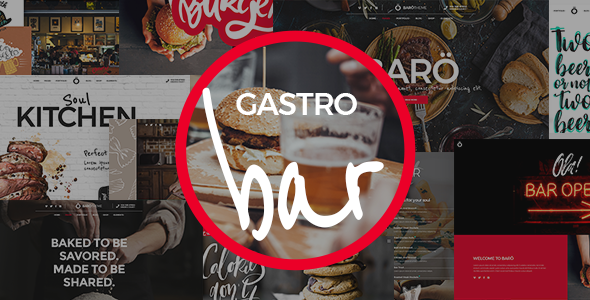
Stuck on your GastroBar WordPress theme? Let's fix it.
No endless back-and-forth. Just send us the details and we'll get it done.
No obligation · Replies within 1 hour · Quote within 1 day
Setup · Customization · Bug fixes · WooCommerce integration
About GastroBar WP Theme
GastroBar is a WordPress theme by Edge-Themes built specifically for bars, restaurants, cafes, and nightlife venues. It ships with a clean grid layout, full-screen hero sections, and a built-in menu card system that makes food and drink menus easy to manage without custom development.
The theme runs on Edge-Themes’ Qode Framework, which gives you a page builder interface, header options, and typography controls all from the WordPress Customizer and theme panel. It supports WooCommerce for online reservations or merchandise, and the demo content installs in one click, so you can launch a working site quickly.
GastroBar suits venues that want a dark, atmospheric design with high-contrast imagery. The layouts are portrait and landscape image-heavy, which works well for food photography. If you run a cocktail bar, wine bar, or gastropub, the visual style fits without heavy reworking.
Get matched with a GastroBar developer in under one day
Tell us about your GastroBar project. Small fixes, GastroBar theme customization, or a full website build, whatever you need, we've got it covered.
We'll connect you to the right GastroBar developers, define the scope, and get everything 100% clear.
You'll get one estimate, hire your preferred developer, and start collaborating.
GastroBar is not a difficult theme, but the Qode Framework has enough options to slow down anyone who is not in it regularly. A developer who has worked with Edge-Themes builds knows where things break, what the panel settings actually do, and how to customise layouts without fighting the framework.
FoxyConcept matches you with vetted WordPress specialists through Codeable. You get a fixed estimate before any work starts, no hourly surprises. Whether you need a full build or a single fix, the process is straightforward.
Pros
- Built-in menu card post type makes managing food and drink menus straightforward from the WordPress dashboard
- One-click demo import gets a working bar or restaurant site live quickly with real placeholder content
- Multiple header styles including transparent, sticky, and split headers suit different venue aesthetics without custom code
- Full WooCommerce compatibility allows online ordering, gift cards, or merchandise sales from the same site
- Dark atmospheric design with full-screen video and parallax sections works well for nightlife and cocktail bar photography
Cons
- The Qode Framework options panel is large and poorly documented, making self-customisation slow for non-developers
- Demo content is image and video heavy, meaning default page speed scores are poor without optimisation work
- Mobile layouts for menu cards and gallery sections often need manual CSS fixes on smaller screen sizes
- Theme updates occasionally break custom CSS or layout changes made through the Qode panel
- No built-in reservation system, so table booking requires a third-party plugin and sometimes custom integration work
Who is GastroBar for?
Cocktail Bars and Nightlife Venues
GastroBar’s dark colour schemes, full-screen video backgrounds, and high-contrast typography suit cocktail bars well. The menu card system handles cocktail lists with images, descriptions, and pricing. Gallery sections display the venue atmosphere effectively without custom development work.
Gastropubs and Craft Beer Bars
Gastropubs benefit from the food and drink menu separation that GastroBar supports natively. You can list rotating tap beers and seasonal food menus independently. The WooCommerce integration handles merchandise like branded glassware or beer club memberships alongside the main site.
Wine Bars and Tasting Rooms
Wine bars need strong photography and a clean menu layout. GastroBar’s grid and masonry gallery options handle cellar or tasting photography well. The menu post type supports wine lists with varietal notes and pricing. Booking plugin integration works for ticketed tasting events.
Cafes and Brunch Spots
Cafes and brunch venues can lighten the default dark aesthetic using GastroBar’s colour controls. The theme handles breakfast and lunch menus, Instagram feed integration for food photography, and a contact section with opening hours. The layout is flexible enough for a lighter brand palette.
Restaurant Groups with Multiple Locations
Restaurant groups can build separate pages or sub-sites for each location using GastroBar’s multi-page structure. Individual menu cards, location-specific contact details, and separate gallery sections work within one install. A developer can configure this properly to avoid content management becoming complicated.

Customizing GastroBar
GastroBar gives you a lot of visual controls out of the box, but the theme panel can be disorienting if you are not familiar with Qode Framework options. There are dozens of header styles, footer layouts, and color scheme settings, and getting them to work together consistently takes time.
Custom work often comes in when venues need a table reservation system that integrates with a specific booking plugin, a loyalty scheme, or a multilingual menu for tourist-heavy locations. A GastroBar expert can also clean up mobile layouts, which sometimes need CSS adjustments on smaller screens.
If you want the site to match your actual brand rather than the demo, typography, spacing, and section backgrounds all need manual tweaking. Hiring someone who knows GastroBar specifically saves hours of trial and error inside the Qode options panel.
Recommended plugins for GastroBar
GastroBar works well with a handful of plugins that extend what the theme does by default. OpenTable or Eat App integrations handle reservations without building a custom booking flow. WooCommerce adds online ordering or gift voucher sales. Elementor can replace the default builder if you prefer that workflow.
For site speed, GastroBar’s demo content loads several large background videos and full-screen images, so caching and image optimisation matter. You can read more on the WordPress performance page. For venues targeting local search, structured data for restaurants and menus matters too. See the WordPress SEO service for details.
Not sure which plugins to use? This WordPress plugins directory covers the most popular options with reviews and setup guides.
GastroBar common issues
GastroBar menu section not displaying on mobile
Mobile display issues with GastroBar’s menu cards are usually caused by fixed-width column settings in the Qode options panel. Open the Qode Framework settings for the menu section and switch column counts to responsive values. In some cases, a small CSS override targeting the menu card wrapper fixes the layout faster than hunting through panel settings. Check this on both portrait and landscape mobile orientations before signing off.
GastroBar page builder layout broken after theme update
Edge-Themes updates to GastroBar occasionally reset or conflict with Qode shortcode output. After an update, check your page builder elements one by one, starting with sliders and menu sections. If content has shifted or disappeared, compare the shortcode output in Text mode against a backup. Restoring specific shortcodes is faster than rolling back the full theme. Our bug fixing service handles post-update issues like this directly.
GastroBar slow loading on homepage with video background
GastroBar’s default homepage demo loads a full-screen MP4 video background, which is a significant performance hit. Replace autoplay video with a static WebP hero image for mobile visitors using a conditional loading script. For desktop, compress the video file and lazy-load it. Also audit the number of scripts the Qode Framework loads by default, several can be deferred or removed if unused. See the performance service for a full audit.
GastroBar reservation plugin not working correctly
Most reservation plugin conflicts in GastroBar come from JavaScript collisions between the Qode Framework scripts and the booking plugin’s own scripts. Open your browser console and look for JS errors on the reservation page. Dequeue conflicting scripts selectively rather than disabling the plugin. If you are using a form-based booking plugin, also check that GastroBar’s contact form styles are not overriding the booking widget’s input fields visually.
GastroBar FAQ
Yes, GastroBar is designed for food and drink venues. It includes a menu card post type, gallery sections, and full-screen hero layouts suited to restaurant and bar sites. It works best for venues with strong photography. For sites needing online ordering or complex reservation flows, you will need additional plugins on top of the theme.
GastroBar is built on the Qode Framework with its own page builder. Elementor can be used alongside it, but mixing the two builders often creates conflicts. Most developers who work with GastroBar regularly stick with the Qode builder to keep things consistent. Switching fully to Elementor requires rebuilding the page templates, which is a reasonable option for some projects.
GastroBar includes a dedicated Menu Cards custom post type in the WordPress dashboard. Go to Menu Cards, add a new item, fill in the name, description, price, and image, then assign it to a category. You then add a Menu Cards shortcode or page builder element to any page and select which category to display. It is manageable once you know where to find the settings.
GastroBar defaults to a dark colour scheme, but the Qode Framework lets you change background colours, text colours, and section backgrounds across the site. Switching to a lighter palette is possible but requires going through each section setting individually. There is no single light mode toggle. Budget time for this if your brand uses white or pastel tones.
GastroBar is developed by Edge-Themes, a WordPress theme company that also makes the Bridge theme and several other niche themes under the Qode Framework. They sell through ThemeForest and their own site. Support is provided through the ThemeForest comments system and their dedicated support forum, with response times varying.
Hire a GastroBar WordPress Developer
If you need a GastroBar developer for a full site build, a specific feature, or ongoing changes, FoxyConcept connects you with specialists who know the theme. Work is handled through Codeable, so you get a clear estimate upfront and only pay when you are happy to proceed.
Get a free estimate with no obligation. Most projects are matched with a developer within 24 hours.
You'll need a free Codeable account so developers can ask questions and send their quotes.