Glitche WordPress Theme
by bslthemes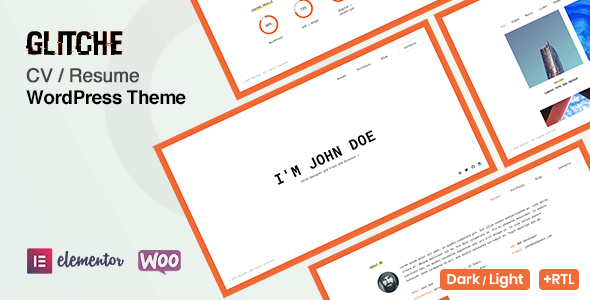
Stuck on your Glitche WordPress theme? Let's fix it.
No endless back-and-forth. Just send us the details and we'll get it done.
No obligation · Replies within 1 hour · Quote within 1 day
Setup · Customization · Bug fixes · WooCommerce integration
About Glitche WP Theme
Glitche is a creative portfolio WordPress theme by bslthemes, built for developers, designers, and digital artists who want a striking online presence. The theme leans into glitch and distortion visual effects, giving it a distinctive look that stands out from generic portfolio templates.
It ships with a one-page layout option, multiple homepage demos, a working contact form, and smooth scroll navigation. The demo content is importable in one click, so setup is relatively quick. Under the hood, Glitche uses the WPBakery page builder and supports Elementor on some versions. It is translation-ready and WPML compatible, making it viable for multilingual creative portfolios.
Performance is acceptable for a visual-heavy theme, though image-intensive sections need careful optimisation. Overall, Glitche suits freelancers and studios who want personality in their design rather than a plain corporate look.
Get matched with a Glitche developer in under one day
Tell us about your Glitche project. Small fixes, Glitche theme customization, or a full website build, whatever you need, we've got it covered.
We'll connect you to the right Glitche developers, define the scope, and get everything 100% clear.
You'll get one estimate, hire your preferred developer, and start collaborating.
Glitche looks simple to set up, but production-ready customisation takes more than swapping demo content. Glitch effects need tuning across devices, WPBakery shortcode conflicts surface unexpectedly, and performance drops quickly when animations are not optimised.
FoxyConcept works through Codeable, a vetted WordPress developer network. You post your project, get a clear estimate, and only proceed if it makes sense. No retainers, no guesswork. If you need Glitche built properly, this is the fastest way to get it done right.
Pros
- Distinctive glitch and distortion effects built directly into theme settings, no custom CSS required
- One-click demo import gets a working site up quickly with real placeholder content
- WPML compatible, so multilingual creative portfolios are straightforward to set up
- Multiple homepage layouts included, covering one-page, blog, and full-screen video styles
- WPBakery page builder included in the theme licence, no separate purchase needed
Cons
- WPBakery dependency makes switching page builders later a significant rebuild
- Heavy animations and full-screen media sections hurt Core Web Vitals scores without extra optimisation work
- Customiser options are spread across many panels, making it easy to miss settings or create inconsistencies
- Some demo sections rely on shortcodes that become messy raw code if WPBakery is ever deactivated
- Mobile glitch effect performance can be inconsistent on older Android devices without manual adjustments
Who is Glitche for?
Freelance Web Developer Portfolio
Glitche suits freelance developers who want their portfolio to reflect technical creativity. The glitch aesthetic signals familiarity with digital culture, and the one-page scroll layout presents work samples, skills, and a contact form in a single clean flow. Project filtering and lightbox image display work without additional plugins.
Digital Artist or Illustrator Showcase
Digital artists benefit from Glitche’s full-width image sections and distortion hover effects, which add visual energy to static artwork. The portfolio grid supports multiple categories, so illustration, concept art, and personal work can live in separate filterable sections without a separate plugin or custom taxonomy setup.
Motion Graphics and Video Production Studio
Video production studios can use Glitche’s full-screen video background sections and YouTube or Vimeo embed support to lead with showreel content. The dark default styling suits cinematic presentation. Service sections and team member blocks round out a complete studio site without needing additional page builder modules.
Music Artist or DJ Website
Musicians and DJs get real value from Glitche’s dark aesthetic and bold typography. The theme supports audio players via shortcode, embedded streaming links, and event or tour date sections. Combined with the glitch hover effects on press photos, it produces a professional artist site that matches the visual language of music branding.
Creative Agency One-Pager
Small creative agencies wanting a fast, punchy one-pager find Glitche covers the essentials without excess complexity. Services, case studies, team bios, client logos, and a contact section all fit within the included demo structure. It is quicker to customise than building a full multi-page agency site from a blank theme.

Customizing Glitche
Glitche customisation happens primarily through the WordPress Customizer and WPBakery page builder. You can adjust colour schemes, typography, header styles, and section layouts without touching code. The built-in glitch effect settings let you control intensity and apply the effect to text, images, or backgrounds individually.
Beyond the surface controls, deeper changes like custom animations, portfolio filtering logic, or restructured page templates require PHP and CSS knowledge. If you want a unique layout that does not match any of the included demos, you will need to modify template files directly.
A Glitche expert can handle these modifications cleanly without breaking the theme update path. At FoxyConcept, we work with Glitche regularly and know where the theme structure has quirks that catch developers off guard. Custom post types, AJAX-based portfolio loading, and scroll trigger adjustments are common requests we handle.
Recommended plugins for Glitche
Glitche pairs well with a focused set of plugins. Contact Form 7 or WPForms handles enquiry forms. WPML or Polylang adds multilingual support if you work across markets. For galleries and portfolio work, FooGallery is a lighter alternative to the built-in portfolio module.
If site speed matters to your clients or SEO rankings, adding a caching layer like WP Rocket and optimising images through ShortPixel makes a measurable difference. You can read more about WordPress performance improvements that apply directly to visual-heavy themes like Glitche. For ranking your portfolio in search, our WordPress SEO service covers technical and on-page work specific to single-page and portfolio layouts.
Not sure which plugins to use? This WordPress plugins directory covers the most popular options with reviews and setup guides.
Glitche common issues
Glitche theme glitch effect not working after update
This usually happens when a plugin conflict disables the JavaScript that powers the effect, or when a theme update resets custom CSS that was controlling timing. First, check the browser console for JS errors. If you see conflicts with a caching or minification plugin, exclude Glitche’s scripts from minification. If the effect was working before an update, compare your child theme CSS against the new parent theme files to spot overrides that may have been wiped. Our WordPress bug fixing service can trace and resolve this quickly.
Glitche WordPress theme slow loading on mobile
Glitche uses full-screen images, background videos, and CSS animations that are expensive on mobile connections. Start by setting mobile-specific background images at a lower resolution through the Customizer. Disable or reduce animation intensity on mobile using CSS media queries. Install a caching plugin and enable lazy loading for images below the fold. If Core Web Vitals scores are still poor, a full performance audit will identify the specific render-blocking assets causing the delay.
Glitche contact form not sending emails
Glitche ships with Contact Form 7 integration. If emails are not arriving, the issue is almost always server-side mail delivery, not the theme itself. Install the WP Mail SMTP plugin and route outgoing mail through an authenticated SMTP service like Gmail, SendGrid, or Mailgun. Check spam folders first before making changes. If the form shows a success message but nothing arrives, SMTP misconfiguration is the likely cause. A basic SMTP setup takes under 30 minutes.
Glitche portfolio filter not working correctly
Portfolio filter issues in Glitche are usually caused by JavaScript conflicts with other plugins, or by incorrectly assigned category slugs that do not match the filter button values in WPBakery. Open the browser console and look for Isotope or jQuery errors. Deactivate plugins one at a time to isolate conflicts. Check that each portfolio item has at least one category assigned. If the layout breaks after filtering, the masonry recalculation script may not be firing correctly, which requires a targeted JS fix.
Glitche FAQ
Glitche is built around WPBakery page builder. Elementor is not natively supported, and switching builders would require rebuilding page layouts from scratch. Some sections use WPBakery shortcodes that have no direct Elementor equivalent. If Elementor is a hard requirement, it is worth factoring in the rebuild time before committing to Glitche.
Yes. The Glitche ThemeForest licence allows use on a single domain, which can be a client site. If you are building sites for multiple clients, you need a separate licence for each domain. The Extended Licence covers projects where the end product is sold or access is charged. Read the Envato licence terms before deploying commercially.
Glitche does not include WooCommerce-specific templates or styling. Basic WooCommerce pages will function but will use default WooCommerce styles, which will clash visually with the Glitche aesthetic. Selling products is possible but requires custom CSS work to align the shop pages with the rest of the site design.
After installing and activating Glitche, a setup wizard or admin notice will prompt you to install required plugins. Once those are active, go to the theme’s demo import panel, choose your preferred demo, and click import. The process imports pages, widgets, and settings automatically. Allow five to ten minutes and avoid refreshing the page during import.
bslthemes has an active ThemeForest profile with multiple themes in their catalogue. Glitche receives periodic updates, though update frequency is slower than some larger theme shops. Check the ThemeForest changelog tab before buying to confirm recent activity. Buyer comments on the product page also reflect current support responsiveness.
Hire a Glitche WordPress Developer
Whether you need a full Glitche build from scratch, a demo customised to match your brand, or specific features added to an existing site, FoxyConcept can help. Work is scoped clearly before anything starts. Get a free estimate and explain what you need. You will hear back within 24 hours with a realistic quote. No obligation to proceed.
You'll need a free Codeable account so developers can ask questions and send their quotes.