GoodLife WordPress Theme
by fuelthemes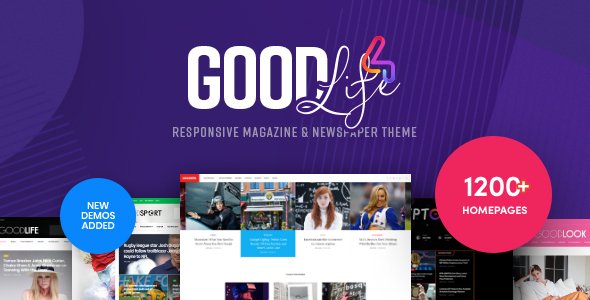
Stuck on your GoodLife WordPress theme? Let's fix it.
No endless back-and-forth. Just send us the details and we'll get it done.
No obligation · Replies within 1 hour · Quote within 1 day
Setup · Customization · Bug fixes · WooCommerce integration
About GoodLife WP Theme
GoodLife is a WordPress theme by FuelThemes built for fitness, gym, health, and wellness businesses. It ships with a drag-and-drop page builder, multiple homepage layouts, and a set of custom widgets designed around membership sites and class schedules. The theme is WooCommerce-ready, making it practical for selling memberships, supplements, or training programs directly from the site.
FuelThemes has built GoodLife with a focus on visual impact: bold typography, full-width sections, and motion effects that suit active lifestyle brands. It supports WPML for multilingual sites and integrates with popular plugins like The Events Calendar and Contact Form 7. Performance out of the box is reasonable, though like most feature-heavy themes, it benefits from proper caching and optimization once live.
Get matched with a GoodLife developer in under one day
Tell us about your GoodLife project. Small fixes, GoodLife theme customization, or a full website build, whatever you need, we've got it covered.
We'll connect you to the right GoodLife developers, define the scope, and get everything 100% clear.
You'll get one estimate, hire your preferred developer, and start collaborating.
GoodLife has enough moving parts that getting stuck is common. Builder conflicts, WooCommerce template overrides, membership plugin wiring, custom schedule layouts — these are all specific problems that take time to diagnose without experience in the theme. Codeable connects you with vetted WordPress developers who have worked across fitness and wellness builds. You post your project, get a clear estimate, and only move forward if it makes sense. No retainers, no guesswork.
Pros
- Multiple pre-built homepage layouts reduce initial build time for fitness businesses
- Built-in custom post types for trainers, classes, and pricing tables cover common gym site needs
- WooCommerce integration is functional out of the box for selling memberships or products
- WPML compatibility makes it viable for multilingual gym or wellness brands
- Visual design is well-suited to fitness branding with strong typography and full-width sections
Cons
- Page builder dependency makes the theme harder to migrate away from without rebuilding content
- Feature bloat from bundled plugins can slow load times if not properly optimized
- Limited flexibility on class schedule templates without custom PHP modifications
- Support from FuelThemes can be slow during busy periods with complex issues
- Some design elements feel dated compared to newer fitness themes released in recent years
Who is GoodLife for?
Gym and Fitness Center Websites
GoodLife was designed with gyms in mind. The class schedule, trainer profiles, and membership pricing sections map directly onto what a gym or fitness center needs to communicate. A GoodLife developer can wire these sections to real booking or management systems, making the site functional rather than just presentational.
Personal Trainer Portfolios
Personal trainers need a site that builds trust quickly. GoodLife’s trainer profile layouts and testimonial sections work well for solo operators. A GoodLife specialist can strip out the gym-focused sections and build a focused one-page or multi-page portfolio that converts visitors into consultation bookings.
Online Fitness Membership Sites
With WooCommerce and a membership plugin like MemberPress, GoodLife can power a full online fitness membership site. A GoodLife expert can configure access rules, connect video content, and build a member dashboard that keeps subscribers engaged and reduces churn.
Yoga and Wellness Studios
Yoga studios and wellness businesses share a lot of structural overlap with gyms: class schedules, instructor profiles, and session booking. GoodLife’s layouts adapt to this context well. A GoodLife developer can restyle the visual tone to match a calmer, wellness-oriented brand without rebuilding from scratch.
Supplement and Sports Nutrition Stores
GoodLife’s WooCommerce compatibility makes it a reasonable base for supplement or sports nutrition stores. Product pages, cart, and checkout all function through standard WooCommerce. A GoodLife developer can customize the shop templates to match the theme’s visual style and add upsell or subscription functionality.

Customizing GoodLife
GoodLife gives you a solid starting point, but most serious builds require work beyond the default options. The theme customizer covers colors, fonts, header styles, and layout settings, but anything outside those boundaries means editing templates or writing custom CSS. A GoodLife expert can restructure page layouts, modify the class schedule display, adjust WooCommerce templates to match your branding, and wire up third-party membership plugins like MemberPress or Restrict Content Pro.
Custom post types for trainers, classes, and pricing tables are built in, but their output is templated. If you need those sections to behave differently, or if the default homepage sections don’t match your content structure, a GoodLife developer can build child theme modifications that survive updates cleanly and keep your customizations intact long-term.
Recommended plugins for GoodLife
GoodLife pairs well with several plugin categories. WooCommerce handles product and membership sales. The Events Calendar manages class schedules and bookings. For performance, image-heavy fitness sites need proper lazy loading, caching, and a CDN — see our WordPress performance service for specifics. On the SEO side, Yoast or Rank Math both integrate cleanly, but schema markup for local gyms and fitness businesses often needs manual configuration — our WordPress SEO optimisation service covers that. BuddyPress can add community features if you’re building a member portal around the theme.
Not sure which plugins to use? This WordPress plugins directory covers the most popular options with reviews and setup guides.
GoodLife common issues
GoodLife theme not displaying class schedule correctly
The class schedule in GoodLife uses a custom post type and shortcode output. If it’s not displaying correctly, start by checking whether the schedule shortcode is placed on the right page template. A conflict with a caching plugin can also cause stale output. Clear your cache, then check shortcode parameters against the theme documentation. If the layout is broken visually, a custom CSS conflict is the likely cause.
GoodLife homepage sections not showing after update
Homepage sections disappearing after a GoodLife update usually means a page builder meta conflict. The update may have changed section keys or template structure. Check the page builder backend for any sections flagged as missing. Rebuild affected rows using the current theme options. If data has been lost, a backup restore followed by selective re-entry is the cleanest path. Our WordPress bug fixing service can handle this systematically.
GoodLife theme slow loading on mobile
GoodLife bundles several scripts and image-heavy sections that compound on mobile. Start by running the site through Google PageSpeed Insights to identify the specific bottlenecks. Common culprits are unoptimized hero images, render-blocking scripts from bundled plugins, and missing lazy load on gallery sections. A caching plugin with mobile-specific rules and a CDN will reduce load time significantly on slower connections.
WooCommerce not styling correctly with GoodLife theme
WooCommerce styling conflicts in GoodLife usually trace to missing template overrides or the theme’s stylesheet not accounting for newer WooCommerce markup. Check if the theme has a woocommerce folder in its directory. If not, create one with the relevant template files overridden. Button styles, cart layout, and product page grid are the most common breakpoints. Use your browser inspector to find which styles are being overridden by WooCommerce’s defaults.
GoodLife trainer profiles layout broken
Broken trainer profile layouts in GoodLife are often caused by a custom post type not being registered properly after an update, or a shortcode parameter mismatch. Check that the Trainers post type appears in the WordPress admin. If profiles were built with the page builder, verify that the row template for trainers still maps to the correct fields. Missing featured images on trainer posts will also break grid layouts. Our WordPress bug fixing service can diagnose these conflicts quickly.
GoodLife theme header not showing logo or menu
A missing header logo or navigation in GoodLife usually means the header template is using a conditional that isn’t being met, or a plugin is outputting a header conflict. First, check Appearance > Customize > Header to confirm the logo is assigned. Then disable plugins one by one to rule out a script conflict. If you’re on a child theme, make sure the header.php file isn’t overriding the parent without the correct wp_head hook.
GoodLife page builder content disappeared after plugin update
Page builder content disappearing after a plugin update is one of the more disruptive issues in GoodLife builds. The content is stored as post meta, so it’s rarely lost permanently. Check your database directly or restore from a recent backup. If the builder plugin version changed its data structure, you may need to re-save individual pages. Always run a full backup before updating page builder plugins in production.
GoodLife theme contact form not sending emails
Contact Form 7 not sending emails in GoodLife is almost always a server-level mail configuration issue rather than a theme problem. WordPress’s default wp_mail function relies on the server’s sendmail, which many hosts block. Install an SMTP plugin like WP Mail SMTP and connect it to a transactional email service such as Mailgun, SendGrid, or your Google Workspace account. Test delivery immediately after configuration. Check spam folders before assuming emails aren’t sending.
GoodLife theme slider not working or showing blank
A blank or non-functional slider in GoodLife is typically caused by a JavaScript conflict, a missing featured image on slides, or a plugin dependency that hasn’t loaded correctly. Open your browser console and look for JS errors. Check that slider images are assigned and within the recommended dimensions for the theme. If a third-party slider plugin is bundled, confirm it’s activated and up to date. Our WordPress bug fixing service can trace JS conflicts efficiently.
GoodLife theme not compatible with latest WordPress version
GoodLife compatibility issues with newer WordPress versions usually come from deprecated functions in the theme’s PHP files or a bundled plugin that hasn’t been updated. Enable WP_DEBUG in your wp-config.php and check the error log for deprecated notices. If FuelThemes has released an updated version, apply it to a staging site first before pushing to production. If the theme appears abandoned, a developer can patch specific compatibility issues through a child theme.
GoodLife FAQ
Yes, GoodLife is one of the more purpose-built options for gym and fitness sites. It includes trainer profiles, class schedules, pricing tables, and membership-focused layouts that cover the core needs. For more complex builds like booking systems or member portals, you’ll want a GoodLife developer to handle the integration work.
GoodLife is WooCommerce-compatible. Product pages, cart, and checkout work without additional configuration. However, WooCommerce template styling doesn’t always match the theme perfectly. A GoodLife specialist can create proper template overrides so your shop pages look consistent with the rest of the site.
GoodLife doesn’t include membership functionality natively, but it works alongside plugins like MemberPress, Restrict Content Pro, or WooCommerce Memberships. A GoodLife developer can configure access restrictions, member dashboards, and payment flows that integrate cleanly with the theme’s existing design.
GoodLife includes a class schedule as a custom post type. You create individual class entries, then use the provided shortcode to display them on any page. The shortcode accepts parameters for filtering by category or day. If you need the schedule linked to a real booking system, that requires additional plugin integration from a GoodLife specialist.
FuelThemes continues to maintain GoodLife with periodic updates. Check the ThemeForest changelog for the most recent release date. If the gap between updates is significant, it’s worth testing on a staging environment before applying to a production site. A developer can also patch specific issues independently if needed.
Create a new folder in wp-content/themes with a style.css file that references GoodLife as the parent theme using the Template header. Add a functions.php that enqueues the parent stylesheet. Any template files you copy into the child theme folder will override the parent. This protects your customizations when GoodLife updates are applied.
Yes. Migrating a GoodLife site follows the standard WordPress migration process: export the database, move files, update wp-config.php with new database credentials, and run a search-replace on URLs. Our WordPress migration service handles this cleanly with zero downtime and full verification afterward.
GoodLife uses a bundled drag-and-drop visual builder for page layout. Earlier versions shipped with Visual Composer, while newer versions may use an updated proprietary builder. The specific version depends on which release of GoodLife you purchased. Check your theme documentation or ThemeForest download page for confirmation.
Start with image optimization, a caching plugin, and a CDN. GoodLife sites are typically image-heavy, so properly compressing hero and gallery images has the most impact. Disable any bundled plugins you’re not using, as they add page weight. For a more structured audit, our WordPress performance service covers this in full.
GoodLife developer rates on Codeable typically run between $70 and $120 per hour depending on the complexity of the project. Smaller fixes cost less than full builds. You can post your project and receive a fixed estimate before committing. There’s no obligation to hire after receiving your estimate.
Hire a GoodLife WordPress Developer
Whether you need a GoodLife expert to build from scratch, fix a broken layout, or extend the theme with custom functionality, the right developer makes the difference between a site that looks finished and one that actually works. Get a free estimate and describe your project. You’ll be matched with a specialist within 24 hours, with no obligation to hire.
You'll need a free Codeable account so developers can ask questions and send their quotes.