Greenly WordPress Theme
by Creatives_Planet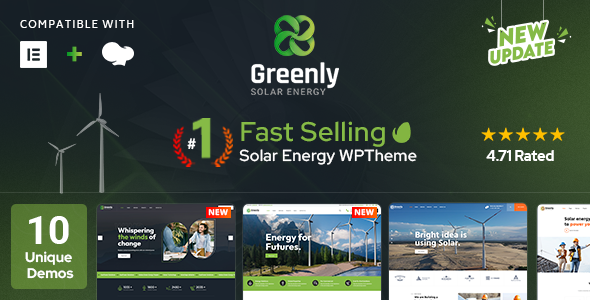
Stuck on your Greenly WordPress theme? Let's fix it.
No endless back-and-forth. Just send us the details and we'll get it done.
No obligation · Replies within 1 hour · Quote within 1 day
Setup · Customization · Bug fixes · WooCommerce integration
About Greenly WP Theme
Greenly is a WordPress theme by Creatives_Planet built for eco-friendly brands, environmental organisations, and sustainability-focused businesses. It ships with a clean, nature-inspired design, Elementor compatibility, and pre-built demo content that covers homepage layouts, service pages, and donation or campaign sections.
The theme supports WooCommerce for selling eco products, Contact Form 7 for lead capture, and includes basic SEO-friendly markup out of the box. Page loading is relatively lean for a feature-heavy theme, which matters for organic rankings. Whether you’re running a green NGO, a recycling startup, or an organic food brand, Greenly gives you a solid visual foundation without requiring a full custom build from scratch.
Get matched with a Greenly developer in under one day
Tell us about your Greenly project. Small fixes, Greenly theme customization, or a full website build, whatever you need, we've got it covered.
We'll connect you to the right Greenly developers, define the scope, and get everything 100% clear.
You'll get one estimate, hire your preferred developer, and start collaborating.
Most Greenly issues aren’t theme problems. They’re configuration problems. Plugin conflicts, misconfigured Elementor templates, or poorly structured custom CSS tend to be the real culprits. A Greenly developer on Codeable has seen these patterns before and can diagnose them quickly.
Codeable connects you with vetted WordPress specialists. You post your project, get a clear estimate, and only move forward if the scope and price make sense. No guesswork, no wasted time on freelancer platforms with inconsistent quality.
Pros
- Clean, nature-inspired design that fits eco, organic, and environmental brands without heavy restyling
- Elementor compatibility makes most layout changes accessible without touching code
- Pre-built demo content covers common page types including services, campaigns, and contact pages
- WooCommerce support allows product sales within the existing design language
- Relatively lightweight markup for a page builder-compatible theme, which helps core web vitals
Cons
- Demo import can be unreliable and may require manual cleanup before the site looks like the preview
- Mobile responsiveness needs manual adjustment in several sections, especially multi-column layouts
- Theme updates from Creatives_Planet have historically been infrequent, which creates long-term maintenance risk
- Documentation is thin, making advanced customisation difficult without developer knowledge
- Limited built-in typography control compared to newer themes; custom font pairing requires additional CSS
Who is Greenly for?
Environmental NGOs and Nonprofits
Greenly’s campaign-ready layouts and donation plugin compatibility make it a practical choice for environmental NGOs. A Greenly specialist can configure GiveWP or similar tools, set up volunteer sign-up forms, and structure the site so visitors understand the mission quickly and take action.
Organic Food and Eco Product Stores
The WooCommerce integration and earthy visual design suit organic food brands and eco product retailers well. A Greenly developer can extend the shop with product filtering, subscription options, or custom checkout flows that match your brand’s sustainability messaging.
Sustainability Consultancies
Sustainability consultancies need clear service pages, credibility signals, and strong lead capture. Greenly’s service layout templates give you a head start. A Greenly expert can wire up contact forms, add case study templates, and configure the site for local or industry-specific search visibility.
Recycling and Waste Management Companies
Recycling companies often need location-based service pages, FAQs, and booking or quote request forms. Greenly’s flexible Elementor templates handle this well when configured correctly. A Greenly developer can build out location pages and integrate scheduling or quote plugins cleanly.
Green Energy and Solar Brands
Solar and green energy brands benefit from Greenly’s strong visual hierarchy and call-to-action sections. A Greenly specialist can build out comparison tables, ROI calculators, and lead generation funnels that convert visitors into qualified enquiries for your sales team.

Customizing Greenly
Greenly’s Customizer options cover typography, colour palettes, header layouts, and footer configurations. Most visual changes are handled through Elementor widgets, which keeps things accessible for non-developers. That said, deeper changes like custom post types, third-party API integrations, or modifying the theme’s template hierarchy require proper PHP and CSS knowledge.
If you want a layout that goes beyond the demo content, or need functionality that doesn’t exist in the default setup, working with a Greenly expert saves significant time. A Greenly specialist can also clean up plugin conflicts, enforce consistent spacing across breakpoints, and ensure your customisations don’t break on theme updates. Getting the details right the first time is always faster than fixing it later.
Recommended plugins for Greenly
Greenly pairs well with several plugins that extend its core functionality. WooCommerce handles product sales cleanly within the existing design. WPForms or Gravity Forms add more powerful lead capture than Contact Form 7 alone. For campaign-style sites, GiveWP integrates without major styling conflicts.
Performance tuning matters here. A WordPress performance audit can identify render-blocking scripts and unoptimised images that slow Greenly-based sites down. For organisations relying on search traffic, pairing Greenly with a solid WordPress SEO strategy ensures your content actually gets found.
Not sure which plugins to use? This WordPress plugins directory covers the most popular options with reviews and setup guides.
Greenly common issues
Greenly theme demo import not working
Failed demo imports in Greenly are usually caused by server memory limits, missing required plugins, or a timeout during the XML import process. Start by increasing memory_limit in your wp-config.php and confirm all required plugins are installed before attempting the import. If the import completes but looks broken, check for missing media files and re-import content selectively. For persistent issues, a WordPress bug fixing specialist can complete the setup manually and correctly.
Greenly mobile layout broken or overlapping elements
Overlapping or broken mobile layouts in Greenly typically trace back to fixed pixel widths set inside Elementor widgets or custom CSS that doesn’t account for smaller viewports. Open each affected section in Elementor, switch to mobile preview mode, and check padding, column widths, and font sizes. Elementor’s responsive controls allow per-device overrides. If the issue spans multiple templates or stems from Greenly’s own stylesheet, a WordPress developer can audit and fix the responsive CSS systematically.
Greenly WooCommerce styling not matching theme design
When WooCommerce pages don’t match Greenly’s design, it usually means the theme’s WooCommerce template files need overriding or the shop CSS needs specific additions. Copy the relevant WooCommerce template files into your child theme’s woocommerce folder and modify them there. Avoid editing core plugin files directly. Check whether Greenly’s stylesheet includes WooCommerce-specific rules and add custom CSS in the child theme to close any visual gaps.
Greenly Elementor widgets not loading or showing errors
Elementor widgets failing to load in Greenly often points to a JavaScript conflict with another plugin, an outdated Elementor version, or a PHP compatibility issue. Start by updating Elementor and Elementor Pro to their latest versions. Then deactivate other plugins one at a time to isolate any conflict. Clear your cache after each change. If widgets still fail, check the browser console for JS errors and your server’s PHP error log for backend exceptions.
Greenly FAQ
Creatives_Planet has published updates for Greenly, but the update cadence is slow. Always check the theme’s changelog before updating WordPress core to confirm compatibility. Running a staging environment before any major WordPress update is strongly recommended. If compatibility breaks, a Greenly developer can patch the theme or recommend a migration path.
Greenly is built for Elementor and works with both the free and Pro versions. Elementor Pro adds the Theme Builder, which lets you control header, footer, and archive templates directly. Most of Greenly’s demo layouts use standard Elementor widgets, so free Elementor covers the majority of use cases without requiring the Pro upgrade.
Yes. Greenly includes WooCommerce support and basic shop styling. It handles product pages, cart, and checkout without major conflicts. For complex store setups like variable products, subscriptions, or custom checkout fields, you may need additional CSS adjustments or plugin support. A Greenly specialist can configure the shop to match your design and business requirements.
After installing Greenly, navigate to Appearance and follow the setup wizard if prompted. Install all required plugins first, then use the one-click demo import tool. Server memory limits and timeouts are the most common causes of failed imports. If the import fails or the result looks incomplete, a developer can set up the site manually using the demo as a reference.
Yes. Always use a child theme with Greenly if you plan to make any code-level changes. Without a child theme, every theme update will overwrite your custom PHP and CSS. A child theme takes about ten minutes to set up and protects all your work. If you are only making changes through the Customizer or Elementor, the risk is lower but a child theme is still best practice.
Hire a Greenly WordPress Developer
Whether you need a full Greenly build, a specific customisation, or help fixing something that broke, working with a specialist is faster and cleaner than trial-and-error. Our developers know the theme’s structure, Elementor’s quirks, and how to deliver work that holds up after updates.
Get a Free Estimate and describe your project. You’ll hear back within 24 hours with a clear scope and price.
You'll need a free Codeable account so developers can ask questions and send their quotes.