Herrington WordPress Theme
by Bravis-Themes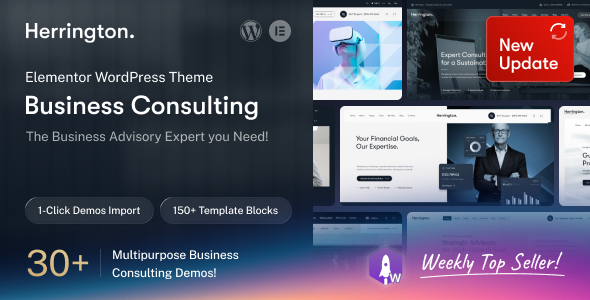
Stuck on your Herrington WordPress theme? Let's fix it.
No endless back-and-forth. Just send us the details and we'll get it done.
No obligation · Replies within 1 hour · Quote within 1 day
Setup · Customization · Bug fixes · WooCommerce integration
About Herrington WP Theme
Herrington is a WordPress theme built by Bravis-Themes, designed with clean typography and a layout structure suited to professional services, consulting, and corporate websites. It ships with a visual page builder integration, pre-built demo content, and a set of reusable section blocks that make initial setup relatively fast.
The theme targets businesses that want a polished, structured appearance without writing custom code from scratch. Header and footer layouts are configurable, and it supports WooCommerce for basic e-commerce needs. Color schemes, fonts, and spacing can be adjusted through the WordPress Customizer, giving non-technical users a reasonable amount of control. For anything beyond default settings, a developer familiar with Bravis-Themes architecture will get results faster and cleaner than trial and error inside the theme options panel.
Get matched with a Herrington developer in under one day
Tell us about your Herrington project. Small fixes, Herrington theme customization, or a full website build, whatever you need, we've got it covered.
We'll connect you to the right Herrington developers, define the scope, and get everything 100% clear.
You'll get one estimate, hire your preferred developer, and start collaborating.
Most Herrington issues come down to one thing: changes made directly in the parent theme that break on the next update. A vetted developer on Codeable will set up a proper child theme, scope what you actually need, and deliver clean work without the guesswork. FoxyConcept connects you with specialists who know Bravis-Themes architecture and have built on Herrington before. You get accurate estimates upfront and no obligation to proceed. Explore our WordPress development services to see what is available.
Pros
- Clean typographic hierarchy suits professional services and corporate pages well
- Ships with demo content that imports quickly and gives a realistic starting point
- Customizer controls cover color, fonts, and header layout without touching code
- WooCommerce compatible for basic product or service catalogue setups
- Lightweight base structure compared to heavier multipurpose themes
Cons
- Advanced layout changes require direct template editing, making child theme setup essential
- Demo content relies on specific plugins being active, which can cause layout breaks if deactivated
- Documentation from Bravis-Themes is limited, so troubleshooting often means reading source code
- Mobile menu customization options are minimal without custom CSS or JavaScript
- Update history is infrequent, which raises questions about long-term compatibility with WordPress core
Who is Herrington for?
Corporate Consulting Firm
Herrington’s structured column layouts and clear heading hierarchy work well for consulting firms presenting services, team members, and case studies. The Customizer controls let you match brand colors without custom development. A developer can extend this with custom post types for team profiles or service pages that pull into reusable templates across the site.
Professional Services Portfolio
Freelancers and professionals can use Herrington’s portfolio-style sections to present past work and credentials. The theme handles image-heavy sections cleanly, and WooCommerce support means you can add paid consultations or digital downloads without switching themes. A child theme setup keeps your customizations intact across updates.
Small Business Website
Small businesses benefit from Herrington’s fast demo import and pre-built service section layouts. Contact forms, Google Maps embeds, and basic WooCommerce all work out of the box. For businesses that need a professional site quickly without a large budget, Herrington provides a solid foundation that a developer can refine efficiently.
Agency or Studio Site
Creative agencies can adapt Herrington’s grid-based layouts for showcasing client work. The theme’s clean base makes it easier to apply a distinct visual identity through custom CSS and typography adjustments. Agencies running multiple client sites benefit from Herrington’s predictable structure, which reduces per-project development time significantly.
Event or Conference Landing Page
Event organizers can use Herrington’s section-based layout to present speakers, schedules, and ticket options on a single long-form page. With WooCommerce handling ticket sales and a performance-optimized setup, the site handles traffic spikes without issues. A developer can add countdown timers and registration form integrations with minimal template changes.

Customizing Herrington
Out of the box, Herrington gives you Customizer controls for colors, fonts, header layout, and basic spacing. That covers most surface-level changes. But once you need custom page templates, modified WooCommerce checkout flows, unique post layouts, or anything that goes beyond the theme options panel, you are working with PHP templates and theme hooks directly.
A Herrington expert understands how Bravis-Themes structures its template hierarchy and where to apply changes safely without breaking updates. Child theme setup, custom CSS that does not conflict with the theme stylesheet, and widget area modifications all require knowing the theme internals. Getting this wrong wastes time. Working with someone who has handled Herrington builds before means cleaner code and fewer regressions when the theme receives an update.
Recommended plugins for Herrington
Herrington works with the standard WordPress plugin ecosystem. WooCommerce, Contact Form 7, WPML, and Yoast SEO all integrate without major conflicts. For performance, image optimization and caching plugins like WP Rocket or Perfmatters pair well with the theme, though some default scripts may need selective loading adjustments. If you are running a content-heavy site, pairing Herrington with a proper WordPress performance setup is worth doing early. For organic traffic, a structured WordPress SEO strategy alongside schema markup improves how the theme’s clean layouts translate into search visibility.
Not sure which plugins to use? This WordPress plugins directory covers the most popular options with reviews and setup guides.
Herrington common issues
Herrington theme header not displaying correctly after update
Header display problems after an update usually mean customizations were made in the parent theme files rather than a child theme. When the theme updates, those changes get overwritten. The fix is to move all header modifications into a child theme’s header template or use Customizer settings exclusively. If hooks were used, check that the function names do not conflict with updated theme functions. WordPress bug fixing support can handle this diagnosis quickly.
Herrington page builder content broken on mobile
Mobile layout breaks in Herrington often trace back to page builder column settings that do not have responsive breakpoints configured. Check each row and column for mobile visibility settings and stacking order. Custom CSS using fixed pixel widths instead of percentages also causes overflow issues on small screens. Switching to relative units and testing across device sizes in browser dev tools resolves most of these. A developer can audit the full template for responsive issues systematically.
Herrington WooCommerce product page layout broken
Herrington’s WooCommerce templates may not reflect the latest WooCommerce template structure if the theme has not been updated to match. This causes layout breaks on product, cart, or checkout pages. The solution is to copy the affected WooCommerce template files into the theme’s woocommerce folder and apply targeted adjustments there. If you are on a parent theme, do this in a child theme to avoid losing changes on the next update.
Herrington custom CSS not applying after changes
Custom CSS added through the Customizer’s Additional CSS field sometimes appears not to apply due to specificity conflicts with the theme stylesheet. Check your selectors using browser dev tools and increase specificity by targeting a parent element alongside the element you want to style. Also verify caching is cleared after changes, as cached stylesheets will serve the old version. If using a caching plugin, purge it after every CSS change during development.
Herrington FAQ
Herrington is built by Bravis-Themes and generally works with current WordPress versions, but the update frequency is inconsistent. Before updating WordPress core on a live site, test on a staging environment first. If you are running an older version of Herrington and notice visual or functional issues after a WordPress update, a developer can patch template compatibility without requiring a full theme switch.
Herrington is compatible with Gutenberg blocks at a basic level, as most themes are. Elementor works as a standalone page builder on top of Herrington’s templates, though some theme layout elements may conflict with Elementor’s full-width sections. Testing specific templates before committing to Elementor-built pages is recommended. A developer can resolve conflicts between the theme’s default structure and Elementor’s canvas modes cleanly.
Herrington’s demo content imports through the One Click Demo Import plugin or a similar importer depending on the version. You need the required plugins active before importing, otherwise widgets and shortcodes will render as plain text or empty sections. Always run a demo import on a clean WordPress install, not on top of existing content, to avoid conflicts between imported and existing data.
Herrington supports WPML and Polylang for multilingual setups. String translation for theme-specific text requires registering those strings through the plugin’s theme strings scanner. Some Bravis-Themes text strings may be hardcoded rather than using translation functions, which requires a developer to wrap them properly before they appear in the WPML translation editor.
Herrington’s clean HTML structure and lightweight base are positive starting points for SEO. However, theme alone does not determine rankings. Proper heading structure, fast load times, schema markup, and quality content matter more. Pair Herrington with a good SEO plugin and a performance setup. For a structured approach, see our WordPress SEO optimisation service for what actually moves rankings.
Hire a Herrington Developer
If your Herrington site needs custom layout work, plugin conflicts resolved, or a full build from the demo up, working with a specialist saves significant time. FoxyConcept sources developers through Codeable, where every developer is vetted. You describe the project, get a scoped estimate within 24 hours, and only pay if you decide to move forward. No risk, no retainer. Get a free estimate today and see what your project actually needs.
You'll need a free Codeable account so developers can ask questions and send their quotes.