HomeID WordPress Theme
by G5Theme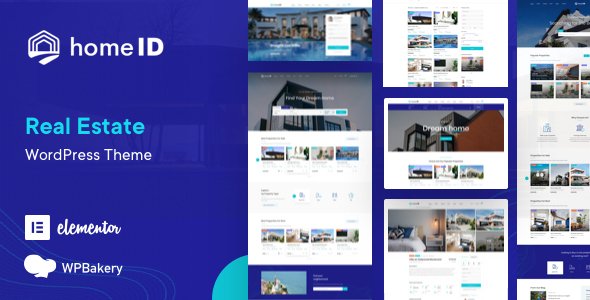
Stuck on your HomeID WordPress theme? Let's fix it.
No endless back-and-forth. Just send us the details and we'll get it done.
No obligation · Replies within 1 hour · Quote within 1 day
Setup · Customization · Bug fixes · WooCommerce integration
About HomeID WP Theme
HomeID is a real estate WordPress theme built by G5Theme. It’s designed specifically for property listings, real estate agencies, and agents who need a polished, functional site without building everything from scratch.
The theme ships with multiple homepage layouts, a powerful property search, and compatibility with the Elementor page builder. Listings can be filtered by location, price, property type, and status. It also includes a mortgage calculator, agent profiles, and Google Maps integration out of the box.
HomeID runs on the G5Plus Framework, which handles theme options, custom post types, and shortcodes. It’s a solid starting point for real estate projects, though getting the most out of it usually takes someone who knows the theme’s structure well.
Get matched with a HomeID developer in under one day
Tell us about your HomeID project. Small fixes, HomeID theme customization, or a full website build, whatever you need, we've got it covered.
We'll connect you to the right HomeID developers, define the scope, and get everything 100% clear.
You'll get one estimate, hire your preferred developer, and start collaborating.
HomeID has enough moving parts that small mistakes can cost a lot of time. The G5Plus Framework isn’t always intuitive, and real estate sites have specific requirements around search, filters, and listing data that generic tutorials don’t cover.
Working with an expert through Codeable means you get someone who has already solved these problems on other HomeID projects. No guesswork, no wasted hours on forums. Just a developer who knows the theme and gets your site working the way it should.
Pros
- Ships with dedicated real estate post types and property search out of the box
- Elementor compatible, making page layout work faster and more visual
- Includes agent profiles, Google Maps, and a mortgage calculator without extra plugins
- Multiple pre-built homepage layouts cover different agency and listing styles
- Regular updates from G5Theme maintain compatibility with current WordPress versions
Cons
- The G5Plus Framework adds a learning curve that slows down first-time users
- Theme options panel is extensive but not always clearly organized
- Default page speed scores need work before the site performs well in search
- Some built-in shortcodes are harder to override without touching theme files
- Support quality from G5Theme varies and complex issues often need outside help
Who is HomeID for?
Real Estate Agencies
HomeID fits multi-agent agencies well. You can set up individual agent profiles, assign listings to specific agents, and display a searchable property directory. The theme handles the core agency workflow without needing a heavy custom build. Agencies with larger teams often benefit from a developer configuring user roles and listing management from the start.
Independent Property Agents
Solo agents need a site that looks professional and generates leads without a big budget. HomeID covers the basics well: listings, contact forms, an about page, and search. A developer can strip out the parts you don’t need and focus the layout on conversion, making it feel like a custom site rather than a theme out of the box.
Property Rental Platforms
HomeID supports listing status fields like available, rented, and sold, which makes it usable for rental-focused businesses. Developers often connect it to a booking plugin or custom availability system. If you’re running a short-term rental directory or a long-term property management site, the base structure is there and can be extended.
New Development Marketing Sites
New development projects need high-impact landing pages with floor plans, gallery sections, and unit availability. HomeID’s Elementor compatibility makes it possible to build those pages without custom code. Developers can create project-specific templates that match your branding and connect inquiry forms directly to your CRM or email system.
Commercial Real Estate Listings
Commercial listings have different data requirements than residential, including square footage, zoning type, and lease terms. HomeID’s custom fields can be adapted for commercial use, though it takes some configuration. A developer familiar with the theme can restructure the property detail pages and search filters to match what commercial clients actually need to see.

Customizing HomeID
HomeID gives you a lot of settings, but knowing which ones to change and in what order matters. The G5Plus Framework controls layout, typography, color schemes, and header styles. Elementor handles page-level design. Getting these two to work together cleanly requires some experience.
Common customization work includes setting up property taxonomies, configuring the search widget with the right filters, building custom agent profile pages, and adjusting the map display. If you need something outside the default options, like a custom listing submission form or a members-only area, that requires code-level changes.
A HomeID expert can cut through the trial and error. They know the theme’s hooks, template files, and where the framework stores its settings, so changes are made correctly the first time.
Recommended plugins for HomeID
HomeID works well with several tools that extend what it does by default. WooCommerce can be added for paid listing packages or featured property upgrades. WPML or Polylang handles multilingual property sites. For lead capture, most developers connect it to WPForms or Gravity Forms.
On the performance side, HomeID can load slowly without proper caching and image optimization. A developer familiar with WordPress performance can make a real difference here. If organic search matters to your business, pairing the theme with a solid WordPress SEO setup is worth doing early.
Not sure which plugins to use? This WordPress plugins directory covers the most popular options with reviews and setup guides.
HomeID common issues
HomeID property search not working correctly
Search issues in HomeID usually come down to misconfigured filter settings in the G5Plus Framework or a conflict between the search widget and a caching plugin. First, clear all caches and test. If search still fails, check that your property taxonomies are set up correctly and that the search widget is pulling from the right post type. Plugin conflicts, especially with SEO or form plugins, can also break query logic. If you’re stuck, a WordPress bug fixing service can diagnose the exact cause quickly.
HomeID Google Maps not displaying on listing pages
Google Maps stopped displaying is almost always an API key problem. HomeID requires a valid Google Maps API key with the Maps JavaScript API and Geocoding API enabled. Add the key under HomeID theme options. If the key is correct but maps still don’t load, check your browser console for errors, which often point to billing not being enabled on your Google Cloud account or domain restrictions blocking the key.
HomeID Elementor widgets missing or not loading
If HomeID’s Elementor widgets aren’t appearing, the most common cause is a plugin version mismatch. Make sure both Elementor and HomeID are fully updated. Some widget sets require the G5Plus Core plugin to be active, so check that it’s installed and enabled. Deactivate other plugins one at a time to rule out conflicts. If widgets appeared before and vanished after an update, rolling back Elementor one version often confirms whether that’s the source.
HomeID site running slow after setup
HomeID loads a lot of assets by default, including map scripts, sliders, and Google Fonts. Without optimization, this adds significant load time. Start by installing a caching plugin and enabling lazy loading for images. Disable Google Fonts loading through the theme if you’re serving them locally. Minify CSS and JS, and check which third-party scripts are loading on every page. A developer experienced in WordPress performance can audit and fix this systematically.
HomeID FAQ
Yes, HomeID is built with Elementor compatibility in mind. It includes dedicated Elementor widgets for property listings, search forms, agent cards, and maps. Page layouts are built and edited through Elementor directly. Some advanced elements still rely on the G5Plus Framework shortcodes, so a full Elementor workflow works best when a developer has configured the theme structure first.
HomeID supports listing status fields that include rental-specific options. You can filter and display properties available for rent separately from those for sale. It’s not a dedicated rental management platform, but for a real estate site that includes rentals alongside sales, it handles the basics well. Developers often extend it with a booking or availability plugin for more specific rental workflows.
Yes. HomeID includes a built-in agent post type where each agent has a profile page, contact details, and a linked property grid. Listings can be assigned to specific agents. For agencies with large teams, a developer can configure user roles so each agent manages only their own listings, which keeps the backend clean and reduces errors.
HomeID ships with a mortgage calculator widget built in. You can add it to single property pages using a shortcode or through the Elementor widget panel if your setup supports it. The calculator lets visitors enter price, down payment, interest rate, and loan term. No separate plugin is needed, though the default styling may need adjustment to match your site’s design.
HomeID sites can be migrated, but property listings, custom post types, and map data need to be handled carefully. A standard migration moves the database and files, which covers listings. API keys for Google Maps need to be updated on the new host. If you’re also changing domain names, URLs inside listing descriptions and metadata need updating too. A WordPress migration service handles this without data loss.
Hire a HomeID Expert Developer
Need a HomeID developer who knows the theme inside out? FoxyConcept works through Codeable, where vetted WordPress specialists handle everything from initial setup to advanced customization. Whether you need property search filters built correctly, a custom listing layout, or a full site built on HomeID, you can get a free estimate with no obligation to hire. Projects are matched within 24 hours.
You'll need a free Codeable account so developers can ask questions and send their quotes.