Hostiko WordPress Theme
by designingmedia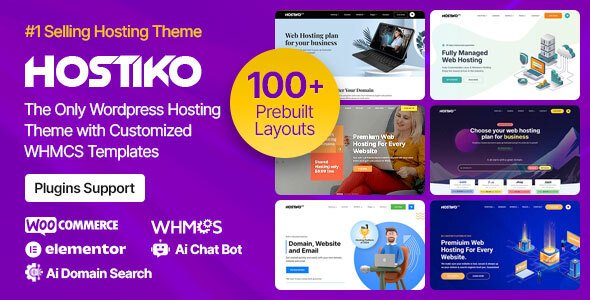
Stuck on your Hostiko WordPress theme? Let's fix it.
No endless back-and-forth. Just send us the details and we'll get it done.
No obligation · Replies within 1 hour · Quote within 1 day
Setup · Customization · Bug fixes · WooCommerce integration
About Hostiko WP Theme
Hostiko is a WordPress theme built specifically for web hosting companies, domain registrars, and WHMCS-based businesses. Developed by designingmedia, it ships with deep WHMCS integration, pricing table layouts, and a set of pre-built inner pages designed for hosting service providers.
The theme is compatible with WPBakery Page Builder and includes ready-made demo content, making it possible to launch a functional hosting site quickly. It also supports popular plugins like Revolution Slider and Contact Form 7.
Hostiko targets a specific vertical, so the design choices, icon sets, and section templates all reflect the needs of a hosting or tech service business. If that matches your use case, the theme gives you a solid starting point without building layouts from scratch.
Get matched with a Hostiko developer in under one day
Tell us about your Hostiko project. Small fixes, Hostiko theme customization, or a full website build, whatever you need, we've got it covered.
We'll connect you to the right Hostiko developers, define the scope, and get everything 100% clear.
You'll get one estimate, hire your preferred developer, and start collaborating.
Hostiko’s WHMCS integration, WPBakery layout system, and hosting-specific configuration options make it more technical to set up than a general-purpose theme. If you need custom package pages, a working client portal, or a site that converts visitors into hosting customers, working with a vetted Hostiko developer saves time and avoids common setup mistakes. Through Codeable, you get matched with developers who have real experience with hosting-niche WordPress builds, not generalists learning on your project.
Pros
- Built specifically for hosting and domain businesses, so demo content and layouts are actually relevant
- Native WHMCS integration with a dedicated bridge plugin for client area and billing pages
- Includes Revolution Slider and WPBakery Page Builder, so most layout work can be done without code
- Multiple demo variants available covering different hosting niches and color schemes
- Pricing tables and domain search widgets are included as dedicated elements, not retrofitted from generic blocks
Cons
- WPBakery is an older builder and creates shortcode lock-in, making it harder to switch themes later
- WHMCS integration requires separate plugin setup and server-level configuration that is not beginner-friendly
- Default page speed scores are below average due to Revolution Slider and WPBakery asset loading
- Theme options panel is not in the native WordPress Customizer, so live preview is limited
- Updates from designingmedia have slowed, so compatibility with newer WordPress and PHP versions needs checking
Who is Hostiko for?
Shared Hosting Providers
Hostiko’s pricing table blocks and plan comparison layouts are designed for shared hosting businesses. You can display entry, mid, and premium tiers clearly, with feature lists and WHMCS order links attached directly to each package. A Hostiko developer can wire these up to live WHMCS product IDs so prices and availability stay in sync.
Domain Registrars
The built-in domain search widget connects to WHMCS’s domain availability API, making it a practical fit for registrar businesses. With some custom work from a Hostiko specialist, the search results page and TLD pricing table can be styled to match your brand and filtered to show only the extensions you actually sell.
VPS and Dedicated Server Companies
VPS and dedicated server pages need technical specification tables and clear upgrade paths. Hostiko’s inner page templates can be adapted for this, and a developer can build custom comparison sections that highlight RAM, storage, and bandwidth specs in a format that converts technically minded buyers.
Reseller Hosting Businesses
Reseller hosting businesses often need a client-facing portal alongside a marketing site. Hostiko’s WHMCS bridge handles the client area integration, and a Hostiko expert can configure separate branding zones so your reseller portal feels distinct from the main marketing pages without running a separate WordPress install.
Managed WordPress Hosting Services
Managed WordPress hosting providers can use Hostiko’s feature blocks to highlight support response times, migration services, and staging environments. The theme’s layout system makes it easy to build a landing page that emphasises managed service benefits rather than raw technical specs, which is a different selling angle than generic hosting plans.

Customizing Hostiko
Hostiko’s theme options panel covers header styles, color schemes, typography, and footer configuration. Most changes are handled through the theme options rather than the WordPress Customizer, so the workflow is slightly different from what you might expect on more modern themes.
WPBakery Page Builder is included for drag-and-drop layout editing, and the demo content gives you a working structure to modify rather than starting blank. WHMCS integration requires some server-side configuration, and getting the client area, billing pages, and order forms to match your branding often takes additional work.
A Hostiko expert can handle deeper customizations, including custom section layouts, integration with third-party billing or support systems, and performance adjustments that the default setup does not address out of the box.
Recommended plugins for Hostiko
Hostiko works with several plugins commonly used on hosting sites. For SEO, pairing it with Yoast or Rank Math is straightforward, and a WordPress SEO specialist can configure structured data and meta settings properly for competitive hosting-related keywords.
On the performance side, the theme loads several scripts by default, and a WordPress performance audit can identify what to defer, remove, or cache. WPBakery adds its own asset load, so optimizing script delivery matters more here than on lighter themes.
Integrations like Revolution Slider, WHMCS bridge plugins, and live chat tools are all compatible but need careful configuration to avoid conflicts.
Not sure which plugins to use? This WordPress plugins directory covers the most popular options with reviews and setup guides.
Hostiko common issues
Hostiko WHMCS bridge not connecting to WordPress
The most common cause is a misconfigured WHMCS URL or API credentials in the bridge plugin settings. Check that your WHMCS installation is accessible from the WordPress server, that the API identifier and secret are correct, and that your WHMCS URL does not have a trailing slash conflict. Also confirm the bridge plugin version is compatible with your current WHMCS version. If the connection still fails, enable WordPress debug mode and check the error log for specific API response codes.
Hostiko domain search widget not working
The domain search widget pulls results via the WHMCS API, so if the WHMCS connection is broken, the widget will fail silently or return an error. First verify the WHMCS bridge is connected correctly. Then check that the widget shortcode is placed inside a WPBakery element rather than in a plain text block. If the widget loads but returns no results, confirm that your WHMCS installation has at least one active domain pricing group configured. A WordPress bug fixing specialist can trace the exact API failure point.
Hostiko pricing tables not displaying correctly
Pricing table display issues in Hostiko are usually caused by a plugin conflict, a missing WPBakery element registration, or CSS being overridden by a caching plugin. First clear all caches and check the tables in an incognito browser. If columns are misaligned, inspect the element in your browser’s dev tools and look for a conflicting width rule. If the tables simply do not appear, check that the WPBakery pricing table element is enabled under WPBakery’s element manager settings.
Revolution Slider not loading on Hostiko theme
If Revolution Slider is not loading, the most likely causes are a plugin version mismatch, a JavaScript conflict with another plugin, or the slider not being assigned to the page template correctly. Go to the Revolution Slider plugin settings and check for any update notices. Then open your browser console and look for JS errors on the page. If you see a jQuery conflict, try enabling the jQuery migrate helper plugin as a temporary test. Ensure the slider is actually embedded in the page via the correct shortcode.
Hostiko theme broken after WordPress update
Theme breakage after a WordPress core update is often caused by PHP deprecation notices surfacing as fatal errors, or JavaScript changes affecting WPBakery or Revolution Slider. First check your PHP error log for fatal errors. If the site is blank or shows a critical error, activate a default theme temporarily and then check the Hostiko version compatibility with your current WordPress version. If designingmedia has not released a compatible update, a WordPress bug fixing service can patch the specific compatibility issues without replacing the theme.
WPBakery shortcodes showing as plain text in Hostiko
WPBakery shortcodes appearing as raw text usually means WPBakery is deactivated, its license has expired, or the page was saved while WPBakery was inactive. Reactivate the plugin and then open the page in the backend editor. If shortcodes still render as text on the front end, go to WPBakery settings and check that the frontend editor is enabled and that the post type is included in WPBakery’s allowed post types list.
Hostiko header logo not showing on mobile
Mobile logo display issues in Hostiko are typically a CSS specificity problem or a missing responsive logo setting in the theme options. Go to Hostiko’s theme options panel and check whether a separate mobile logo has been uploaded. If not, add one sized appropriately for small screens. If the logo is uploaded but not showing, inspect the header element on mobile using Chrome DevTools device emulation and look for a display:none rule being applied by the theme’s mobile stylesheet.
Hostiko contact form not sending emails
Contact Form 7 email delivery failures on Hostiko are not theme-specific. The issue is almost always server-side email delivery. Your hosting server may not be configured to send PHP mail reliably. Install the WP Mail SMTP plugin and connect it to a transactional email service like SendGrid, Mailgun, or your Google Workspace account. Also check that the form recipient address is correct in the CF7 form settings and that no spam filters are catching the messages before they arrive. A WordPress bug fixing service can configure SMTP correctly.
Hostiko theme slow page load speed
Hostiko’s default configuration loads full Revolution Slider scripts and WPBakery assets on every page, even pages that do not use sliders or custom elements. Use a plugin like Asset CleanUp or Perfmatters to disable these scripts on irrelevant pages. Also enable server-side caching, compress images, and consider using a CDN for static assets. Removing or deferring render-blocking scripts will have the biggest impact on Largest Contentful Paint scores.
Hostiko child theme not inheriting parent styles
If your Hostiko child theme is not inheriting parent styles, the most common cause is an incorrect stylesheet enqueue in the child theme’s functions.php. Make sure you are using wp_enqueue_style with a dependency on the parent theme’s stylesheet handle, not a manual @import in style.css. Also confirm the child theme template directory is set correctly and that you have not accidentally overridden a parent template file that is causing the style context to break.
Hostiko FAQ
Hostiko is generally compatible with recent WordPress versions, but because it relies on WPBakery and Revolution Slider, compatibility depends on whether those plugins have also been updated. Before updating WordPress on a live site, test in a staging environment first. If you find breakage after an update, a Hostiko developer can identify whether the issue is in the theme or a bundled plugin.
Hostiko was built around WPBakery Page Builder, not Elementor. You can install Elementor alongside it, but the pre-built demo sections and inner page templates are WPBakery-specific. Rebuilding Hostiko pages in Elementor is possible but requires essentially redesigning the layouts from scratch. If you want an Elementor workflow, a different theme might be a better fit.
Hostiko includes a dedicated WHMCS bridge plugin that ships with the theme package. You install it on your WordPress site, enter your WHMCS URL and API credentials, and it creates a connection between the two systems. The setup requires API access to be enabled on the WHMCS side. The documentation in the theme package covers the steps, but a Hostiko specialist can handle the full configuration faster.
Yes. If you do not use WHMCS, Hostiko still works as a marketing site for a hosting business. You lose the client portal integration and the live domain search functionality, but the pricing tables, feature sections, and page layouts all work independently. Many businesses use Hostiko with a third-party checkout or a simple order form instead of a full WHMCS setup.
Designingmedia has released updates to Hostiko, but the update frequency has decreased compared to earlier years. Before purchasing or continuing to build on the theme, check the Envato changelog for the most recent update date and verify it is compatible with your current PHP version. For active production sites, having a developer monitor compatibility is worthwhile.
Demo content for Hostiko is imported through the one-click demo import option in the theme options panel. You select the demo variant you want, click import, and the theme pulls in pages, widgets, and slider content. Make sure Revolution Slider and WPBakery are both active before importing, otherwise some elements will not render correctly after the import completes.
Yes, you can create a child theme for Hostiko using standard WordPress child theme structure. Create a child theme folder with a style.css that declares the parent template as Hostiko, and enqueue parent styles in functions.php using wp_enqueue_style. Any template files or styles in the child theme will override the parent without touching core theme files, which protects your changes from being overwritten on updates.
Cost depends on what you need done. Small fixes or configuration tasks typically fall in the lower range of freelance rates. Custom development work, WHMCS integration setup, or a full site build will cost more. Through Codeable, you post your project and receive a scoped estimate based on your actual requirements before committing to anything. There is no obligation to hire after receiving the estimate.
Hostiko is compatible with WPML and Polylang for multilingual setups. WPBakery layouts can be translated using WPML’s string translation module. WHMCS itself has its own language handling, so the client portal language and the WordPress front end language are managed separately. A Hostiko developer can configure both systems to present a consistent language experience to visitors.
Technically yes, but it is a poor fit. The design language, icon choices, and demo content are all oriented toward hosting and tech services. Using it for an unrelated business would mean replacing most of the visual content and layout sections, at which point a more flexible theme would be a better starting point. Hostiko is most valuable when the hosting-specific elements are actually used.
Hire a Hostiko Expert Developer
Whether you need WHMCS configured correctly, a custom layout built on top of Hostiko’s structure, or an existing site fixed and optimised, a specialist can handle it without the back-and-forth of trial and error. Post your project and get a scoped estimate within 24 hours, with no obligation to proceed. Get a Free Estimate and describe what you need.
You'll need a free Codeable account so developers can ask questions and send their quotes.