HotLock WordPress Theme
by axiomthemes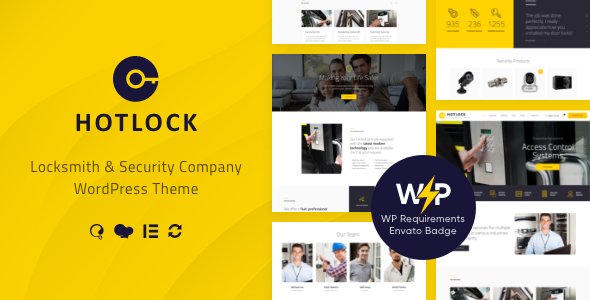
Stuck on your HotLock WordPress theme? Let's fix it.
No endless back-and-forth. Just send us the details and we'll get it done.
No obligation · Replies within 1 hour · Quote within 1 day
Setup · Customization · Bug fixes · WooCommerce integration
About HotLock WP Theme
HotLock is a WordPress theme built by AxiomThemes, aimed at locksmiths, security companies, and home services businesses. It ships with a clean, service-focused layout that works well for businesses that need to convert visitors into phone calls or booking requests fast.
The theme includes multiple homepage layouts, pre-built inner pages, and WPBakery Page Builder support. It also integrates with popular plugins like Contact Form 7, WooCommerce, and WPML, making it usable for multilingual or ecommerce-capable service sites.
Out of the box, HotLock handles the basics well: clear service sections, testimonials, team pages, and a strong call-to-action structure. It is a solid starting point for any security or home services brand that wants a professional site without building from scratch.
Get matched with a HotLock developer in under one day
Tell us about your HotLock project. Small fixes, HotLock theme customization, or a full website build, whatever you need, we've got it covered.
We'll connect you to the right HotLock developers, define the scope, and get everything 100% clear.
You'll get one estimate, hire your preferred developer, and start collaborating.
Most HotLock sites start from the demo and stall when the business needs something the template does not cover. An experienced developer who knows AxiomThemes themes can move faster and avoid the trial-and-error that eats hours.
Through Codeable, you get matched with vetted WordPress developers who have worked on similar service-business themes before. No agencies, no juniors handling your project unsupervised. You post your project, get a clear estimate, and decide whether to proceed. There is no obligation and no risk upfront.
Pros
- Multiple homepage layout options included out of the box
- Built-in WPBakery Page Builder license included with purchase
- WooCommerce compatible for selling security products or service packages
- WPML compatible for multilingual locksmith or security service sites
- AxiomThemes provides regular updates and dedicated support
Cons
- WPBakery dependency makes switching page builders later difficult
- Demo content import can be slow and occasionally incomplete
- Heavy plugin stack from the demo setup can slow down the site
- Limited Gutenberg support means the block editor experience is poor
- Customization beyond the demo requires CSS or PHP knowledge
Who is HotLock for?
Locksmith Services
HotLock was designed with locksmiths in mind. The service sections, prominent phone number placement, and call-to-action blocks are structured to drive contact from someone who needs a locksmith quickly. It handles residential and commercial service pages cleanly without needing major structural changes.
Home Security Companies
Security companies selling monitoring contracts or consultations benefit from the testimonial sections and trust-building layout HotLock provides. The team pages and service breakdown structure work well for presenting a professional, credentialed security brand to potential customers comparing providers.
CCTV and Alarm Installation
CCTV and alarm installers need a site that shows their service range clearly. HotLock’s service grid layout handles multi-service businesses well. You can list installation services, maintenance packages, and product options across clean inner pages without the layout breaking down.
Emergency Callout Services
Emergency callout businesses need a fast-loading site with a clear number and contact path. HotLock supports that structure well. Keeping the plugin count low and optimizing images helps maintain the speed that emergency service sites depend on when someone needs help at 2am.
Security Product Retailers
With WooCommerce integration, HotLock can support a security products shop alongside service pages. Padlocks, safes, door hardware, and alarm accessories can all be listed and sold through the same site. The layout holds up reasonably well for small to mid-sized product catalogs.

Customizing HotLock
HotLock gives you a decent amount of built-in flexibility through the WordPress Customizer and WPBakery, but hitting the limits of those tools is common once you move beyond the demo layouts. Custom header styles, unique service page structures, or a pricing layout that does not match the defaults all require direct code changes.
A HotLock expert can handle those adjustments properly. Whether you need a custom booking flow, a modified service grid, or a child theme built to keep your changes safe across updates, working with someone who knows the AxiomThemes codebase saves significant time.
Font changes, color overrides, and layout tweaks done through CSS alone can break across updates if not handled inside a child theme. Getting that foundation right early avoids problems later.
Recommended plugins for HotLock
HotLock works well with several plugins that extend its functionality beyond the default setup. WooCommerce lets you sell security products or service packages directly from the site. WP Rocket or similar caching tools pair well with the theme to keep load times short.
For SEO, adding a dedicated plugin like Yoast or Rank Math fills the gap the theme leaves open. If site speed is a priority, check our WordPress performance service. For search visibility, our WordPress SEO service covers technical and on-page work that the theme cannot handle on its own.
Not sure which plugins to use? This WordPress plugins directory covers the most popular options with reviews and setup guides.
HotLock common issues
HotLock demo content not importing correctly
Demo import failures in HotLock are usually caused by PHP memory limits being too low or a request timeout during the import process. Set memory_limit to at least 256MB in your php.ini or wp-config.php. Also check that the required plugins are activated before running the import. If the issue persists, a developer can import the demo manually and resolve any remaining gaps.
HotLock homepage layout broken after update
Layout breaks after a HotLock or WPBakery update are usually caused by shortcode changes or CSS conflicts introduced in the newer version. Check your browser console for JavaScript errors first. If you are not running a child theme, your custom CSS changes may have been overwritten. Restoring from a backup and rebuilding inside a child theme is the safest path forward.
HotLock contact form not sending emails
If Contact Form 7 is installed but emails are not arriving, the issue is almost always with your hosting server’s mail configuration rather than HotLock itself. Install the WP Mail SMTP plugin and connect it to a transactional email service like SendGrid or Mailgun. Test the connection through the plugin’s diagnostics. This resolves the problem in most cases without any theme changes needed.
HotLock site loading slowly after setup
HotLock’s demo setup includes several plugins and large image assets that add up quickly. Start by running a speed test on GTmetrix to identify the biggest issues. Compress images, enable caching with WP Rocket or W3 Total Cache, and remove any demo plugins you are not using. A lazy load plugin helps with image-heavy service pages. For deeper work, our WordPress performance service covers full site audits.
HotLock FAQ
Yes, HotLock is a strong fit for locksmith websites. The layout is built specifically for service businesses in the security sector, with prominent CTAs, service sections, and phone number placement that drive contact from local search visitors. It covers the core needs without requiring heavy customization to get a professional result.
HotLock is built around WPBakery Page Builder, not Elementor. You can technically install Elementor, but the theme’s demo layouts and elements are tied to WPBakery shortcodes. Using Elementor on a HotLock site usually means rebuilding pages from scratch rather than adapting the existing templates.
After activating HotLock, you will be prompted to install required plugins. Once those are active, go to Appearance, then Import Demo Data, and follow the steps. Make sure your PHP memory limit is at least 256MB before starting. Large imports can time out on shared hosting with low resource limits.
Technically yes, but you will lose access to most of the demo page layouts since they are built using WPBakery shortcodes. You could rebuild pages using the standard block editor, but it requires significant effort. If you want to avoid WPBakery dependency, a different theme built natively for Gutenberg might be a better starting point.
AxiomThemes actively maintains HotLock with periodic updates covering WordPress compatibility, bug fixes, and security patches. Support is provided through the ThemeForest comments and their dedicated support system. Response times are generally reasonable, though complex customization questions are better handled by a specialist developer than through theme support.
Hire a HotLock WordPress Developer
Need help customizing HotLock, fixing a layout issue, or building out a feature the theme does not include? A specialist can scope the work and get it done correctly the first time.
Get a free estimate through Codeable. Describe your project, receive a clear quote from a vetted WordPress developer with relevant experience, and move forward only if you are happy with the plan. No commitment required.
You'll need a free Codeable account so developers can ask questions and send their quotes.