Hoverex WordPress Theme
by ThemeREX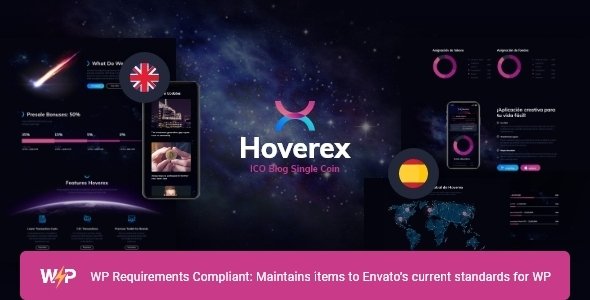
Stuck on your Hoverex WordPress theme? Let's fix it.
No endless back-and-forth. Just send us the details and we'll get it done.
No obligation · Replies within 1 hour · Quote within 1 day
Setup · Customization · Bug fixes · WooCommerce integration
About Hoverex WP Theme
Hoverex is a WordPress theme built by ThemeREX, aimed at cryptocurrency exchanges, blockchain projects, and ICO landing pages. It ships with multiple pre-built demos, a token sale countdown, price ticker widgets, and whitepaper download sections built in. The theme is powered by the WPBakery page builder and includes ThemeREX’s own Addons plugin for extra shortcodes and widgets specific to the crypto niche.
Setup is relatively quick if you use the one-click demo importer. The design is dark-first, with neon accent colours that suit the crypto aesthetic without much tweaking. Typography, colour palettes, and header styles are all controllable from the WordPress Customizer. It works with WooCommerce if you need a token store or merchandise shop. Overall, Hoverex is a purpose-built theme for blockchain businesses that want a credible, feature-rich site without starting from scratch.
Get matched with a Hoverex developer in under one day
Tell us about your Hoverex project. Small fixes, Hoverex theme customization, or a full website build, whatever you need, we've got it covered.
We'll connect you to the right Hoverex developers, define the scope, and get everything 100% clear.
You'll get one estimate, hire your preferred developer, and start collaborating.
Hoverex has a specific stack: ThemeREX Addons, WPBakery, custom widgets, and crypto-focused shortcodes. General WordPress developers often hit walls when working inside it. A proper Hoverex developer knows where the theme stores its settings, how to extend its components without breaking updates, and how to integrate third-party data sources cleanly.
All developers at FoxyConcept work through Codeable, a vetted network of WordPress specialists. You get a free estimate before any work starts, and you only hire if you are satisfied with the plan. No risk, no guessing.
Pros
- Multiple crypto-specific demos including ICO, exchange, and blockchain agency layouts
- Built-in token sale countdown timer and whitepaper download section
- Includes ThemeREX Addons plugin with crypto-focused shortcodes at no extra cost
- WooCommerce compatible for token or merchandise sales
- Dark mode design with customizable neon accent colours built into the Customizer
Cons
- Heavily dependent on WPBakery, which makes switching page builders difficult later
- ThemeREX Addons plugin is required for core features, adding a dependency you cannot easily remove
- Demo import can be slow and occasionally fails on shared hosting with low PHP memory limits
- Live exchange price ticker requires API setup that is not documented clearly in the theme docs
- Design looks dated compared to newer crypto themes unless custom CSS work is applied
Who is Hoverex for?
ICO and Token Sale Landing Page
Hoverex was built with ICO launches in mind. The countdown timer, token allocation chart, roadmap section, and whitepaper download are all pre-built. A developer can connect the countdown to a real sale date, add wallet address displays, and wire up a contact form for investor enquiries. It gets an ICO landing page live faster than building from scratch.
Cryptocurrency Exchange Website
The exchange demo includes a price ticker widget and trading pair displays. With API integration work, these can pull live data from CoinGecko or a custom exchange endpoint. A developer familiar with Hoverex can build out market data sections, fee tables, and supported coin listings without fighting the theme’s default structure.
Blockchain Development Agency
Blockchain development agencies need a site that communicates technical credibility. Hoverex’s service blocks, team sections, and case study layouts cover this well. A developer can customise the typography and layout away from the default demo so the site looks unique rather than a stock template used by dozens of other agencies.
DeFi Project or Protocol Site
DeFi protocols need clear documentation, tokenomics breakdowns, and community links. Hoverex’s flexible page builder layouts handle all of this. A developer can add custom post types for protocol updates, integrate Discord or Telegram links, and build a tokenomics section with animated charts that goes beyond what the default shortcodes provide.
Crypto News and Media Publication
Hoverex works as a base for crypto news sites when paired with a solid editorial setup. WooCommerce can handle premium subscriptions, and custom category templates can be built for coin-specific news feeds. The dark design suits the crypto media audience. A developer can restructure the blog templates to prioritise news content over the default marketing-page layout.

Customizing Hoverex
Out of the box, Hoverex covers the basics well. Deeper customization is where things get more technical. Adjusting the token sale widgets, building custom price ticker feeds, integrating real exchange API data, or modifying the WPBakery layouts beyond the demo structure requires solid PHP and CSS knowledge.
If you want a unique layout that does not look like every other Hoverex site, you will need to override theme templates or build custom post types. Child theme setup is strongly recommended before making any code changes to avoid losing edits on updates.
A Hoverex expert can handle all of this cleanly. From custom shortcode builds and API integrations to performance tuning and layout overhauls, working with someone who knows the theme and the ThemeREX Addons plugin saves significant time and prevents common breakage points.
Recommended plugins for Hoverex
Hoverex is compatible with several plugins that extend what it does. WooCommerce adds a full storefront for token sales or merchandise. WPForms or Contact Form 7 handle ICO enquiry forms. For SEO, a plugin like Yoast or Rank Math pairs well with the theme’s clean markup. Check our WordPress SEO service if you need help there.
Page speed matters for crypto sites with live data feeds. Image optimisation, caching, and proper script loading can significantly cut load times. Our WordPress performance service covers all of this. The ThemeREX Addons plugin is required for most of Hoverex’s core shortcodes, so keep it updated alongside the theme.
Not sure which plugins to use? This WordPress plugins directory covers the most popular options with reviews and setup guides.
Hoverex common issues
Hoverex demo import not working
Demo import failures in Hoverex are usually caused by low PHP memory limits or a max execution time that is too short. The import pulls in images, posts, and plugin data simultaneously. Set memory_limit to at least 256MB and max_execution_time to 300 seconds in your php.ini or wp-config.php. Also confirm that the ThemeREX Addons plugin and all required plugins listed during setup are activated before running the import. Shared hosting environments are the most common source of this issue.
Hoverex price ticker not showing live data
The Hoverex price ticker relies on an API connection that must be configured manually. The default demo displays placeholder data. To show live prices, you need to enter an API key from a provider like CoinGecko or CoinMarketCap inside the theme settings or the relevant ThemeREX Addons widget. If the widget still shows nothing after adding a key, check for JavaScript console errors, which often point to a CORS issue or a misconfigured widget parameter. Our WordPress bug fixing service can resolve this quickly.
Hoverex layout broken after update
Broken layouts after a Hoverex update almost always mean a conflict between the updated theme and an older version of the ThemeREX Addons plugin, or vice versa. Always update both together. If you modified theme files directly instead of using a child theme, those changes will be overwritten on update. Check the ThemeREX changelog for any shortcode or template changes, then compare against your current pages in WPBakery. Roll back using a site backup if needed while you work through the fix.
Hoverex slow loading on front page
Hoverex loads multiple scripts and stylesheets by default, including animations, sliders, and widget assets that may not all be used on every page. Use a plugin like Asset CleanUp to disable unused scripts per page. Enable browser caching and GZIP compression at the server level. The front page often pulls in slider and ticker scripts even when not needed. A developer can conditionally load these only where required. See our WordPress performance service for a full audit.
Hoverex FAQ
Hoverex is one of the more purpose-built options for crypto businesses. It includes token sale timers, price tickers, roadmap sections, and ICO-specific layouts that most general themes do not have. If your site is blockchain or crypto-focused, the pre-built components save real development time. For non-crypto businesses it is not a practical choice since the design and features are too niche-specific.
Yes, Hoverex is compatible with WooCommerce. You can use it to sell tokens, merchandise, or digital products. The default WooCommerce templates are styled to match the theme’s dark design. For more advanced store functionality, such as subscription products or variable token bundles, additional plugin configuration or custom development work may be needed beyond what the theme provides by default.
No, not practically. Hoverex is built around WPBakery and the ThemeREX Addons plugin. Most of the demo layouts and shortcodes are WPBakery-dependent. Switching to Gutenberg or Elementor would mean rebuilding most pages from scratch. If you want a Gutenberg-first workflow, Hoverex is not the right starting point. You would be better served choosing a different theme built for that editor.
Migrating a Hoverex site follows standard WordPress migration steps: export the database, copy all files including the uploads folder, update the site URL in the database, and update wp-config.php with the new database credentials. The ThemeREX licence is tied to your domain, so you may need to reactivate it after migration. Our WordPress migration service handles the full process without downtime.
ThemeREX continues to release updates for Hoverex, though update frequency is slower than some larger theme shops. Support is provided through ThemeForest’s comment system and ThemeREX’s own ticket system for verified buyers. If you need active, ongoing maintenance beyond what ThemeREX covers, our WordPress maintenance service keeps the theme, plugins, and core updated and monitored.
Hire a Hoverex Developer
Whether you need a Hoverex site built from a demo, customized beyond its defaults, or fixed after an update broke something, our developers can help. All work is scoped upfront so you know exactly what you are paying for. Get a free estimate and hear back within 24 hours. No obligation to hire. Built for blockchain businesses that need a WordPress site done properly.
You'll need a free Codeable account so developers can ask questions and send their quotes.