Illustrator WordPress Theme
by Edge-Themes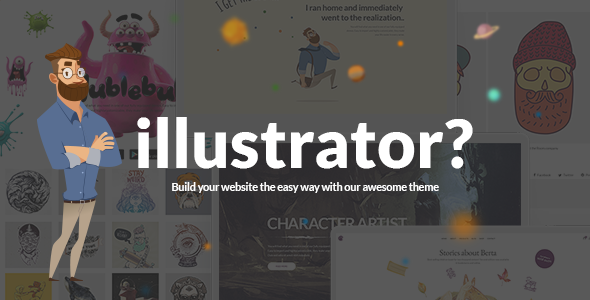
Stuck on your Illustrator WordPress theme? Let's fix it.
No endless back-and-forth. Just send us the details and we'll get it done.
No obligation · Replies within 1 hour · Quote within 1 day
Setup · Customization · Bug fixes · WooCommerce integration
About Illustrator WP Theme
Illustrator is a WordPress theme built by Edge-Themes, designed specifically for artists, illustrators, and visual creatives who want a portfolio-first website. It ships with a large collection of pre-built demos covering editorial illustration, character art, concept design, and fine art photography.
The theme runs on Edge-Themes’ in-house page builder and includes WooCommerce support, so you can sell prints or digital files directly from your portfolio. Typography options are extensive, with support for Google Fonts and custom type scales that suit visual branding. Built-in lazy loading, AJAX page transitions, and clean code structure keep the front end fast without needing extra configuration. It is a solid choice for creatives who want full control over layout without writing code.
Get matched with a Illustrator developer in under one day
Tell us about your Illustrator project. Small fixes, Illustrator theme customization, or a full website build, whatever you need, we've got it covered.
We'll connect you to the right Illustrator developers, define the scope, and get everything 100% clear.
You'll get one estimate, hire your preferred developer, and start collaborating.
Edge-Themes builds feature-heavy themes, and Illustrator is no exception. The options panel is deep, the demo content is dense, and getting from an imported demo to a finished, client-ready site takes real WordPress experience. Developers on Codeable are vetted specifically for WordPress and understand how Edge-Themes products behave under the hood. Whether you need a full build, a layout fix, or a WooCommerce integration, working with a specialist means the job gets done right the first time.
Pros
- Ships with 20+ niche-specific demos covering illustration, concept art, and fine art photography
- Built-in WooCommerce support for selling prints and digital files without extra setup
- AJAX page transitions work out of the box and make portfolio browsing feel fast
- Extensive typography controls including Google Fonts and custom type scales per element
- Edge-Themes options panel allows deep layout control without needing to write custom CSS
Cons
- The options panel is large and can be overwhelming for first-time Edge-Themes users
- Heavy demo content imports slowly and sometimes requires manual cleanup after import
- Relies on the Edge-Themes page builder, which creates lock-in if you ever switch themes
- AJAX transitions can conflict with certain analytics scripts and third-party plugins
- Limited block editor support — the site editing experience is still tied to the classic editor workflow
Who is Illustrator for?
Freelance Illustrators
Illustrator works well for freelancers who need a clean portfolio with clear contact options. The project post type handles case studies neatly, and the grid layouts let you present work in a way that suits your style. Adding a simple inquiry form keeps the lead flow straightforward without overcomplicating the site.
Concept Artists and Game Artists
The demo set includes layouts suited to dark-background, full-screen art presentation. Concept artists working in games or film can build project breakdowns with image galleries, process shots, and descriptions. The AJAX transitions keep the browsing experience smooth when clients are reviewing a large volume of work.
Fine Art Photographers
Photography-focused demos ship with masonry and fullscreen gallery layouts that handle high-resolution images well. Built-in lazy loading keeps page weight manageable even with large image sets. You can organise work by series or client using the built-in portfolio taxonomy without installing extra plugins.
Print and Merchandise Sellers
The WooCommerce integration makes Illustrator a practical choice for artists who sell prints, originals, or digital downloads. Product pages can be styled to match the rest of the portfolio, and the checkout flow works without heavy customisation. Adding a print-on-demand plugin is also straightforward.
Creative Agencies and Studios
Studios managing multiple creative disciplines can use Illustrator as a showcase site with team profiles, service pages, and a filterable work archive. The header and footer builders give enough flexibility to match agency branding, and WPML support means multilingual setups are achievable without a theme switch.

Customizing Illustrator
Illustrator gives you a lot of control through the Edge-Themes options panel, but the real flexibility comes from knowing where to push it. An Illustrator expert can set up custom portfolio grid layouts, configure per-project color schemes, and wire up WooCommerce product pages that match your visual identity rather than looking like a generic shop.
Custom post types for portfolio items are already built in, but extending them with extra fields, custom taxonomies, or filtered gallery views requires hands-on work. An experienced developer can also handle header and footer builder adjustments, fine-tune AJAX transitions for smoother navigation, and resolve conflicts between the theme’s built-in scripts and third-party plugins. If you want a site that looks genuinely tailored rather than demo-close, hiring an Illustrator expert saves significant time.
Recommended plugins for Illustrator
Illustrator integrates with WooCommerce for selling artwork, prints, and digital downloads. The theme also supports popular plugins including Contact Form 7, WPML for multilingual portfolios, and Revolution Slider for featured project showcases.
For better site speed, pairing the theme with a caching plugin and a CDN makes a real difference. See our WordPress performance service for details. If your portfolio needs to rank well in image and local search, structured data and on-page optimisation are worth investing in through our WordPress SEO service.
Not sure which plugins to use? This WordPress plugins directory covers the most popular options with reviews and setup guides.
Illustrator common issues
Illustrator theme demo import not working
Demo import failures in Illustrator are usually caused by low PHP memory limits or max execution time settings that are too short. Increase memory_limit to at least 256MB and set max_execution_time to 300 in your php.ini or wp-config.php. Also confirm that all required plugins listed in the theme’s import wizard are active before running the import. If the problem persists, our WordPress bug fixing service can resolve it quickly.
Illustrator theme AJAX page transition breaking plugins
AJAX transitions in Illustrator load pages without a full browser refresh, which means scripts that rely on standard page load events can stop firing. Google Analytics, Facebook Pixel, and certain form plugins are common victims. The fix involves re-triggering those scripts on AJAX complete events. This usually requires a small code snippet in a child theme or a plugin like AJAX Load More configured correctly. If you are not comfortable editing JavaScript, a developer can patch it cleanly.
Portfolio grid not displaying correctly in Illustrator theme
Portfolio grid display issues are often caused by a missing call to the Masonry or Isotope initialisation script after images load. Make sure lazy loading is not interfering with image height calculations. Clearing the theme cache in the Edge-Themes options panel and regenerating thumbnails using a plugin like Regenerate Thumbnails often resolves layout breaks. If columns are collapsing unexpectedly, check for a CSS conflict introduced by a plugin adding its own stylesheet.
Illustrator theme WooCommerce pages showing wrong layout
WooCommerce layout problems in Illustrator usually occur after a WooCommerce update that changes template file structure. Edge-Themes releases compatibility updates, so check that your theme version is current. If pages still look broken, the outdated template files in the theme’s woocommerce folder need updating to match the latest WooCommerce templates. This is a common task our bug fixing team handles regularly.
Illustrator FAQ
Yes. Illustrator has built-in WooCommerce support, so you can sell prints, originals, or digital downloads directly from your portfolio. Product pages can be styled to match your site design. For more complex shop setups, such as variable products or print-on-demand integrations, working with a developer will save you considerable time.
Illustrator is built around the Edge-Themes page builder, not Elementor. While Elementor can technically be installed alongside it, the two builders conflict on many layouts. It is not a recommended combination. If you want to use Elementor, a different base theme will give you a cleaner experience. Mixing them creates maintenance problems down the line.
Always use a child theme for customisations. If you have edited parent theme files directly, those changes will be lost on update. Before updating, back up your site and check the Edge-Themes changelog for breaking changes. A child theme stores your CSS, template overrides, and custom functions separately so theme updates do not overwrite them.
Yes. Several of the included demos are built specifically for photography, with masonry grids, fullscreen gallery layouts, and clean typographic presentation. Lazy loading handles large image sets reasonably well. If you need a very image-heavy site with hundreds of high-resolution photos, pair it with a performance-focused hosting stack for best results.
Illustrator is responsive and adjusts to mobile screen sizes. That said, some of the more complex grid layouts and AJAX transitions behave better on desktop. Testing your specific demo and layout on real devices before launch is worth the time. A developer can fine-tune breakpoints and touch behaviour if the default mobile output does not meet your standards.
Hire an Illustrator WordPress Developer
Need help building or fixing a site on the Illustrator theme? FoxyConcept connects you with vetted WordPress developers through Codeable. You get a free estimate within 24 hours with no obligation to hire. Whether it is a full portfolio build, a WooCommerce setup, or a layout issue you cannot resolve, a specialist can take it off your plate. Get a free estimate today and describe exactly what you need.
You'll need a free Codeable account so developers can ask questions and send their quotes.