Jarvis WordPress Theme
by AncoraThemes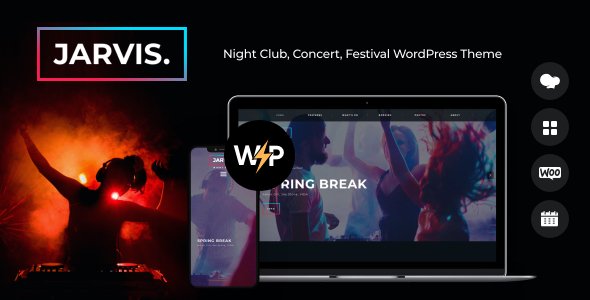
Stuck on your Jarvis WordPress theme? Let's fix it.
No endless back-and-forth. Just send us the details and we'll get it done.
No obligation · Replies within 1 hour · Quote within 1 day
Setup · Customization · Bug fixes · WooCommerce integration
About Jarvis WP Theme
Jarvis is a WordPress theme built by AncoraThemes, designed primarily for digital agencies, creative studios, and tech-focused businesses. It ships with a clean layout system, multiple homepage variations, and tight integration with Elementor for visual page editing.
The theme follows a modern flat design approach with bold typography and flexible section layouts. It includes portfolio post types, service pages, and team member sections out of the box. AncoraThemes maintains the theme with regular updates, and it carries solid ratings on ThemeForest for stability and documentation quality.
Jarvis works well for businesses that want a polished, professional look without starting from scratch. The included demo content makes initial setup straightforward, and the codebase is clean enough that developers can extend it without fighting the theme.
Get matched with a Jarvis developer in under one day
Tell us about your Jarvis project. Small fixes, Jarvis theme customization, or a full website build, whatever you need, we've got it covered.
We'll connect you to the right Jarvis developers, define the scope, and get everything 100% clear.
You'll get one estimate, hire your preferred developer, and start collaborating.
Jarvis is a capable theme, but getting it set up properly takes more than importing demo content. Header customisation, custom post type layouts, and WooCommerce styling all require developer knowledge to do cleanly.
FoxyConcept works with vetted WordPress developers through Codeable. Every developer on the platform has passed a strict technical review. That means you get someone who actually knows WordPress, not a generalist who learned it last month. Whether you need a full Jarvis build or targeted fixes, the right person is available.
Pros
- Multiple pre-built homepage layouts reduce initial design time significantly
- Native Elementor support means most page edits are visual and don't require coding
- Portfolio and service post types are built in, useful for agencies and studios
- AncoraThemes provides regular updates and responds to support queries on ThemeForest
- Clean, lightweight HTML structure makes it easier to extend without workarounds
Cons
- Advanced header customisation requires child theme work, not achievable through Customizer alone
- Demo content import can overwrite existing settings if not handled carefully
- WooCommerce styling is basic and needs additional CSS for anything beyond a simple shop
- Typography options in the Customizer are limited to Google Fonts, no Adobe Fonts support by default
- Some Elementor widgets are styled with theme-specific CSS that can conflict with third-party addons
Who is Jarvis for?
Digital Agency Website
Jarvis is a natural fit for digital agencies. The built-in service post types, team member sections, and case study layouts cover most of what an agency site needs. A developer can configure the portfolio filtering and connect contact forms to a CRM without rebuilding anything from scratch.
Freelance Designer Portfolio
Freelance designers get a clean portfolio grid with project detail pages and a minimal aesthetic that puts the work front and centre. The Elementor integration means you can update your portfolio without touching code, and the typography system handles display headlines well.
Software or SaaS Product Landing Page
Jarvis works for SaaS landing pages because the layout system supports feature sections, pricing tables, and testimonial blocks. You will need a developer to set up proper conversion tracking and optimise the page load speed, but the design foundation is solid enough to build on.
IT Services Company
IT services companies benefit from the structured service page layouts and the professional visual tone Jarvis carries. Adding a knowledge base plugin or a live chat tool integrates without breaking the design, making it practical for companies handling ongoing client relationships.
Creative Studio Showcase
Creative studios need a theme that gets out of the way and lets the work speak. Jarvis does that with its full-width layout options and clean grid system. A developer can extend the portfolio post type to include custom fields for project credits, deliverables, and client names.

Customizing Jarvis
Jarvis gives you a reasonable amount of control through the WordPress Customizer and Elementor, but there are limits. Global typography, color schemes, header layout, and footer structure are all adjustable without touching code. Elementor handles most page-level design work.
Beyond that, things get more technical. Custom post type styling, advanced layout changes, and plugin integrations often require child theme development or custom PHP. If you want Jarvis to behave exactly the way your business needs, working with a Jarvis expert saves real time.
A developer familiar with AncoraThemes builds can spot where to hook into the theme properly rather than patching over it. That matters when you need changes to survive future theme updates without breaking your site.
Recommended plugins for Jarvis
Jarvis works with most major WordPress plugins without conflicts. WooCommerce integration is supported for agencies that want to sell services or products directly. Contact Form 7 and WPForms both slot in cleanly.
For performance, pairing Jarvis with a caching plugin and optimised image delivery makes a noticeable difference. The theme loads several assets by default that should be reviewed. You can read more about WordPress performance optimisation to get the most from your Jarvis site.
If organic search is a priority, combining Jarvis with Yoast or Rank Math and a structured WordPress SEO strategy will produce better results than relying on the theme alone.
Not sure which plugins to use? This WordPress plugins directory covers the most popular options with reviews and setup guides.
Jarvis common issues
Jarvis theme header not displaying correctly on mobile
Mobile header issues in Jarvis are usually caused by a CSS conflict with a plugin or a custom style added outside a child theme. Open your browser’s developer tools and check which stylesheet is overriding the header styles. If you added custom CSS through the Customizer, test by removing it temporarily. A persistent issue often points to a missing child theme, which means your changes are conflicting with updated theme files.
Jarvis Elementor sections not saving changes
When Elementor changes in Jarvis do not save, the most common causes are a PHP memory limit that is too low, a caching plugin serving a stale version, or a JavaScript error blocking the save request. Set your WordPress memory limit to at least 256MB, clear all caches, and check the browser console for JS errors. If the problem continues, deactivate plugins one at a time to identify a conflict. Our WordPress bug fixing service can diagnose this efficiently.
Jarvis portfolio page showing blank after update
A blank portfolio page after a Jarvis update usually means the portfolio post type was not re-registered correctly, or the page template got reset. Go to Settings, then Permalinks, and save without changing anything to flush rewrite rules. If the page template is set to default instead of the portfolio template, correct that in the Page Attributes panel. If custom post type data is missing, check whether a plugin was managing those post types independently.
Jarvis theme slow page load speed
Jarvis loads several CSS and JavaScript files by default, some of which may not be needed on every page. Use a tool like GTmetrix or PageSpeed Insights to identify the largest assets. Minifying scripts, enabling browser caching, and serving images in WebP format have the biggest impact. If the theme is loading Google Fonts on every page request, consider hosting them locally instead. See our WordPress performance guide for a full checklist.
Jarvis FAQ
AncoraThemes updates Jarvis regularly and it supports current WordPress releases. Always check the changelog on ThemeForest before updating to confirm compatibility with your version of Elementor and any active plugins. Running a staging site before applying updates avoids surprises on a live site.
The free version of Elementor works with Jarvis for standard page building. Elementor Pro is not required, but it adds features like custom forms, popups, and WooCommerce widgets that are useful for more complex builds. Most Jarvis demo layouts were built with the free Elementor version unless stated otherwise in the documentation.
Jarvis supports WooCommerce and the basic shop, product, and cart pages will display correctly. The default WooCommerce styling is functional but plain. For anything beyond a simple product listing, a developer will need to add custom CSS or use a WooCommerce builder plugin to match the design to the rest of the Jarvis site.
Create a new folder in your wp-content/themes directory, add a style.css file with a Template header pointing to jarvis, and enqueue the parent theme stylesheet in functions.php. Any changes you make in the child theme will override the parent without being lost when Jarvis updates. This is the correct way to customise Jarvis long-term.
Jarvis uses clean HTML markup and supports SEO plugins like Yoast and Rank Math without conflicts. The theme alone does not guarantee good rankings. Page speed, structured content, meta configuration, and internal linking all contribute more than the theme itself. Pair Jarvis with a solid WordPress SEO strategy for real results.
Hire a Jarvis WordPress Developer
Need help building or customising a Jarvis site? FoxyConcept connects you with experienced WordPress developers through Codeable. Post your project, get a free estimate within 24 hours, and only move forward if it makes sense for you. No obligation, no risk.
From full site builds to specific fixes, a qualified developer can take Jarvis further than the default settings allow. Get your free estimate today and see exactly what your project will cost before committing.
You'll need a free Codeable account so developers can ask questions and send their quotes.