Jobify WordPress Theme
by Astoundify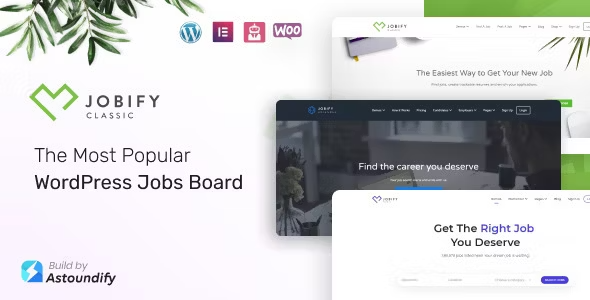
Stuck on your Jobify WordPress theme? Let's fix it.
No endless back-and-forth. Just send us the details and we'll get it done.
No obligation · Replies within 1 hour · Quote within 1 day
Setup · Customization · Bug fixes · WooCommerce integration
About Jobify WP Theme
Jobify is a WordPress job board theme built by Astoundify. It runs on top of the WP Job Manager plugin and turns a standard WordPress install into a fully functional job listing site. You get front-end job submission, resume management, candidate profiles, and employer dashboards without writing a line of code.
Astoundify designed Jobify to work with their own add-on ecosystem, so features like paid listings, applications, bookmarks, and WooCommerce integration slot in cleanly. The theme uses a clean, widget-based layout system, which makes it easy to build custom homepage sections without a page builder. It ships with multiple demo layouts and supports popular plugins like Stripe Payments, WPML, and Gravity Forms.
Jobify suits freelance marketplaces, niche job boards, staffing agency sites, and remote work directories. If you need a job board live quickly with room to scale, it is one of the more complete off-the-shelf options available.
Get matched with a Jobify developer in under one day
Tell us about your Jobify project. Small fixes, Jobify theme customization, or a full website build, whatever you need, we've got it covered.
We'll connect you to the right Jobify developers, define the scope, and get everything 100% clear.
You'll get one estimate, hire your preferred developer, and start collaborating.
Jobify is not a difficult theme to set up, but building a job board that actually works for employers, candidates, and your business model takes more than installing plugins. Edge cases stack up fast: edge cases in search, payment flows that need testing, email deliverability, and custom matching logic.
Working with a vetted Jobify specialist through Codeable means you get someone who has solved these problems before. No agency overhead, no junior developers learning on your project. Post your project, get a free estimate, and decide from there.
Pros
- Deep integration with WP Job Manager makes the listing workflow reliable and well-tested
- Large official add-on library from Astoundify covers most job board use cases without custom code
- Widget-based homepage builder lets you structure the front page without a page builder plugin
- Front-end submission forms work cleanly for both employers and candidates out of the box
- Consistent update history from Astoundify with good compatibility across WordPress versions
Cons
- Add-on costs stack up quickly if you need applications, resumes, payments, and alerts together
- Search filtering is limited without custom development or third-party search plugins
- Design customization beyond the Customizer options requires child theme and CSS work
- Heavy add-on installs can slow down listing archive pages without proper caching and optimization
- Some Astoundify add-ons have not been updated as frequently as the core theme
Who is Jobify for?
Niche Industry Job Boards
Jobify works well for vertical job boards targeting a single industry, whether that is tech, healthcare, legal, or creative. You can restrict listing categories to your niche, add custom fields relevant to that sector, and build search filters around industry-specific criteria. A Jobify developer can extend the application form to capture the exact data your employers need.
Remote Work Directories
Remote job boards need location-agnostic filtering and timezone or country fields that the default setup does not include. Jobify gives you the structure; a Jobify specialist can add custom meta fields, adjust search to filter by remote-only listings, and set up job alert emails that match candidates with relevant remote openings as they post.
Freelance Marketplace Sites
Pair Jobify with the Resume Manager and Applications add-ons and you have the foundation of a freelance marketplace. Employers post projects, freelancers apply with portfolio links and rates. A Jobify expert can add bidding logic, escrow payment flows via WooCommerce, and a rating system to build the trust layer your marketplace needs.
Staffing and Recruitment Agencies
Agencies can use Jobify to manage job listings on behalf of client companies, with separate employer accounts and branded listing pages per client. Custom intake forms built with Gravity Forms integration let you collect the exact brief from each client. A Jobify developer can lock down the dashboard so agency staff manage postings without clients seeing the backend.
Local Community Job Boards
Local job boards benefit from Jobify’s Google Maps integration, which lets you plot listings on a map and filter by radius. You can target a single city or region, set listing expiry dates that fit local hiring cycles, and use the Claim Listings add-on so local businesses can verify their employer profiles. A Jobify specialist can tighten the geo-filter logic for accuracy.

Customizing Jobify
Out of the box, Jobify gives you a solid starting point, but most serious job boards need custom work. That might mean adding custom application fields, restricting listings by membership tier, connecting a CRM, or building a matching algorithm between candidates and employers.
A Jobify expert can handle all of that. Common customization requests include custom search filters, location-radius search using Google Maps API, employer verification flows, and custom email notification sequences. Integrating Jobify with external HR systems or ATS platforms also requires developer-level work that goes beyond what the Customizer offers.
If you want to modify the Jobify template files, you should use a child theme. Editing the parent theme directly means you lose every change on the next update. A skilled Jobify developer will set up the child theme correctly, document the changes, and make sure updates do not break your site.
Recommended plugins for Jobify
Astoundify sells official Jobify add-ons including WP Job Manager Applications, Resume Manager, Claim Listings, Stripe Payments, and Job Alerts. Each one extends core functionality and installs as a separate plugin.
Beyond official add-ons, Jobify works with WooCommerce for paid listings, WPML for multilingual boards, and Gravity Forms for custom application workflows. If your job board is growing, pairing Jobify with a proper WordPress performance setup makes a real difference in page load times, especially on listing archive pages with heavy search filters. You can also extend your board’s reach with solid WordPress SEO work, making sure listing pages rank for the right queries.
Not sure which plugins to use? This WordPress plugins directory covers the most popular options with reviews and setup guides.
Jobify common issues
Jobify search not filtering by location
Location filtering in Jobify relies on the WP Job Manager Regions add-on or Google Maps API integration. If filtering is broken, first check that your Google Maps API key is entered under WP Job Manager settings and that the key has the Places and Geocoding APIs enabled. Also confirm the geolocation plugin is active and the job listings have location data saved correctly. If the issue persists, a developer can debug the API response directly.
WP Job Manager listings not showing on Jobify homepage
If listings are not appearing on the Jobify homepage, check which widgets are active in the Homepage sidebar under Appearance > Widgets. The listings widget needs to be present and configured. Also confirm that jobs are published and not set to pending. If you recently updated WP Job Manager, a plugin conflict may have broken the query. Deactivate non-essential plugins one at a time to isolate the cause. Our WordPress bug fixing service can trace this quickly.
Jobify apply button not working
A broken apply button usually means the WP Job Manager Applications add-on is inactive, the application method on the listing is set to an external URL with a bad link, or a JavaScript error is blocking the modal from opening. Open your browser console on the listing page and check for JS errors. Also verify that Applications is installed, activated, and up to date. If apply redirects to a 404, check the permalink settings and flush rewrite rules.
Jobify child theme not applying changes after update
If your Jobify child theme changes are disappearing after a theme update, the child theme is likely not set up correctly. The child theme’s style.css must declare the parent theme using the Template field, and the functions.php must enqueue the parent stylesheet properly. Editing the parent theme directly is never safe. Set up the child theme correctly and move all customizations there before the next update runs.
Jobify paid listings not processing payment via WooCommerce
Paid listing payment failures usually trace back to WooCommerce configuration rather than Jobify itself. Check that the WP Job Manager WooCommerce Paid Listings add-on is active and that your product is correctly linked to a listing package. Also verify your payment gateway credentials and test mode settings. If payments are processing but listings are not being promoted, the package assignment logic may need a fix. Our WordPress bug fixing service covers this type of integration issue.
Job alert emails not sending in Jobify
Job alert emails not sending usually means either the WP Job Manager Alerts add-on is not running its cron job, or your WordPress email delivery is broken. Check that the cron is firing by installing WP Crontrol and looking for the job alerts event. If cron is running but emails are not arriving, test WordPress email delivery using a plugin like WP Mail SMTP. Switching to a transactional mail provider like Postmark or SendGrid resolves most delivery problems.
Jobify map not loading on listing pages
A blank map on Jobify listing pages almost always means an invalid or restricted Google Maps API key. Go to your Google Cloud Console, confirm the Maps JavaScript API is enabled, and check that the API key has no referrer restrictions blocking your domain. Enter the correct key under WP Job Manager > Settings > Google Maps API Key. Also check the browser console for API error codes, which tell you exactly what restriction is causing the failure.
Resume upload failing in Jobify
Resume upload failures in Jobify are usually caused by server upload limits being too low, or file type restrictions in WordPress. Check your php.ini values for upload_max_filesize and post_max_size. Also go to Settings > Media in WordPress and confirm allowed file types include PDF and common document formats. If uploads fail silently with no error, check your server error log for a more specific message. Our WordPress bug fixing service can diagnose server-level upload issues.
Jobify employer dashboard showing blank page
A blank employer dashboard usually means a PHP error is being suppressed, a required plugin is inactive, or a permissions issue is blocking the page from loading. Enable WordPress debug mode by setting WP_DEBUG to true in wp-config.php and reload the dashboard. The error message will point to the exact cause. Common culprits are a deactivated WP Job Manager add-on or a theme template file conflict after an incomplete update.
Jobify listing submission form fields missing
Missing fields on the Jobify submission form usually happen after a WP Job Manager update changes the field registration system, or because a customization overriding the fields array is now out of date. Check if you have custom code in your functions.php filtering job form fields. Also check whether a third-party plugin is modifying the form fields array. Resetting the form fields under WP Job Manager settings can restore defaults so you can identify what was removed.
Jobify FAQ
Jobify requires WP Job Manager as its core plugin. Without it, the listing, search, and dashboard functionality does not work. Most sites also need Astoundify add-ons for applications, resumes, and payments. Each feature set is a separate plugin purchase, so plan your required features before budgeting.
Jobify is not built around Elementor and does not have official Elementor widgets. The theme uses its own widget system for the homepage. You can use Elementor on standard pages, but the job board-specific sections work best with Jobify’s native widgets. Forcing Elementor into listing templates often causes layout conflicts.
Yes. You need the WP Job Manager WooCommerce Paid Listings add-on, which creates listing packages as WooCommerce products. Employers purchase a package before submitting. You can set different price tiers, listing durations, and featured placement options. A Jobify developer can build more complex monetization models on top of this.
Jobify is listed as WPML compatible by Astoundify. String translation, listing translation, and URL structure all work through the standard WPML setup. Some edge cases with dynamic listing content and job alert emails may need extra configuration. Testing across languages before launch is recommended.
Custom fields on the submission form are added via the WP Job Manager field editor or through custom code in your child theme’s functions.php using the job_manager_job_listing_data_fields filter. For complex field logic, conditional display, or file upload fields, a Jobify specialist will save you significant time over trial and error.
Yes, but it requires the separate Resume Manager add-on from Astoundify. Once installed, candidates get a front-end resume submission form and a profile employers can browse. You can make resumes public or restrict them to logged-in employers. The add-on also supports file attachments alongside the structured resume fields.
Jobify generates individual pages for each job listing, which search engines can index. For better SEO, each listing page needs a unique title, description, and structured data markup. Pairing Jobify with a solid WordPress SEO setup ensures listing pages rank for job-specific queries rather than competing with each other.
The theme costs around $59 on ThemeForest. Add-ons from Astoundify range from $29 to $49 each. A fully featured board with applications, resumes, payments, and alerts can cost $150 to $250 in plugins alone. Custom development for specific features is additional and depends on scope.
Migrating an existing job board to Jobify depends on your current platform. If you are already on WP Job Manager, the switch is mostly cosmetic. Moving from a non-WordPress platform or a different job board plugin requires data mapping and import work. A WordPress migration specialist can handle the data transfer without losing listing history.
Yes. WP Job Manager includes basic new listing notification emails to the admin. The Job Alerts add-on from Astoundify extends this to candidates, letting them save searches and receive email digests when matching listings are posted. Customizing the email templates requires editing the plugin’s template files or using a compatible email plugin.
Hire a Jobify Expert Developer
If your Jobify site needs custom development, bug fixing, or a feature that the add-ons do not cover, working with a specialist saves time and avoids expensive mistakes. Our developers have hands-on experience with Jobify, WP Job Manager, and the full Astoundify add-on stack.
Get a Free Estimate and describe what you need. No obligation, no guesswork, and you will hear back within 24 hours.
You'll need a free Codeable account so developers can ask questions and send their quotes.