JupiterX WordPress Theme
by artbees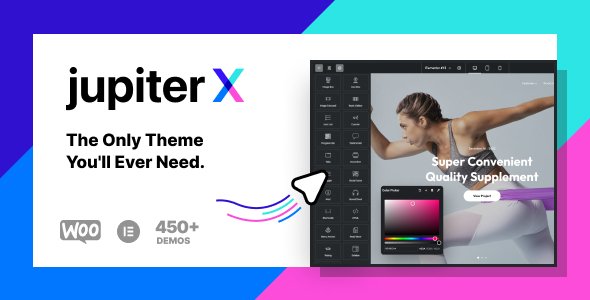
Stuck on your JupiterX WordPress theme? Let's fix it.
No endless back-and-forth. Just send us the details and we'll get it done.
No obligation · Replies within 1 hour · Quote within 1 day
Setup · Customization · Bug fixes · WooCommerce integration
About JupiterX WP Theme
JupiterX is a multi-purpose WordPress theme built by Artbees. It ships with a full site builder experience powered by Elementor, giving you control over headers, footers, single post layouts, archive pages, and WooCommerce templates without touching code.
The theme targets agencies, freelancers, and businesses that want a polished site without hiring a developer for every small change. It includes a library of pre-built templates, a dedicated dashboard called Raven, and tight integration with popular plugins like WooCommerce, WPML, and Yoast SEO.
JupiterX has moved from a shortcode-based architecture to a fully Elementor-driven workflow, which makes it more maintainable and forward-compatible than older page builder themes. It is actively maintained and receives regular updates.
Get matched with a JupiterX developer in under one day
Tell us about your JupiterX project. Small fixes, JupiterX theme customization, or a full website build, whatever you need, we've got it covered.
We'll connect you to the right JupiterX developers, define the scope, and get everything 100% clear.
You'll get one estimate, hire your preferred developer, and start collaborating.
Most JupiterX problems come down to one thing: the theme can do a lot, and that flexibility creates complexity. A developer who knows JupiterX specifically will not waste time learning the Control Panel or the Raven widget set on your budget.
Through Codeable, you get matched with a vetted JupiterX developer who has relevant experience. There is no bidding, no guesswork, and no obligation to hire after the free estimate. Post your project and you will have a developer ready within 24 hours.
Pros
- Full Elementor integration covers headers, footers, archives, single posts, and WooCommerce templates without custom code
- JupiterX Control Panel centralizes plugin management, white label settings, and form connections in one place
- Large pre-built template library covers agency, portfolio, e-commerce, and business niches with ready-to-import designs
- Active development by Artbees with regular updates and a dedicated support team
- Per-page and per-template condition logic lets you apply different layouts to specific posts, categories, or user roles
Cons
- Heavy default plugin stack inflates load times if unused plugins are not disabled through the Control Panel
- Switching from JupiterX to another theme requires rebuilding layouts since content is stored in Elementor data, not the database as plain text
- The Raven plugin adds custom widgets that are tied to JupiterX, creating dependency if you ever migrate themes
- Starter template imports can conflict with existing customizations, requiring manual cleanup after import
- Support quality varies depending on issue complexity, and advanced problems often need developer help beyond what documentation covers
Who is JupiterX for?
Creative Agency
JupiterX suits agencies that need to present case studies, team pages, and service offerings with visual impact. The Elementor-based header and footer builder lets you create distinct layouts for different service sections. A JupiterX specialist can build a custom project archive with filterable categories and animated transitions without relying on third-party plugins.
WooCommerce Store
JupiterX gives WooCommerce stores full template control over product pages, cart, checkout, and archive grids directly inside Elementor. A JupiterX developer can configure dynamic product layouts, custom add-to-cart flows, and category-specific designs. Combined with a performance-optimized setup, it handles product catalogs of several hundred SKUs without significant slowdown.
Freelance Portfolio
Freelancers get a fast path to a polished portfolio using JupiterX starter templates. The theme supports custom post types for case studies and project galleries, and the Elementor single-post builder means every portfolio entry can have its own layout. A JupiterX expert can add contact forms, filterable grids, and client-specific password-protected project pages.
Corporate Business Site
Corporate sites need consistency across departments, services, and landing pages. JupiterX handles this through conditional templates and a shared design system built inside Elementor. A JupiterX developer can wire up ACF fields to dynamic templates, making it straightforward for internal teams to add new service pages without touching the design layer.
Online Magazine or Blog
JupiterX supports custom archive layouts and single-post templates that work well for content-heavy sites. You can design distinct layouts for different categories, add reading progress bars, and configure author archive pages. A JupiterX specialist can integrate ad placement zones and newsletter opt-ins into the template system without disrupting editorial workflows.

Customizing JupiterX
JupiterX customization goes well beyond swapping colors and fonts. The theme gives you per-template control through Elementor, letting you build separate layouts for blog archives, single products, category pages, and 404s. The JupiterX Control Panel manages plugin dependencies, white labeling, and form integrations from one screen.
A JupiterX expert can take this further. Custom Elementor widgets, conditional header logic, dynamic content from ACF or Toolset, and performance-focused template structures all require someone who knows the theme internals. Importing a starter template and calling it done usually leaves speed and SEO gains on the table.
If your project needs a custom post type layout, a membership-gated page structure, or a WooCommerce checkout redesign, a JupiterX specialist will get it right without workarounds that break on the next update.
Recommended plugins for JupiterX
JupiterX works well with a focused plugin stack. For forms, it integrates with WPForms and Raven Forms natively. WooCommerce templates are fully editable inside Elementor. WPML and Polylang handle multilingual setups without layout breakage.
On the performance side, JupiterX supports asset loading controls and lazy loading, but pairing it with a proper caching layer and CDN is still necessary on high-traffic sites. Read more about WordPress performance optimization to get the most from your JupiterX build.
For search visibility, the theme outputs clean semantic markup and works with Yoast and Rank Math. Structured data and schema markup still need manual configuration. See our WordPress SEO optimization service for help with that.
Not sure which plugins to use? This WordPress plugins directory covers the most popular options with reviews and setup guides.
JupiterX common issues
JupiterX header not showing on mobile
Mobile header visibility in JupiterX is controlled through the header conditions and the responsive visibility settings inside Elementor. Go to JupiterX Control Panel, open Header Builder, and check that a separate mobile header is assigned or that the desktop header has responsive breakpoints configured. If a condition conflict exists between global and page-level header assignments, the wrong header can silently take over. Clear your cache after any change.
JupiterX Elementor templates not saving
Elementor templates failing to save in JupiterX are usually caused by a PHP memory limit, a REST API conflict, or a security plugin blocking the autosave request. Increase WP_MEMORY_LIMIT to at least 256MB in wp-config.php. Check your browser console for 403 or 500 errors on the Elementor save request. Deactivate security plugins temporarily to isolate the cause. If the problem persists, our WordPress bug fixing service can diagnose it quickly.
JupiterX WooCommerce product page layout broken
JupiterX uses Elementor-based WooCommerce template conditions to assign product page layouts. If the layout looks broken, check whether the correct single-product template is assigned under JupiterX Control Panel, Templates, Single Product. A conflict with a WooCommerce plugin or a missing Raven widget license can also strip template overrides. Regenerate WooCommerce page templates from WooCommerce, Status, Tools if standard fixes do not resolve it.
JupiterX site slow after importing template
Slow load times after a JupiterX template import often come from unoptimized demo images, unused Google Fonts loaded by the template, and extra plugins activated during import. Use Query Monitor to identify slow queries. Remove demo images and replace with optimized assets. Disable fonts loaded by inactive sections. Check which plugins the template activated and deactivate any you are not using. A caching plugin and CDN will reduce the baseline load time significantly.
JupiterX update broke my layout
JupiterX updates occasionally change how templates or the Raven plugin renders certain elements. Before any update, back up your site. After an update breaks a layout, open the affected template in Elementor and look for deprecated widgets flagged with an exclamation icon. Regenerate CSS under Elementor, Tools. If the damage is widespread, restore from backup and delay the update until Artbees releases a patch. Our WordPress bug fixing service handles post-update breakage.
JupiterX custom fonts not loading
Custom fonts in JupiterX can fail to load due to browser caching, incorrect file paths after a migration, or a Content Security Policy blocking external font sources. If using Google Fonts, confirm the domain is not blocked in your CSP header. For self-hosted fonts uploaded via the JupiterX font manager, verify the font files are in the correct directory and that file permissions allow public access. Regenerate Elementor CSS after re-uploading fonts.
JupiterX sticky header overlapping content
A sticky JupiterX header overlapping page content is almost always a missing or incorrect offset value. In the JupiterX Header Builder, select the sticky behavior settings and set an offset or scroll distance before the sticky state activates. On the page side, add a top margin or padding equal to the header height to the first section. If the header height is dynamic, use a JavaScript snippet or a JupiterX developer to calculate and apply the offset programmatically.
JupiterX 404 page not using custom template
JupiterX custom 404 templates are applied through the template condition system. Go to JupiterX Control Panel, Templates, and confirm that your 404 template has the correct condition set to 404 Page. If it is set but not showing, a caching plugin may be serving a cached version of the default 404. Clear all cache layers including server-side cache. Also confirm the Elementor template is published, not in draft status.
JupiterX CSS not updating after changes
JupiterX CSS changes not reflecting on the front end are typically a caching issue at one of several layers. Clear Elementor CSS under Elementor, Tools, Regenerate CSS and Files. Then clear your WordPress caching plugin, server-side cache, and CDN cache. If you are in a development environment, check that a browser cache is not serving stale assets. If changes still do not appear, confirm the stylesheet is loading from the correct URL in your browser developer tools.
JupiterX Raven forms not sending emails
Raven Forms email delivery failures in JupiterX are usually caused by the WordPress default mail function being blocked by the hosting provider. Install an SMTP plugin like WP Mail SMTP and configure it with your mail provider credentials. Check the Raven form settings to confirm the From address matches a verified sending domain. Test with the SMTP plugin’s diagnostic tool. If emails are sending but going to spam, configure SPF and DKIM records for your domain. See also our WordPress bug fixing service for persistent mail issues.
JupiterX FAQ
JupiterX is manageable for beginners who are comfortable with Elementor. The starter templates and visual builder lower the learning curve significantly. That said, the JupiterX Control Panel and template condition system add complexity that beginners sometimes find confusing. For anything beyond a starter template setup, working with a JupiterX specialist saves time and avoids common configuration mistakes.
Yes. JupiterX is built around Elementor and requires it to function. The theme’s header, footer, archive, and single-post templates are all managed inside Elementor. The Raven plugin, which ships with JupiterX, adds extra Elementor widgets specific to the theme. There is no meaningful way to use JupiterX without Elementor installed and active.
Jupiter was Artbees’ original theme, built around a custom shortcode and page builder system. JupiterX is a full rebuild using Elementor as the foundation. The two themes are not compatible, and migrating from Jupiter to JupiterX requires rebuilding layouts. JupiterX is the actively maintained product; Jupiter is legacy software that no longer receives significant updates.
JupiterX has a free version available on WordPress.org with limited templates and features. The full version requires a paid license from Artbees. Pricing is subscription-based and covers updates and support. The free version is functional for simple sites but lacks the WooCommerce template builder and the full starter template library that make JupiterX worth using.
Technically you can deactivate Raven, but you will lose access to the custom widgets it adds inside Elementor, including the Raven form builder, advanced nav menus, and several layout elements. Pages built with Raven widgets will show errors or blank sections without it active. It is best treated as a required component of the JupiterX stack, not an optional add-on.
Start by deactivating unused plugins enabled during template import. Disable Google Fonts you are not using. Enable Elementor’s asset loading optimization. Add a caching plugin and configure it for your host. Use a CDN for static assets. For a structured approach to making your JupiterX site faster, see our WordPress performance service.
Yes. JupiterX has solid WooCommerce integration. You can build custom layouts for product pages, shop archives, cart, and checkout using Elementor inside the JupiterX template system. The Raven plugin adds WooCommerce-specific widgets. For complex stores with custom checkout flows or subscription products, a JupiterX developer will handle the configuration more efficiently than working through it alone.
Migrating away from JupiterX is possible but involves rebuilding your layouts. Content stored in Elementor’s database structure is not portable to other page builders or block-based themes. Text content can be recovered, but visual layouts need to be recreated. If you are considering a migration, our WordPress migration service can help plan and execute the transition with minimal content loss.
JupiterX works well with WPForms or Gravity Forms for advanced forms, WooCommerce for e-commerce, WPML or Polylang for multilingual sites, Yoast SEO or Rank Math for search optimization, and WP Rocket or LiteSpeed Cache for performance. The JupiterX Control Panel installs several of these automatically during setup. Only activate what your site actually uses.
FoxyConcept connects you with vetted JupiterX developers through Codeable. Post your project, describe what you need, and get a free estimate within 24 hours. You are under no obligation to hire until you are happy with the scope and price. Visit our WordPress development services page to learn more or go straight to getting an estimate.
Hire a JupiterX Expert Developer
Whether you need a JupiterX developer to build a site from scratch, fix a broken layout, or optimize an existing build, FoxyConcept connects you with vetted specialists through Codeable. Every project starts with a free, no-obligation estimate. Work only starts when you are ready.
Get a Free Estimate and describe your project. A JupiterX expert will review it and come back to you with a clear scope and price.
You'll need a free Codeable account so developers can ask questions and send their quotes.