Kolyoum WordPress Theme
by Bdaia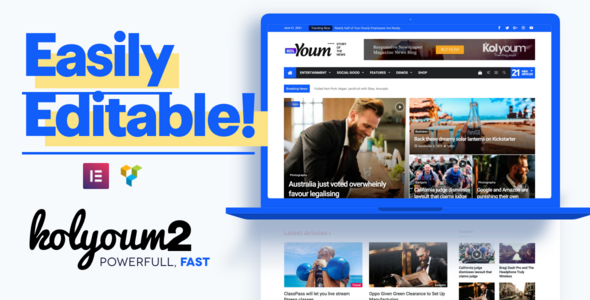
Stuck on your Kolyoum WordPress theme? Let's fix it.
No endless back-and-forth. Just send us the details and we'll get it done.
No obligation · Replies within 1 hour · Quote within 1 day
Setup · Customization · Bug fixes · WooCommerce integration
About Kolyoum WP Theme
Kolyoum is a news and magazine WordPress theme built by Bdaia. It targets Arabic-language publishers and bilingual news sites that need full RTL support out of the box. The theme ships with multiple homepage layouts, a breaking news ticker, category-based color coding, and a clean editorial structure designed for high post volume.
Kolyoum handles both RTL and LTR content without plugin hacks. It integrates with popular ad networks, supports WooCommerce for digital subscriptions, and includes a built-in dark mode toggle. Performance depends heavily on how you configure the homepage widget areas, but the foundation is solid for a news-focused theme. It works best for sites publishing daily content across politics, sport, entertainment, and technology verticals.
Get matched with a Kolyoum developer in under one day
Tell us about your Kolyoum project. Small fixes, Kolyoum theme customization, or a full website build, whatever you need, we've got it covered.
We'll connect you to the right Kolyoum developers, define the scope, and get everything 100% clear.
You'll get one estimate, hire your preferred developer, and start collaborating.
Kolyoum has a specific build logic shaped around Arabic publishing workflows. Getting the RTL typography, ad zones, and homepage performance right takes more than reading documentation. Through Codeable, FoxyConcept connects you with vetted WordPress developers who have worked directly with Bdaia themes. You get a free estimate with no obligation, and the work is backed by a platform that screens every developer before they touch a single project.
Pros
- Full RTL and LTR support built into the core theme without extra plugins
- Category-based color coding makes it easy to visually separate editorial sections
- Breaking news ticker is built in and configurable from the Customizer
- Dark mode toggle included natively without relying on third-party scripts
- WooCommerce compatibility allows paid subscription or digital product integration
Cons
- Heavy widget areas on the homepage can significantly slow page load if not optimised
- Font library is limited to a preset list, making custom typeface integration manual work
- Theme updates from Bdaia have historically been irregular, creating compatibility gaps
- Documentation is partially in Arabic, which creates a barrier for non-Arabic developers
- Advanced layout changes require direct template file edits rather than a page builder approach
Who is Kolyoum for?
Arabic News Portal
Kolyoum was designed for Arabic-language publishing first. Its RTL layout, native Arabic font support, and structured category system make it a practical choice for daily news portals serving Arabic-speaking audiences. The built-in ad zones fit the monetisation model most Arabic news publishers rely on.
Bilingual Magazine Site
Sites that publish in both Arabic and English benefit from Kolyoum’s ability to switch text direction per page or post. The theme handles bidirectional content without the layout breaking, which is a specific problem most generic magazine themes fail to solve properly at the template level.
Sports News Website
The category color system works well for sports sites that cover multiple leagues or competitions. Each sport gets its own color identity in the navigation and post labels. The breaking news ticker keeps live match updates front and center without custom development work.
Political Commentary Platform
Kolyoum’s grid layouts support opinion columns and long-form editorial pieces alongside breaking news. The homepage can be structured to lead with featured opinion content while keeping rolling news items visible below the fold. It suits publishers who balance commentary with straight reporting.
Entertainment and Celebrity News
Celebrity and entertainment sections benefit from Kolyoum’s image-heavy grid options and the post carousel format. The dark mode toggle appeals to younger audiences on mobile. The WooCommerce integration can support merchandise or event ticket sales alongside editorial content.

Customizing Kolyoum
Kolyoum’s customization options live inside the WordPress Customizer. You can adjust header styles, choose between grid and list post formats, set per-category accent colors, and configure the mega menu. Font controls let you switch between Arabic and Latin typefaces from a built-in list.
Beyond the basics, customization gets complex fast. Custom ad placements, homepage section reordering, and integration with third-party breaking news APIs often require direct PHP or CSS edits. A Kolyoum expert knows which template files to modify without breaking RTL rendering or the theme’s structured data output. If you need layout changes that go beyond the Customizer, working with someone who has hands-on Kolyoum experience saves significant time.
Recommended plugins for Kolyoum
Kolyoum works well with a focused plugin stack. WooCommerce adds paid subscription support. Advanced Custom Fields extends the post meta options for editorial teams. Yoast or Rank Math handle SEO optimisation cleanly alongside the theme’s built-in schema markup.
For speed, combine a caching plugin with image compression and a CDN. Kolyoum’s heavy widget areas can slow load times on busy homepages, so dedicated WordPress performance tuning is worth doing early. Avoid stacking multiple slider plugins on top of the theme’s native post carousel.
Not sure which plugins to use? This WordPress plugins directory covers the most popular options with reviews and setup guides.
Kolyoum common issues
Kolyoum theme RTL layout breaking after WordPress update
RTL breakage after a WordPress core update usually points to a CSS conflict introduced in the update rather than a theme fault. Check the browser console for stylesheet errors first. If the RTL stylesheet is loading after a conflicting plugin CSS, add a load priority adjustment. For persistent RTL layout problems, our WordPress bug fixing service can isolate the exact conflict and patch it without altering the core theme files.
Kolyoum homepage widgets loading slowly
Slow homepage widgets in Kolyoum are almost always caused by uncached database queries running across multiple widget areas simultaneously. Enable a full-page caching plugin and set widget query caching where possible. Reduce the number of widgets pulling recent posts from separate categories. If the homepage still loads slowly after caching, a WordPress performance audit will identify which specific widget queries are the bottleneck.
Kolyoum mega menu not displaying correctly on mobile
The Kolyoum mega menu often breaks on mobile when a third-party plugin adds JavaScript that conflicts with the theme’s menu script. Disable plugins one by one to find the conflict. If the issue appears after a theme update, compare the new menu JavaScript against the previous version. In most cases, a CSS override targeting the mobile breakpoint resolves the visual collapse without touching PHP files.
Kolyoum breaking news ticker not showing
If the breaking news ticker is not showing, check first that the ticker widget is assigned to the correct theme widget area in Appearance > Widgets. Confirm the selected category actually contains published posts. If the widget area is correct and posts exist, a JavaScript error from another plugin is likely preventing the ticker script from initialising. Disable plugins temporarily to confirm, then identify the conflict.
Kolyoum FAQ
Kolyoum compatibility with recent WordPress versions depends on which release of the theme you are running. Bdaia has not maintained a consistent update schedule, so some versions lag behind core WordPress changes. Before updating WordPress on a live site, test in a staging environment. If you encounter compatibility errors after an update, the issue is usually in the theme’s widget or menu registration code.
Yes. Kolyoum functions in LTR mode for English or other left-to-right languages. Most of the editorial layouts and homepage sections work independently of language direction. The theme’s Arabic-first design means some font defaults will need adjusting for Latin typefaces, but nothing prevents building an English-only news or magazine site with it.
Kolyoum is not built around Elementor or WPBakery. Its layout system uses its own widget areas and Customizer controls. You can technically install Elementor and use it on single post templates, but the homepage and archive layouts will remain outside Elementor’s control. Forcing a page builder into Kolyoum often creates RTL and performance conflicts.
Migrating an existing news site to Kolyoum involves importing posts and media, then manually mapping your old layout to Kolyoum’s widget areas and category structure. A WordPress migration handled by a developer familiar with the theme prevents the most common issues: broken featured images, lost post metadata, and category color settings that need reconfiguring from scratch.
Kolyoum includes basic structured data markup for articles and supports canonical URLs. It is not an SEO-optimised theme by default, but it does not actively harm SEO either. Pairing it with Yoast or Rank Math covers the gaps. The biggest SEO risk is page speed on heavy homepages. Fix that first before optimising metadata.
Hire a Kolyoum Expert Developer
Whether you need a full Kolyoum setup, a layout overhaul, or specific RTL fixes, our developers have the hands-on experience to get it done correctly. No guesswork, no generic solutions. Get a free estimate and describe exactly what you need. You’ll have a matched Kolyoum developer within 24 hours, with zero obligation to proceed until you’re comfortable with the plan and cost.
You'll need a free Codeable account so developers can ask questions and send their quotes.