Kreativa WordPress Theme
by imaginem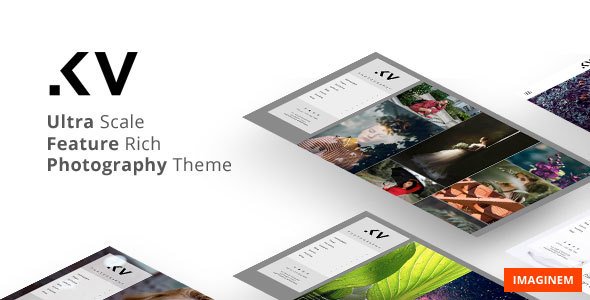
Stuck on your Kreativa WordPress theme? Let's fix it.
No endless back-and-forth. Just send us the details and we'll get it done.
No obligation · Replies within 1 hour · Quote within 1 day
Setup · Customization · Bug fixes · WooCommerce integration
About Kreativa WP Theme
Kreativa is a creative portfolio WordPress theme by Imaginem, built for designers, photographers, and agencies who need a clean, visual-first layout. It ships with multiple portfolio grid styles, fullscreen sliders, and a flexible homepage builder that doesn’t require a page builder plugin.
The theme uses a custom options panel rather than the native WordPress Customizer, which gives experienced developers more control but can feel unfamiliar to beginners. It supports WooCommerce for selling digital or physical products alongside portfolio work. Typography options are limited out of the box, but the CSS structure is clean enough to extend without fighting the theme. Overall, Kreativa suits creative professionals who want a polished look without heavy plugin dependencies.
Get matched with a Kreativa developer in under one day
Tell us about your Kreativa project. Small fixes, Kreativa theme customization, or a full website build, whatever you need, we've got it covered.
We'll connect you to the right Kreativa developers, define the scope, and get everything 100% clear.
You'll get one estimate, hire your preferred developer, and start collaborating.
Most Kreativa issues, whether layout conflicts, WooCommerce integration problems, or a customisation that’s gone wrong, have been seen before. Through Codeable, you get matched with a vetted WordPress developer who knows the theme’s structure, not a generalist who’ll spend the first hour reading the documentation. Projects are scoped clearly, priced fairly, and delivered with no lock-in.
Pros
- Clean, minimal code base with no bundled page builder overhead
- Multiple portfolio grid layouts included out of the box
- WooCommerce compatible for selling work alongside portfolio pieces
- WPML compatible for multilingual creative agency sites
- Fullscreen slider and video background support without extra plugins
Cons
- Uses a custom options panel instead of the WordPress Customizer, which limits live preview
- Typography controls are minimal and need CSS overrides for serious type work
- Theme updates have been infrequent, raising long-term compatibility questions
- No Gutenberg block support; the editor experience is basic
- Documentation is sparse, making advanced customisation harder without developer help
Who is Kreativa for?
Creative Portfolio
Kreativa’s filterable portfolio grids and fullscreen project views make it a practical choice for designers and creatives displaying case studies. A Kreativa expert can extend the default portfolio post type with custom fields for project credits, timelines, and client names, giving each project page more depth without a heavy plugin.
Photography Studio
The fullscreen slider and masonry grid handle high-resolution images well. A Kreativa developer can configure lazy loading, WebP delivery, and gallery lightbox behaviour to keep page load times acceptable even with large image libraries. WooCommerce integration allows print sales directly from portfolio pages.
Design Agency
Agencies often need team pages, service listings, and a contact flow alongside the portfolio. Kreativa’s custom options panel supports homepage section reordering, and a Kreativa specialist can build out additional page templates for services and team bios that match the theme’s visual language without clashing with core styles.
Freelance Illustrator
Illustrators selling prints or digital downloads benefit from Kreativa’s WooCommerce compatibility. A developer can connect WooCommerce product pages visually to portfolio items, set up a simple shop, and configure payment gateways, turning a portfolio site into a functional sales channel without switching themes.
Architecture Firm
Architecture firms need large imagery, project categorisation by type, and contact forms tied to specific project enquiries. Kreativa handles the visual side well. A Kreativa developer can add custom portfolio taxonomies for project type and location, making large project archives filterable and easier for visitors to browse.

Customizing Kreativa
Kreativa’s options panel covers layout switching, color schemes, logo upload, and portfolio filtering styles. However, deeper changes, like custom post type integration, modified grid breakpoints, or bespoke animation triggers, require direct PHP and CSS edits inside child theme files.
A Kreativa expert can restructure the homepage sections, add custom portfolio taxonomy filters, or integrate third-party booking and contact systems without breaking the theme’s update path. Work is typically done inside a child theme to keep core files untouched. If you’ve inherited a Kreativa site that’s been modified directly in the parent theme, a Kreativa developer can audit the codebase, move changes safely into a child theme, and document what was done.
Recommended plugins for Kreativa
Kreativa works well with a focused plugin stack. Contact Form 7 or Gravity Forms handles inquiries. WooCommerce covers shop functionality. WPML adds multilingual support if you work with international clients.
On the performance side, Kreativa loads several scripts globally that can be deferred or conditionally loaded. Our WordPress performance service covers asset optimisation specific to Kreativa’s script structure. If you need organic traffic from your portfolio, our WordPress SEO service handles schema markup, metadata, and crawlability improvements that Kreativa doesn’t handle natively.
Not sure which plugins to use? This WordPress plugins directory covers the most popular options with reviews and setup guides.
Kreativa common issues
Kreativa portfolio grid not displaying correctly after WordPress update
Grid layout breaks after a WordPress update usually point to a JavaScript conflict introduced by a plugin update or a core jQuery change. Open the browser console and check for JS errors on the portfolio page. In many cases, a plugin loading its own version of jQuery is the cause. A WordPress bug fixing specialist can isolate the conflict, dequeue the problematic script, and restore the grid without touching core theme files.
Kreativa slider not working on mobile
Kreativa’s slider relies on a JavaScript library that can conflict with certain caching plugins or CDN configurations that defer scripts aggressively. Check whether the slider JS is being deferred or combined incorrectly. Exclude the slider script from deferral in your caching plugin settings. If the issue persists after adjusting cache settings, a WordPress bug fixing service can trace the exact script execution order and fix it cleanly.
Kreativa theme options panel not saving changes
If Kreativa’s options panel appears to save but settings revert on reload, the most common cause is a nonce verification failure or a PHP memory limit being hit during the save request. Check your server’s PHP error log for memory exhaustion notices. Increasing the WP_MEMORY_LIMIT in wp-config.php often resolves it. If the panel throws a 403 on save, a security plugin is likely blocking the admin-ajax request and needs a whitelist rule added.
Kreativa WooCommerce shop page layout broken
WooCommerce shop and single product pages inheriting Kreativa’s full-width layout can break after a WooCommerce major version update that changes template hooks. The fix usually involves copying the updated WooCommerce templates into the theme’s woocommerce folder and applying the Kreativa-specific CSS adjustments. Avoid editing WooCommerce templates directly in the parent theme as this gets overwritten on updates.
Kreativa FAQ
Imaginem has released updates to Kreativa, but the pace has slowed compared to newer themes. It remains functional on current WordPress versions, but you should monitor plugin and PHP compatibility closely. If you’re building a long-term site on Kreativa, working with a Kreativa specialist who can handle compatibility patches independently of official updates is a practical safeguard.
Kreativa predates the Gutenberg editor and doesn’t include native block support. The classic editor works as expected. You can use the Classic Editor plugin to maintain the original editing experience. Adding Gutenberg compatibility to Kreativa requires custom block styles and template adjustments, which a Kreativa developer can build out if needed.
Yes, Kreativa declares WooCommerce support and includes basic template overrides for shop and product pages. The integration is functional but minimal. For a polished shop experience with custom product layouts or advanced filtering, additional development work is needed. A Kreativa developer can extend the WooCommerce templates to match the theme’s design language properly.
Create a new folder in wp-content/themes, add a style.css with the Template tag pointing to kreativa, and enqueue the parent theme’s stylesheet in functions.php using wp_enqueue_style with get_template_directory_uri() as the parent source. Activate the child theme from the WordPress dashboard. All customisations go into the child theme files from that point forward.
Kreativa is WPML compatible, making it a workable option for multilingual creative sites. You’ll need the WPML plugin and its String Translation add-on to translate theme strings and options panel text. A Kreativa specialist can configure the language switcher placement and ensure portfolio items are properly linked across language versions.
Hire a Kreativa Developer
Whether you need a small fix or a full site build on Kreativa, you can post your project and get a free estimate from a vetted developer within 24 hours. No obligation to hire. Get a Free Estimate and describe what you need. A Kreativa specialist will review your project and come back with a clear scope and price.
You'll need a free Codeable account so developers can ask questions and send their quotes.