LawBusiness WordPress Theme
by cmsmasters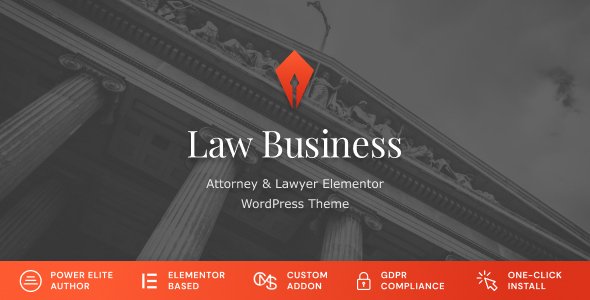
Stuck on your LawBusiness WordPress theme? Let's fix it.
No endless back-and-forth. Just send us the details and we'll get it done.
No obligation · Replies within 1 hour · Quote within 1 day
Setup · Customization · Bug fixes · WooCommerce integration
About LawBusiness WP Theme
LawBusiness is a WordPress theme by cmsmasters built specifically for law firms, attorneys, and legal professionals. It ships with a structured layout designed around legal service presentation, including practice area pages, attorney profiles, case results, and appointment booking sections.
The theme runs on the cmsmasters framework and uses a drag-and-drop page builder, giving you control over layout without touching code. It includes multiple homepage demos, a portfolio module for showcasing case results, and pre-built inner pages for common law firm content. Visual customisation is handled through a backend options panel with typography, color, and header controls. It is compatible with standard WordPress plugins and works across devices at any screen size.
Get matched with a LawBusiness developer in under one day
Tell us about your LawBusiness project. Small fixes, LawBusiness theme customization, or a full website build, whatever you need, we've got it covered.
We'll connect you to the right LawBusiness developers, define the scope, and get everything 100% clear.
You'll get one estimate, hire your preferred developer, and start collaborating.
Most LawBusiness issues come down to theme conflicts, builder limitations, or customisations that were not implemented cleanly. A vetted LawBusiness developer through Codeable has seen these problems before and resolves them without guesswork. Codeable screens every developer before they join, so you are not rolling the dice on quality. You post your project, get a transparent estimate, and decide whether to proceed. There is no obligation and no risk. For law firms where the website directly affects client acquisition, working with someone who knows the theme saves time and avoids costly mistakes.
Pros
- Purpose-built layout for law firms with attorney profiles, practice areas, and case result modules included
- cmsmasters page builder allows flexible layout editing without writing code
- Multiple homepage demo layouts to start from, reducing initial build time
- Built-in appointment and contact sections suited to legal client intake
- Responsive design that holds up across desktop, tablet, and mobile without additional configuration
Cons
- The cmsmasters page builder is proprietary and not as widely supported as Elementor or Gutenberg
- Theme updates can conflict with customisations made directly in the theme files if no child theme is used
- Documentation is limited compared to larger theme frameworks, making troubleshooting harder without developer experience
- Design style is dated in some demo layouts and may require significant visual overhaul for modern law firm branding
- Advanced features like multilingual support or legal CRM integration require additional plugins and custom configuration
Who is LawBusiness for?
Solo Attorney Websites
Solo attorneys need a professional online presence that builds trust quickly. LawBusiness provides a clean structure for an about page, practice area overview, contact form, and testimonials. A LawBusiness developer can configure the theme to match your personal brand, add a consultation booking form, and connect it to your calendar or intake workflow without overcomplicating the setup.
Multi-Practice Law Firms
Firms with several practice areas need clear navigation and well-structured service pages. LawBusiness handles this through its portfolio and custom page templates. A LawBusiness specialist can build out individual practice area pages with proper internal linking, attorney assignment per area, and location-specific content if your firm operates across multiple offices.
Legal Consultancy Practices
Legal consultancies often need a content-heavy site with a blog, resource library, and lead generation forms. LawBusiness provides a solid base, and a LawBusiness expert can extend it with gated content, newsletter integration, and structured FAQ sections that help the site rank for specific legal queries your target clients are searching.
Immigration and Visa Law
Immigration law sites typically serve clients in high-stress situations who need clear, accessible information fast. LawBusiness can be configured with multilingual support, streamlined contact forms, and clear process explanations. A LawBusiness developer can implement WPML or Polylang cleanly within the theme structure and ensure translated pages display correctly across all templates.
Personal Injury and Litigation Firms
Personal injury firms need strong calls to action, case result showcases, and trust signals above the fold. LawBusiness has built-in sections for case outcomes and client testimonials. A LawBusiness specialist can configure these sections to highlight wins prominently, add click-to-call buttons, and optimise landing pages for local search traffic targeting accident or injury-related queries.

Customizing LawBusiness
Out of the box, LawBusiness gives you color scheme controls, font selection, header layout options, and widget areas. But law firms often need more: custom intake forms, specific practice area taxonomies, multilingual support, or integration with legal CRM systems.
A LawBusiness expert can extend the theme beyond its default settings without breaking updates or creating technical debt. That means building child themes, modifying template files, adding custom post types for attorneys or cases, and connecting third-party tools cleanly. If you have a specific layout in mind that the page builder cannot produce, a LawBusiness developer can write the CSS and PHP to get there. Custom work stays maintainable and documented, so your site does not become hard to manage over time.
Recommended plugins for LawBusiness
LawBusiness pairs well with several plugins that improve how your site performs and ranks. For search visibility, adding an SEO plugin and structuring your practice area pages correctly makes a real difference. A WordPress SEO specialist can handle schema markup for attorneys, local SEO configuration, and on-page optimisation specific to legal content.
On the technical side, LawBusiness sites benefit from caching, image optimisation, and database cleanup, especially as content grows. A WordPress performance service can audit your setup and implement the right stack for your hosting environment, keeping load times fast for prospective clients.
Not sure which plugins to use? This WordPress plugins directory covers the most popular options with reviews and setup guides.
LawBusiness common issues
LawBusiness theme not displaying attorney profiles correctly
Attorney profile display issues are usually caused by a missing custom post type configuration or a template override conflict. Check that the attorneys custom post type is active and that the archive and single templates are loading correctly. If you have a child theme, verify the template hierarchy is not pulling the wrong file. Clearing cache often masks the real problem, so disable caching temporarily to confirm the actual output. If the issue persists after checking templates, a WordPress bug fixing service can trace the root cause quickly.
LawBusiness page builder content not showing on frontend
When cmsmasters page builder content does not appear on the frontend, the most common cause is a plugin conflict or a JavaScript error blocking the builder output. Open your browser console and check for JS errors. Deactivate plugins one by one to isolate the conflict. Also confirm that the page template selected in the page settings matches what the builder expects. If the content shows in the editor but not on the live page, a template condition or caching layer is the likely culprit.
LawBusiness contact form not sending emails
LawBusiness contact forms failing to send emails is nearly always a mail delivery problem rather than a theme issue. WordPress default mail uses PHP mail, which most hosts block or mark as spam. Install WP Mail SMTP and connect it to a transactional email service like SendGrid or Mailgun. Then test the form again. If the form itself is not submitting at all, check for JavaScript console errors and confirm the form plugin is active and updated. A WordPress bug fixing specialist can configure SMTP and verify deliverability end to end.
LawBusiness homepage layout broken after update
Homepage layouts breaking after an update typically means a theme file conflict or a shortcode that no longer renders correctly. If you modified theme files directly instead of using a child theme, those changes get overwritten on update. Restore your customisations using a child theme going forward. For immediate recovery, compare the current template files with a backup and reapply your changes. Check the browser console for layout-related JS or CSS errors that appeared after the update.
LawBusiness theme slow to load on mobile
Slow mobile load times on LawBusiness sites are commonly caused by unoptimised images, render-blocking scripts, and unminified CSS loaded by the theme or page builder. Run a PageSpeed Insights test to identify the specific bottlenecks. Start by compressing images with a plugin like ShortPixel, then enable CSS and JS minification. The cmsmasters builder can load additional scripts that are not needed on every page, so reviewing script loading per page type helps. A full audit through a WordPress performance service will surface everything worth fixing.
LawBusiness custom colors not saving in theme options
Custom colors not saving in LawBusiness theme options is usually a permission or caching problem. First, clear all server and browser cache and try saving again. If the problem continues, check whether a security plugin is blocking the options panel POST request. Look at the browser network tab when you click save to see if the request is completing or being blocked. Also verify that your WordPress user role has the correct capabilities to update theme options. In rare cases, a corrupted options record in the database is the cause.
LawBusiness portfolio module not displaying case results
The LawBusiness portfolio module not displaying case results usually points to a category filter misconfiguration or a widget area that is not assigned correctly. Check that the portfolio items are published and assigned to the correct category. Then verify that the portfolio shortcode or widget is using the right category slug. If you are using a page builder section for the portfolio, confirm the module settings match the post type and taxonomy structure. Resaving the portfolio items sometimes resolves display cache issues.
LawBusiness header logo not showing or wrong size
If the header logo is not showing or appears at the wrong size in LawBusiness, start by checking the theme options panel under header settings to confirm a logo file is uploaded. If it is uploaded but not showing, a CSS conflict may be hiding it. Inspect the header element in your browser dev tools to see what styles are applied. Logo size issues are often caused by fixed width or height values in the theme CSS conflicting with your image dimensions. Upload a logo at the exact pixel dimensions the theme recommends.
LawBusiness slider not working or showing blank
A blank or broken slider in LawBusiness is usually caused by a missing or deactivated slider plugin, a JavaScript conflict, or slides that have no content assigned. Confirm the required slider plugin is active and updated. Check the browser console for JavaScript errors that might stop the slider from initialising. If slides exist but appear blank, verify that featured images are set on each slide post. Deactivating other plugins temporarily helps identify whether a script conflict is responsible for the failure.
LawBusiness theme breaking after WordPress update
LawBusiness breaking after a WordPress core update is a sign that the theme relies on deprecated functions or hooks that were removed in the new version. Check the site health screen and PHP error log for specific deprecated notices. If you cannot access the admin, enable WP_DEBUG in wp-config.php to see the error. In many cases, updating the theme to its latest version resolves the conflict. If the theme is no longer actively maintained by cmsmasters, a WordPress bug fixing expert can patch the deprecated code directly.
LawBusiness FAQ
cmsmasters has continued to release updates for their themes including LawBusiness, but activity varies. Check the ThemeForest changelog for the last update date before purchasing or relying on it for a new project. If updates have stopped, a LawBusiness specialist can maintain and patch the theme independently to keep it compatible with current WordPress versions.
LawBusiness is built around the cmsmasters page builder, so Elementor is not natively integrated. You can install Elementor alongside it, but conflicts between the two builders are common. A cleaner approach is to rebuild pages in Elementor using a child theme while keeping the LawBusiness header, footer, and theme options intact. A LawBusiness developer can manage this transition without losing your existing content.
Attorney profiles in LawBusiness are handled through a custom post type, typically labeled Team or Attorneys in the WordPress admin. Go to the relevant post type, click Add New, fill in the name, bio, photo, and custom fields for specialisation and contact details. Make sure the profile is assigned to the correct category if the theme filters by practice area or department on the team archive page.
LawBusiness is generally compatible with WPML, but full multilingual support requires careful setup. Each custom post type, including attorneys and practice areas, needs to be registered as translatable within WPML settings. String translations for theme-specific labels also need manual attention. A LawBusiness expert familiar with WPML can configure this correctly so all templates display translated content without layout issues.
Create a new folder in wp-content/themes with a name like lawbusiness-child. Inside it, add a style.css file with the correct header declaring the parent theme as LawBusiness, and a functions.php file that enqueues the parent and child stylesheets. Activate the child theme from the WordPress admin. All your customisations should then go into the child theme files so they survive parent theme updates.
Technically yes, but it is not the most efficient choice. The demo content, custom post types, and layout assumptions are all built around legal services. Using LawBusiness for an unrelated business means removing or repurposing a lot of built-in structure. If your business is professional services adjacent, like financial advisory or consulting, the layout adapts reasonably well with some developer work.
Start with image compression, caching, and minified CSS and JS. The cmsmasters builder adds some overhead, so reviewing which scripts load on each page type helps. Use a CDN for static assets and enable lazy loading for images. A full performance audit will identify your specific bottlenecks, since hosting environment and plugin stack vary between sites and both affect load time significantly.
LawBusiness typically bundles or recommends Revolution Slider for the homepage slider, Contact Form 7 or a similar form plugin for intake forms, and sometimes WooCommerce for legal service payments. Beyond bundled plugins, adding an SEO plugin, a caching plugin, and a backup solution covers the core requirements for a production law firm site running LawBusiness.
LawBusiness developer rates through Codeable typically range depending on the scope of work. Small fixes or configuration tasks cost less than full builds or complex integrations. You post your project, describe what you need, and receive a transparent estimate before committing. There is no obligation to proceed, and all developers on the platform are vetted before being accepted.
Yes, LawBusiness sites migrate like any standard WordPress installation. You need to move the database and all files, then update the site URL in the database and wp-config.php. Use a migration plugin like Duplicator or All-in-One WP Migration to handle this cleanly. Test all forms, custom post types, and builder-rendered pages after migrating since some hosts handle server-side settings differently. A full WordPress migration service can handle the entire process without downtime.
Hire a LawBusiness Expert Developer
Whether you need a full LawBusiness setup, a specific feature added, or a bug tracked down and fixed, a specialist can handle it properly. Work is delivered through Codeable, where every developer is vetted and projects are scoped clearly before any work begins. Get a Free Estimate and describe what you need. You will hear back within 24 hours with a clear plan and price.
You'll need a free Codeable account so developers can ask questions and send their quotes.