Leverage WordPress Theme
by Themeasy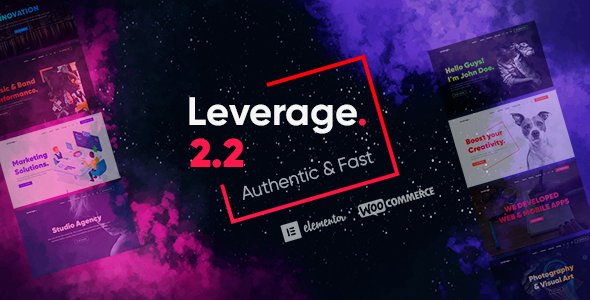
Stuck on your Leverage WordPress theme? Let's fix it.
No endless back-and-forth. Just send us the details and we'll get it done.
No obligation · Replies within 1 hour · Quote within 1 day
Setup · Customization · Bug fixes · WooCommerce integration
About Leverage WP Theme
Leverage is a WordPress theme developed by Themeasy, built for business websites that need a clean, structured layout without a steep learning curve. It ships with a drag-and-drop page builder, pre-built demo content, and a flexible header and footer builder that covers most professional site requirements out of the box.
The theme targets small to mid-sized businesses, consultants, agencies, and service providers who want a polished result without hiring a full development team. It works well with popular plugins like WooCommerce, Contact Form 7, and Elementor, giving site owners room to grow. Design options are handled through the WordPress Customizer, keeping things accessible for non-technical users while still offering enough control for developers to customise further.
Get matched with a Leverage developer in under one day
Tell us about your Leverage project. Small fixes, Leverage theme customization, or a full website build, whatever you need, we've got it covered.
We'll connect you to the right Leverage developers, define the scope, and get everything 100% clear.
You'll get one estimate, hire your preferred developer, and start collaborating.
Most Leverage customisation requests go beyond what tutorials cover. A vetted developer handles the work cleanly, without introducing plugin conflicts or bloated code. Through Codeable, every developer is pre-screened, so you are not rolling the dice on someone untested. You post your project, get a fixed estimate within 24 hours, and only proceed if the scope and price work for you. No obligation. If you need ongoing help, that is available too. Explore the full range of WordPress development services available through FoxyConcept.
Pros
- Clean, minimal code base that does not slow down the site out of the box
- Works with Elementor, giving designers a familiar page building environment
- Header and footer builder included without needing an extra plugin
- Pre-built demo content makes initial setup quick for business sites
- WooCommerce compatibility is built in and does not require layout patches
Cons
- Limited documentation compared to major theme frameworks like Divi or Astra
- Smaller community means fewer third-party tutorials and pre-built templates
- Advanced layout changes require CSS knowledge or a developer
- Some Customizer options are basic and lack fine-grained typography controls
- Plugin compatibility outside the core stack is not always tested or documented
Who is Leverage for?
Business Consultants
Leverage suits consultants who need a professional site with a services page, about section, and clear calls to action. The pre-built layouts cover the standard structure most consulting sites use. A developer can refine the design, add a booking system, and connect a CRM to handle lead capture without rebuilding from scratch.
Service-Based Small Businesses
Tradespeople, cleaners, therapists, and other service providers get a lot of mileage from Leverage without needing complex features. The theme handles contact forms, service listings, and basic local SEO structure well. With small adjustments from a developer, it can cover quote request forms and Google Maps integration too.
Marketing Agencies
Agencies need a site that looks credible and loads fast. Leverage keeps the front end light while Elementor handles the more expressive design sections like case study grids, team pages, and testimonial blocks. A developer can set up reusable templates so the team can update content without touching layout files.
WooCommerce Stores
Leverage works with WooCommerce without requiring a child theme or custom CSS patches for basic shop pages. For stores with specific product display needs, custom category templates, or checkout flow changes, a Leverage developer can extend the theme cleanly. It handles small to mid-sized catalogues without performance issues.
Portfolio and Freelance Sites
Freelancers and creatives can use Leverage to showcase work through portfolio grids and project case studies. The layout is flexible enough to adapt to photography, copywriting, or design portfolios. Adding a contact form and a simple services page gives a freelancer everything needed to attract and convert new clients.

Customizing Leverage
Leverage gives you a solid starting point, but most business sites need more than defaults. A Leverage expert can take the theme further by customising the header and footer builder, adjusting typography and spacing, creating custom page templates, and integrating third-party tools like CRMs, booking systems, or payment gateways.
If you are working with Elementor inside Leverage, a developer can build reusable section templates, set up global styles, and make sure your design is consistent across all device sizes. Custom post types, advanced custom fields, and WooCommerce layout changes are also common requests that go beyond what the Customizer offers. Hiring a Leverage expert means your site ends up looking intentional rather than templated.
Recommended plugins for Leverage
Leverage pairs well with several WordPress plugins that extend its default functionality. WooCommerce turns any Leverage site into a working online shop. Elementor Pro unlocks popup builders, form widgets, and dynamic content. WPML adds multilingual support for international audiences.
For speed, combining Leverage with a caching plugin and a CDN makes a measurable difference. Check out the WordPress performance service if load times are a concern. If organic traffic matters, the WordPress SEO service covers technical and on-page optimisation that works alongside Leverage without conflicts.
Not sure which plugins to use? This WordPress plugins directory covers the most popular options with reviews and setup guides.
Leverage common issues
Leverage theme header not showing correctly on mobile
Mobile header issues in Leverage usually come from conflicting CSS between the theme’s built-in header builder and a plugin like Elementor Header and Footer Builder. Check whether you have two header systems active at once. Disabling the conflicting plugin often resolves the display issue. If the problem is with the hamburger menu, inspect the z-index and position values in your browser’s developer tools and override via the Additional CSS field in the Customizer.
Leverage theme Elementor layout broken after update
After a Leverage or Elementor update, layout breaks are usually caused by a mismatch between widget markup and the theme’s CSS selectors. Clear the Elementor CSS cache first under Elementor > Tools > Regenerate CSS. If the issue persists, check whether a recent update changed a section class name or container structure. Reverting to a previous Elementor version via a plugin rollback tool is a safe short-term fix while you identify the root cause. Consider the WordPress bug fixing service for faster resolution.
Leverage theme WooCommerce product page not styled
WooCommerce product pages that appear unstyled in Leverage usually mean the theme’s WooCommerce stylesheet is not loading. Check whether a caching plugin is serving a stale version of the CSS. Also confirm the theme declares WooCommerce support in its functions.php file using add_theme_support('woocommerce'). If it does not, adding this line in a child theme resolves most styling gaps without overriding the parent theme.
Leverage theme custom CSS not applying
If custom CSS added in the Customizer is not applying, check specificity first. Leverage’s existing selectors may be more specific than your override. Use browser developer tools to confirm whether your rule is being ignored or overridden. Increasing specificity by adding the parent element to your selector usually fixes it. Also check that no caching plugin is serving an old version of the stylesheet. Purging the cache after saving CSS changes is often the missing step.
Leverage FAQ
Yes, Leverage is a solid choice for small to mid-sized business sites. It ships with pre-built demo content structured around common business page types, a header and footer builder, and clean code that does not weigh down load times. It works best for consultants, agencies, and service businesses that need a credible online presence without heavy customisation out of the box.
Leverage works with Elementor. The theme does not restrict page builder usage, and its layout system is compatible with Elementor’s container and section structure. Elementor Pro extends the theme further with dynamic content, custom headers, and form widgets. Some users run the Elementor header builder alongside Leverage’s native header builder, which can cause conflicts. Stick to one header system to avoid display issues.
Yes, Leverage includes WooCommerce support. Basic shop pages, product listings, cart, and checkout are styled and functional without additional plugins. For more complex store requirements, such as custom product page templates or filtered category pages, a developer will need to extend the theme. The core compatibility is solid for straightforward e-commerce setups.
Migrating an existing site to Leverage means switching the active theme and then rebuilding or adjusting your page layouts to match the new theme’s structure. Content, posts, and plugin data carry over automatically. Page layouts built with a different theme or page builder will need to be rebuilt inside Leverage. The WordPress migration service covers this process cleanly, including layout transfers and testing.
If you plan to make any changes to Leverage’s template files or add custom PHP functions, a child theme is strongly recommended. It protects your changes from being overwritten when the parent theme updates. For CSS-only changes, the Customizer’s Additional CSS field is safe without a child theme. For anything beyond that, set up a child theme first before making modifications.
Hire a Leverage WordPress Developer
Need a Leverage developer who knows the theme inside out? FoxyConcept works through Codeable, matching you with vetted WordPress specialists who have real experience with Themeasy themes. Whether you need a custom layout, a WooCommerce integration, or a full site build, the process is straightforward. Get a free estimate with no obligation to hire. You will receive a clear scope and fixed price before any work begins.
You'll need a free Codeable account so developers can ask questions and send their quotes.