Listify WordPress Theme
by Astoundify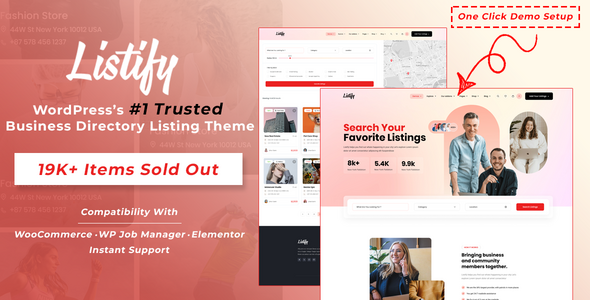
Stuck on your Listify WordPress theme? Let's fix it.
No endless back-and-forth. Just send us the details and we'll get it done.
No obligation · Replies within 1 hour · Quote within 1 day
Setup · Customization · Bug fixes · WooCommerce integration
About Listify WP Theme
Listify is a WordPress directory theme built by Astoundify. It powers job boards, local business directories, real estate listings, and rental marketplaces. The theme integrates tightly with WP Job Manager, giving you a structured way to handle listings, submissions, and search without writing custom code from scratch.
Out of the box you get Ajax-powered search, Google Maps integration, listing categories with icons, and a front-end submission form. Paid listings work through WooCommerce, so monetisation is built into the architecture rather than bolted on.
Listify is well-maintained and updated regularly. It works with most popular page builders and has a wide extension library from Astoundify. If you are building a directory site, it is one of the most complete starting points available for WordPress.
Get matched with a Listify developer in under one day
Tell us about your Listify project. Small fixes, Listify theme customization, or a full website build, whatever you need, we've got it covered.
We'll connect you to the right Listify developers, define the scope, and get everything 100% clear.
You'll get one estimate, hire your preferred developer, and start collaborating.
Listify looks straightforward to set up, but directory sites have real complexity underneath. Search logic, paid submission flows, map performance, and listing data all interact in ways that cause problems at scale.
Working with a vetted Listify developer through Codeable means you get someone who has already solved these problems on other projects. No guesswork, no generic fixes. Post your project, get a free estimate within 24 hours, and only proceed if the scope makes sense for you.
Pros
- Deep WP Job Manager integration makes listing management structured and scalable
- Built-in WooCommerce monetisation supports paid listings, featured upgrades, and packages
- Ajax search with location and radius filtering works without extra plugins
- Large extension library from Astoundify covers most common directory features
- Active development and regular updates mean compatibility issues are addressed quickly
Cons
- Requires multiple plugins to function properly, which increases maintenance overhead
- Map performance degrades noticeably with large listing databases without additional optimisation
- Customising listing templates requires familiarity with WP Job Manager hooks, not just WordPress basics
- Extensions are sold separately and costs add up quickly for a full-featured directory
- Front-end submission UX is functional but dated compared to custom-built alternatives
Who is Listify for?
Local Business Directory
Listify handles local business directories well. Category icons, map search, business hours, and user reviews are all available through core features and extensions. The paid listings flow through WooCommerce lets you charge businesses for featured placement or basic visibility without custom development.
Job Board
Built on WP Job Manager, Listify is a natural fit for job boards. Employers can submit listings from the front end, set expiry dates, and pay for promoted slots. Job seekers get filterable search by location, category, and job type. The infrastructure is already there.
Real Estate Listings
Real estate directories need custom fields, map integration, and filtered search by price and property type. Listify supports this with the right extensions and some custom field configuration. It works best for smaller to mid-size listing volumes rather than high-traffic MLS-style platforms.
Vacation Rental Marketplace
Vacation rental sites need availability, pricing, and booking logic. Listify provides the listing and search layer, but booking functionality requires a third-party plugin or custom integration. It is a viable foundation if you are comfortable combining tools and have developer support available.
Restaurant and Food Guide
Restaurant and food guides fit Listify’s directory model well. You can display cuisine type, location, opening hours, and user ratings. The map-first browsing experience works particularly well for this niche, and the category and tag structure keeps large listing sets organised.

Customizing Listify
Listify ships with a solid default setup, but most serious directory sites need custom work before they are ready to launch. That might mean adjusting the listing card layout, building a custom search filter, tightening the map behaviour, or connecting a payment flow that matches your business model.
The Customizer gives you control over fonts, colours, header layout, and homepage sections. Beyond that, you will need PHP and CSS knowledge to modify templates, or you will need to work around limitations with child theme overrides.
A Listify expert can save you significant time here. Tasks like custom listing fields, conditional search filters, or multi-step submission forms are tricky without hands-on experience with Astoundify’s codebase. Getting someone who has built with Listify before avoids trial and error on your production site.
Recommended plugins for Listify
Astoundify publishes a dedicated extension library for Listify. Key add-ons include Reviews, Claim Listings, Business Hours, Pricing Tables, and Listing Payments. Most of these work through WooCommerce and WP Job Manager hooks already built into the theme.
For performance, heavy map loads and large listing databases can slow page speed quickly. Caching, database indexing, and image optimisation are worth addressing early. See our WordPress performance service for help there.
If search visibility matters, Listify listing pages need structured SEO work. Our WordPress SEO service covers schema markup, indexing, and on-page optimisation for directory structures.
Not sure which plugins to use? This WordPress plugins directory covers the most popular options with reviews and setup guides.
Listify common issues
Listify map not showing listings
This is usually a Google Maps API key issue. Check that your API key is entered in WP Job Manager settings and that the Maps JavaScript API and Geocoding API are both enabled in your Google Cloud console. Also verify that billing is active on the account. If the key is correct, a JavaScript conflict from another plugin may be blocking the map script from loading. Deactivate plugins one by one to isolate the cause. Our WordPress bug fixing service can diagnose this quickly.
Listify search not filtering results correctly
Search filter problems in Listify usually trace back to misconfigured listing categories, taxonomy mismatches, or a caching layer serving stale results. Check that your listing categories are assigned to the correct WP Job Manager taxonomy. If Ajax search is returning wrong results, inspect the network request in your browser’s developer tools to see what parameters are being sent. Clearing your cache is the first step. If the issue persists after that, it is likely a template or hook conflict.
Listify listing submission form not working
Front-end submission failures often come from a WooCommerce conflict, a permission issue with the submission page, or a required field that is not configured correctly in WP Job Manager settings. First, check that the submission page is set correctly under WP Job Manager’s pages settings. Then test with all other plugins deactivated except WP Job Manager and Listify. If submissions work in that state, reactivate plugins one at a time to find the conflict. Also check for JavaScript errors in the browser console.
Listify slow page load with many listings
Listify performance suffers when you have hundreds or thousands of listings loading map markers simultaneously. The fix involves clustering map markers, implementing lazy loading for listing cards, and adding a persistent object cache like Redis or Memcached at the server level. Database queries for filtered searches also benefit from proper indexing. This is not something the Customizer can fix. It requires server-level and code-level work. See our WordPress performance service for a structured approach.
Listify FAQ
Listify is compatible with Elementor for building standard pages like the homepage, about page, and static content sections. However, the core listing templates, search results, and map views are controlled by WP Job Manager and Listify’s own template files. You cannot edit those directly in Elementor. Custom listing layouts still require template file overrides in a child theme.
Yes. Listify uses WooCommerce to handle paid listing packages, featured listing upgrades, and listing renewals. You set up products in WooCommerce that correspond to listing packages, then configure those packages in WP Job Manager’s paid listings settings. It works without custom code, though the checkout flow can be customised further if needed.
No. WP Job Manager is a hard dependency for Listify. The theme’s listing post type, submission forms, search functionality, and map integration all rely on WP Job Manager being active. Removing it breaks the core directory functionality. If you want a directory theme that does not depend on WP Job Manager, you would need a different theme entirely.
Migrating an existing directory to Listify involves mapping your current listing data to WP Job Manager’s post types and custom fields. If your data is in a different structure, you will need a custom import script. Our WordPress migration service handles this kind of structured data migration, including mapping fields, redirecting URLs, and testing the new setup before going live.
Listify can handle large directories, but it needs performance work to do so reliably. The map becomes a bottleneck at scale without marker clustering. Database queries for filtered searches slow down without proper indexing. With the right server setup, caching strategy, and code optimisation, it scales well. Without those, you will notice problems once you pass a few hundred active listings.
Hire a Listify Expert Developer
Whether you need a full Listify build, custom listing functionality, or fixes to an existing directory site, a specialist developer will get there faster than a generalist. Post your project through our free estimate form and get matched with a vetted Listify developer via Codeable within 24 hours. No obligation to hire, no upfront cost.
You'll need a free Codeable account so developers can ask questions and send their quotes.