ListingPro WordPress Theme
by CridioStudio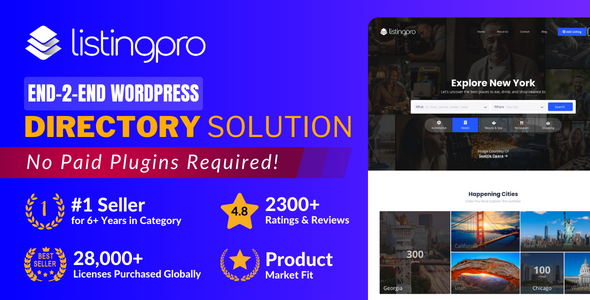
Stuck on your ListingPro WordPress theme? Let's fix it.
No endless back-and-forth. Just send us the details and we'll get it done.
No obligation · Replies within 1 hour · Quote within 1 day
Setup · Customization · Bug fixes · WooCommerce integration
About ListingPro WP Theme
ListingPro is a self-hosted WordPress directory theme built by CridioStudio. It ships with its own front-end submission system, a monetisation engine, review and rating tools, and a map-based search layer. Unlike lightweight directory themes that rely on third-party plugins for core functionality, ListingPro bundles most of what a directory site needs into a single package.
The theme supports paid listings, claim listings, featured upgrades, and commission-based bookings. It works with Stripe and PayPal out of the box. Categories, custom fields, and pricing plans are all manageable from the WordPress admin without touching code. CridioStudio maintains the theme actively, and it has sold tens of thousands of copies on ThemeForest, making it one of the most-used commercial directory themes available.
Get matched with a ListingPro developer in under one day
Tell us about your ListingPro project. Small fixes, ListingPro theme customization, or a full website build, whatever you need, we've got it covered.
We'll connect you to the right ListingPro developers, define the scope, and get everything 100% clear.
You'll get one estimate, hire your preferred developer, and start collaborating.
ListingPro has a lot of moving parts. Payment flows, map APIs, submission logic, and review moderation can each generate issues that generic WordPress advice won’t solve. Finding a developer who has worked inside the theme’s codebase saves time.
FoxyConcept delivers ListingPro development through Codeable, a network of vetted WordPress specialists. Every project starts with a free estimate. You describe the work, get matched with a qualified ListingPro developer within 24 hours, and only proceed if the scope and price make sense for you.
Pros
- Bundles submission forms, payments, reviews, and map search in one theme — no separate plugin stack needed
- Front-end listing submission with configurable pricing plans works without custom development
- Claim listing feature with automated email workflow is production-ready out of the box
- Stripe and PayPal integration is built in, including support for paid upgrades and featured placements
- Large user base means most configuration questions are answered in the official documentation or community forums
Cons
- Theme file structure is non-standard, which makes child theme development and updates harder to manage cleanly
- Page speed scores are often poor without additional optimisation work due to heavy map and script loading
- Some advanced features like bookings and events require paid add-ons sold separately
- Custom field logic per category is limited; complex conditional field requirements need custom development
- Support response times from CridioStudio can be slow during peak periods, and some bugs take multiple release cycles to resolve
Who is ListingPro for?
Local Business Directory
ListingPro suits city or niche business directories well. The map search, category filtering, and review system cover what most local directories need. A ListingPro developer can configure paid submission tiers, set up claim workflows for existing listings, and build out category structures that match how local users actually search.
Real Estate Listings Site
Property directories need custom fields for bedrooms, price range, square footage, and location radius. ListingPro’s custom field system handles the basics, but a ListingPro specialist is usually needed to configure advanced search filters, map overlays, and agent profile logic that a real estate site requires to function properly.
Job Board
ListingPro works as a job board with front-end employer submissions, category-based job types, and expiry dates on listings. A ListingPro expert can adapt the submission form for job-specific fields, configure application workflows, and set up resume or candidate listing functionality using the theme’s flexible listing types.
Restaurant and Food Guide
Food guides benefit from ListingPro’s rating system, hours of operation fields, and photo gallery support. A ListingPro developer can configure cuisine-type filters, integrate booking or reservation links, and style listing cards to show the information that matters most for a restaurant discovery experience.
Events and Venue Directory
The theme’s event add-on extends it into venue and event listing territory. A ListingPro specialist can connect events to venue profiles, configure date-based filtering, and set up ticketing or RSVP link fields. For directories where events and places overlap, this combination reduces the need for separate plugins.

Customizing ListingPro
Out of the box, ListingPro covers a lot of ground. But most live directory sites need adjustments that go beyond the theme options panel. Custom listing field types, filtered search configurations, multi-location radius logic, and payment plan structures often require template overrides or targeted PHP and CSS work.
A ListingPro expert can restructure category hierarchies so they reflect real user search behaviour, modify the submission form to match your specific listing type, and adjust map clustering for dense data sets. If you need custom monetisation rules, conditional fields per category, or a private-label front end stripped of CridioStudio branding, that work sits outside the drag-and-drop layer.
FoxyConcept works with ListingPro specialist developers who know the theme codebase well enough to extend it cleanly, without breaking future updates.
Recommended plugins for ListingPro
ListingPro integrates with a focused set of tools. WooCommerce can handle listing packages as products. WPML and Polylang are both supported for multilingual directories. The theme has its own booking and event add-ons sold separately by CridioStudio.
Third-party extensions worth considering: advanced search filters via FacetWP, review spam control via Akismet, and schema markup tools to improve how listings appear in Google. For speed, ListingPro’s map scripts and submission assets add weight to page loads, so pairing it with a proper WordPress performance setup matters. For directories targeting local or niche search traffic, structured data and on-page work through WordPress SEO optimisation can drive measurable results.
Not sure which plugins to use? This WordPress plugins directory covers the most popular options with reviews and setup guides.
ListingPro common issues
ListingPro map not showing listings
The most common cause is an invalid or missing Google Maps API key, or an API key that lacks the required Maps JavaScript API and Geocoding API permissions. Check your Google Cloud Console to confirm both are enabled and that billing is active. If the key is correct, also verify that your ListingPro map settings are saving properly and that no JavaScript errors are blocking the script on the front end.
ListingPro payment not working after checkout
Payment failures in ListingPro usually trace back to Stripe or PayPal credential mismatches, webhook configuration errors, or SSL issues on the checkout page. Check that your API keys match the mode (live vs test), that your payment gateway webhooks point to the correct URL, and that your site uses HTTPS on all pages. If the issue persists, a WordPress bug fixing specialist can trace the transaction flow and identify where it breaks.
ListingPro search filter returning no results
If search filters return no results or ignore input, the issue is often tied to permalink settings or AJAX configuration. Go to Settings > Permalinks and save without changes to flush rewrite rules. Also check whether any caching plugin is serving stale responses to AJAX requests. Some search filter issues in ListingPro are tied to custom field slugs not matching filter configuration in the theme options.
ListingPro front-end submission form not displaying
A missing front-end submission form usually means the submission page hasn’t been assigned in ListingPro’s settings, or a pricing plan hasn’t been configured and set to active. Go to ListingPro > Pricing Plans and confirm at least one plan is published. Then confirm the submission page is set under ListingPro > Settings > General Pages. If the page exists but the form is blank, check for JavaScript conflicts with other plugins.
ListingPro listings not showing after submission
New submissions go into a pending state by default unless auto-approval is enabled. Check ListingPro > Settings > Listings to see if auto-approval is turned on or off. If listings are approved but still not showing, check that the listing post type is indexed and that no query filters are hiding pending or expired posts. Also confirm the listing category assigned exists and is not hidden from the front end.
ListingPro Google Maps API key error
A Google Maps API key error in ListingPro typically means the key is missing, incorrect, or restricted to a domain that doesn’t match your site. Open Google Cloud Console, confirm the Maps JavaScript API and Geocoding API are both enabled, and check that HTTP referrer restrictions on the key include your domain with and without www. Enter the key under ListingPro > Settings > Map and save.
ListingPro email notifications not sending
ListingPro relies on WordPress’s wp_mail function for notifications. If emails aren’t arriving, the most likely cause is your hosting server blocking outbound mail. Install an SMTP plugin such as WP Mail SMTP and connect it to a transactional mail service. Also check ListingPro’s notification settings to confirm the relevant triggers are enabled. If a WordPress bug fix is needed to trace a specific notification that stopped firing, a developer can hook into the theme’s email functions directly.
ListingPro claim listing button missing
The claim listing button only appears when the feature is enabled and the listing has no claimed owner. Check ListingPro > Settings > Claim Listing to confirm the feature is active. If it’s enabled but the button still doesn’t show, check whether the listing already has a claimed user assigned, or whether a CSS conflict is hiding the element. Also verify that the claim listing page is assigned correctly in the general pages settings.
ListingPro category icons not showing
Category icons in ListingPro are set per category in the WordPress taxonomy editor. If icons are missing, the SVG or icon font files may not be loading, or the icon field was left blank when the category was created. Check the browser console for 404 errors on icon assets. If you’re using a custom icon set, verify the file paths match what’s configured. Re-saving the category with the correct icon selection usually resolves display issues.
ListingPro update breaking site layout
Layout breaks after a ListingPro update are usually caused by cached CSS, child theme conflicts, or deprecated template files. Start by clearing all caches, including your CDN if you use one. If you have a child theme, compare your overridden templates against the updated parent versions and merge any changes. If the update introduced a breaking change and you need it resolved quickly, a WordPress bug fixing service can identify and patch the conflict without rolling back.
ListingPro FAQ
For most directory use cases, yes. ListingPro includes front-end submission, payments, reviews, and map search without needing separate plugins. It suits local business directories, job boards, real estate listings, and niche guides. The main trade-off is that it’s a large theme, and sites with complex requirements typically need a ListingPro developer to go beyond the built-in settings.
ListingPro has its own page builder for the home and search pages and doesn’t rely on Elementor for core directory functionality. Some users use Elementor for static pages like About or Contact, which generally works. However, using Elementor to modify listing templates or the submission flow isn’t supported and can cause conflicts.
ListingPro is sold on ThemeForest. A regular licence costs around $69 USD and includes six months of support from CridioStudio. Extended support can be added at purchase or renewed. Some add-ons like the events or booking extensions are sold separately. Pricing may change, so check the ThemeForest listing for the current rate.
Yes. ListingPro has its own payment system built in, supporting Stripe and PayPal directly. WooCommerce is not required for listing packages, upgrades, or claim payments. This is one of the reasons ListingPro is popular, it removes the need to wire a separate ecommerce plugin into your monetisation flow.
ListingPro is compatible with WPML and Polylang for multilingual setups. String translation, category translation, and listing translations are all possible with these plugins. A ListingPro specialist may be needed to handle edge cases, particularly around translated search pages, map filters, and currency switching for international directories.
ListingPro generates structured data for listing pages, which helps with rich results in Google. However, page speed, which is a ranking factor, is often a weak point due to the theme’s script weight. A proper WordPress SEO setup combined with performance work gives the best results for directories competing in local or niche search.
Migrating an existing directory to ListingPro depends heavily on where the data lives. If listings are in a different post type or plugin format, a developer needs to map fields and import data into ListingPro’s structure. CridioStudio doesn’t provide a migration tool, so this is custom development work. A ListingPro developer can scope the migration based on your current setup.
CridioStudio offers a separate ListingPro mobile app product for iOS and Android, sold and configured independently from the WordPress theme. It connects to your ListingPro site via API. Setup requires additional configuration and is not included in the theme licence.
ListingPro sites tend to score poorly on Core Web Vitals due to map scripts, unoptimised images, and render-blocking assets. Practical steps include using a caching plugin, deferring non-critical scripts, serving images in WebP, and using a CDN. A targeted WordPress performance optimisation service can address the specific bottlenecks in your ListingPro setup.
Yes. FoxyConcept matches you with vetted ListingPro specialist developers through Codeable. You post your project, get a free estimate within 24 hours, and only hire if the scope and cost work for you. Whether the work is a full build, a feature addition, or a bug fix, you can get a free estimate with no obligation.
Hire a ListingPro Developer
Whether you need a ListingPro expert to build a directory from scratch, customise an existing site, or fix something that has stopped working, FoxyConcept can match you with the right developer fast. Work is scoped before anything starts, and you only hire if you’re satisfied with the estimate.
Get a Free Estimate and describe your project. A ListingPro specialist will review it and respond within 24 hours.
You'll need a free Codeable account so developers can ask questions and send their quotes.