Loobek WordPress Theme
by skygroup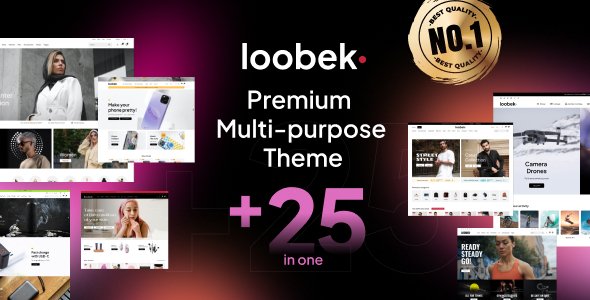
Stuck on your Loobek WordPress theme? Let's fix it.
No endless back-and-forth. Just send us the details and we'll get it done.
No obligation · Replies within 1 hour · Quote within 1 day
Setup · Customization · Bug fixes · WooCommerce integration
About Loobek WP Theme
Loobek is a multipurpose WordPress theme by skygroup, built for creative agencies, portfolios, and business sites. It ships with a drag-and-drop page builder, multiple pre-built demo layouts, and a clean visual style that works well across industries.
The theme supports WooCommerce, custom post types, and a range of header and footer options. Layout flexibility is one of its stronger points. You get full-width sections, boxed layouts, and sidebar controls without needing to write custom CSS from scratch.
Loobek is targeted at users who want visual control without heavy developer input, though getting the most out of it often requires some technical knowledge. For teams building client sites or managing multiple projects on one theme framework, it offers a reasonable foundation to start from.
Get matched with a Loobek developer in under one day
Tell us about your Loobek project. Small fixes, Loobek theme customization, or a full website build, whatever you need, we've got it covered.
We'll connect you to the right Loobek developers, define the scope, and get everything 100% clear.
You'll get one estimate, hire your preferred developer, and start collaborating.
Loobek has enough flexibility to build almost any site type, but that flexibility creates real complexity when projects go beyond demo content. A skilled Loobek developer knows where the theme’s builder stores data, how its hooks interact with plugins, and where shortcuts create problems later.
Through Codeable, you get matched with vetted WordPress developers who have hands-on theme experience. Every project starts with a free estimate, and you only move forward when you are confident in the plan and the person delivering it.
Pros
- Multiple pre-built demo layouts reduce initial setup time significantly
- Built-in WooCommerce compatibility with styled product and cart pages
- Header and footer builder allows structural changes without custom code
- Responsive design holds up well across mobile, tablet, and desktop breakpoints
- Active theme updates from skygroup keep compatibility with current WordPress versions
Cons
- Page builder reliance means content can be difficult to migrate to other themes later
- Documentation is limited in depth, making advanced customization harder to self-serve
- Demo import can fail or produce incomplete results depending on server configuration
- Some styling options require CSS knowledge to override default theme values cleanly
- Plugin conflicts with certain caching and optimization tools need manual resolution
Who is Loobek for?
Creative Agency Portfolio
Loobek’s grid layouts and full-width sections make it a practical choice for agencies showing off project work. A Loobek developer can set up custom portfolio post types, filter functionality, and case study templates that go beyond what the default demo provides. Clean transitions and strong image display help the work speak for itself.
Small Business Service Site
Service businesses need clear page structure, contact forms, and local SEO-friendly layouts. Loobek handles this well with its flexible page builder and pre-built sections for features, pricing, and testimonials. A Loobek specialist can configure these sections to match your specific service offering without unnecessary page bloat.
WooCommerce Online Store
Loobek’s WooCommerce support covers product listings, single product pages, cart, and checkout styling. For stores that need custom product filters, upsell layouts, or a branded checkout experience, a Loobek expert can extend the default templates while keeping the theme’s update path intact.
Freelancer or Personal Brand Site
Freelancers and consultants often need a fast-loading, professional site that communicates credibility quickly. Loobek’s single-page demo layouts and typography controls support this well. A Loobek developer can set up a lightweight build that loads fast, ranks well, and clearly presents your services and contact options.
Corporate or Consulting Firm Website
Corporate sites built on Loobek benefit from its multi-column layouts, team member sections, and blog functionality. For firms that need specific brand guidelines enforced across every page, a Loobek specialist can build a child theme with locked design tokens, ensuring consistency across all team editors and future updates.

Customizing Loobek
Out of the box, Loobek gives you color controls, typography settings, and layout options through the WordPress Customizer. Most surface-level changes are straightforward. Where things get more complex is when you need custom templates, non-standard post layouts, or deeper WooCommerce modifications.
A Loobek expert can help you move past the default options and build something that actually fits your brand. That means custom page templates, modified loop structures, child theme development, and clean CSS work that does not break on updates.
If you are integrating third-party plugins, adjusting the header builder, or trying to match a specific design file, working with a Loobek specialist saves significant time and avoids the trial-and-error that comes with undocumented theme hooks and filters.
Recommended plugins for Loobek
Loobek works with most major WordPress plugins, but some combinations need careful setup. WooCommerce product pages, contact form plugins, and slider tools can each introduce performance overhead if not configured correctly.
Before adding more extensions, it is worth auditing what you already have running. Our WordPress performance service covers script loading, image optimization, and database cleanup specific to how Loobek loads assets.
If organic traffic matters to your project, pairing Loobek with structured SEO work pays off. Our WordPress SEO service handles schema, metadata, and technical audits that work alongside your existing theme setup.
Not sure which plugins to use? This WordPress plugins directory covers the most popular options with reviews and setup guides.
Loobek common issues
Loobek demo import not working or stuck
Demo import failures in Loobek usually come down to PHP memory limits, execution timeouts, or missing required plugins not being activated before import. Check that your server meets the theme’s minimum requirements and that all bundled plugins are active first. If the import still fails or produces a broken layout, our WordPress bug fixing service can diagnose the server environment and run the import correctly.
Loobek header layout broken after plugin update
Header builder breakage after a plugin update often points to a JavaScript conflict or a CSS class change introduced by the updated plugin. Open the browser console and check for JS errors. Deactivate recently updated plugins one at a time to isolate the conflict. If the issue persists or you cannot identify the source, a WordPress bug fix from a Loobek developer will resolve it cleanly without breaking other elements.
Loobek page builder content not showing on frontend
When Loobek page builder content appears in the editor but not on the frontend, the most common causes are a caching plugin serving an old page version or a theme conflict with the builder’s output rendering. Clear all cache layers first, including server-side cache if applicable. If content still fails to render, check whether the page template assigned in the editor matches the expected output template in the theme files.
Loobek WooCommerce product page styling incorrect
WooCommerce product page styling issues in Loobek often occur after a WooCommerce major version update changes template file structure. Loobek may be using outdated template overrides that no longer match current WooCommerce markup. Compare the theme’s WooCommerce template folder against the plugin’s current templates and update any outdated files. A Loobek developer can do this quickly while preserving your custom styling.
Loobek FAQ
Skygroup updates Loobek to maintain compatibility with current WordPress releases, but there is often a short lag after major WordPress updates. Always check the theme changelog before updating WordPress on a live site. Running a staging environment first is the safest approach, especially if you have customizations or rely on bundled plugins that may also need updates.
Technically yes, but practically it is difficult. Loobek’s layouts and demo content are designed around its bundled builder. Using it with the block editor or a different builder means rebuilding most page structures from scratch. If you want to move away from the bundled builder, a Loobek specialist can help you migrate content without losing your design work.
Creating a Loobek child theme follows standard WordPress practice. Create a new folder in wp-content/themes, add a style.css file with a Template header pointing to the parent theme slug, and add a functions.php that enqueues the parent stylesheet. Any template or style overrides go in the child theme folder. This protects your changes when the parent theme updates.
Yes, Loobek includes WooCommerce support with styled shop, product, cart, and checkout pages. Basic store functionality works out of the box. For more complex stores requiring custom product templates, advanced filtering, or specific checkout flows, a Loobek developer can extend the built-in WooCommerce integration to match your exact requirements.
Loobek developer rates vary depending on the scope and complexity of the work. Simple fixes or single-page customizations cost less than full builds or complex plugin integrations. Through Codeable, you post your project, describe what you need, and receive a specific estimate before committing. There is no obligation to hire after receiving your estimate.
Hire a Loobek Developer for Your WordPress Project
Whether you need a Loobek expert for a full build, a specific customization, or fixing something that has broken, working with a specialist is faster and less risky than going it alone. Skygroup themes have their own patterns and quirks, and experience with them matters.
Post your project and get a free estimate with no obligation. You describe what you need, a qualified Loobek developer reviews it, and you get a clear plan before any work begins. Get a Free Estimate and see how quickly you can move forward.
You'll need a free Codeable account so developers can ask questions and send their quotes.