LuxStay WordPress Theme
by ThimPress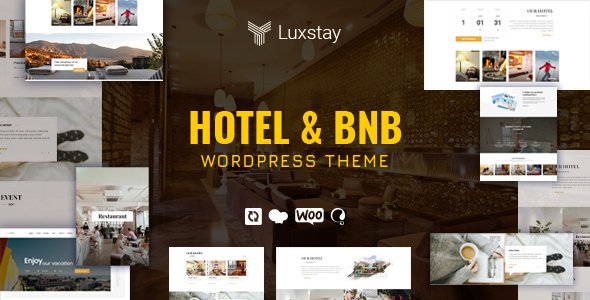
Stuck on your LuxStay WordPress theme? Let's fix it.
No endless back-and-forth. Just send us the details and we'll get it done.
No obligation · Replies within 1 hour · Quote within 1 day
Setup · Customization · Bug fixes · WooCommerce integration
About LuxStay WP Theme
LuxStay is a WordPress theme built by ThimPress, designed specifically for hotels, resorts, vacation rentals, and bed-and-breakfast properties. It ships with a full property booking system, room listing templates, and availability calendars built in. The design leans toward high-end hospitality with clean typography, large image headers, and a layout structure that puts rooms and amenities front and center.
ThimPress built LuxStay on top of their HBook or compatible booking plugin ecosystem, which means the core booking functionality is tightly integrated rather than bolted on. You get amenity listings, room types, pricing rules, and seasonal rates without needing a third-party booking solution. For anyone building a hospitality site on WordPress, LuxStay covers most of the hard parts out of the box.
Get matched with a LuxStay developer in under one day
Tell us about your LuxStay project. Small fixes, LuxStay theme customization, or a full website build, whatever you need, we've got it covered.
We'll connect you to the right LuxStay developers, define the scope, and get everything 100% clear.
You'll get one estimate, hire your preferred developer, and start collaborating.
LuxStay looks polished in demos, but production hospitality sites have specific requirements: seasonal pricing logic, booking conflict handling, payment failures, mobile-first room browsing, and fast load times on image-heavy pages. Most property owners hit a wall somewhere in that list.
Working with a vetted LuxStay developer through Codeable means you get someone who has already solved these problems. No agency overhead, no junior developers learning on your project. You post your project, get matched within 24 hours, and receive a fixed estimate before any work starts.
Pros
- Integrated room booking system with availability calendar built into the theme ecosystem
- Elementor compatibility makes layout editing accessible for non-developers
- Seasonal pricing and room type management handled at the theme or plugin level
- Professional hospitality design that works well for upmarket hotels and boutique properties
- ThimPress has an active support team and updates the theme regularly
Cons
- Full booking functionality requires HBook or a compatible paid plugin, which adds cost
- Deep customizations require knowledge of ThimPress-specific hooks and template structure
- Demo content import can be unreliable and may require manual cleanup
- Page speed on image-heavy hotel pages needs active optimization work out of the box
- Multi-property management is limited without custom development or additional plugins
Who is LuxStay for?
Boutique Hotels
LuxStay’s room listing templates and large hero image sections suit boutique hotels well. You can present each room type with galleries, amenity lists, and a direct booking form. The design feels upmarket without requiring custom work, which keeps launch costs down for smaller independent properties.
Vacation Rental Properties
Vacation rental owners get property listing pages, availability calendars, and pricing rules that cover most scenarios. The theme handles single-property setups cleanly. Multi-property owners will need some custom development to manage separate availability and pricing logic across listings.
Bed and Breakfast Sites
Bed and breakfast properties need simple booking flows and a warm, personal design. LuxStay delivers both. Room types, included amenities, and breakfast options can be clearly presented. The booking form is straightforward enough for guests who are not particularly tech-savvy.
Resorts and Spa Properties
Resorts with multiple room categories, spa packages, and activity bookings need a theme that handles layered service offerings. LuxStay provides the base structure. A developer familiar with the theme can extend it to handle package bundles and add-on services at checkout.
Serviced Apartments
Serviced apartment operators benefit from LuxStay’s flexible room type system, which maps well to unit categories with different sizes and rates. Weekly and monthly pricing rules can be configured. For operators with five or more units, a developer will be needed to manage more complex availability logic.

Customizing LuxStay
LuxStay works with the Elementor page builder, which makes layout changes accessible without touching code. You can adjust room listing pages, rearrange homepage sections, and update color schemes through the Customizer. That covers the basics for most property owners.
Where things get more technical is custom booking logic, multi-property setups, payment gateway integration, or modifying how availability data displays. A LuxStay expert can build those out cleanly without creating technical debt. If you need custom room filters, a bespoke checkout flow, or a design that moves away from the default templates, hiring someone who knows the theme well saves significant time. ThimPress themes have specific hooks and filter structures that are faster to work with if you already know them.
Recommended plugins for LuxStay
LuxStay pairs well with several additions. WooCommerce handles payment processing if you need more control over the checkout experience than the default booking plugin provides. WPML adds multilingual support for international properties. Yoast or Rank Math handles on-page SEO for room and location pages.
For site speed, image-heavy hospitality sites need proper caching, a CDN, and optimized media handling. A slow booking page loses direct reservations. Review plugins like WP Hotel Booking Review or custom review modules can add credibility to room listings. For deeper performance work, see our WordPress performance service. For local and organic search visibility, our WordPress SEO service covers structured data and page-level optimization.
Not sure which plugins to use? This WordPress plugins directory covers the most popular options with reviews and setup guides.
LuxStay common issues
LuxStay booking form not sending confirmation emails
Email delivery failures on LuxStay booking forms are almost always a server-level issue rather than a theme bug. WordPress uses PHP mail by default, which many hosts block. Install an SMTP plugin like WP Mail SMTP and connect it to a transactional email service such as SendGrid, Mailgun, or Postmark. Configure both admin and guest notification templates in your booking plugin settings and test with a live booking. If emails still fail, check spam folders and review server mail logs. Our bug fixing service can diagnose and resolve this quickly.
LuxStay availability calendar not updating correctly
Availability calendar sync problems in LuxStay usually trace back to caching. If a booking is made but the calendar still shows the dates as open, your page caching plugin is serving a stale version. Exclude booking-related pages and calendar endpoints from your cache rules. If you are using a CDN, purge cached assets after configuration changes. Database-level issues where bookings are not recording correctly are less common but require direct inspection of the booking plugin tables. A developer can identify which layer is causing the problem.
LuxStay Elementor sections not loading on mobile
Elementor sections not rendering correctly on mobile in LuxStay are typically caused by conflicting CSS between the theme stylesheet and Elementor’s responsive breakpoints. Open the affected page in Elementor, switch to the mobile preview mode, and check padding, margin, and display settings at the mobile breakpoint. Hidden sections set to desktop-only visibility are another common cause. If the issue appeared after a theme or Elementor update, check the changelog for known conflicts. Persistent layout issues across multiple pages may need a developer to audit the stylesheet.
LuxStay demo import not working or missing content
LuxStay demo import failures happen for several reasons: PHP memory limits too low, upload size restrictions, or timeouts on shared hosting. Before importing, set memory_limit to at least 256M, max_execution_time to 300, and upload_max_filesize to 64M in your php.ini or wp-config.php. Use the one-click import tool from the theme panel rather than the standard WordPress importer. If the import completes but images are missing, run the media regeneration tool. If dummy content still does not match the demo, a developer can build the layout manually in less time than repeated import attempts.
LuxStay FAQ
LuxStay is a premium WordPress theme sold through ThimPress. It is not free. Pricing is available on the ThimPress website and typically includes the theme license and a set period of support and updates. You will also need a compatible booking plugin such as HBook, which is a separate purchase. Factor both costs into your budget before starting.
LuxStay is designed to work with HBook or ThimPress’s own WP Hotel Booking plugin. Without one of these, you lose the core booking calendar, room availability management, and reservation forms. The design templates will still display, but you will have a hotel website with no functional booking system. For a working property site, budget for the plugin alongside the theme.
Yes. LuxStay works well for vacation rental properties. You get property listing pages, an availability calendar, and a booking form that guests can use to request or confirm stays. It is a direct booking tool, not a listing marketplace. Guests book through your site, not through a platform like Airbnb, which means you keep the booking fee and own the guest relationship.
Payment processing in LuxStay depends on which booking plugin you use. WP Hotel Booking and HBook both support PayPal and Stripe as standard options. WooCommerce can be integrated to access a wider range of payment gateways. Bank transfer and pay-at-property options are also available for properties that prefer to confirm bookings manually before charging guests.
Migrating an existing hotel site to LuxStay is possible but requires planning. Your room content, booking history, guest data, and media need to be transferred carefully. Booking records are the most complex part since they live in plugin-specific database tables. Our WordPress migration service handles this kind of move and can preserve your existing booking data during the transition.
Hire a LuxStay Developer
Whether you need a full LuxStay build from scratch, a booking system that actually works for your property, or fixes to an existing site, we can match you with a developer who knows this theme. ThimPress themes have specific quirks and the right developer will already know them.
Post your project and get a free, no-obligation estimate within 24 hours. Get your free estimate here and see exactly what your project will cost before committing to anything.
You'll need a free Codeable account so developers can ask questions and send their quotes.