MagPlus WordPress Theme
by theme_bubble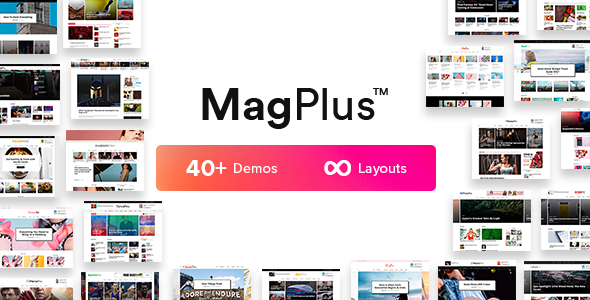
Stuck on your MagPlus WordPress theme? Let's fix it.
No endless back-and-forth. Just send us the details and we'll get it done.
No obligation · Replies within 1 hour · Quote within 1 day
Setup · Customization · Bug fixes · WooCommerce integration
About MagPlus WP Theme
MagPlus is a WordPress theme built by Theme_Bubble, designed specifically for online magazines, news sites, and blogs that need to handle large volumes of content without sacrificing layout control. It ships with over 50 pre-built demos covering niches from technology and fashion to sports and food, making it a practical starting point for editorial sites of any size.
Under the hood, MagPlus integrates with Elementor and WPBakery, giving editors a visual way to manage page structure without touching code. It supports infinite scroll, Ajax-loaded content, sticky menus, and advanced ad placement zones. The theme is compatible with WooCommerce, making it usable for sites that sell alongside publishing. Performance and typography controls are built into the options panel, reducing the need for extra plugins on standard setups.
Get matched with a MagPlus developer in under one day
Tell us about your MagPlus project. Small fixes, MagPlus theme customization, or a full website build, whatever you need, we've got it covered.
We'll connect you to the right MagPlus developers, define the scope, and get everything 100% clear.
You'll get one estimate, hire your preferred developer, and start collaborating.
MagPlus has enough moving parts that a generic WordPress developer can waste time just learning the theme’s structure. Working with a MagPlus specialist through Codeable means you get someone who already knows the theme, has worked through its common problems, and can give you an accurate estimate before any work starts. Codeable vets every developer on the platform, so you’re not guessing on quality. Post a project, get matched within 24 hours, and the estimate costs nothing.
Pros
- 50+ niche-specific demos make it fast to start a magazine or news site without building from scratch
- Built-in ad management zones let publishers control ad placement without a separate plugin
- Supports both Elementor and WPBakery, so editors can choose the page builder they already know
- Ajax pagination and infinite scroll work out of the box, reducing the need for additional setup for reader experience
- WooCommerce compatibility allows editorial sites to add a shop section without switching themes
Cons
- Demo import doesn't always transfer cleanly and often requires manual cleanup before a site is usable
- Using both Elementor and WPBakery on the same install adds bloat that hurts page speed
- The options panel has a steep learning curve and some settings are buried or poorly labeled
- Breaking news and ticker features can conflict with caching plugins if not configured carefully
- Theme updates occasionally break custom CSS or child theme overrides, requiring review after each update
Who is MagPlus for?
Online News Magazine
MagPlus handles multi-category news publishing well. Its grid-based homepage layouts let editors feature breaking stories prominently while keeping archive sections organized. The built-in ad zones fit standard IAB placements, which matters for sites running display advertising networks like AdSense or direct deals.
Technology Blog
Tech blogs benefit from MagPlus’s clean list and card layouts that work well for review-heavy content. The theme supports featured image ratios and post formats that suit tutorials, roundups, and product comparisons. Paired with a caching setup, it handles traffic spikes from aggregators without falling over.
Food and Recipe Site
Food sites need strong image presentation. MagPlus’s full-width featured images and recipe-style single post templates give food content the visual weight it needs. Category filtering and related post sections help readers find recipes by cuisine or ingredient, improving time on site.
Sports News Portal
Sports portals require fast-loading pages and real-time feel. MagPlus’s Ajax content loading and breaking news ticker make it practical for live-event coverage. Multiple column layouts let editors run scores, match reports, and opinion pieces side by side without crowding the page.
Fashion and Lifestyle Publication
Fashion publications rely on visual hierarchy. MagPlus offers masonry grids and large hero sections that suit lookbook-style content. Its typography controls allow brand-consistent fonts across posts, and the WooCommerce integration makes adding a shop to a fashion editorial site straightforward.

Customizing MagPlus
MagPlus gives you a lot of controls out of the box, but getting a site to look and behave exactly how you want often takes more than clicking through the demo importer. Custom header layouts, category color-coding, breaking news tickers, and grid configurations all require knowing where the settings interact and where they conflict.
A MagPlus expert can handle the parts that slow most site owners down: custom post templates, ad zone integration, homepage section ordering, and tying the theme’s built-in options to a specific editorial workflow. If you’re running multiple content categories with different layouts per section, that kind of structural work benefits from someone who has built with MagPlus before and knows its quirks. Getting a specialist involved early saves hours of trial and error later.
Recommended plugins for MagPlus
MagPlus works with a range of plugins that extend what the theme does natively. For performance, pairing it with a caching plugin and a CDN matters especially on high-traffic news sites where page load directly affects bounce rate. Proper image optimization and lazy loading configuration make a measurable difference. See our WordPress performance services if that’s a bottleneck.
On the SEO side, MagPlus is compatible with Yoast and Rank Math, but schema markup for articles, authors, and breadcrumbs needs to be set up correctly to get full benefit. Our WordPress SEO optimisation service covers that end-to-end.
Not sure which plugins to use? This WordPress plugins directory covers the most popular options with reviews and setup guides.
MagPlus common issues
MagPlus demo import not working or stuck
Demo import failures in MagPlus are usually caused by server timeout limits or memory restrictions. Increase max_execution_time and memory_limit in your PHP settings, then retry the import. If it still fails, import XML content manually through WordPress’s built-in importer and set up widgets and theme options separately. If the problem persists, a WordPress bug fixing specialist can handle the full setup.
MagPlus homepage layout broken after update
Homepage layout breaks after a MagPlus update are often caused by Elementor or WPBakery version conflicts with updated template structures. Clear your page builder’s cache, then check if any saved templates reference deprecated shortcodes or widget areas. Rebuilding the affected homepage section using current MagPlus blocks usually resolves it. Always test updates on a staging site first.
MagPlus breaking news ticker not showing
If the MagPlus breaking news ticker isn’t appearing, check that the feature is enabled in Theme Options under the Header settings panel. Confirm that the selected category has published posts. Plugin conflicts, particularly with caching or minification plugins, can suppress the ticker script. Temporarily disable caching and test. If the ticker JavaScript is being dequeued, a custom function to re-enqueue it usually fixes the issue.
MagPlus slow loading on mobile
MagPlus can load slowly on mobile due to unused scripts from both Elementor and WPBakery being loaded simultaneously. Deactivate whichever page builder you’re not using. Enable lazy loading for images, reduce the number of Google Fonts variants loaded, and defer non-critical JavaScript. A CDN improves asset delivery significantly for geographically distributed audiences.
MagPlus Elementor sections not saving
Elementor sections not saving in MagPlus usually points to a PHP memory limit or a REST API conflict. Check that the WordPress REST API is accessible and not blocked by a security plugin. Increase memory_limit to at least 256MB. Also confirm there’s no JavaScript error in the browser console blocking Elementor’s save request. Disabling conflicting plugins one at a time identifies the source.
MagPlus ads not displaying in widget areas
MagPlus ad widget areas require the correct widget to be placed in the right sidebar or content zone. If ads aren’t showing, verify the widget area is assigned in the current page template. Some caching plugins strip ad code on cached pages. Check your caching exclusion rules and ensure ad scripts are not being deferred in a way that prevents them from rendering. Our WordPress bug fixing service can diagnose ad display issues quickly.
MagPlus mega menu not working
MagPlus mega menu configuration happens inside the WordPress menu editor using the theme’s custom menu settings. If the mega menu isn’t appearing, check that the menu location is correctly assigned in Appearance > Menus. The mega menu requires the theme’s menu walker to be active, so switching to a plugin-based menu system can break it. Ensure no caching layer is serving a version of the menu without the required CSS classes.
MagPlus featured image not showing on posts
When featured images don’t show on MagPlus post templates, the issue is usually a mismatch between the image size registered by the theme and what’s been generated for uploaded images. Run the Regenerate Thumbnails plugin to create the correct image sizes. If the issue only affects specific templates, check the template file in your child theme to confirm the correct image size is being called.
MagPlus infinite scroll loading wrong posts
MagPlus infinite scroll loading incorrect posts often happens when the query on the homepage isn’t being passed correctly to the Ajax request. This can occur if a custom homepage query is set via a plugin or functions.php and the infinite scroll script doesn’t inherit those parameters. Hooking into the correct MagPlus filter to pass the modified query arguments to the Ajax handler resolves the issue in most cases. A WordPress bug fix can trace the exact query being fired.
MagPlus child theme styles not applying
If MagPlus child theme styles aren’t applying, confirm the child theme’s stylesheet is enqueued correctly using wp_enqueue_style with the parent theme as a dependency, not via the old @import method. Check that the child theme is the active theme in Appearance > Themes. Specificity issues can also cause parent styles to override child styles; use browser dev tools to identify which rule is winning and adjust accordingly.
MagPlus FAQ
Yes, MagPlus is built specifically for news and magazine sites. It includes grid layouts, category-based sections, a breaking news ticker, and ad placement zones that suit editorial publishing. The 50+ demos cover a wide range of news niches, and Ajax-based pagination keeps content loading fast for regular readers.
Yes, MagPlus officially supports Elementor. Most of its demos are built with Elementor, and the theme includes custom Elementor widgets for post grids, tickers, and category displays. That said, running both Elementor and WPBakery simultaneously adds unnecessary load, so it’s worth sticking to one page builder.
Go to Appearance > Import Demo Data after installing MagPlus and its required plugins. Choose a demo, select the content types to import, and click Import. Make sure your server’s PHP memory limit is at least 256MB and execution time allows for a full import. Large demos can time out on shared hosting if these limits are too low.
Yes. MagPlus supports both Elementor and WPBakery, but you don’t need to use both. If you prefer Elementor, you can deactivate WPBakery after importing a demo built on Elementor. This reduces plugin overhead and keeps the site lighter. Just confirm the demo you choose is Elementor-based before importing.
MagPlus is WooCommerce compatible. You can add a shop section to a magazine site without switching themes. The theme includes basic WooCommerce template support, though the shop pages may need some CSS adjustments to match your editorial design closely. A MagPlus developer can handle that integration cleanly.
Start by deactivating the page builder you’re not using. Enable lazy loading for images, limit Google Fonts to one or two weights, and use a caching plugin with a CDN. MagPlus loads a fair number of scripts by default, so disabling unused features in the theme options panel also helps. See our WordPress performance service for a full audit.
Yes. MagPlus includes ad widget areas and dedicated ad zones in its header, sidebar, and between-post positions. These work with AdSense code placed directly in the widget areas. For more advanced ad setups like header bidding or programmatic ads, you’ll want an ad management plugin alongside the theme’s native zones.
Yes. A MagPlus specialist can handle custom layouts, demo setup, ad integration, performance work, or any structural changes you need. Through Codeable, you can post your project, get matched with a vetted MagPlus developer within 24 hours, and receive a free estimate before committing to anything.
Create a new folder in wp-content/themes/ named something like magplus-child. Add a style.css with the correct theme header referencing MagPlus as the parent, and a functions.php that enqueues both parent and child stylesheets. Activate the child theme in Appearance > Themes. All customizations go into the child theme to survive updates.
MagPlus supports both Elementor and WPBakery Page Builder. Most newer demos lean on Elementor, while some older demos were built with WPBakery. The theme also has its own shortcodes and options panel that work independently of both builders for certain features like the mega menu and breaking news ticker.
Hire a MagPlus Developer for Your Project
Whether you need a MagPlus expert to build from scratch, customize an existing setup, fix a layout issue, or optimize for speed and ads, we can match you with the right developer. Work is scoped before it starts, so there are no surprises on cost or timeline. Get a Free Estimate and describe what you need. No obligation to hire.
You'll need a free Codeable account so developers can ask questions and send their quotes.